Long forms are now easier for your respondents to complete. With the new save progress feature, anyone filling out a multi-step form, survey, or quiz can leave partway through and return later to continue from where they stopped. You only need to turn on a single toggle, and EveryCatch handles the rest for you and your respondents.
What changed
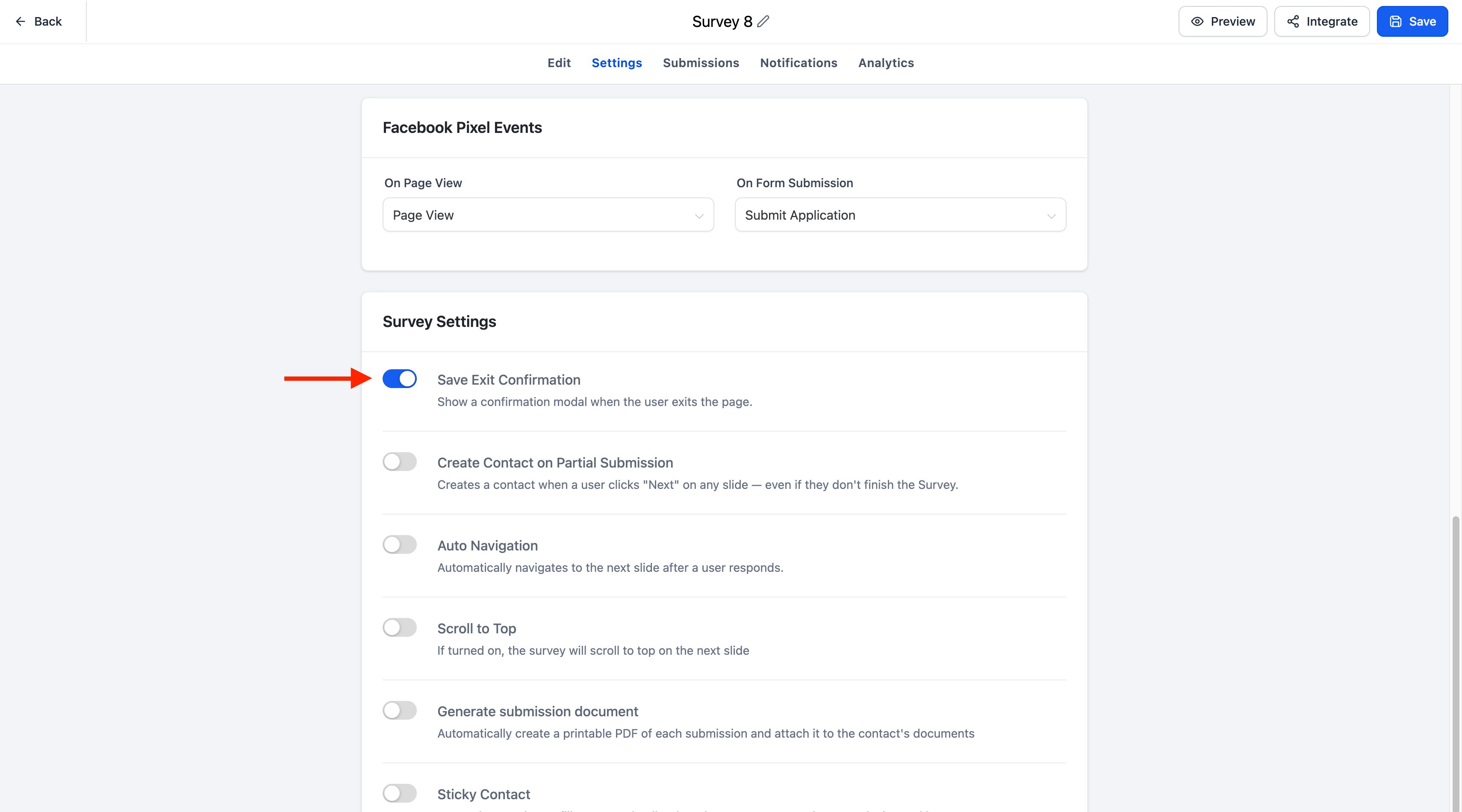
A new save exit confirmation toggle is now available in the settings tab for:
- Forms
- Surveys
- Quizzes
When you enable this toggle, EveryCatch automatically saves a respondent’s progress if they leave before submitting, so they can come back later and finish the same form, survey, or quiz without starting again.
Key highlights
- Automatically saves progress for multi-step forms, surveys, and quizzes
- Turn the feature on or off quickly using the save exit confirmation toggle
- Respondents can return later and pick up from where they left off
- A resume modal lets respondents choose to continue their previous progress or start over
- The resume progress modal automatically follows your form, survey, or quiz branding
- The call-to-action button color inherits the configured footer color
- The text font matches the configured label font
- Fully supported in both desktop and mobile experiences
How it works
- Open the settings tab for your form, survey, or quiz.
- Turn on the save exit confirmation toggle.
- Respondents start filling out your multi-step form, survey, or quiz.
- If they close the browser, refresh the page, or leave the page before submitting, their progress is automatically saved.
- When they return to the same form, survey, or quiz, a resume progress modal appears and lets them:
- Continue from where they left off, or
- Start over with a new submission
Notes
- Save progress is available for multi-step forms, surveys, and quizzes.
- You control the feature with the save exit confirmation toggle in the settings tab.
- Progress is only saved automatically when this feature is enabled.
- The resume progress modal is automatically styled to match your form, survey, or quiz branding.
- Existing forms, surveys, and quizzes will keep working as they do today until you explicitly enable this feature.