
You can now reorder your pipelines directly in the EveryCatch opportunities pipeline view. Drag and drop to rearrange pipelines, or use the Actions menu to move one to an exact position. Your changes are saved automatically and stay in place across page refreshes.
What changed
- You can drag and drop to reorder pipelines in the opportunities pipeline view.
- A new "Move to position" option in the three-dot Actions menu lets you place a pipeline at an exact spot, including moving it to a different page of the list.
- The pipeline order you set is shared for everyone in that location and is saved at the location level.
- Only admins can change the pipeline order for a location.
How to use
- Go to Opportunities → Pipelines in EveryCatch.
- To reorder, drag any pipeline by its handle and drop it into your preferred position.
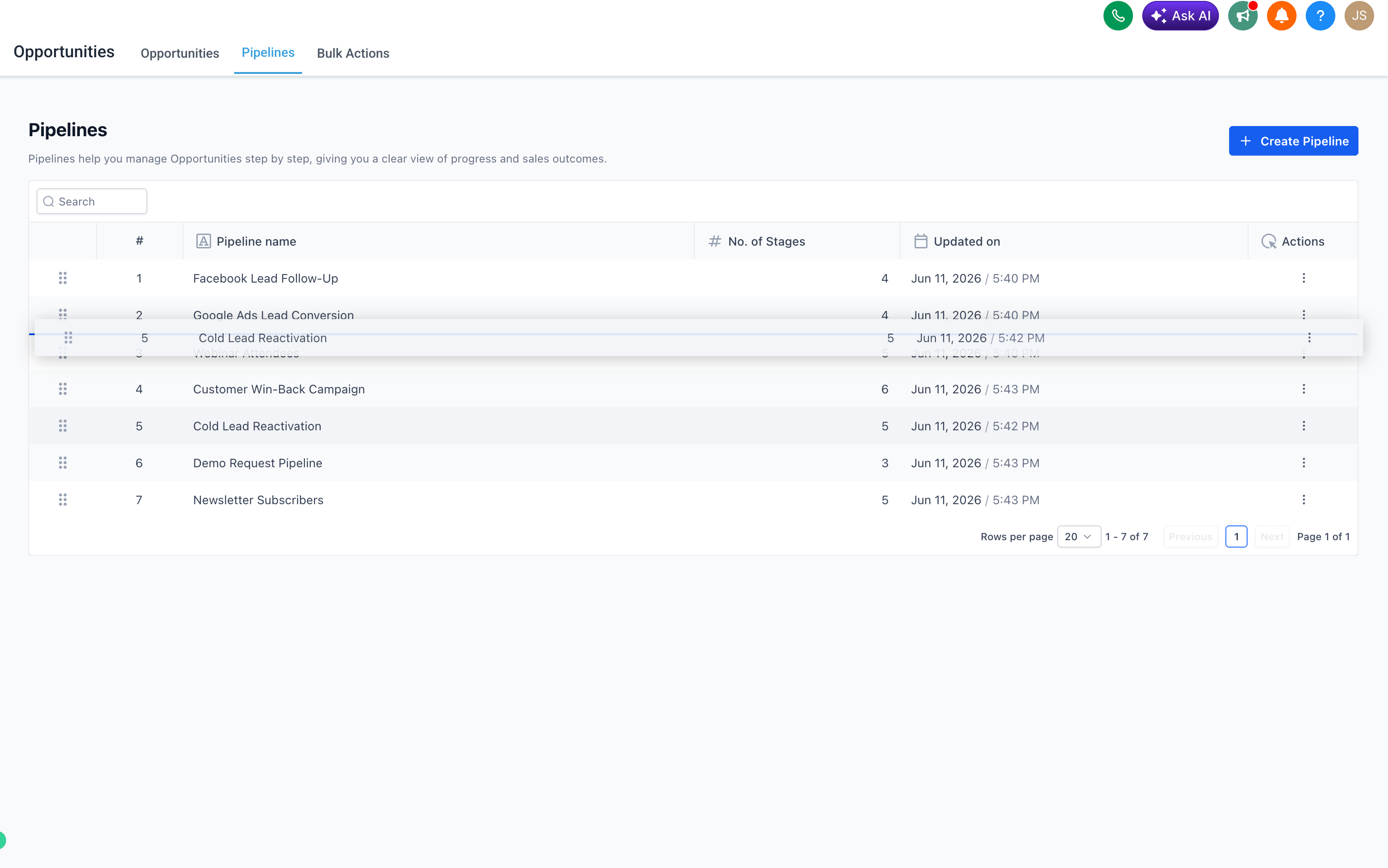
- Or click the ⋯ (three-dot) Actions menu on a pipeline and select "Move to position" to place it at a specific position number, even if that position is on another page.

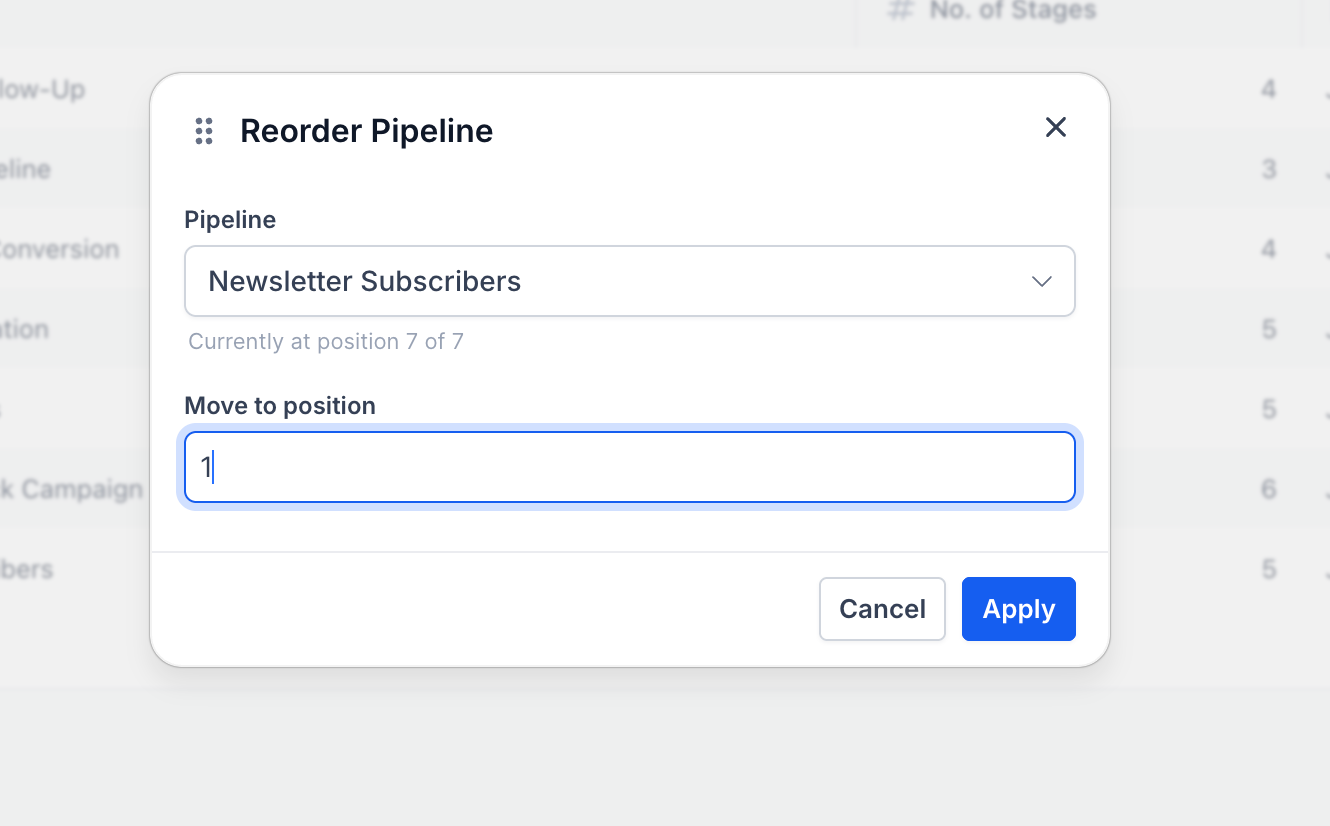
- The new order saves automatically, so you do not need to confirm or publish your changes.
Why this feature
Previously, the pipeline list order in opportunities was fixed and could not be changed from the interface. If you managed many pipelines, there was no clean way to keep your most important ones at the top apart from how you named them. With this update, EveryCatch gives you direct control over pipeline order from the pipeline view, so you can organize your workspace around the pipelines you use most. This should make it easier for your team to find the right pipeline quickly and keep daily work focused.



