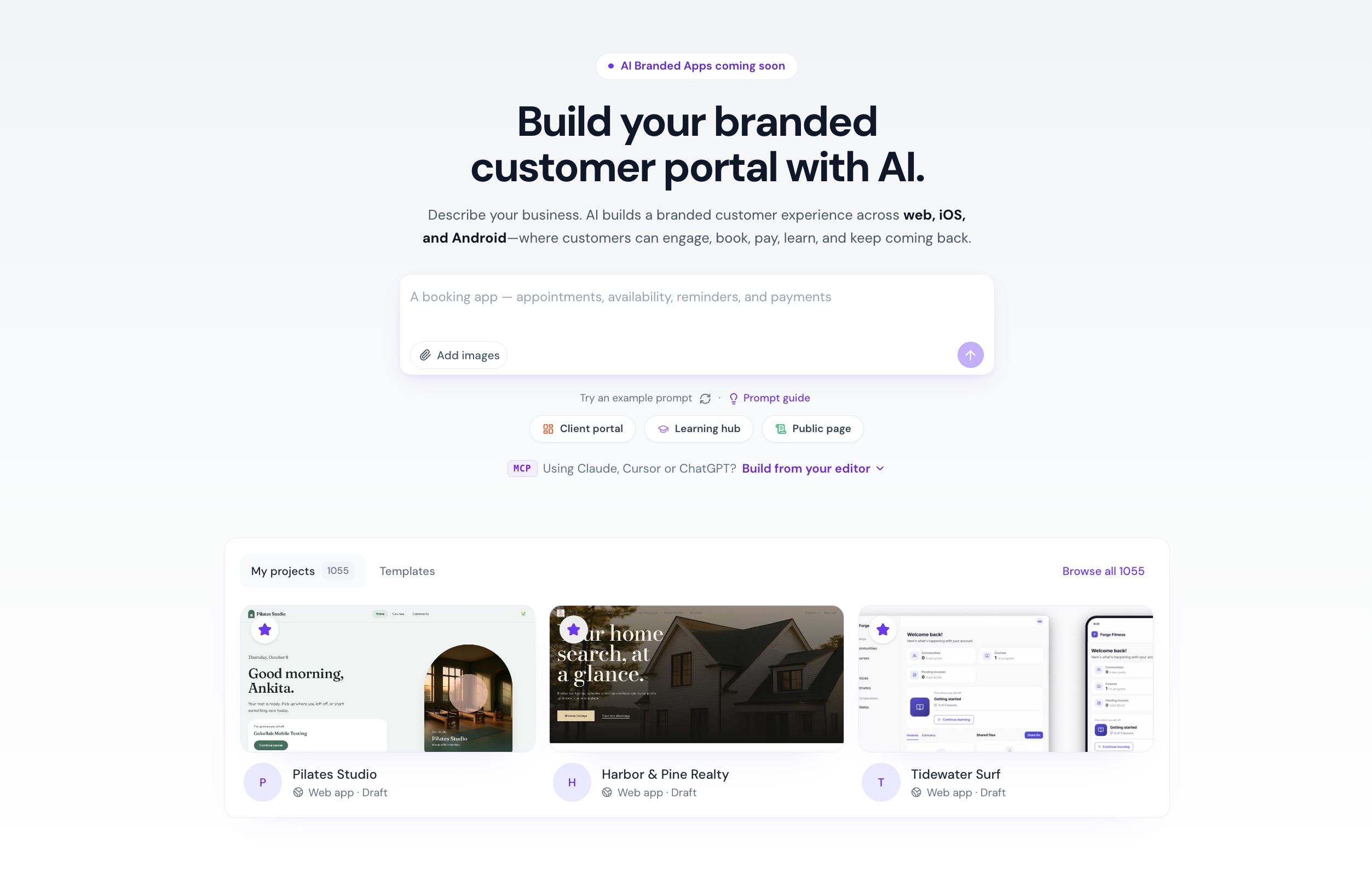
Your client portal can now match your exact vision, built with help from AI. With Vibe Coding in the EveryCatch Client App Builder, you can create a fully customized client portal just by describing what you want, without writing any code.
From page layouts to complete client experiences, AI turns your ideas into working designs that stay connected to your existing members, courses, communities, and other content in EveryCatch.
What changed
- Build with AI prompts - Describe your business and the experience you want your clients to have. The AI will ask follow-up questions, explore design options, and generate fully functional pages tailored to your goals.
- Personalized designs - Pick a design system, upload your own images, and let the AI apply your branding consistently across your portal.
- Built-in client portal connections - Link courses, communities, shared files, appointments, member accounts, and existing data directly in your portal without relying on external integrations.
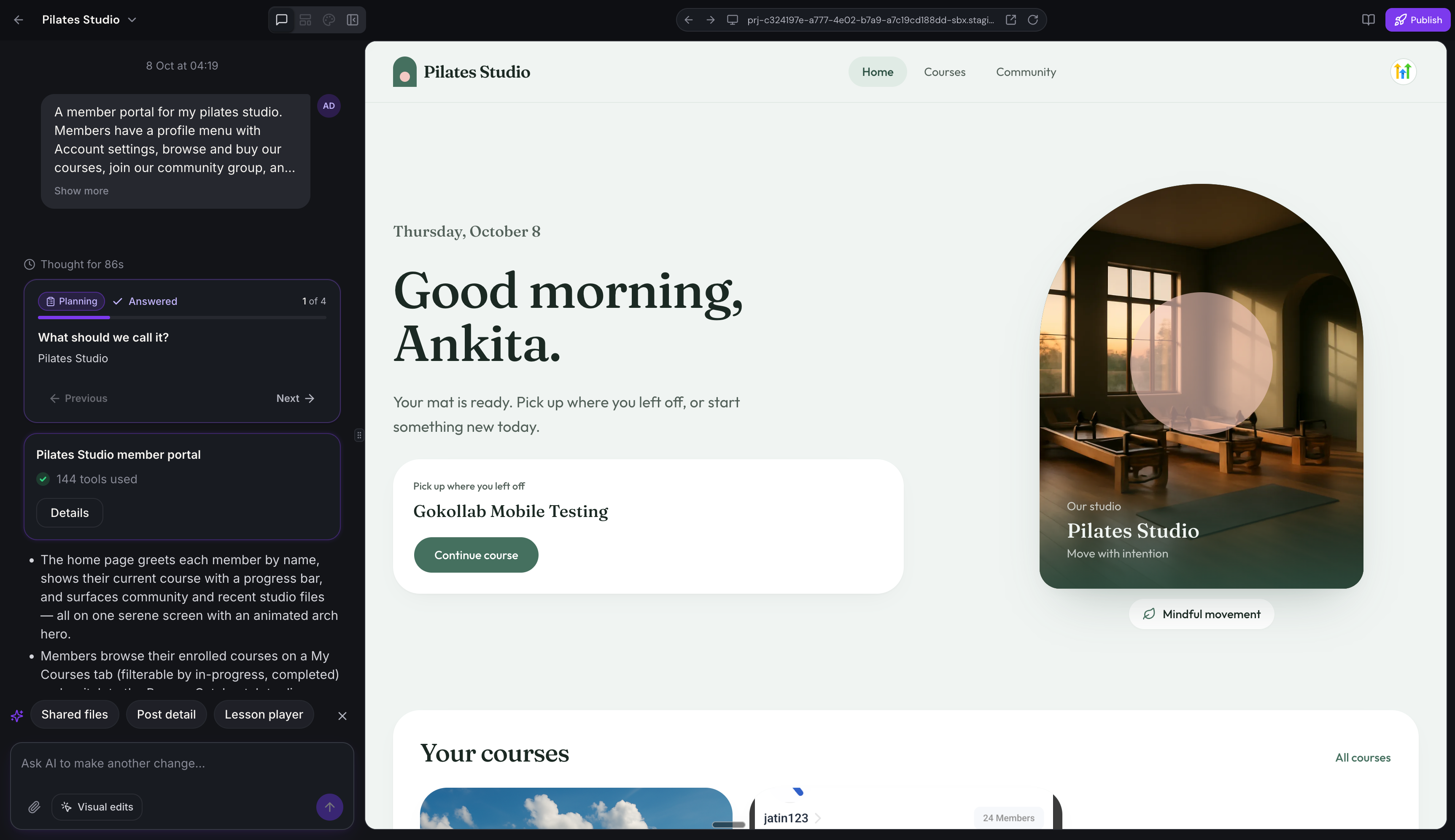
- Build through conversation - Adjust your portal using simple prompts, follow AI-suggested next steps, and generate any missing pages with a single click.
- Visual editing - Click elements in the live preview and describe how you want them to change, then let AI update them for you.
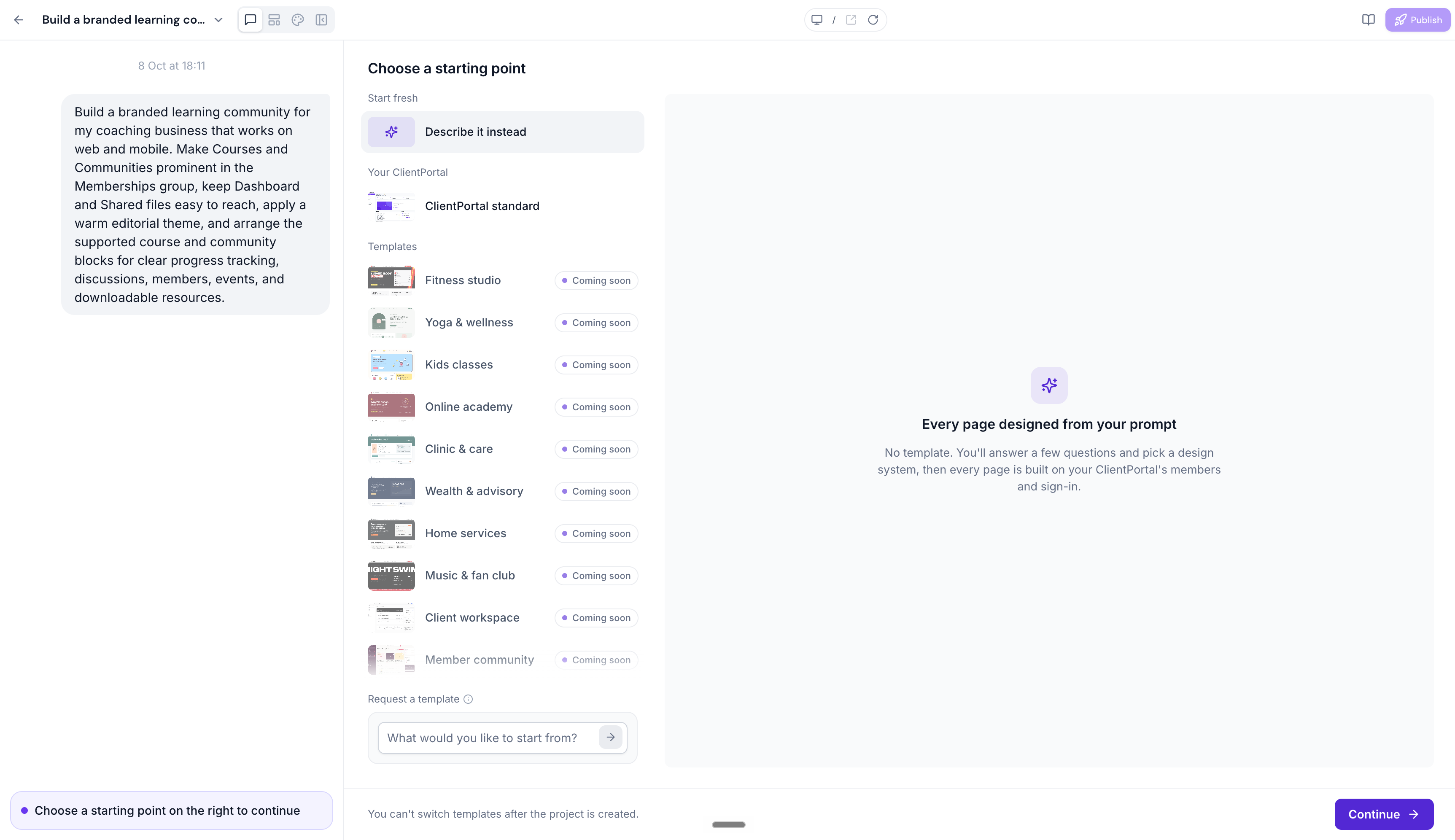
- Flexible starting points - Start from a blank experience or enhance the client portal you already have in EveryCatch.
- Custom domains - Publish your portal on a custom web address and connect up to 10 custom domains for different brands or use cases.
- Dark mode support - Switch the builder interface between Light, Dark, or System themes without changing how your portal itself looks for clients.
Why it matters
Until now, building a distinctive client portal experience usually meant working within set layouts or paying for custom development work.
With Vibe Coding, your portal does not need to follow a fixed template. You can design, build, and publish a portal that fits your business using natural language, while keeping all the power and structure of your existing EveryCatch client portal.
Your members can browse courses, access lessons, join communities, and manage their accounts inside a custom-branded experience that feels like it was built just for them.
What you'll benefit from
- Build without coding - Turn your ideas into a working client portal by chatting with the AI instead of using code.
- Create unique experiences - Design layouts and client journeys that reflect your brand rather than relying only on preset templates.
- Keep everything connected - Continue using your existing courses, communities, members, and content without recreating anything.
- Iterate faster - Make design and functionality changes quickly using AI prompts and visual editing in the builder.
- Launch under your brand - Publish your customized portal on your own domain so clients always see your brand front and center.
Getting started
- Enable Client App Builder from Labs in your EveryCatch account settings.
- Open Client App Builder and choose to create a web experience.
- Describe your business, audience, and the client portal experience you want to offer.
- Select your preferred design system and upload your brand images or assets.
- Preview the generated pages, then refine them using AI prompts or by selecting elements and editing them visually.
- Publish your customized client portal and, if you like, connect your custom domain before sharing it with clients.
Availability: Vibe Coding is currently available in the EveryCatch Client App Builder under Labs.
Coming next: ready-made industry templates, MCP support, and faster app generation to help you launch even quicker.
Have feedback or template ideas you would like to see? Join our Client Portal Community to share your suggestions and help shape future updates.



