Automating your EveryCatch client portal onboarding just became simpler. With the new **User signup (Client portal / Memberships)** workflow trigger, you can automatically start workflows whenever a new user signs up through your client portal.
From welcome emails to structured onboarding journeys, you can engage new members from the moment they register, without needing to start anything manually.
What changed
- New user signup trigger: Automatically start workflows whenever a new user successfully registers through the client portal.
- Automated welcome communication: Send personalized welcome emails and onboarding instructions immediately after signup.
- Streamlined onboarding: Guide new members through onboarding journeys using your existing workflow actions.
- Automated follow-ups: Assign tasks to team members and schedule follow-up actions for newly registered users.
- Personalized engagement: Create tailored experiences that help new members get started smoothly and stay engaged.
Why it matters
Previously, there was no dedicated workflow trigger for successful client portal registrations, which made it harder to fully automate onboarding and follow-ups from the exact moment someone signed up.
With this new trigger, every new signup can automatically launch a personalized onboarding experience. This helps you respond faster, keep communication consistent, and reduce manual work for your team.
What you'll benefit from
- Faster onboarding: Welcome and guide new members as soon as they register.
- Less manual work: Remove the need to track new signups and start follow-ups by hand.
- Better member engagement: Deliver timely, relevant communication from day one.
- Flexible automation: Build onboarding journeys tailored to your business using EveryCatch workflows.
Getting started
- Go to **Automation → Workflows** in your EveryCatch account.
- Create a new workflow or open an existing one you want to use for onboarding.
- Add the **User Signup (Client Portal / Memberships)** trigger as the workflow starting point.
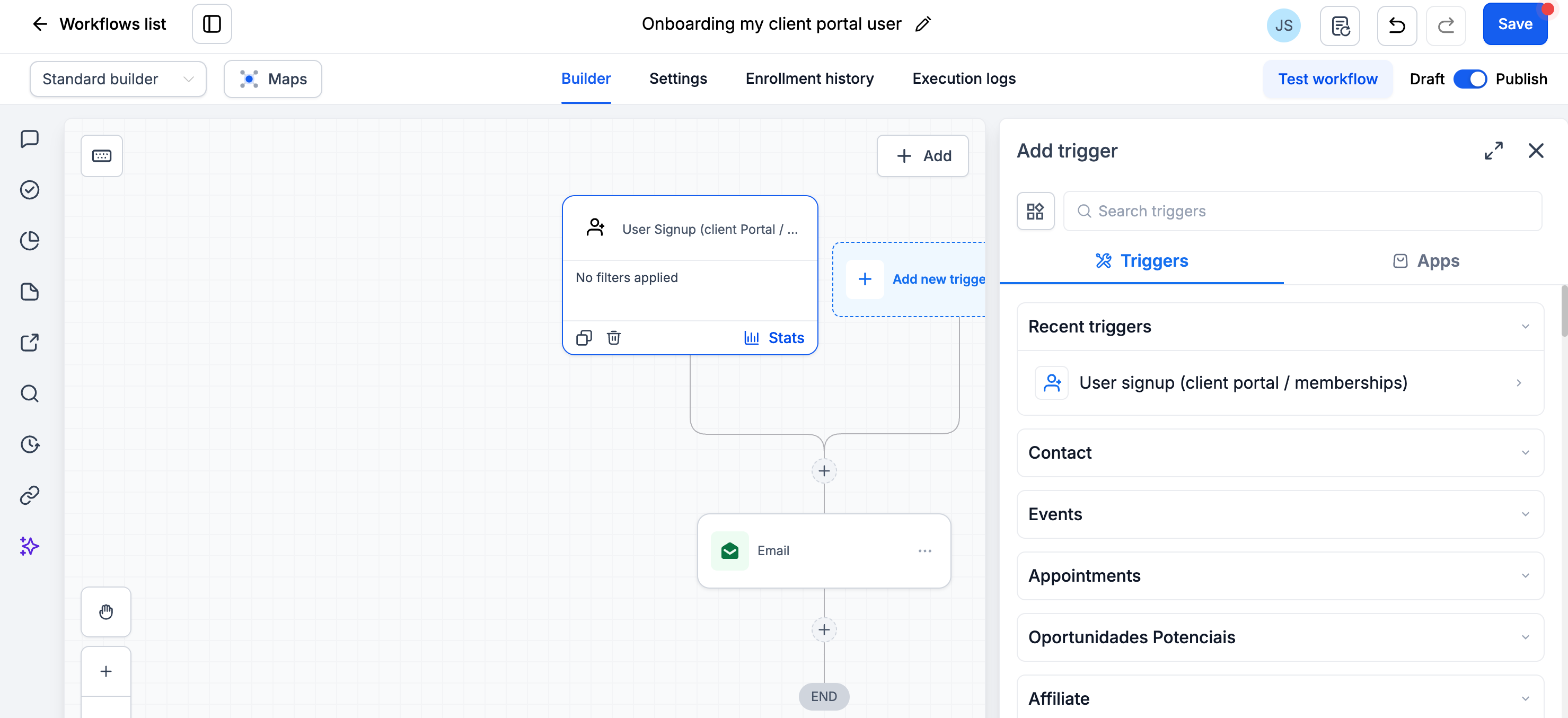
- Configure your actions, such as sending welcome emails, assigning internal tasks, or starting onboarding sequences.
- Publish your workflow to activate it.
Once published, your workflow will automatically run whenever a new user successfully signs up through your EveryCatch client portal.