Automate meeting preparation and follow-ups with managed agents
EveryCatch managed agents can now run tasks automatically before a meeting starts and after it ends. This helps you walk into every meeting prepared and keeps follow-ups consistent without extra work from you.
What changed
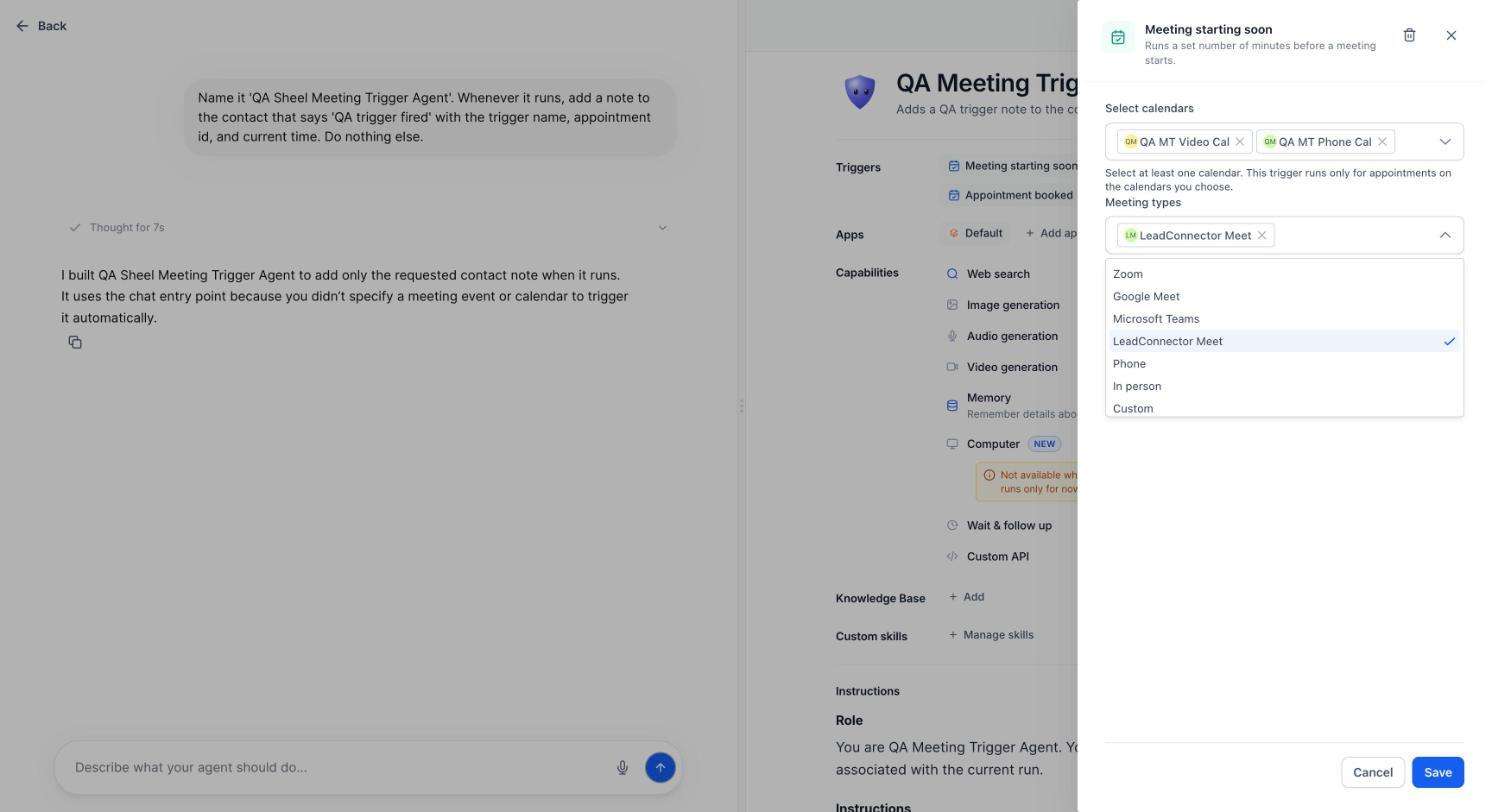
You can now trigger a managed agent to run any time from 5 minutes up to 24 hours before a scheduled meeting starts.
Use this to automatically send reminders, generate a quick meeting brief, or pull key customer details so you have everything ready when the call begins.
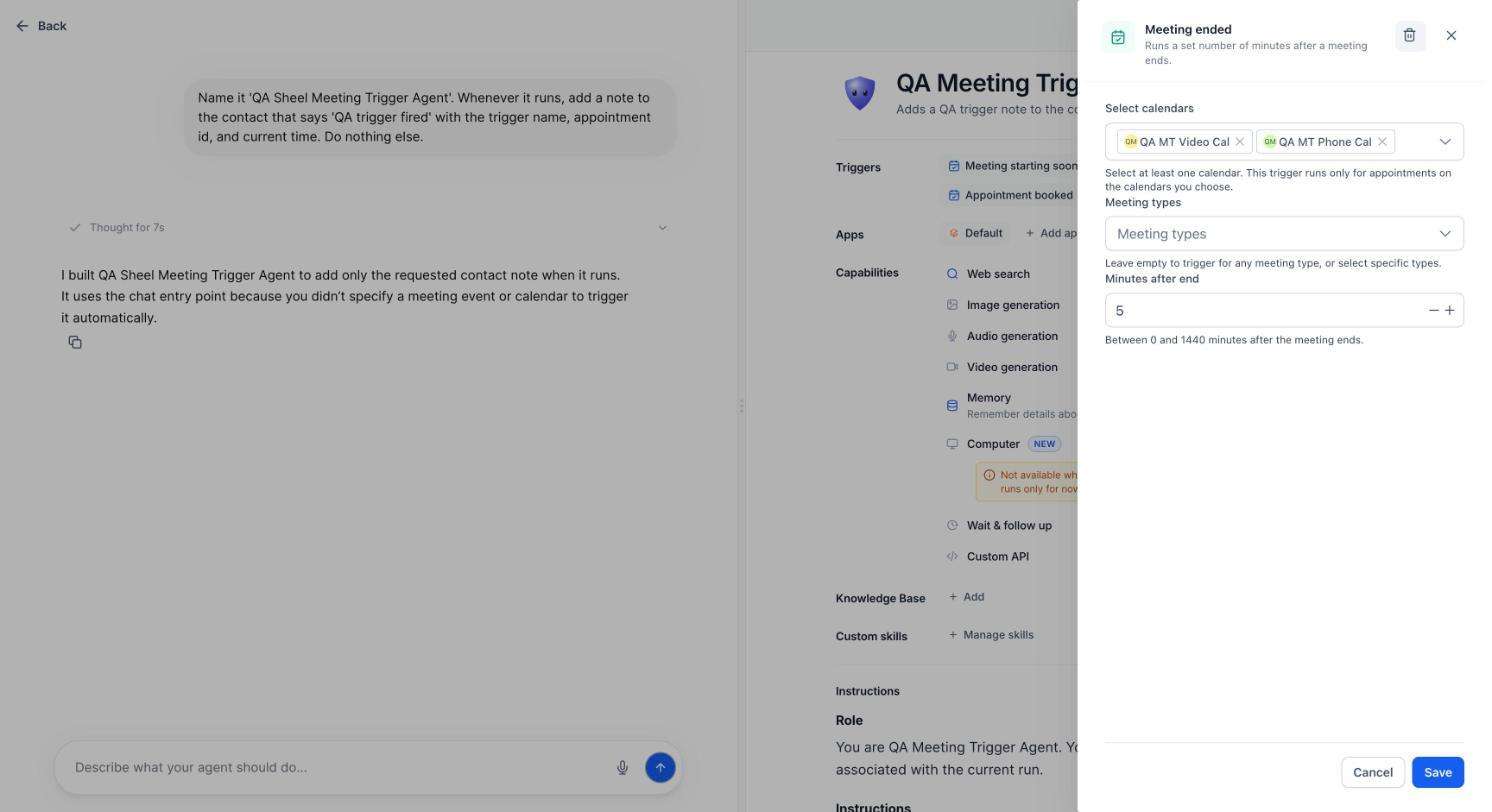
Meeting ended
You can also trigger a managed agent to run right after a meeting, or up to 24 hours after the scheduled end time.
This makes it easy to automate follow-up messages, send next steps, and log notes or updates back into your CRM without manual data entry.
Smart meeting filters
You can choose exactly which calendars and meeting types should activate your managed agents, so only the meetings that matter trigger automations.
This works with Zoom, Google Meet, Microsoft Teams, EveryCatch Meet, phone calls, and in-person meetings.
The same meeting-type filters are also available when you use Appointment Booked triggers, so your setup stays consistent across workflows.
Automatic schedule management
If a meeting is rescheduled, EveryCatch automatically updates the trigger timing so your agent still runs at the right moment.
If a meeting is cancelled, the agent will not run for that appointment.
You can use these triggers for meetings that were already booked, not only for new bookings created after you set this up.
When an agent runs from a meeting trigger, it receives key meeting details, including the title, date and time, contact information, and the meeting link when one is available.
How to get started
Go to AI Agents → Agent Studio → Managed Agents in your EveryCatch account.
Open the managed agent you want to use, then click + Add trigger.
In the trigger list, search for and select Meeting starting soon or Meeting ended.
Choose the calendars, meeting types, and timing window that should activate this agent.
Publish your managed agent so the new meeting triggers go live and start running automatically.
Why it matters
Better preparation: Get automatic briefs, context, and reminders before every meeting so you arrive ready.
Faster follow-ups: Let EveryCatch handle post-meeting emails, tasks, and CRM updates as soon as the meeting ends.
Fewer no-shows: Send well-timed reminders before meetings to keep attendance high.
Set it once: After setup, EveryCatch will keep up with reschedules and cancellations so your workflows stay accurate without ongoing tweaks.
Availability
Meeting-based triggers are available in every account where managed agents are enabled.
Note: Meeting ended triggers run according to the scheduled end time of the meeting, not when the call actually finishes. Call recordings and transcripts are not included in what the agent receives.
Before the meeting and after the meeting, your managed agent can now handle key preparation and follow-up work for you.
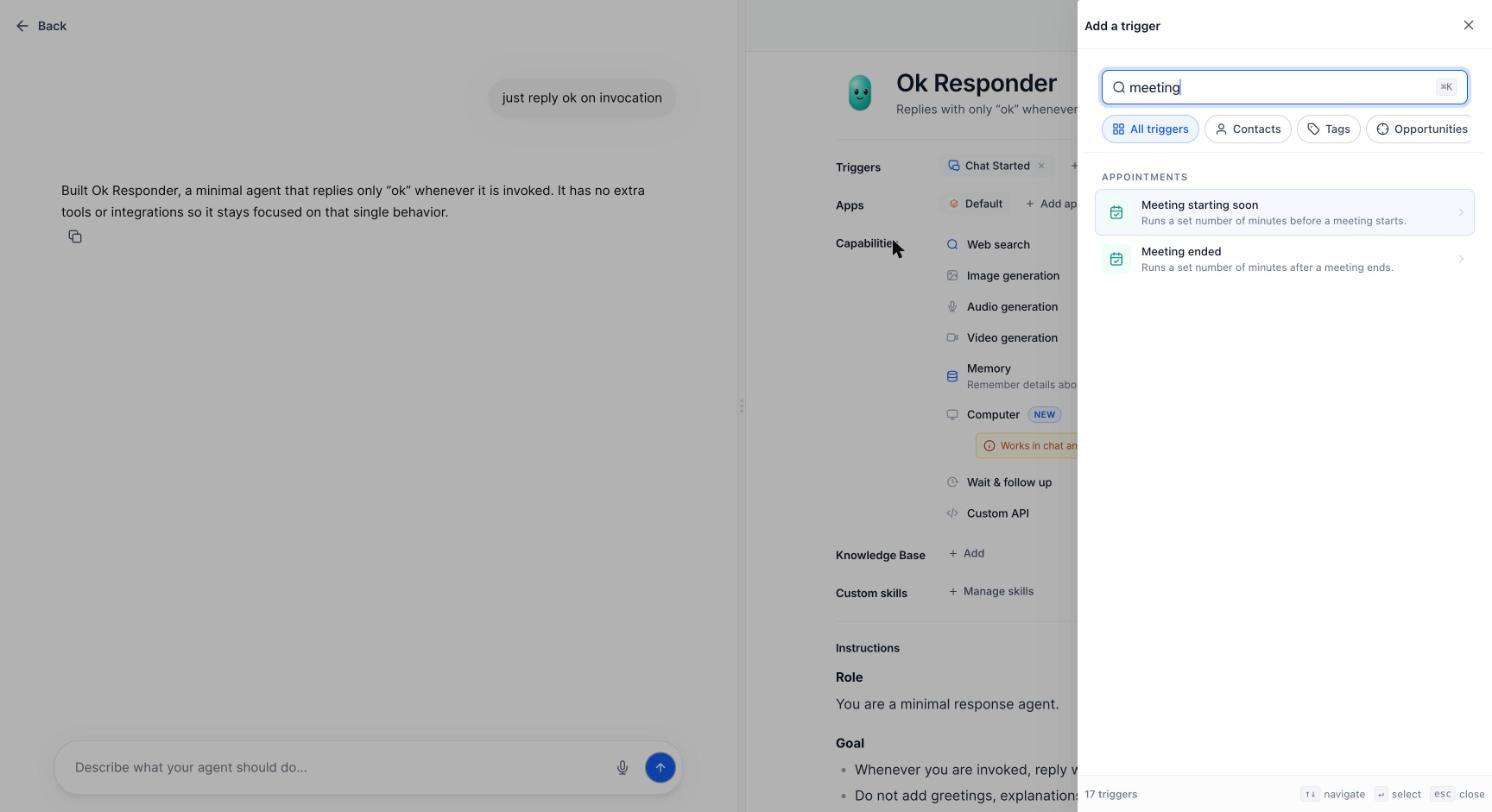
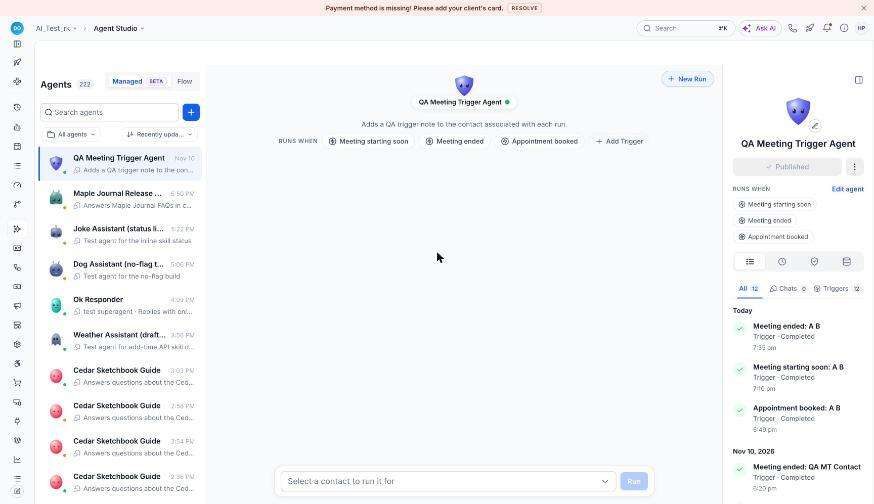
Use these settings to fine-tune when your agent runs and which meetings it responds to, so your automations stay focused and relevant.