
When someone on your team replies to a contact from outside EveryCatch, such as from Meta Business Suite, that reply now puts your Conversation AI bot to sleep for that contact, just like a reply sent directly from EveryCatch.
What changed
- Replies from outside EveryCatch now pause the bot. When a team member responds in another tool and that message syncs into the EveryCatch conversation, Conversation AI goes to sleep for that contact. This prevents the bot from continuing the conversation while your team is handling it.
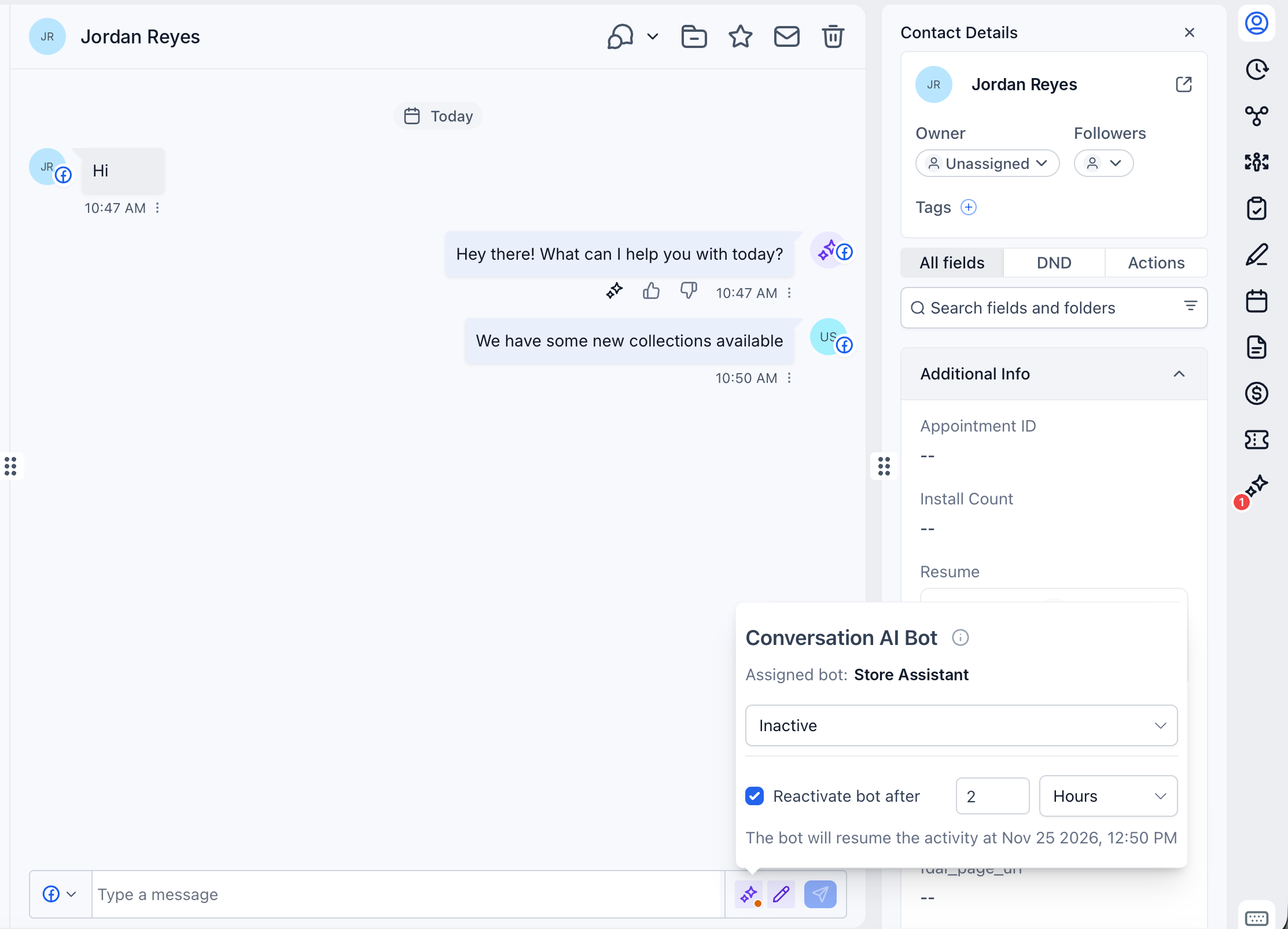
- Works across the same channels your bot uses. Conversation AI will go to sleep when you reply from outside EveryCatch on SMS (including custom SMS providers), WhatsApp, Facebook, Instagram, TikTok, Web Chat and Live Chat, as long as those replies sync back into the conversation.
- Workflow messages still follow their own rule. Messages sent by a workflow continue to respect the bot’s workflow-message sleep setting, so this change does not alter how workflows control bot sleep behavior.
How to use
- Go to AI Agents → Conversation AI and open the bot you want to control.
- In Bot settings, set the bot status to Auto Pilot so it can respond automatically.
- Under Timing & pacing → Send bot to sleep when I send a:, turn on Manual message and choose how long the bot should sleep after a human reply. This sleep time will now apply whether the reply is sent from EveryCatch or from a connected external tool.
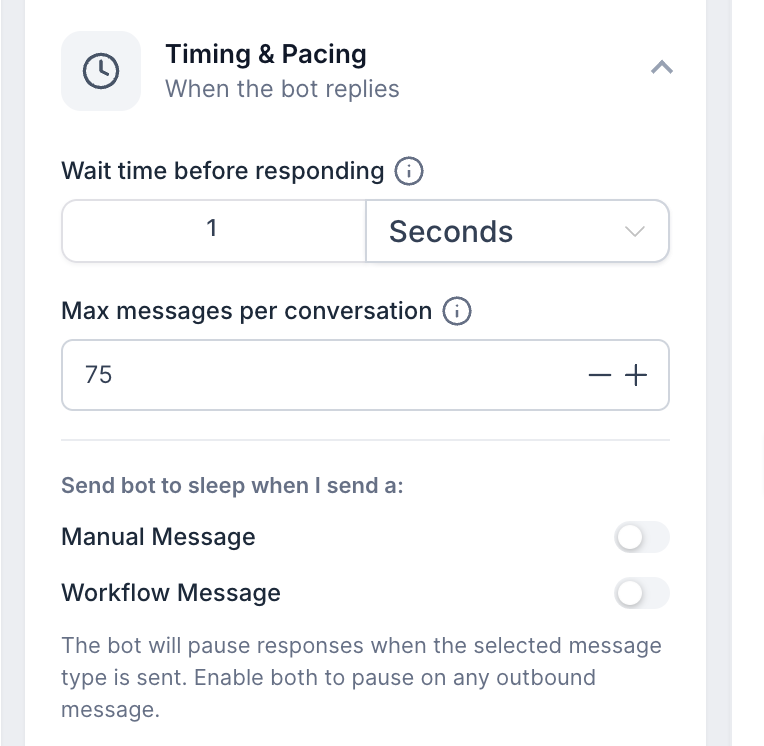
- Reply to the contact from wherever you prefer to work, either inside EveryCatch or from an external platform. As long as the reply syncs into the conversation, Conversation AI will go to sleep for the duration you configured.
Notes
- Your existing sleep settings apply automatically, so you do not need to change any configuration to benefit from this update.
- Only bots that are set to Auto Pilot with Manual message turned on under Send bot to sleep when I send a: are affected by this behavior.
- Email replies sent outside EveryCatch do not put the bot to sleep yet, even if they sync into the contact’s record.