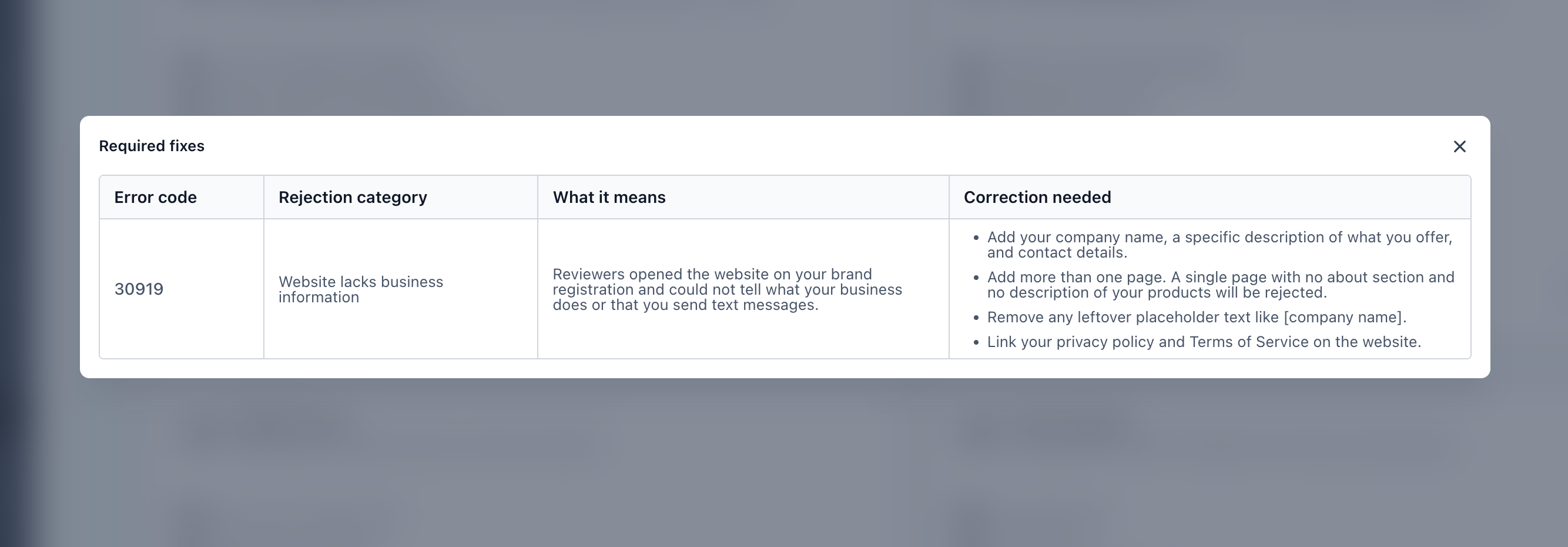
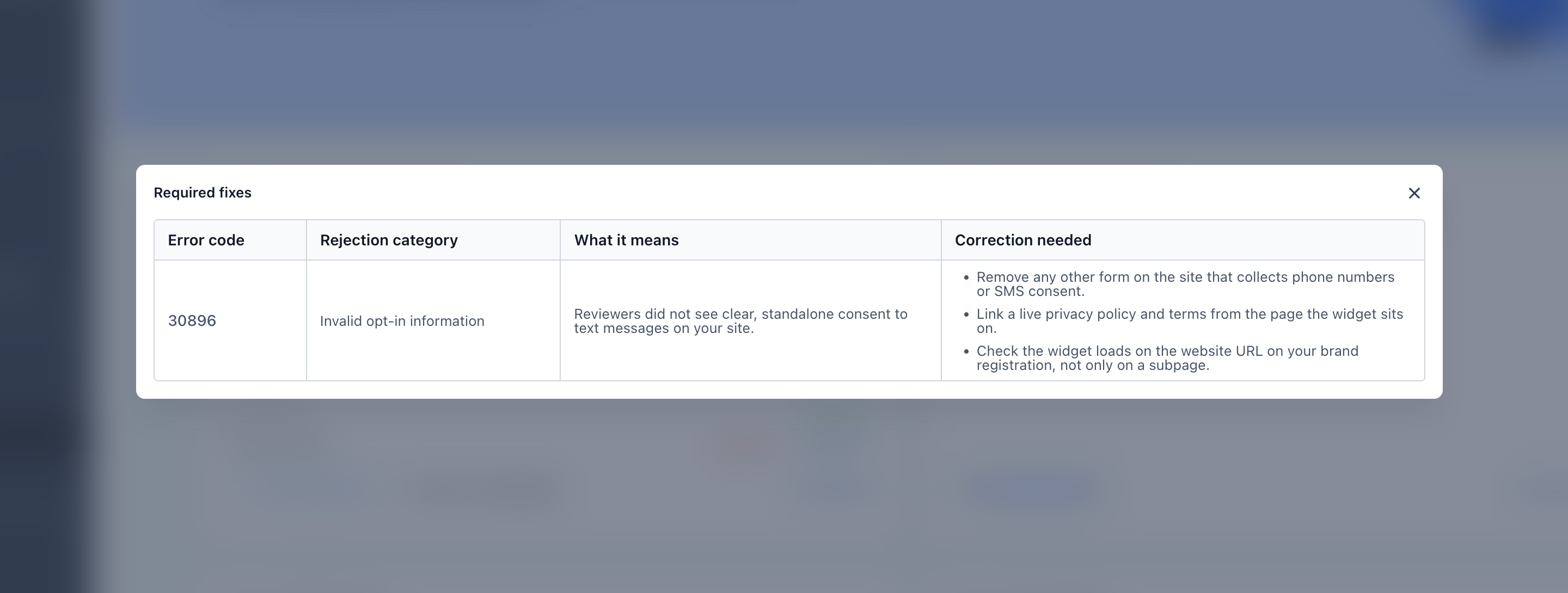
We’ve rewritten the guidance in the “View required fixes” modal so it matches how you registered your campaign.
What changed
- Guidance for your setup: the most common rejection reasons now have separate guidance for campaigns set up through the Chat Widget (Quick Setup) and through Manual Setup, since the fix is in a different place for each.
- Only steps you can act on: if you registered through the Chat Widget, the guidance focuses on what you control, like your website, other forms on your site and your policy links. It no longer asks you to change the consent wording or form fields the widget creates for you.
- Clearer next steps: each reason explains in plain language what happened, then lists the specific actions to take.
- Exact wording where carriers require it: for reasons like privacy policy verification, the steps include the required statement.
- Notice when resubmitting won’t help: for reasons like a business type mismatch, we’ll tell you what needs to change first.
Previously
The modal showed the carrier’s generic guidance, written for every registration method. Chat Widget users were often asked to fix fields or consent wording they never wrote.
Why it matters
Guidance that matches your setup helps you fix the right thing the first time and resubmit with confidence, without waiting on support.



