Capturing responses is helpful, and it becomes even more useful when you can instantly turn them into professional, printable documents. EveryCatch now includes a Generate submission document setting that automatically creates and stores PDF copies of every new submission.
What changed
A new Generate submission document toggle is now available in the Settings panel for:
- Forms
- Surveys
- Quizzes
When you turn this on, every new submission automatically generates a clean, well-formatted PDF document.
Key highlights
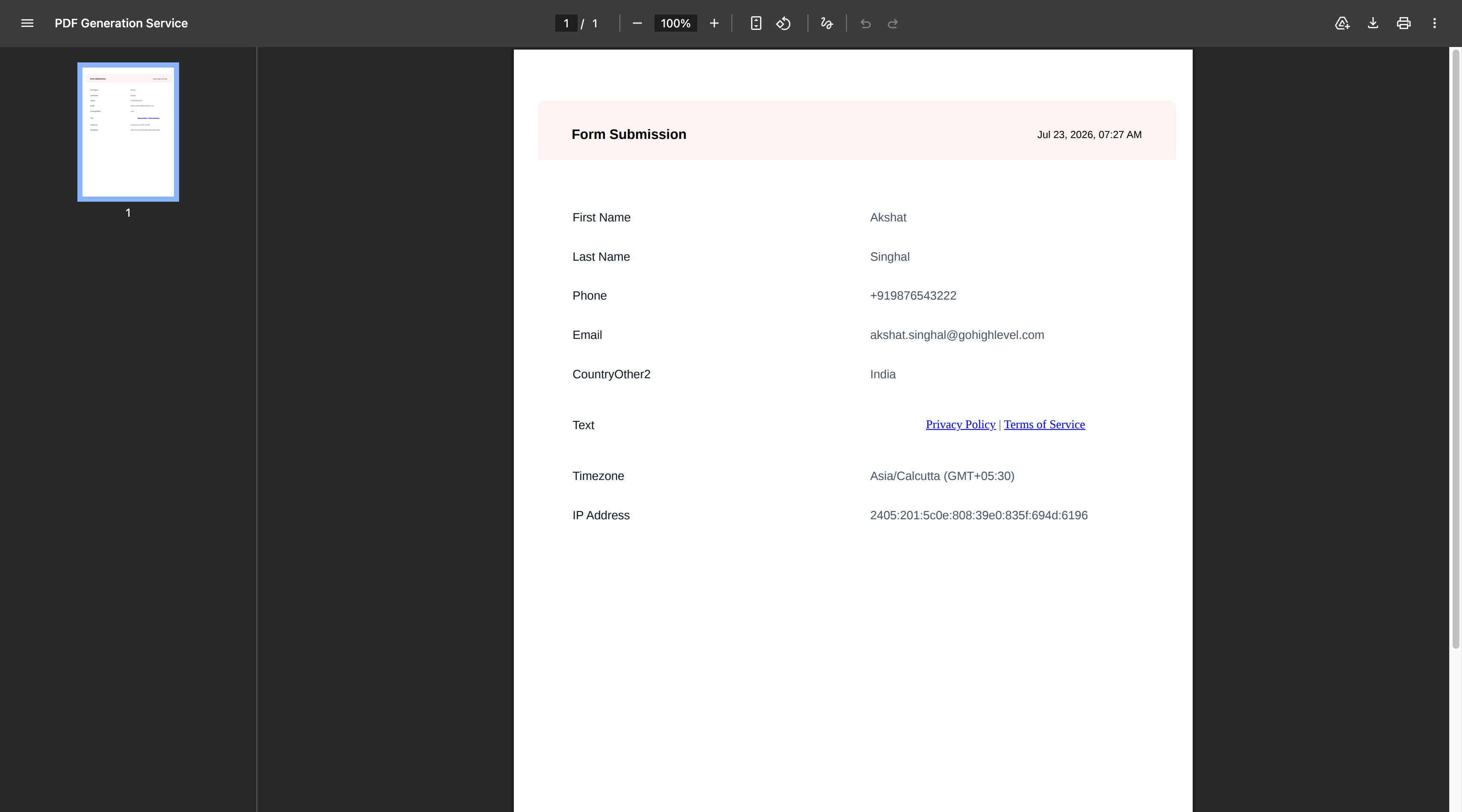
- Automatically generates a printable PDF for every new submission
- Includes all questions and the responses that were submitted
- Captures submission metadata including:
- Submission date & time
- Contact information
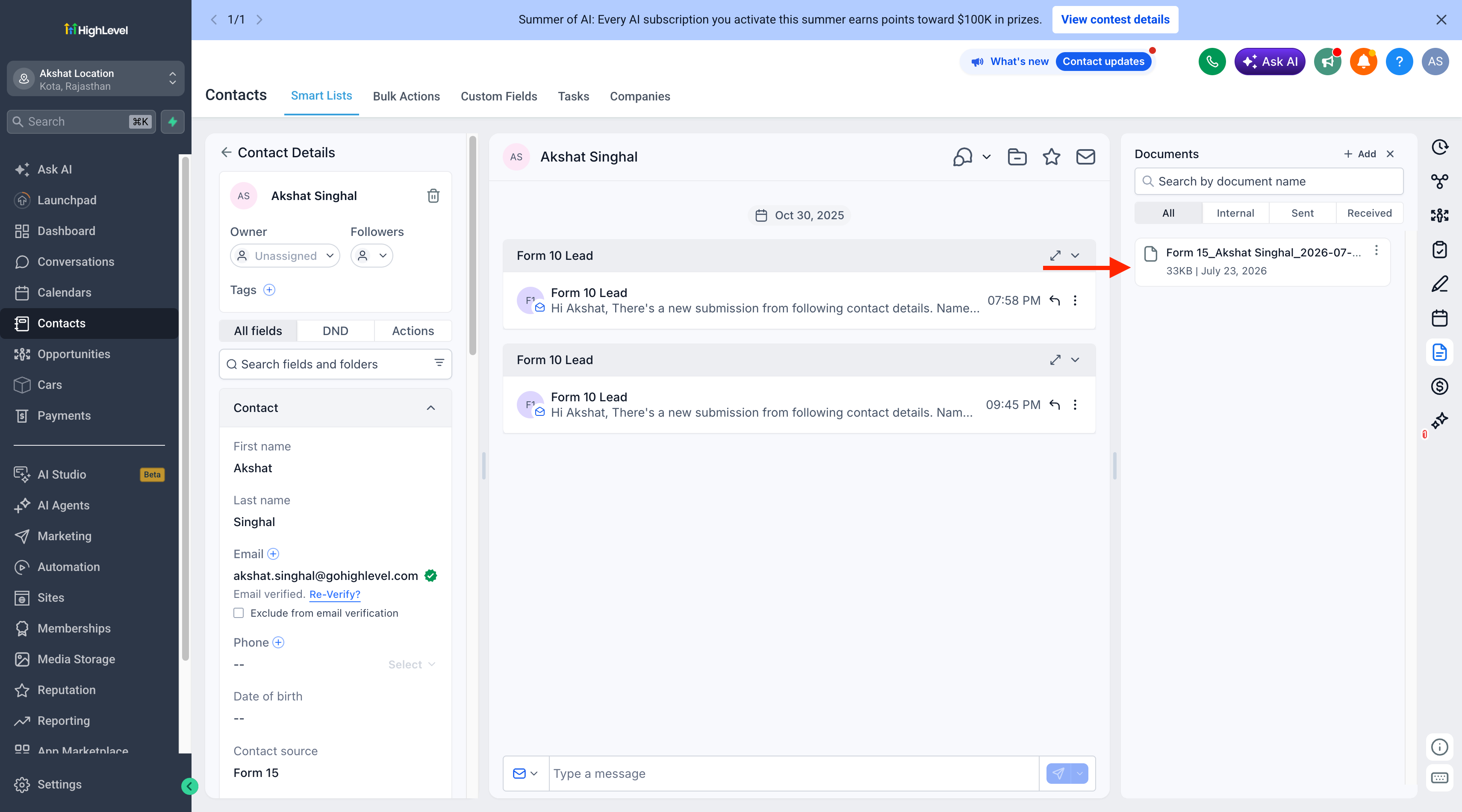
- Automatically stores the document under:
- Contacts → Documents → Forms
- Contacts → Documents → Surveys
- Contacts → Documents → Quizzes
- Automatically associates the document with the contact who submitted the form, survey, or quiz
- PDFs can be viewed, downloaded, and used throughout the CRM
- Fully supported on both desktop and mobile experiences
How it works
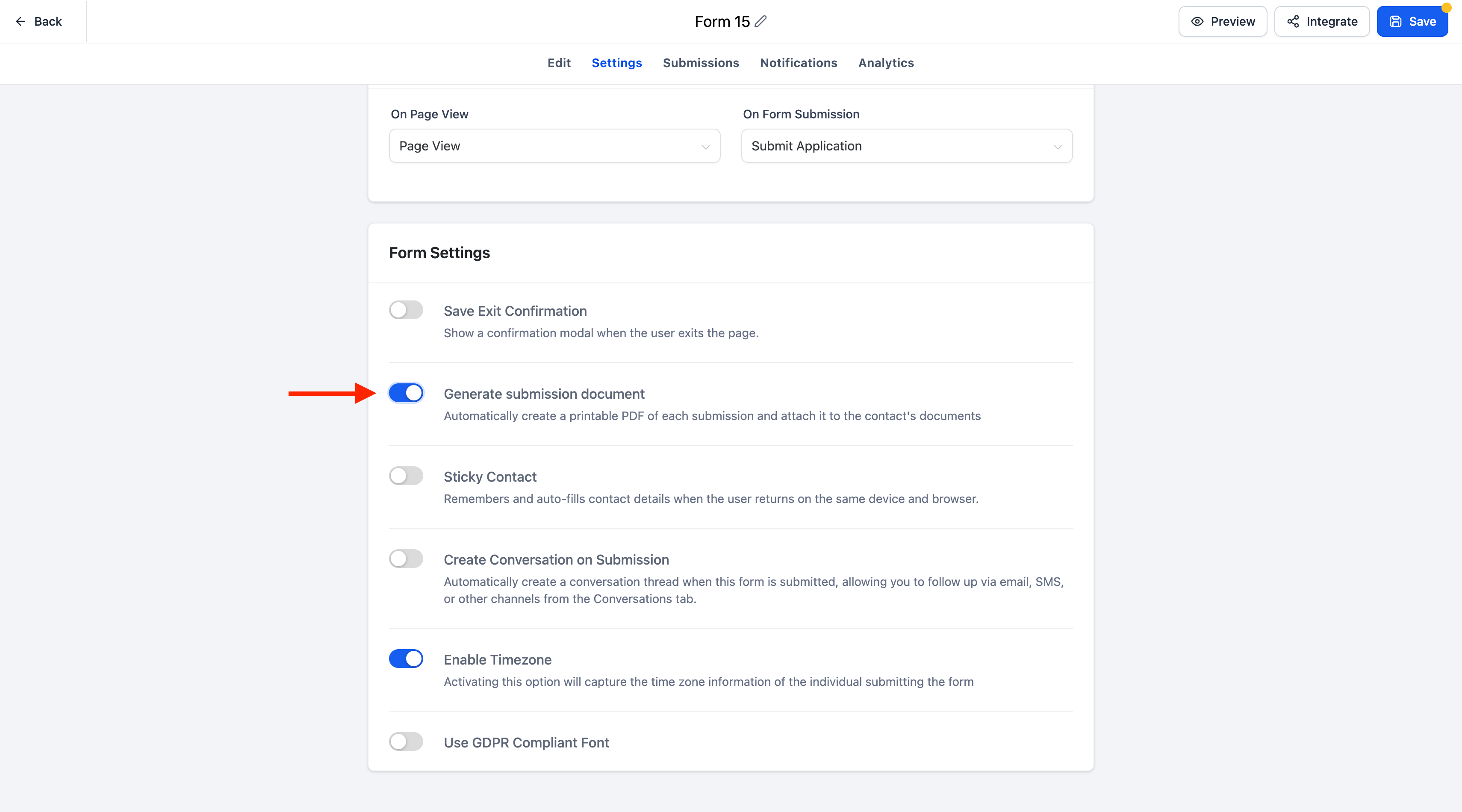
- Open the settings for any Form, Survey, or Quiz in EveryCatch.
- Turn the Generate submission document toggle ON.
- Every new submission will now automatically generate and store a PDF document linked to that contact.
- You can access the document anytime from the contact's Documents section or use it within supported CRM workflows, such as reviews, exports, or internal sharing.
- If the toggle is OFF, PDF documents will not be generated for new submissions.
PDF naming convention
Generated documents follow a consistent naming format so you can quickly recognize and search for them:
- Forms & Surveys: [FormName]_[ContactName]_[YYYY-MM-DD_HHMM]
- Quizzes: Result_[FormName]_[ContactName]_[YYYY-MM-DD_HHMM]
Notes
- PDF generation is optional and controlled individually for each Form, Survey, or Quiz.
- Documents are automatically organized into their respective folders (Forms, Surveys, or Quizzes) in the contact's Documents area.
- Existing submissions stay as they are; only new submissions create documents after you enable the setting.



