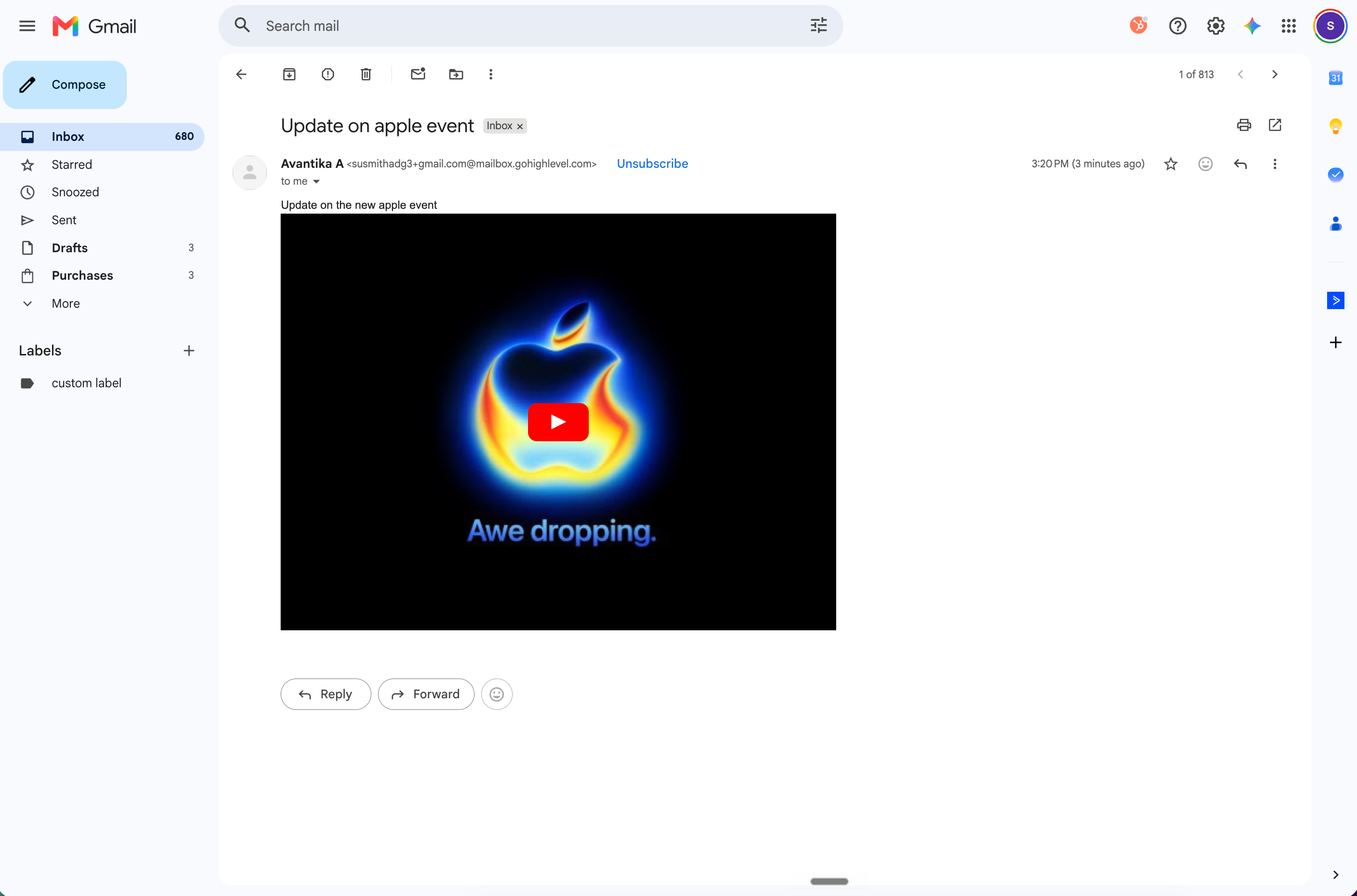
YouTube previews in EveryCatch emails now display the way you expect. When you paste a YouTube link into an email from Conversations, your recipients see a clickable video thumbnail that opens the video in a new tab, so they can watch it directly on YouTube with a single click.
Previously, some pasted YouTube links could appear as a blank rectangle in your recipients' inboxes, even though the preview looked correct while you were composing the email. Major email providers like Gmail, Outlook, and Yahoo block embedded video players, which caused the preview to fail when the email was delivered. EveryCatch now sends these previews in a way that works with those providers, so your video thumbnails render consistently across all major inboxes.
This improvement applies to both standard YouTube watch links and shortened YouTube share links. You do not need to change your workflow: just paste the YouTube link into your email in Conversations as you normally would, and EveryCatch handles the preview for you.
How the YouTube preview looks in the Conversations inbox
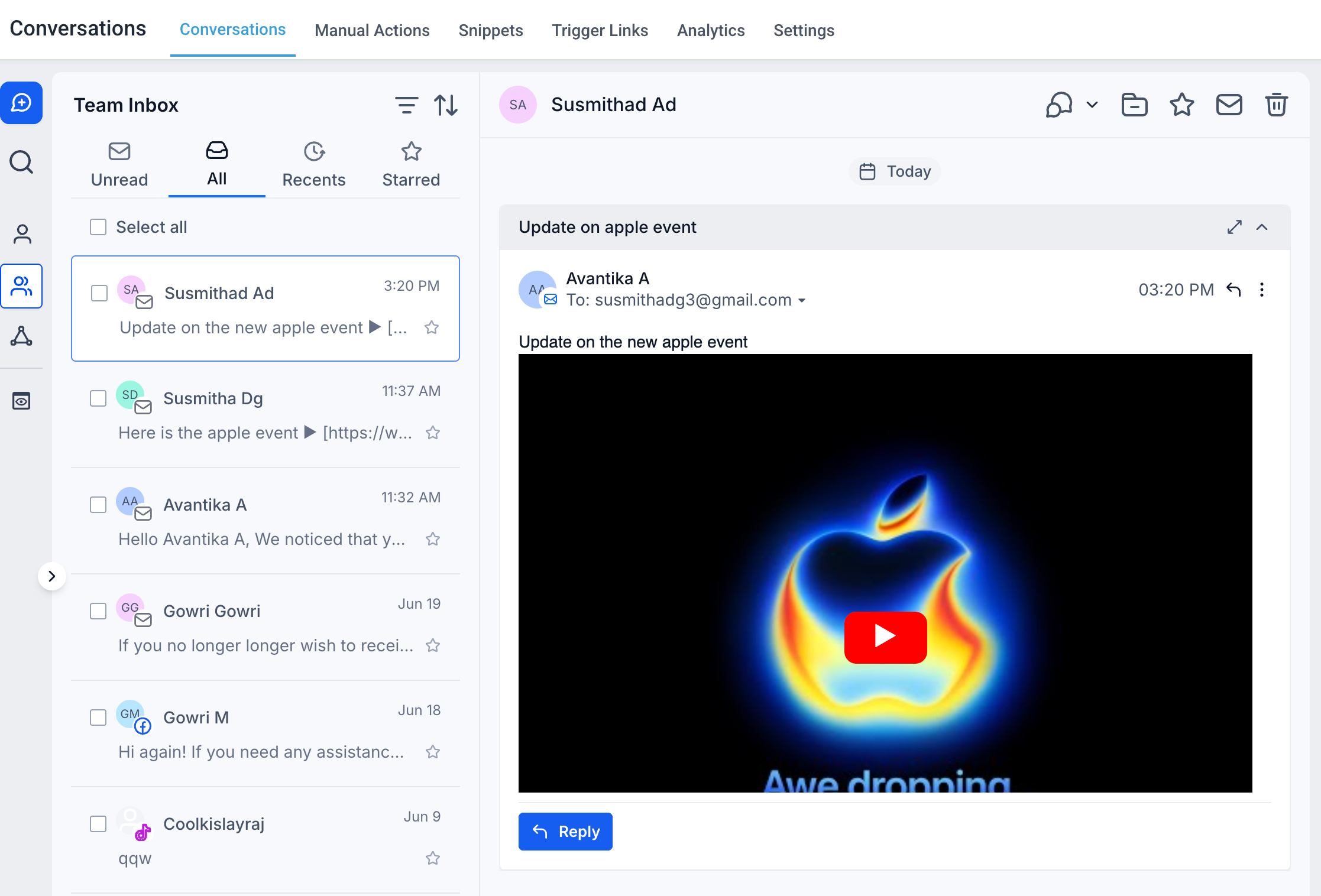
Your recipients now see a clear, clickable thumbnail that opens the video on YouTube in a new browser tab.