Email sequences are now available in EveryCatch Beta Labs, so you can automate threaded email conversations with delays, conditions, and smart scheduling.
After a successful private beta with over 60 agencies actively using email sequences and asking to keep access, we have seen that this feature supports a clear need for structured, automated email follow-up.
Key features
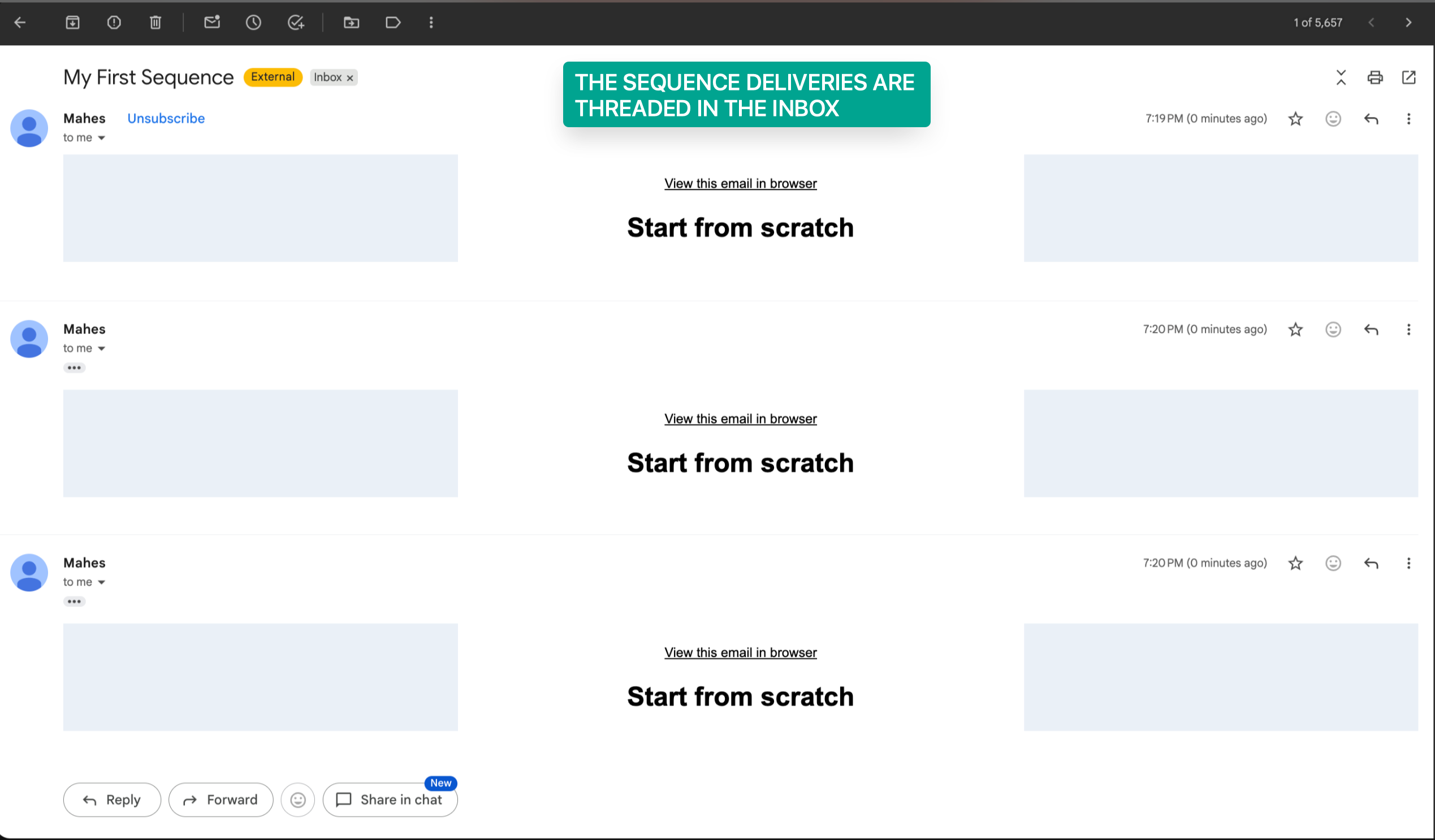
- Create single-threaded automated email conversations so each follow-up stays in the same email thread
- Use conditional sending based on open and delivery status so each next step reflects how contacts engaged
- Turn on Stop on reply automation so the sequence pauses as soon as someone responds
- Choose between designed emails and plain text emails for each step
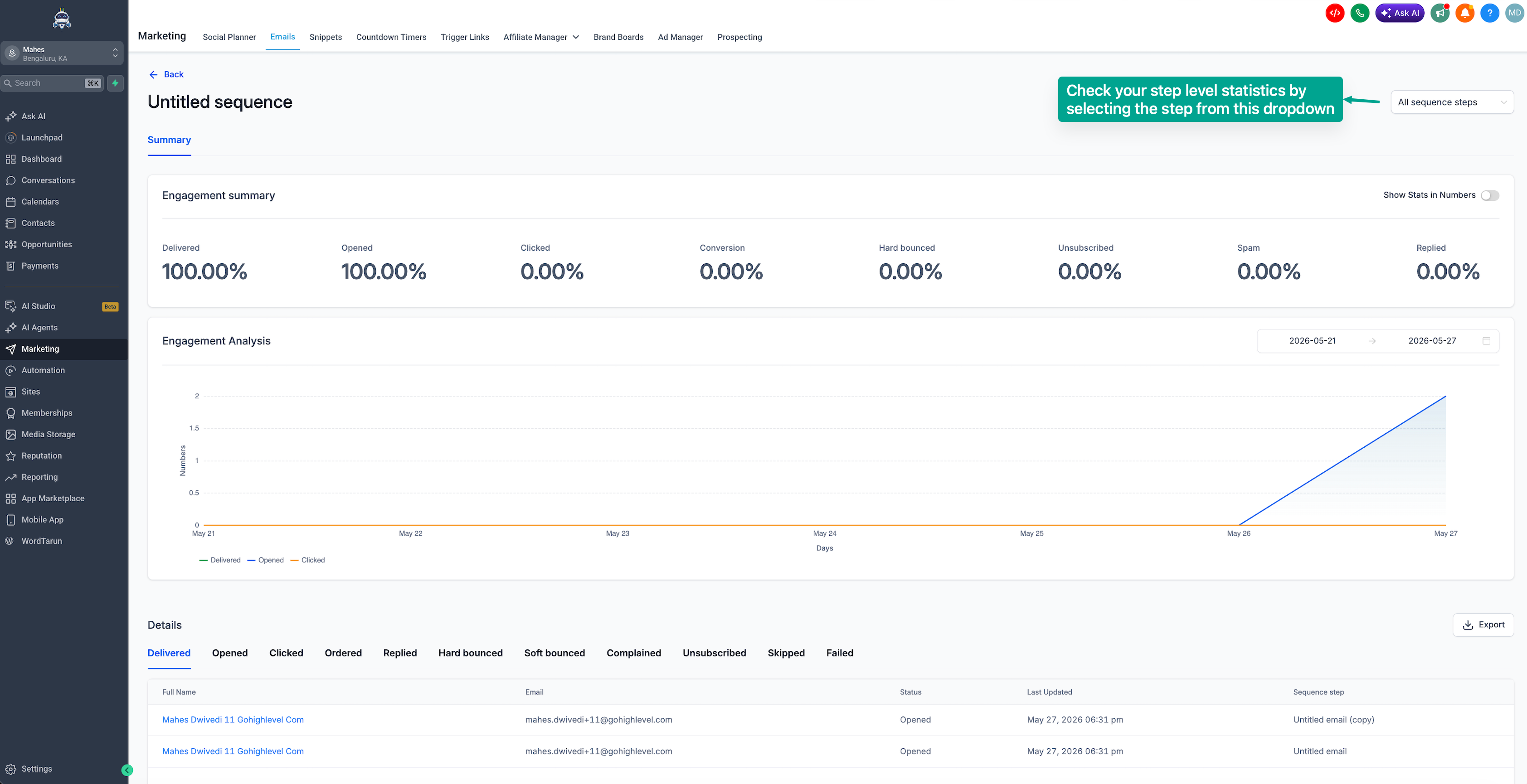
- View sequence-level and step-level analytics to understand performance in detail
How this helps you
- Automate follow-ups, reminders, and nurture campaigns without manual sending
- Improve engagement with behavior-based outreach that adapts to opens and deliveries
- Keep the full conversation in one place with threaded emails that preserve context
- Set up effective email automation without having to build full workflows first
How to access email sequences
- Go to Settings → Beta Labs in your EveryCatch account
- Enable Email sequences to turn on the beta feature for your workspace
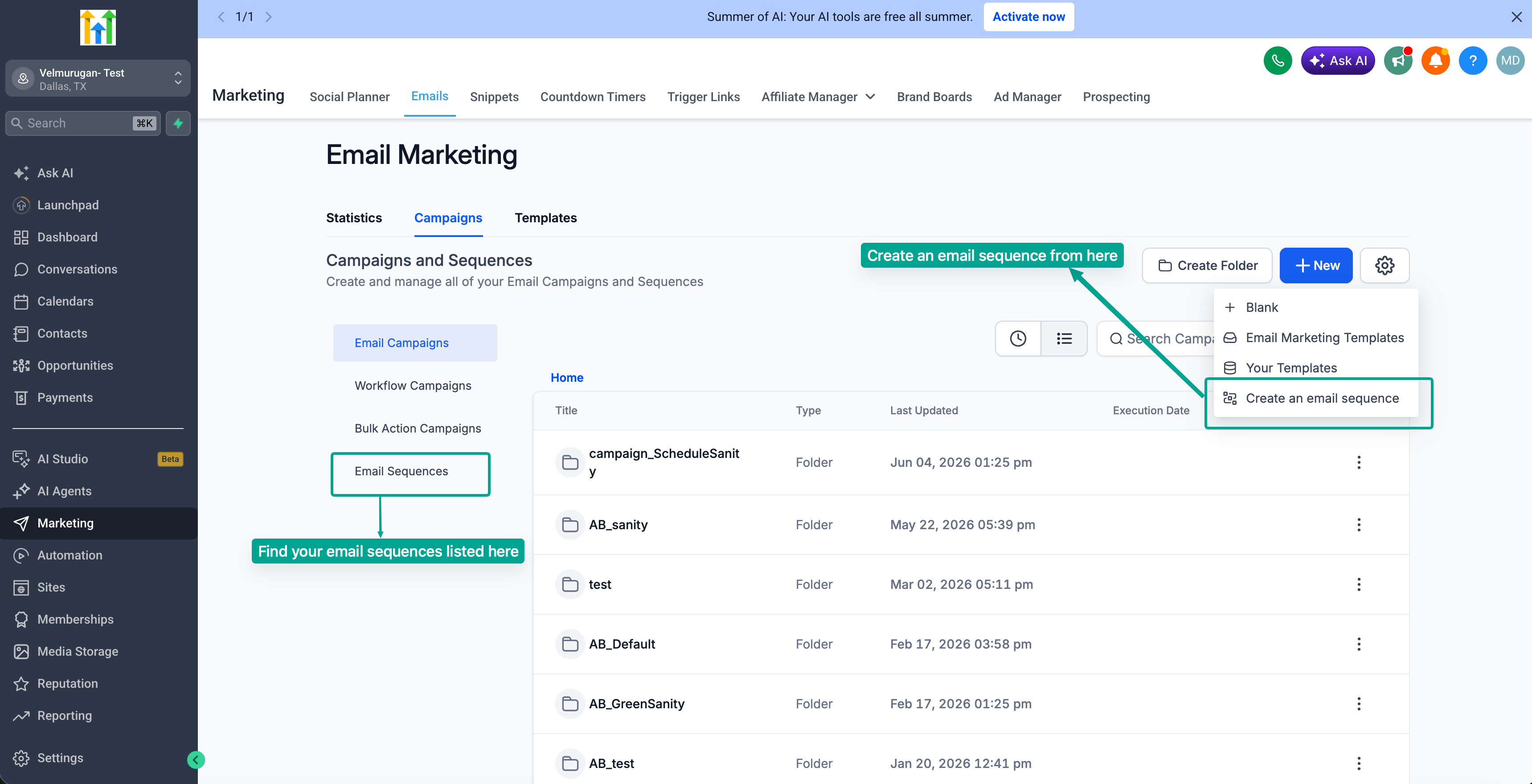
- Go to Marketing → Email → Campaigns
- Click Create new sequence
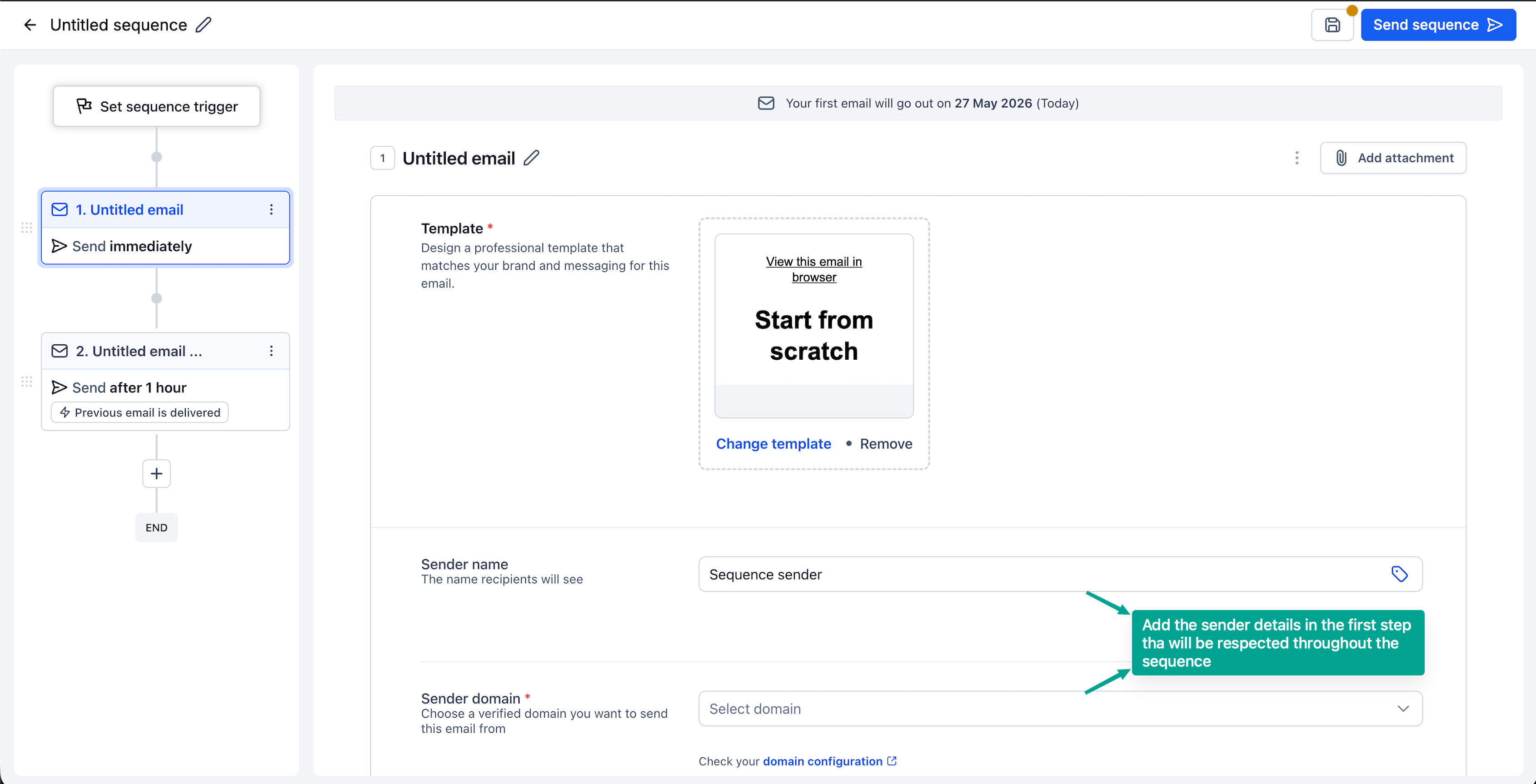
- Configure your audience, timing delays, conditions, and individual email steps for the sequence
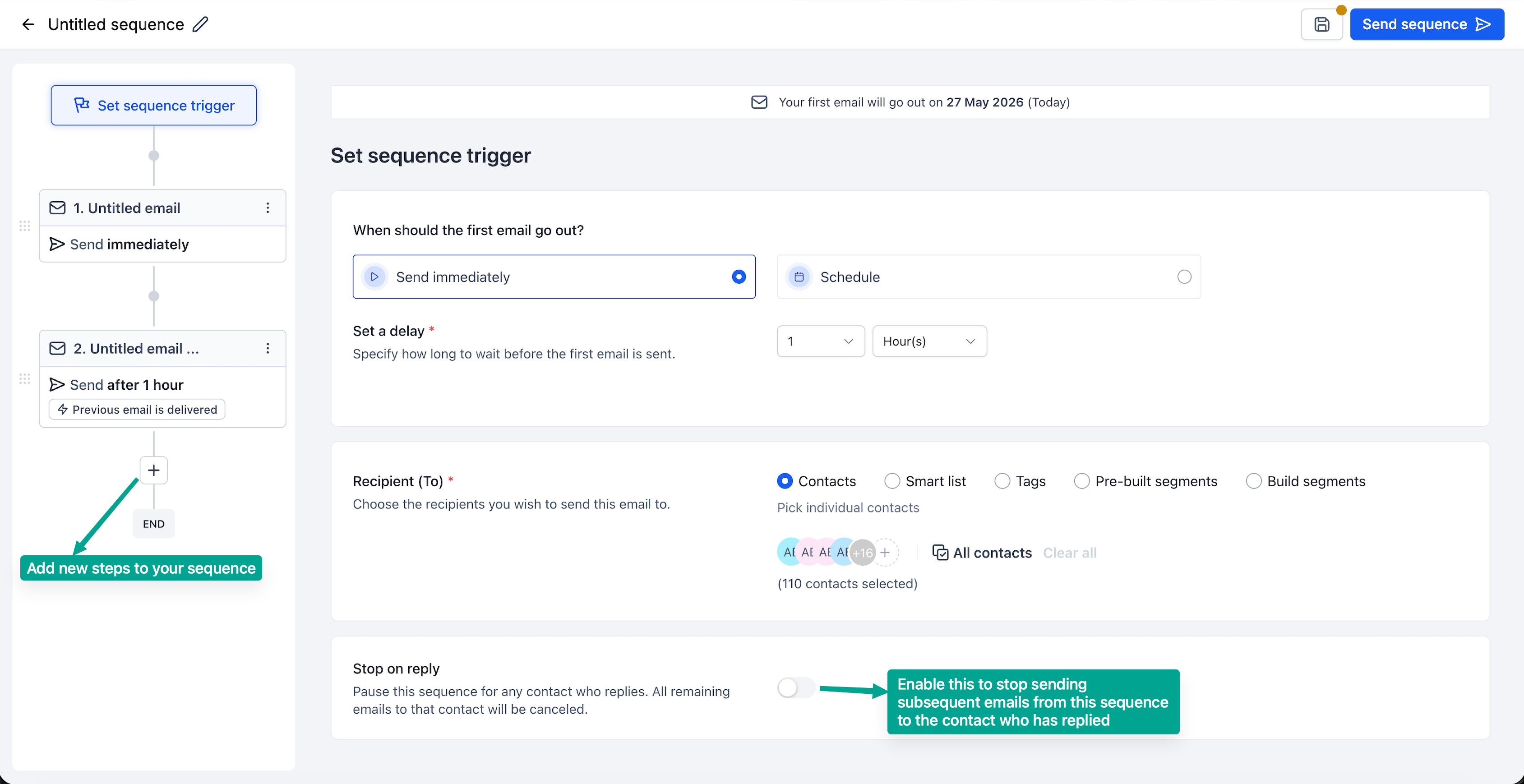
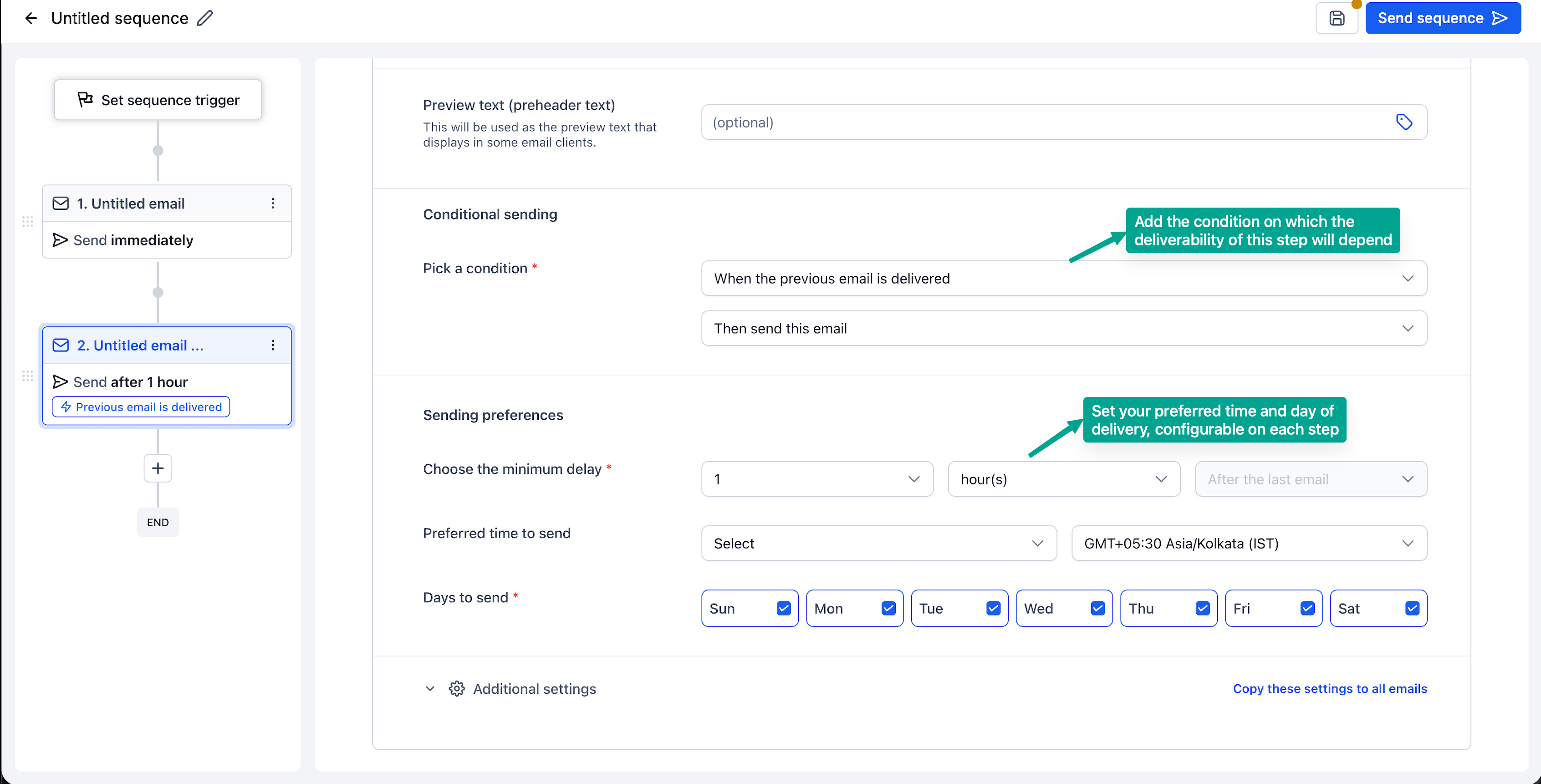
- Enable Stop on reply so the sequence automatically halts when a contact replies, then launch your sequence
- Click on Statistics to review overall performance metrics and detailed metrics for each step.
What’s coming next
- Enroll contacts into a sequence directly from a workflow
- Create a sequence with the help of Email AI
- Run A/B tests for each step in your sequence to compare different versions.



