Account admins and team members can now receive in-app notifications whenever a contact uploads a file through the EveryCatch client portal.
This update gives your team instant visibility into new client documents so you can review files, complete approvals, manage onboarding, and keep document-based workflows moving without manually checking for new uploads.
What changed
Receive notifications for client file uploads
When a contact uploads one or more files through the Shared documents section of the EveryCatch client portal, the relevant account admins and users automatically receive an in-app notification.
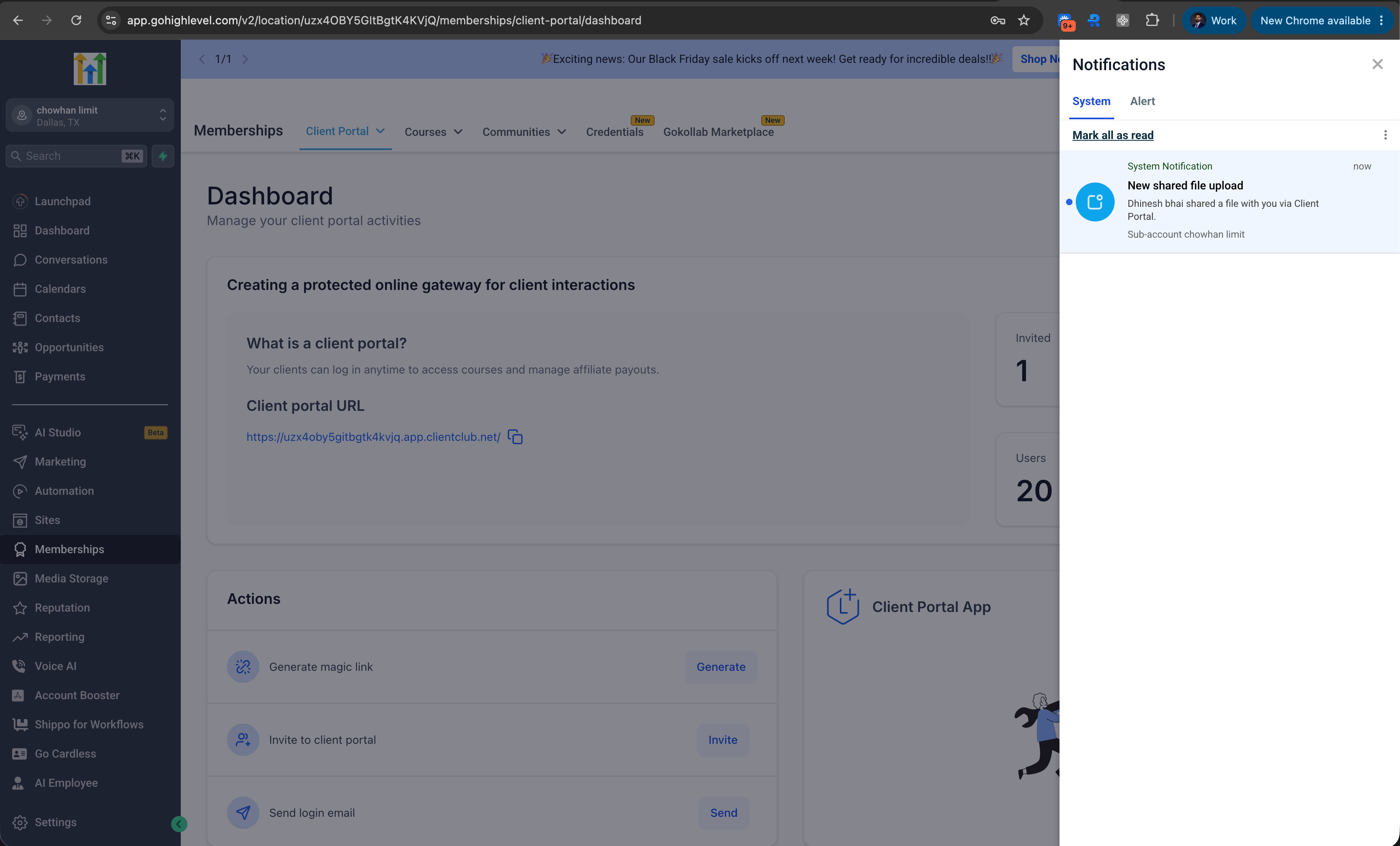
Clients can upload up to 10 files at a time.
Manage notification preferences
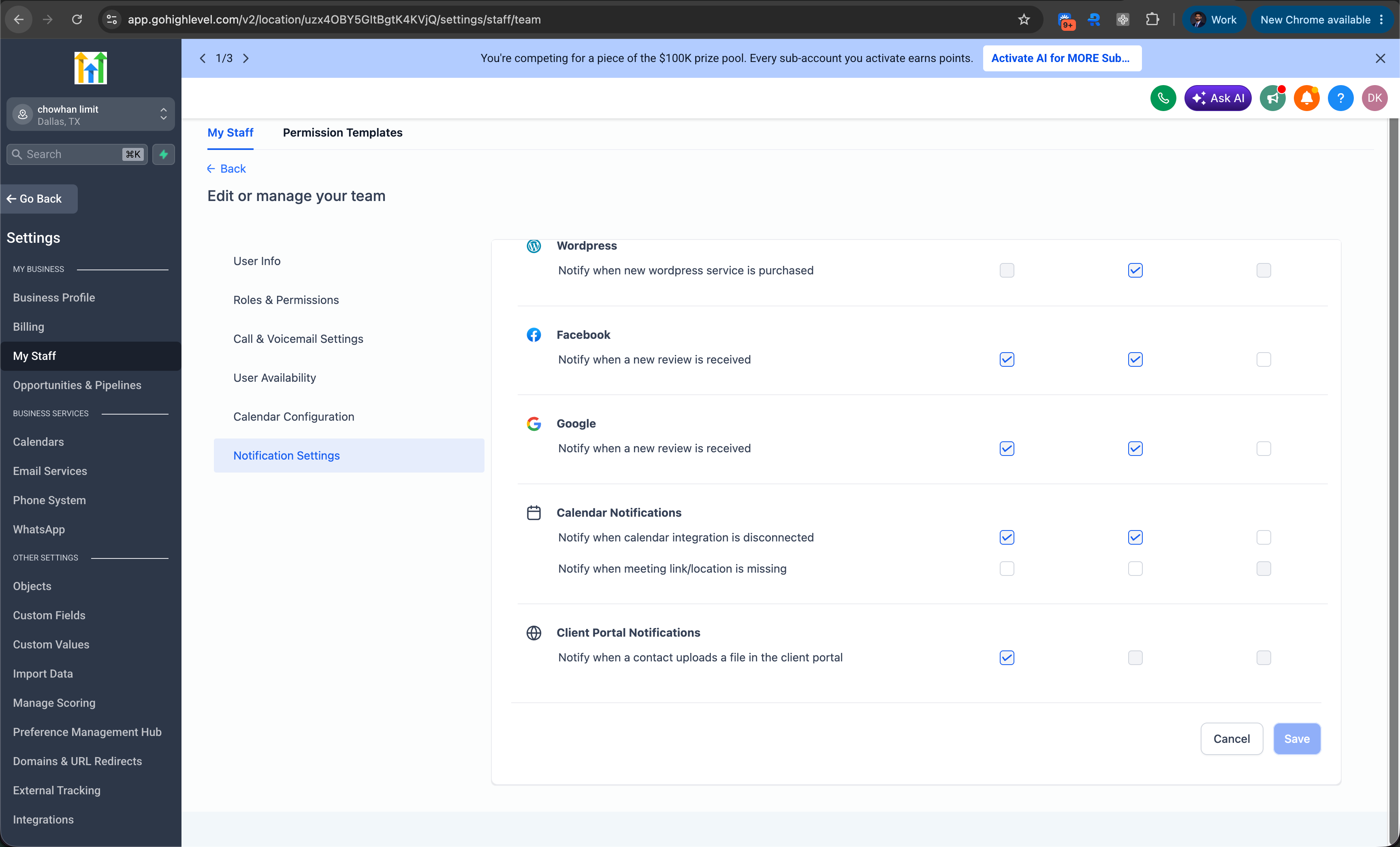
Account admins can choose which staff members receive file upload notifications, so only the right people are notified for client submissions.
To manage these preferences
- Go to Settings → My staff.
- Select the staff member you want to update.
- Open Notification settings.
- Under Client portal notifications, enable or disable Notify when a contact uploads a file in the client portal.
- Save the changes.
How it works
When a client uploads a file
- The client logs in to the EveryCatch client portal.
- They open Shared documents.
- They click Share file.
- They upload one or multiple files.
- After the upload completes, the relevant account admins and users receive an in-app notification.
Why it matters
Client-uploaded documents often require prompt action, like reviewing contracts, verifying identity documents, processing onboarding paperwork, or approving project deliverables.
Before this update, teams had to regularly check the client portal for new uploads, which could cause delays or missed submissions. With file upload notifications, the right team members can respond quickly, collaborate more easily, and keep important processes on track.
Important notes
- Notifications are triggered only when a contact uploads files through the client portal Shared documents experience.
- Notification preferences are managed separately for each staff member.
- Preferences are configured at the account level under Settings → My staff → Notification settings.
- The currently supported notification channel is in-app notifications.



