You can now bring table booking, online ordering, your menu and your opening hours straight onto the restaurant website you already use.
EveryCatch website widgets work on almost any site builder, including AI Studio, EveryCatch Funnels, WordPress, Wix and Squarespace. Guests book a table directly on your page without being sent to a different site.
What changed
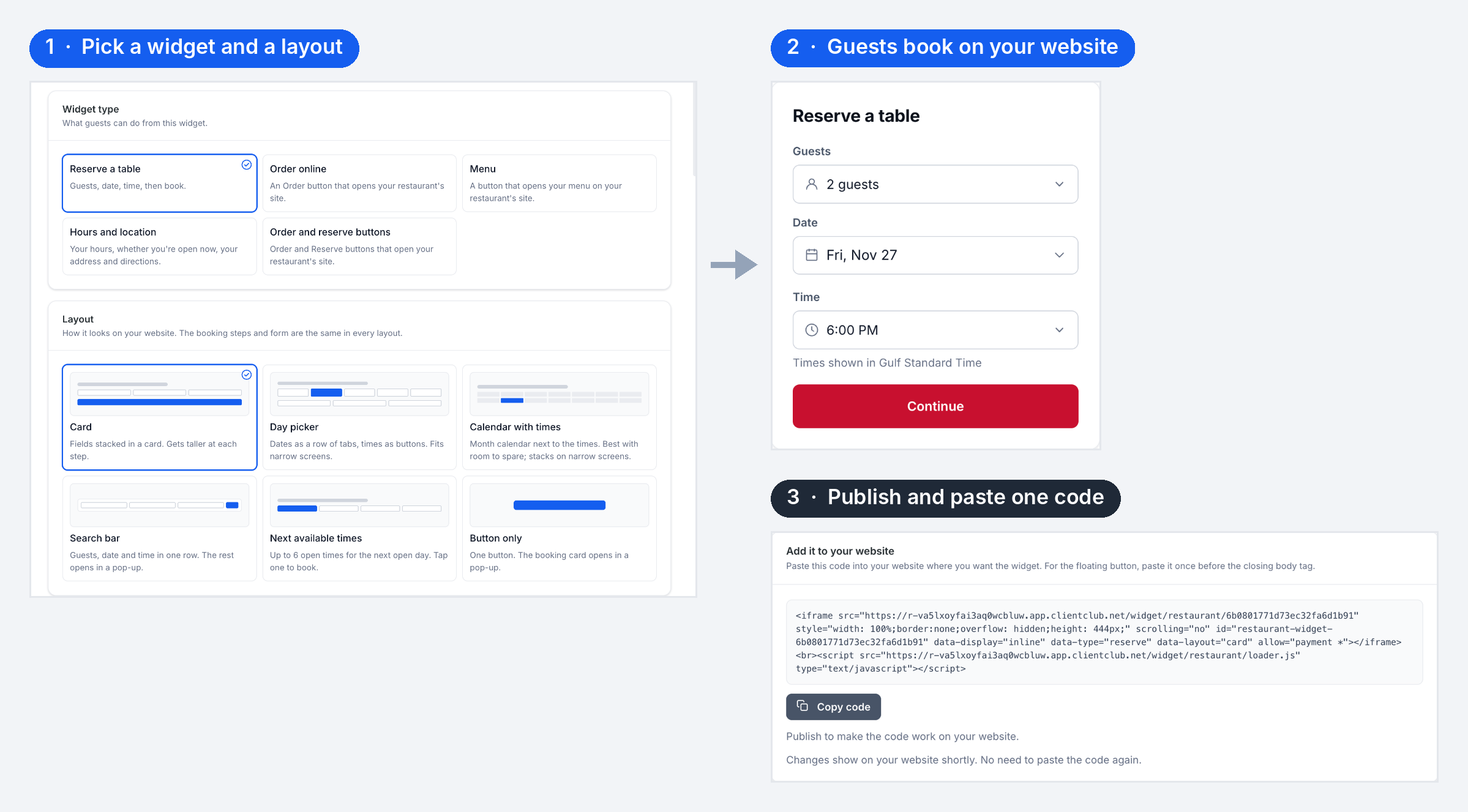
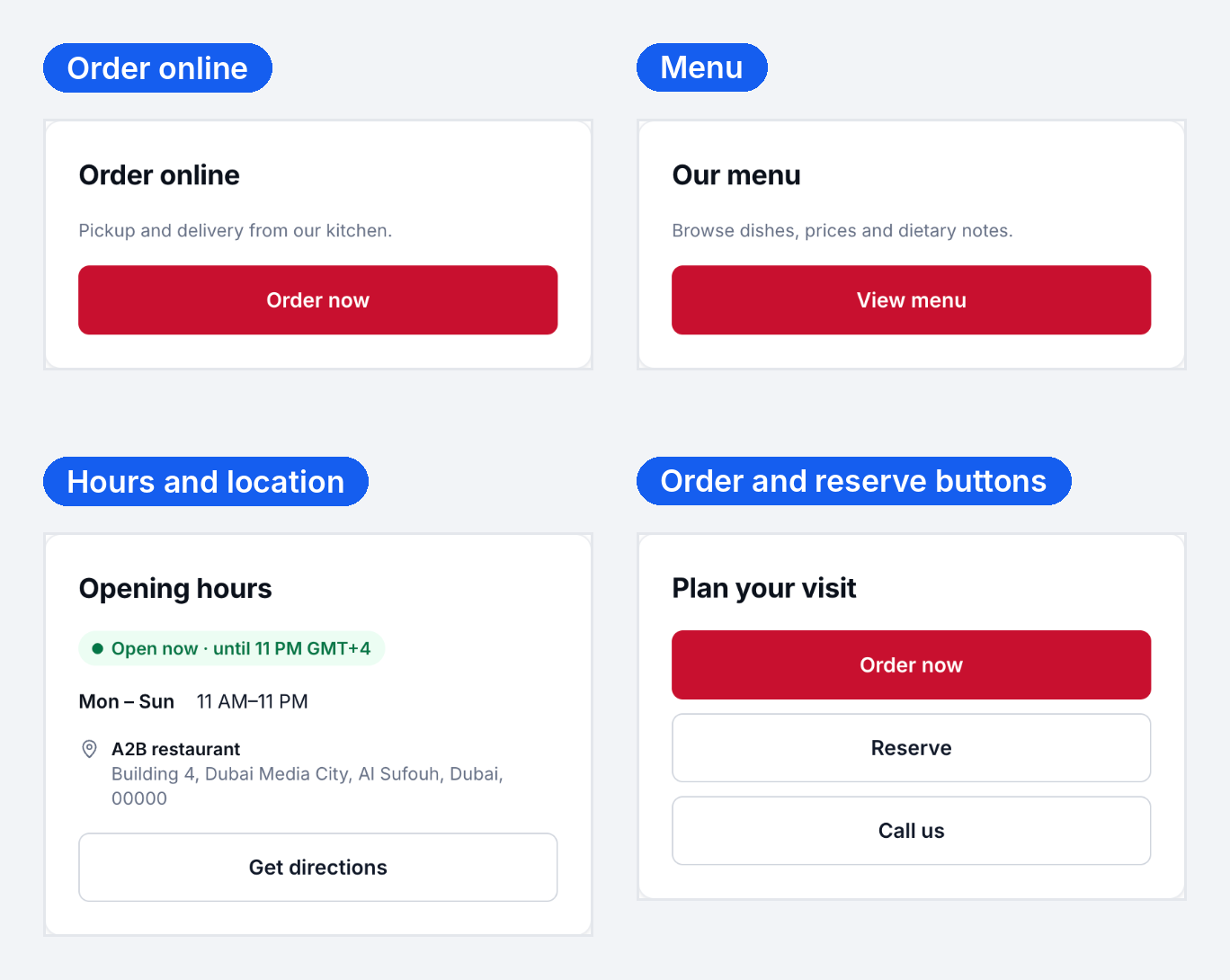
Five widgets to choose from
- Reserve a table: Let guests choose party size, date and time, then confirm their booking on your website.
- Order online and Menu: Add buttons that open your online ordering or your full menu, while keeping guests on your restaurant’s site.
- Hours and location: Show your opening hours, whether you are open right now, and a link for directions.
- Order and reserve buttons: Give guests quick actions in one place with Order now, Reserve and Call us in a single card.
Six booking layouts
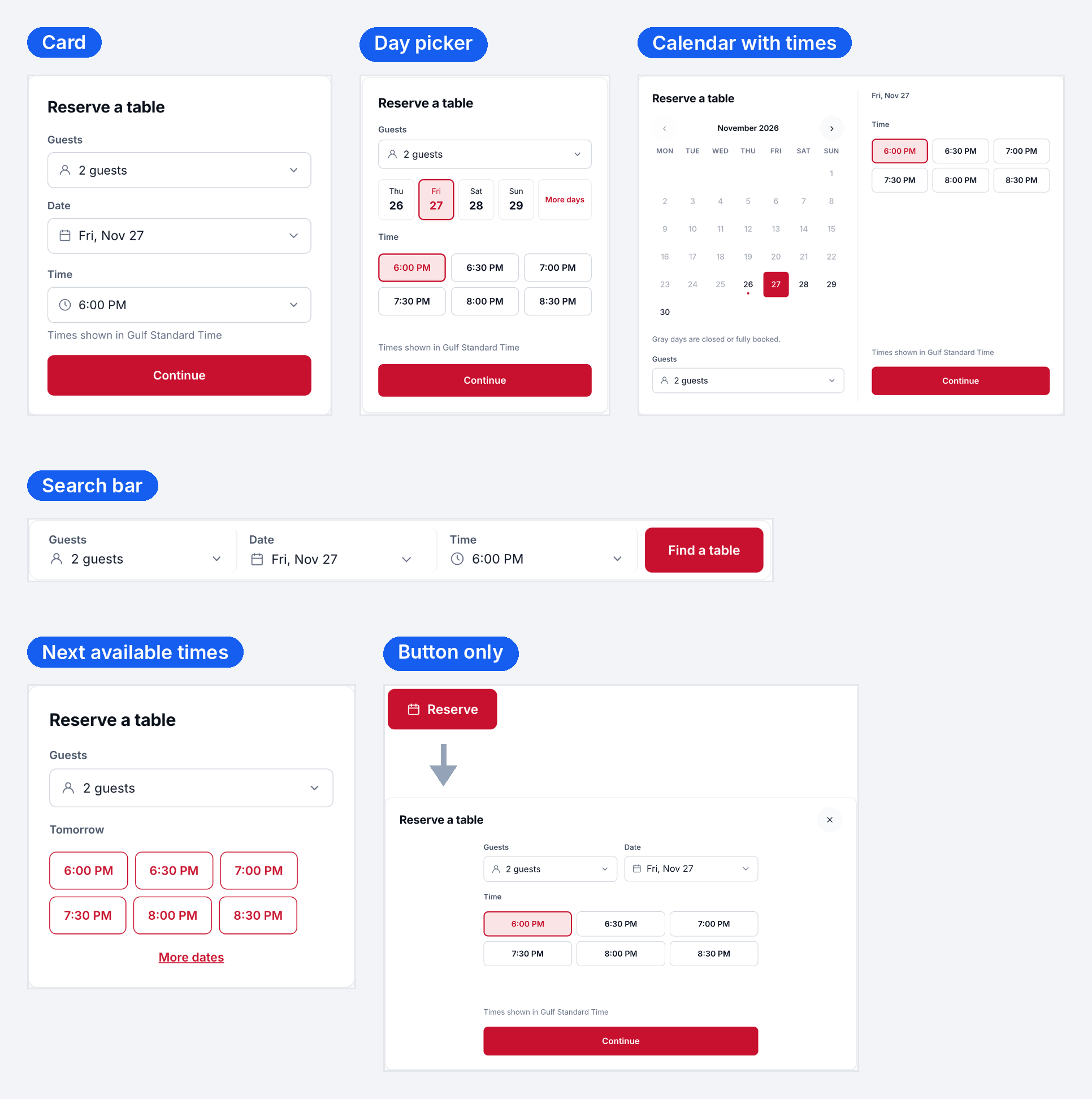
- Choose from Card, Day picker, Calendar with times, Search bar, Next available times or Button only layouts so the booking experience fits your page design.
- The booking steps are identical in every layout, so guests always follow the same simple flow.
A simple booking flow
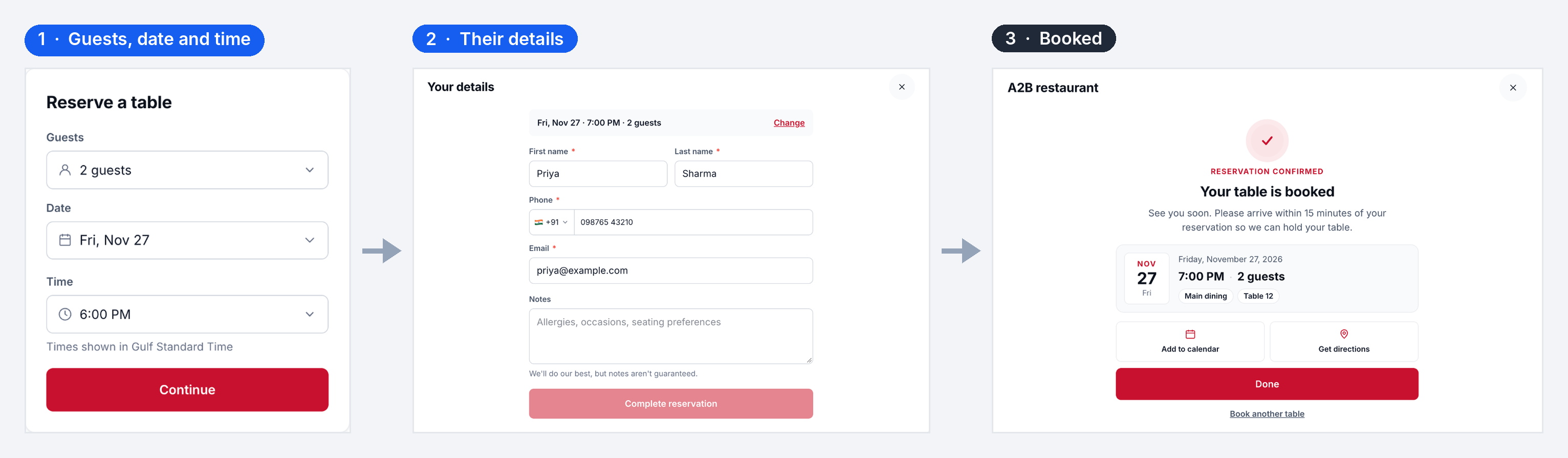
- Guests pick a time, add their contact details and receive a confirmation that includes Add to calendar and Get directions options.
Show it your way
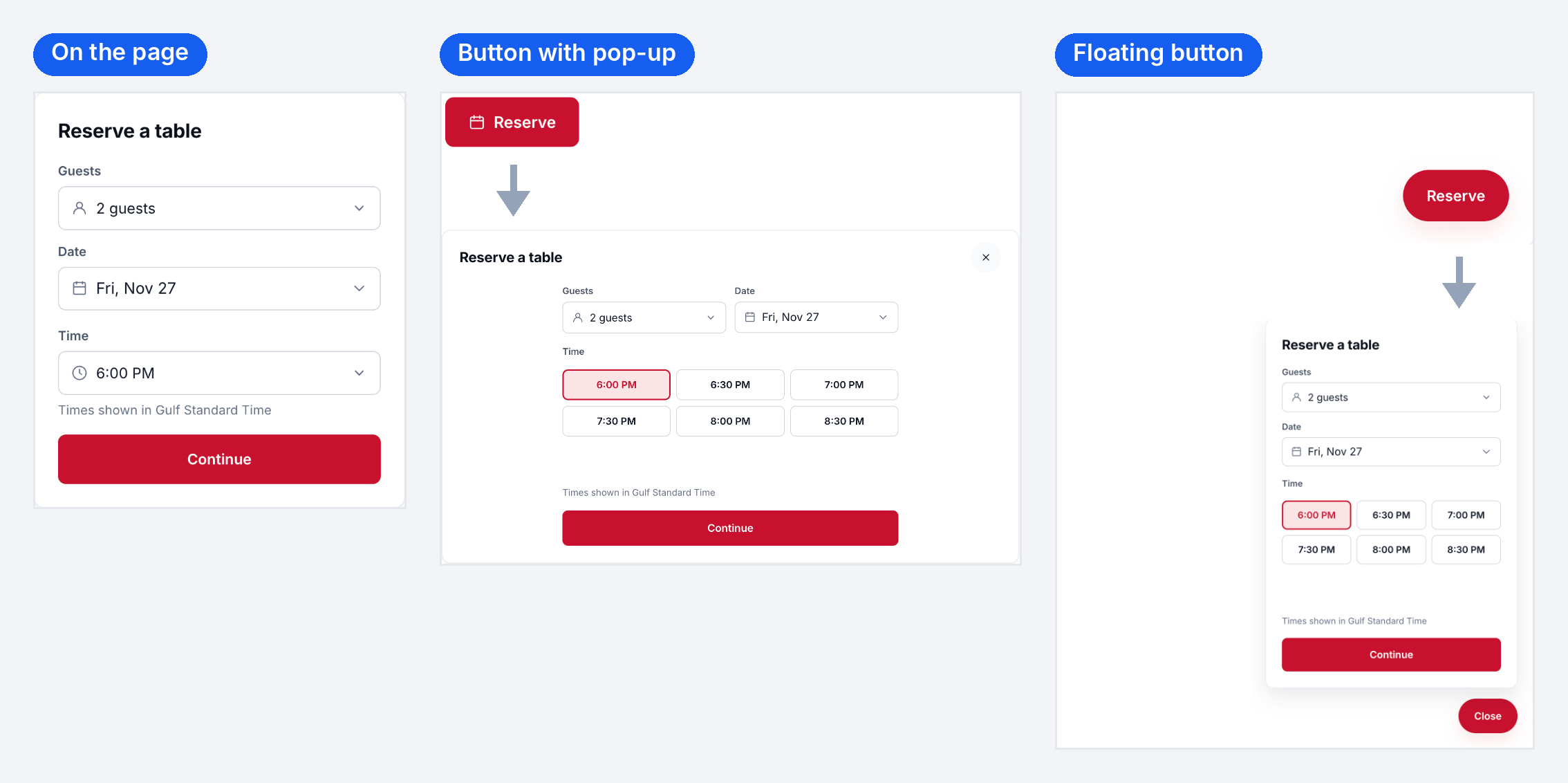
- Place the widget directly on a page, open it as a pop-up from a button, or add a floating button in the corner of every page so guests can book or order from anywhere on your site.
Looks like your brand
- EveryCatch matches your restaurant website style automatically, and you can also choose your own colors, corner style, and a light or dark theme.
- You can edit the heading and button text to match your tone. Guests see the widget in their own language when supported by their browser settings.
How to get started
- Go to Restaurant website → Setup and sharing → Website widgets, then click New widget.
- Choose your widget type, pick a layout, and select how it will display on your site.
- Customize the design and text, and review the Live preview on both desktop and phone views.
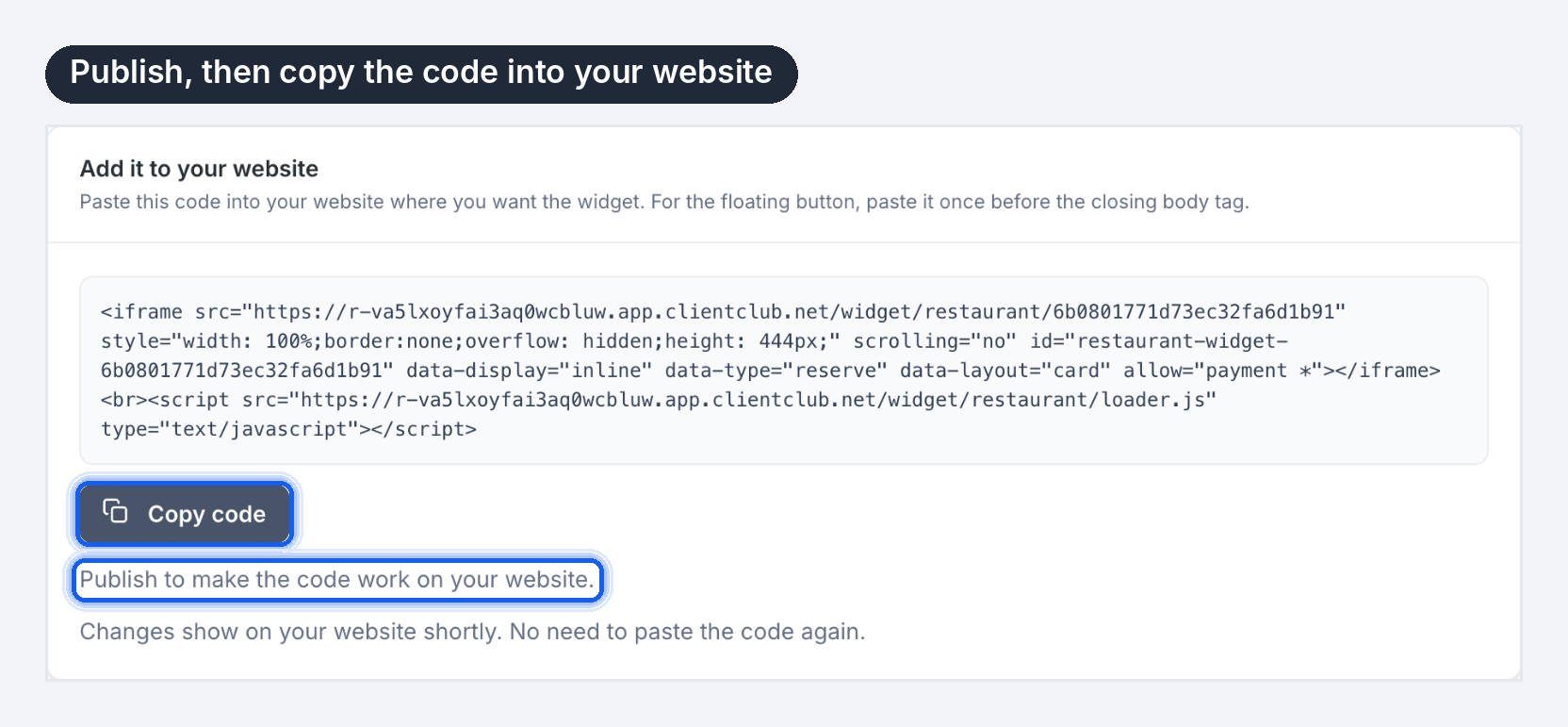
- Click Publish, then click Copy code and paste the snippet into your website builder where you want the widget to appear.
Why it matters
- Keep your website: Use EveryCatch for bookings and orders while continuing to use the website you already have in place.
- Fewer steps for guests: Visitors can reserve or order at the moment they discover you, directly on your page.
- Update once: Edit a widget in EveryCatch and every website that uses that code will update automatically.
Availability
Website widgets are available to agencies using Restaurants on the Founder's plan.
Your website. Your look. Booked right there.