- The best booking systems are shaped around how the specific business actually works, not around a generic template.
- They reduce friction at every step, for the customer and the business, rather than simply digitising a process that was already slow.
- They do follow-through automatically: confirmations, reminders, no-show recovery, without manual intervention.
- They connect to the rest of the business rather than sitting as an isolated booking page with no relationship to CRM, billing, or communications.
- They make booking performance visible, so the business can see where leads are being lost and what is working.
Fits the actual business, not the category
The most common mistake in choosing a booking system is selecting one that appears to work for the sector rather than one that fits the specific operation. A system designed for "appointment-based businesses" might handle salons, physiotherapy clinics, consultants, and trades in a single product — but the booking logic, service structure, staff management, and payment requirements of those businesses are different enough that a generic product ends up compromising all of them slightly.
The best booking setups for service businesses start from the specific operation. How many services are there? Do services require specific staff members or equipment? What is the typical booking lead time? Are appointments single-session or part of a programme? Is there a deposit or payment required at booking? Do clients need to complete intake forms before arriving? The answers to these questions should determine the system, not the other way around.
When a system is chosen that does not match the operational reality, the gaps show up in daily use. Staff work around the system rather than in it. Customers encounter awkward booking flows that do not match what the business actually offers. Availability is shown inaccurately because the system cannot model the real capacity constraints. The business ends up maintaining a workaround on top of the tool instead of the tool doing the work.
Evaluating fit means testing the system against your actual services, your actual team structure, and your actual booking flow, before committing, not after. The demo environment should reflect your configuration, not the vendor's template.
Reduces friction at every step
A booking system that replaces a phone call with an online form has not necessarily reduced friction. If the form takes five minutes to complete, asks for information the business does not need at the booking stage, and does not confirm the appointment clearly on completion, it may have added friction relative to the call it replaced.
Genuinely low-friction booking has two dimensions. From the customer's side, it means: finding the booking option easily, understanding what they are booking and at what cost, completing the booking in as few steps as possible, and receiving immediate, clear confirmation. From the business's side, it means: the booking appearing in the right place automatically, the customer being allocated to the correct staff member or resource without manual intervention, and any required intake information being captured without follow-up phone calls.
The best booking setups eliminate or reduce every manual step that currently happens between "customer shows interest" and "appointment confirmed." That might mean integrating the booking page directly into the enquiry response, so a lead can go from initial contact to confirmed slot in one sequence without navigating to a separate website. It might mean capturing the customer's key information at booking time so that no one needs to call them to gather it before the appointment.
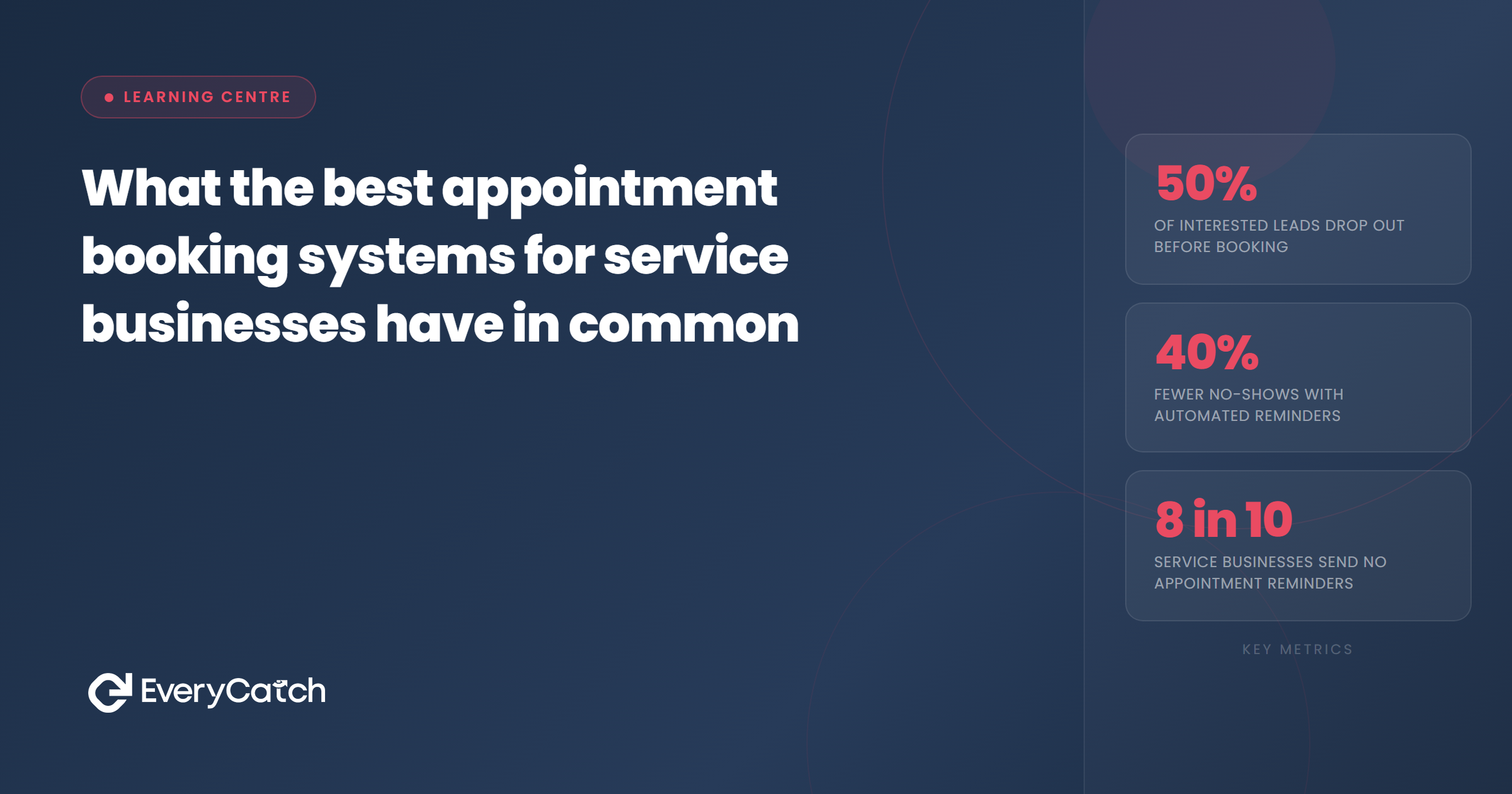
Friction reduction is worth measuring specifically. Tracking where customers drop out of a booking flow, or how long it takes from enquiry to confirmed slot, gives a direct view of where the current system is losing business that the business does not know it is losing.
Automatic follow-through
How does your current booking setup measure up?
EveryCatch reviews your existing booking flow against these characteristics and identifies what to fix. Free, no obligation.
Book a free discovery callA booking confirmed is not a business outcome. A customer who shows up, having arrived on time and prepared, is a business outcome. The gap between the two is filled by follow-through, and the best booking systems handle that follow-through automatically.
This includes: an immediate booking confirmation via SMS and email; a preparation reminder sent at an appropriate point before the appointment; a same-day or day-before reminder with rescheduling options; a post-appointment message that requests a review or provides aftercare information; and, when a no-show occurs, a prompt recovery message that offers a rebooking path.
Each of these touches the customer at a specific point in the journey and does a specific job. Together they reduce the rate at which confirmed bookings are lost to no-shows, improve the customer's experience of the business, and reduce the manual effort required from the team to keep the schedule full.
The test is whether this happens automatically or manually. If someone needs to send a reminder manually, check the schedule each morning, or personally follow up with no-shows, the system is not doing the job. The best setups run the follow-through sequence for every booking without any manual trigger. The business receives the benefit for every appointment without additional staff time per booking.
Connected to everything else
A booking system that operates as a standalone page or tool creates data fragmentation. The booking exists in one place; the customer's contact history exists in another; any payment or invoice is in a third system; and any reviews or feedback exist somewhere else again. Joining these up requires manual work, and manual work gets skipped when the team is busy, which is exactly when it matters most.
The best booking setups connect to the business's CRM so that every booking automatically creates or updates a contact record. They connect to payment processing so that deposits, prepayments, or post-appointment billing can happen without a separate step. They connect to communications channels so that confirmation and reminder messages go out via the channels already being used for other business communication. And they connect to reporting tools so that booking data informs business decisions rather than existing in a silo.
For businesses using a platform like GoHighLevel, the advantage is that the booking system and CRM are the same thing. A booking creates a contact, triggers a workflow, updates a pipeline, and sends automated messages, all within one platform. For businesses using separate tools, the priority is integration quality: whether the booking data moves reliably between systems without manual export and re-import.
Connection quality also matters for staff experience. When a team member can see a customer's full history, including past appointments, communications, and any notes, at the point of a new booking or arrival, the service quality goes up and the time spent searching across systems goes down.
Makes performance visible
Most booking systems can tell you how many appointments were made. The best ones tell you how many leads came in and did not book, how many bookings were cancelled versus completed, how long the average lead takes to convert to a booking, what the no-show rate is per service type or staff member, and which referral source produces the best-attended appointments.
This visibility matters because booking problems are usually not visible until they are serious. A business that has a 20% no-show rate might not realise this unless someone runs the numbers deliberately. A business that is losing half its enquiries at the booking step might never know it because the people who drop out do not tell you why they left.
A booking system that surfaces this data as a natural output of its operation, rather than requiring manual reporting runs, allows the business to make adjustments before problems become entrenched. If the day-before reminder is reducing no-shows significantly, that is visible and the reminder stays. If a particular service consistently produces more no-shows than others, that is visible and can prompt a different deposit or confirmation approach for that service type.
Not every service business needs sophisticated analytics dashboards, but every service business benefits from knowing, at a minimum, their booking conversion rate, their no-show rate, and their average lead-to-booking time. A system that does not make these visible is making it harder to manage the business well.

From the EveryCatch team
EveryCatch works with service businesses to assess, configure, and improve booking setups against these characteristics, so the whole system works together rather than each piece working separately.



