- WhatsApp is where many customers already are, so taking bookings there reduces friction significantly.
- The problem is not the channel, it is the absence of a system behind it. Unmanaged chat threads cause missed appointments and lost leads.
- A properly structured WhatsApp booking flow captures details, confirms the appointment, and creates a record elsewhere automatically.
- Reminders and follow-ups need to fire from a central system, not from a phone that might be on a job site.
- The goal is to use WhatsApp as the entry point, not as the filing cabinet.
To book appointments via WhatsApp without losing track of anything, you need the conversation to feed into a system the moment contact is made. WhatsApp works well as an entry point for customers, but the thread itself is not an appointment record, and relying on it as one is how bookings get missed. The solution is automation that captures the key details, confirms the slot, and creates a durable record somewhere that is not a chat history.
Why WhatsApp bookings get lost without a system
Most service businesses that take bookings via WhatsApp run into the same set of problems. A customer messages to ask about availability. There is a back-and-forth conversation. At some point a time is agreed. The customer expects a confirmation. The business owner has a vague memory of it. Then something else takes priority, and the appointment either does not get into the diary or gets confirmed late, after the customer has gone elsewhere.
The root cause is that the booking lives only in the conversation thread. There is no confirmation, no calendar entry, no reminder sequence, and no record beyond the chat. When that owner is on a job site, a confirmed booking can easily be forgotten by the time they get back to it in the evening.
This is not a WhatsApp problem. It is a workflow problem. WhatsApp as a channel is fine. What is missing is everything that happens after a customer sends that first message, which is covered in detail in the article on why the booking step loses more leads than you think.
What a WhatsApp booking system actually looks like
A structured WhatsApp booking setup does not require replacing WhatsApp. Customers still message the business number. What changes is what happens next.
When a message comes in, an automated response acknowledges it immediately and asks a qualifying question, such as the type of service needed and a preferred time. The customer replies. Those replies are captured and routed into a central inbox, not just left in a phone thread. If the reply contains enough information to confirm a slot, the system books it, adds it to the calendar, and sends a confirmation message back via WhatsApp. If more information is needed, it asks the next question.
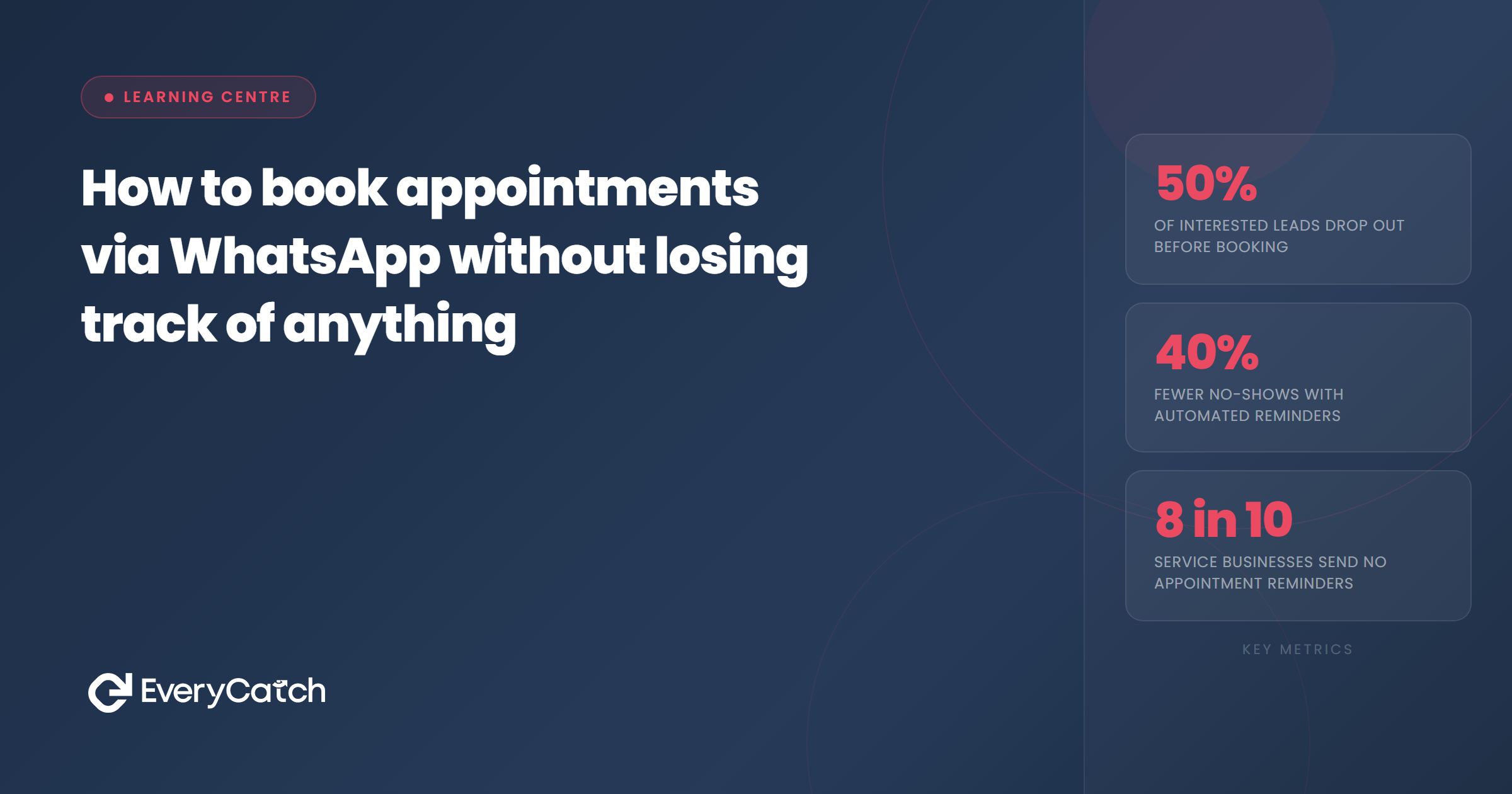
The confirmation message carries the appointment details: date, time, location or call link, and what to expect. A reminder fires automatically 24 hours before and again 2 hours before. None of this requires the owner to be at their phone.
EveryCatch's missed call text-back feature extends this further: if a customer calls and does not get through, an automatic WhatsApp or SMS message goes out within seconds asking how to help. That message often starts the booking conversation without the owner needing to call back.
Taking bookings via WhatsApp but losing some along the way?
We can show you how to connect your WhatsApp conversations to a system that captures every booking automatically.
Book a free discovery callHow to book appointments via WhatsApp: the setup
Getting this working involves connecting three things: your WhatsApp number, a CRM or booking system, and an automation layer that ties them together.
Step 1: Connect your WhatsApp Business number to a central inbox. Tools like GoHighLevel allow you to receive and send WhatsApp messages from a desktop interface, so the conversation does not live only on a single phone. Every message is visible to whoever is managing bookings, and it stays there even when the phone is unavailable.
Step 2: Build a qualifying conversation flow. When a customer messages in, the first automated response should ask what they need and when. Keep it short. Two or three questions maximum. You want to get to a confirmed date and time as quickly as possible, because every additional exchange is a chance for the customer to lose interest or message a competitor.
Step 3: Create the appointment record automatically. Once the slot is agreed, the system should create a calendar entry, notify you, and send the customer a confirmation. That confirmation is the written record of the appointment from the customer's point of view. It is also the first step in reducing no-shows.
Step 4: Automate reminders from the system, not your phone. Reminders should fire from the central system at fixed intervals. 24 hours and 2 hours before the appointment works well for most service businesses. The customer gets the message via WhatsApp. You do not have to remember to send it.
Step 5: Log everything. Every conversation, every confirmed booking, and every reminder should be attached to a contact record. If the customer has booked before, the history is visible. If they cancel, the record shows that too. This is what separates a WhatsApp booking system from a WhatsApp booking habit.
Common mistakes when booking appointments via WhatsApp
The most frequent mistake is treating a verbal agreement in a chat as a confirmed booking. It is not. A booking is confirmed when both parties have the date, time, and details in writing and the slot is in the diary. Agreement in the thread without a confirmation message or calendar entry is just a conversation.
The second mistake is leaving follow-up to memory. If a customer says "I'll get back to you about a time" and the owner makes a mental note to chase it tomorrow, that lead is probably lost. A proper system flags it, schedules a follow-up message automatically, and ensures nothing is waiting on someone's memory.
The third mistake is using a personal WhatsApp number rather than a WhatsApp Business account connected to a CRM. Personal accounts cannot be connected to central inboxes or automation tools. Moving to a Business account is a prerequisite for any of this to work at scale.
Measuring whether the WhatsApp booking process is working
Once the system is running, the metric that matters most is the conversion rate from first WhatsApp message to confirmed appointment. Track how many inbound WhatsApp enquiries turn into booked slots. If that number is below 50%, the qualifying flow or the response time is the problem. If no-shows are high, the reminder sequence needs attention.
A good WhatsApp booking system should also reduce the time the owner spends on booking admin. If it takes more than a minute per booking to manage, the automation is not doing enough of the work.

From the EveryCatch team
EveryCatch helps service businesses take enquiries from any channel, including WhatsApp, and turn them into confirmed bookings without the back-and-forth. Everything logs automatically so nothing gets lost in a chat thread.



