Publishing a workflow just got a lot safer. If your workflow has unresolved configuration issues, we now stop the publish, show you exactly what is broken, and help you fix it on the spot. Broken workflows no longer slip silently into production.
What changed
One place for every error. Frontend and backend validations are now merged into a single highlight error sidebar. Earlier, the same workflow could surface different errors in different uis with no consistency between them. Now every error lands in one coherent view, no matter where it comes from.
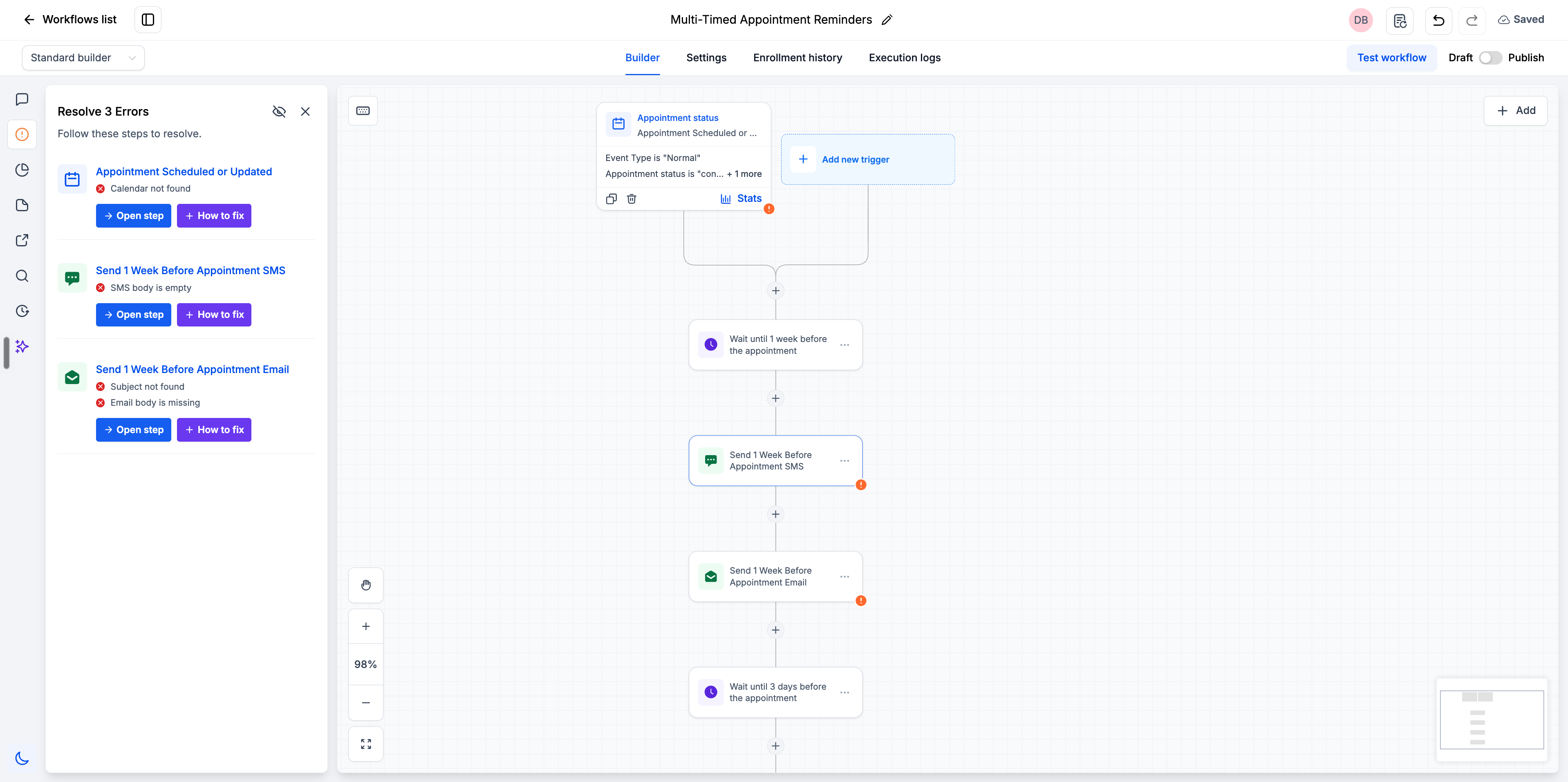
Save your progress even when errors exist. Auto save and manual save now work even when errors are present on the canvas. Earlier we blocked the save entirely, which threw repeated error toasters and felt like a bug. You can now stop midway, keep everything you have built, and come back to fix the rest later.
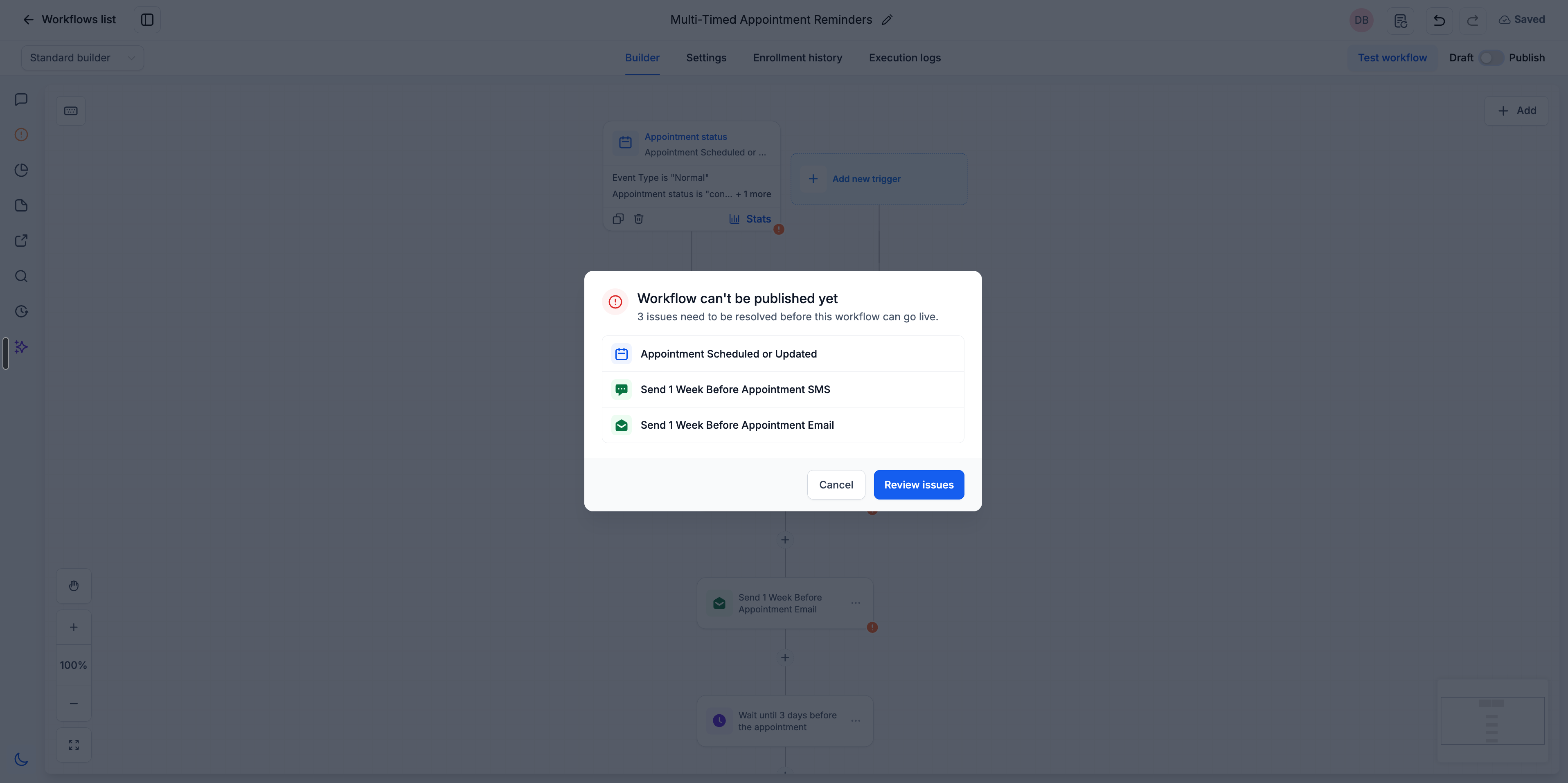
Publish is blocked until the workflow is clean. Hit Publish with unresolved errors and you get a modal listing every one of them. Safer workflows for your clients, safer infrastructure for everyone on the platform.
How to Use
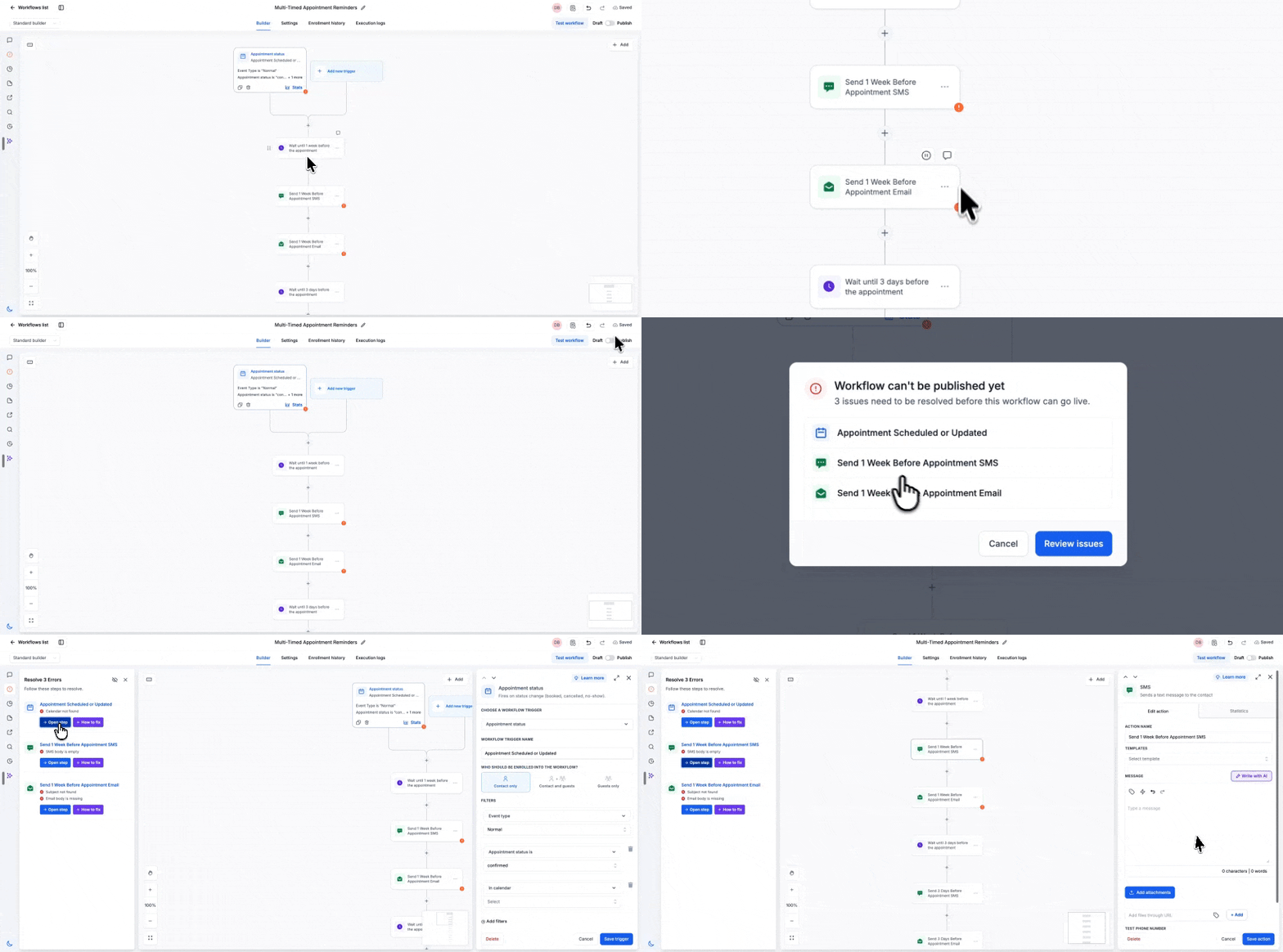
- Click Publish on your workflow.
- If errors exist, a modal lists the unresolved issues.
- Click Review Issues to open the Resolve Errors sidebar.
- For each error, choose Open Step to jump straight to that action or trigger, or take AI's help to resolve the error.
- Resolve everything, then publish.



