Overview
EveryCatch now lets you use separate email templates for welcome badges and other badges. This means emails triggered by enrollment-based welcome badges can have their own content and design, without changing the emails used for regular badge awards.
Key highlights
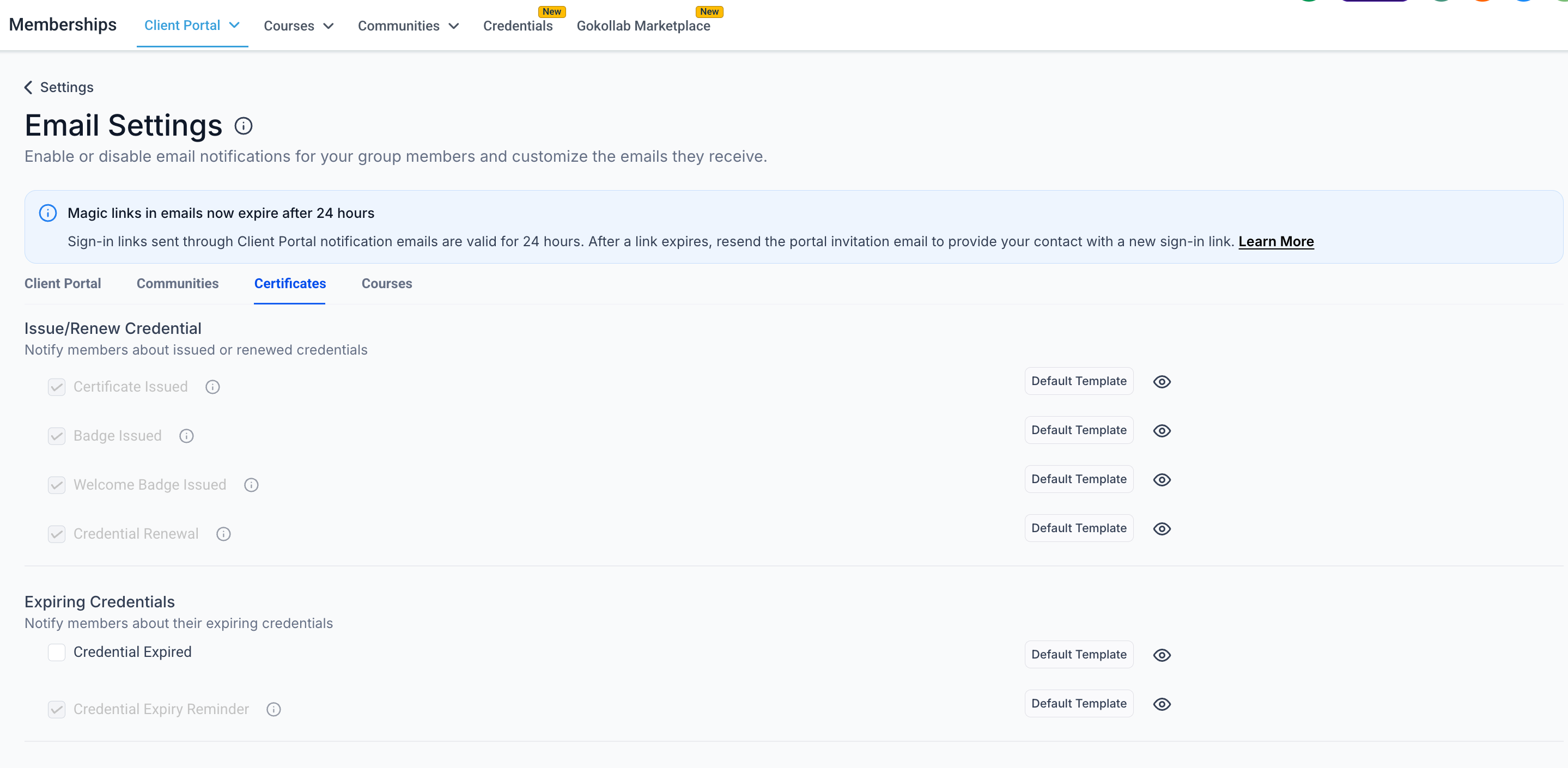
- New "Welcome Badge Issued" notification type, separate from "Badge Issued"
- Dedicated email template option for welcome badge emails in your Client Portal email settings
Why this matters
- You can tailor your first-touch welcome badge messaging without affecting other badge-related emails
- Email settings are easier to manage, with clearer options for certificate emails versus badge emails
Getting started
- Open Client Portal → Email settings in your EveryCatch account
- Find "Welcome Badge Issued" listed alongside "Badge Issued" and "Certificate Issued"
- Edit the welcome badge email template and mute settings to match how you want new users to be welcomed
- Any enrollment-triggered welcome badges will automatically send using the "Welcome Badge Issued" email template you configure