Overview
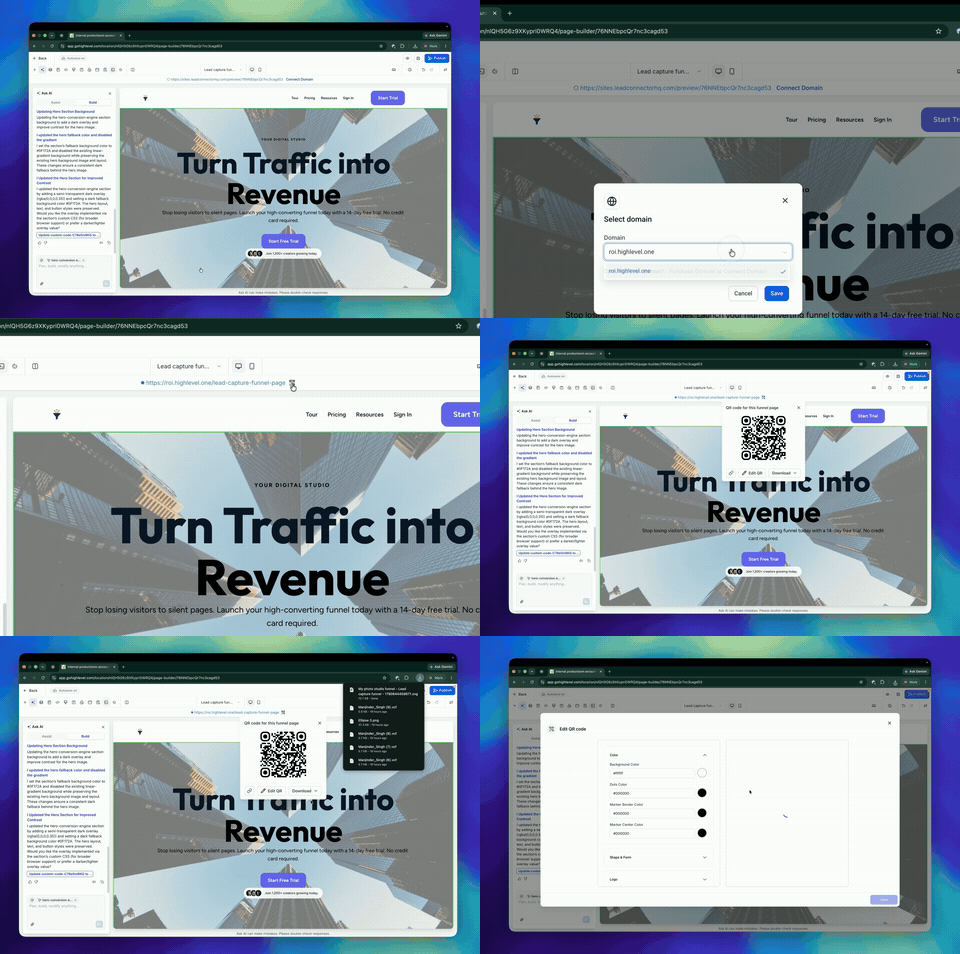
EveryCatch now lets you create and download QR codes directly inside Funnel Builder, so you can instantly generate a QR code for the current funnel step without leaving your workspace.
What’s improved
- You can now generate a QR code right from Funnel Builder for any funnel step you are working on
- Each QR code is automatically linked to the specific funnel step you have open, so the scan goes to the correct page
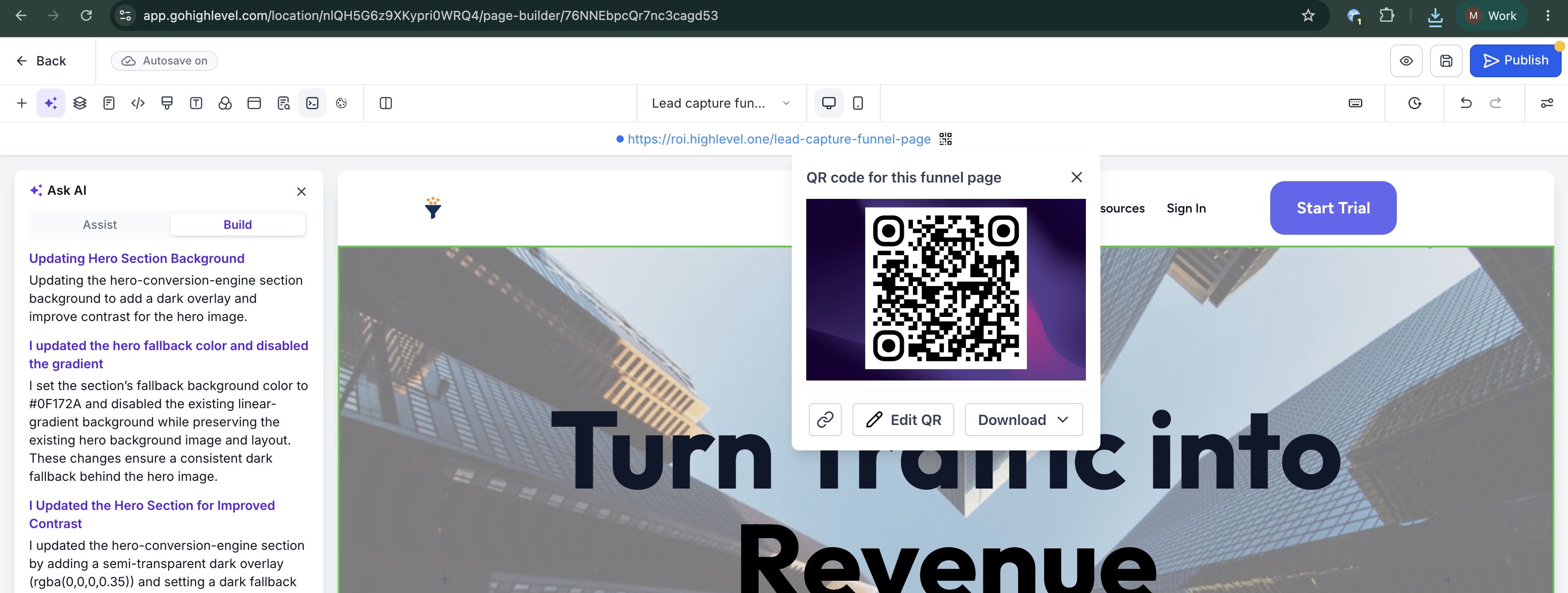
- You can download the QR code in PNG, SVG, or PDF formats, ready for digital or print use
- You can choose Edit QR to open additional customization options before you download
- The QR code option will only appear when the funnel step has a connected or hosted domain, so visitors always have a live destination
How to access
- Open a funnel in Funnel Builder
- Find the Funnel URL at the top of the Funnel Builder screen
- Click the QR code icon next to the URL
- Download the QR code in your preferred format, or select Edit QR to adjust the design and settings before downloading
Why it matters
- Removes extra steps in your process so you can go from funnel step to QR code in a few clicks
- Helps prevent mistakes by tying the QR code directly to the exact page or step you have open
- Makes it straightforward to promote your funnels through print pieces, event materials, packaging, signage, and other offline channels
- Keeps QR code creation in the same place where you design and manage your funnels, so you do not need separate tools