
We've made prospect creation more flexible by giving you control over when Marketing Audit Reports are generated.
Previously, every time you added a prospect from search results, a Marketing Audit Report would automatically be generated. While many customers love getting instant audit insights, others wanted a faster way to save prospects first and decide later which businesses deserved a full audit.
Now you can do both.
Choose whether to generate a marketing audit report
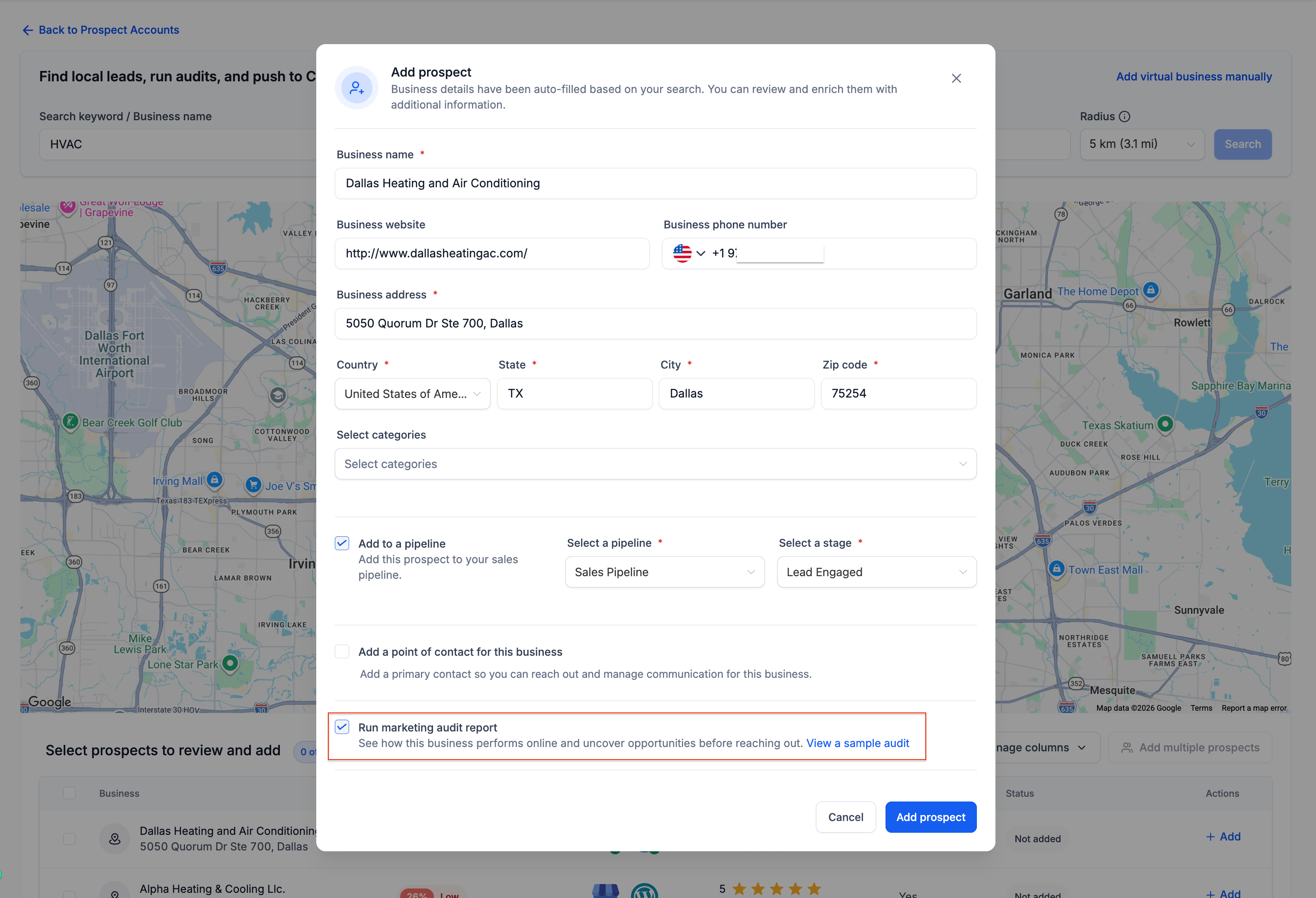
When adding a new prospect, you'll now see a new option
Run marketing audit report
If enabled
- The prospect will be saved
- A Marketing Audit Report will be generated automatically
If disabled
- The prospect will be saved immediately
- No audit will be generated
- You can generate the report later from the Prospect Details page
Faster Prospect List Building
- Save prospects in bulk
- Build prospect lists first
- Generate audits only for their highest-priority opportunities
With this update, you can quickly add prospects without waiting for audit generation every time.
Keep using audits when you need them
Marketing Audit Reports remain one of the most powerful parts of the Prospecting Tool, helping you uncover
- Website performance issues
- Google Business Profile opportunities
- Local SEO insights
- Reputation and review gaps
- Listings and visibility improvements



