
Adding quizzes to your funnels and websites in EveryCatch is now much simpler and faster.
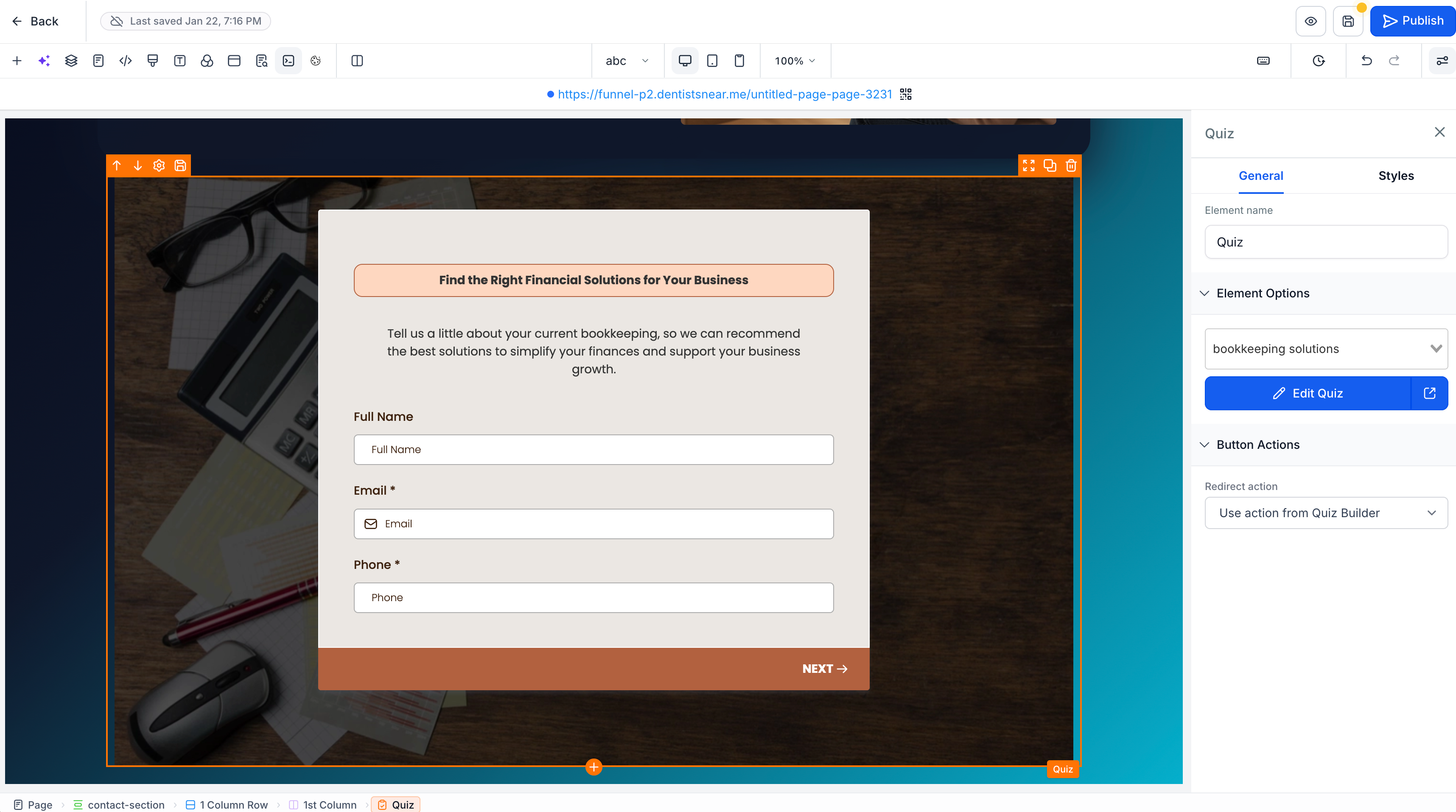
EveryCatch now includes a native quiz element in the funnels and websites builder, so you can add, create, and edit quizzes directly in your pages without handling any embed codes.
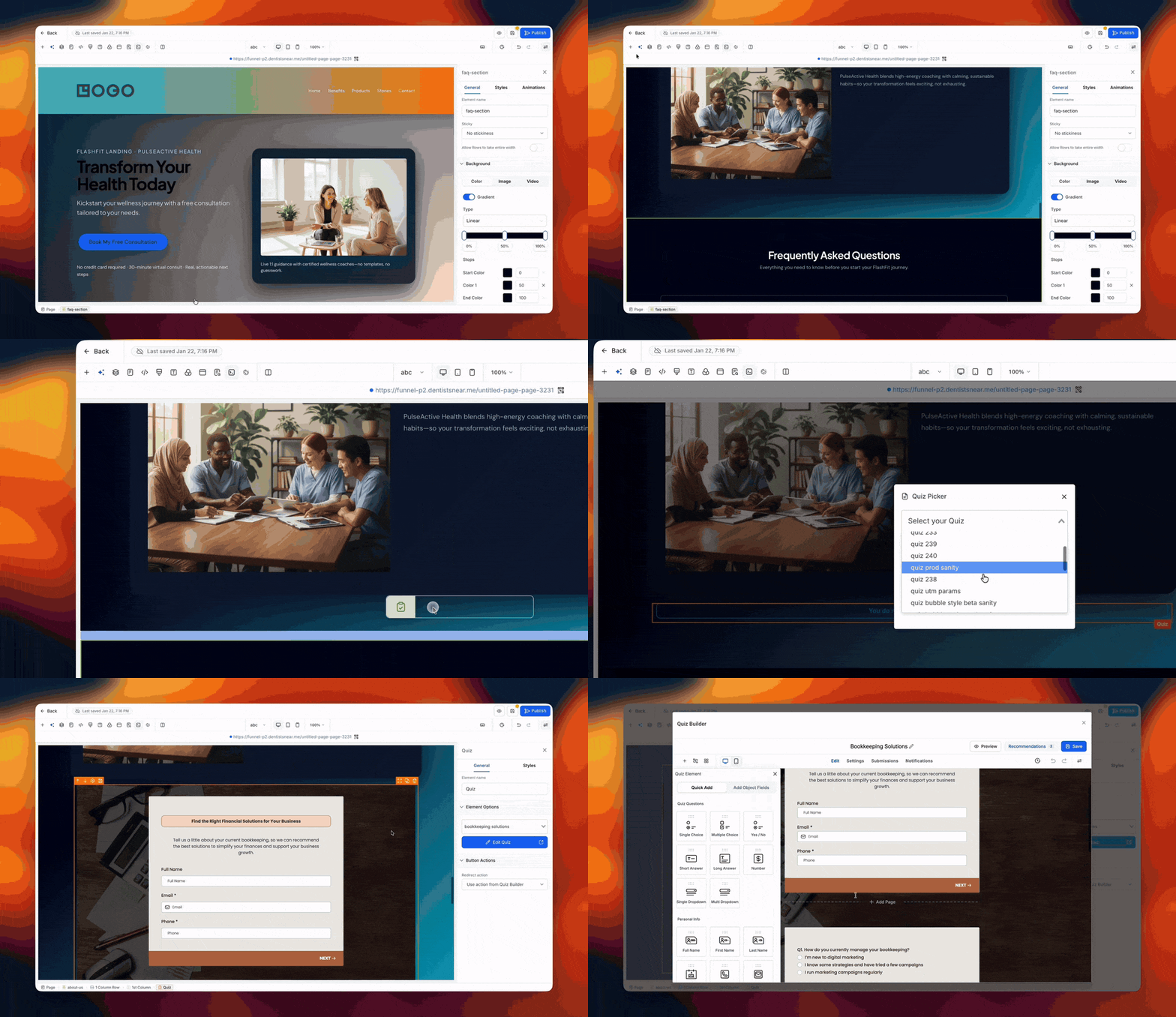
What changed
1. Native quiz element so you can skip embed codes
Previously, adding a quiz to a funnel or website took several steps. You had to go to the quiz builder, copy the quiz embed code, return to your funnel or website, and then manually paste and configure that code.
That extra work is no longer required.
With the new quiz element, you can now place quizzes natively on any funnel step or website page, so the whole flow is quicker, cleaner, and easier to manage.
Here is what has changed:
- Native quiz integration: Drag and drop the quiz element directly into your funnel step or website page.
- No manual embedding: You no longer need to copy and paste embed codes. Quizzes are added from within the builder itself.
- Works across funnels and websites: Use quizzes anywhere you need them, whether on a funnel step or a website page.
2. Create a new quiz or reuse an existing one
Getting started with quizzes in EveryCatch is now straightforward, whether you are building something from scratch or plugging in a quiz you already have.
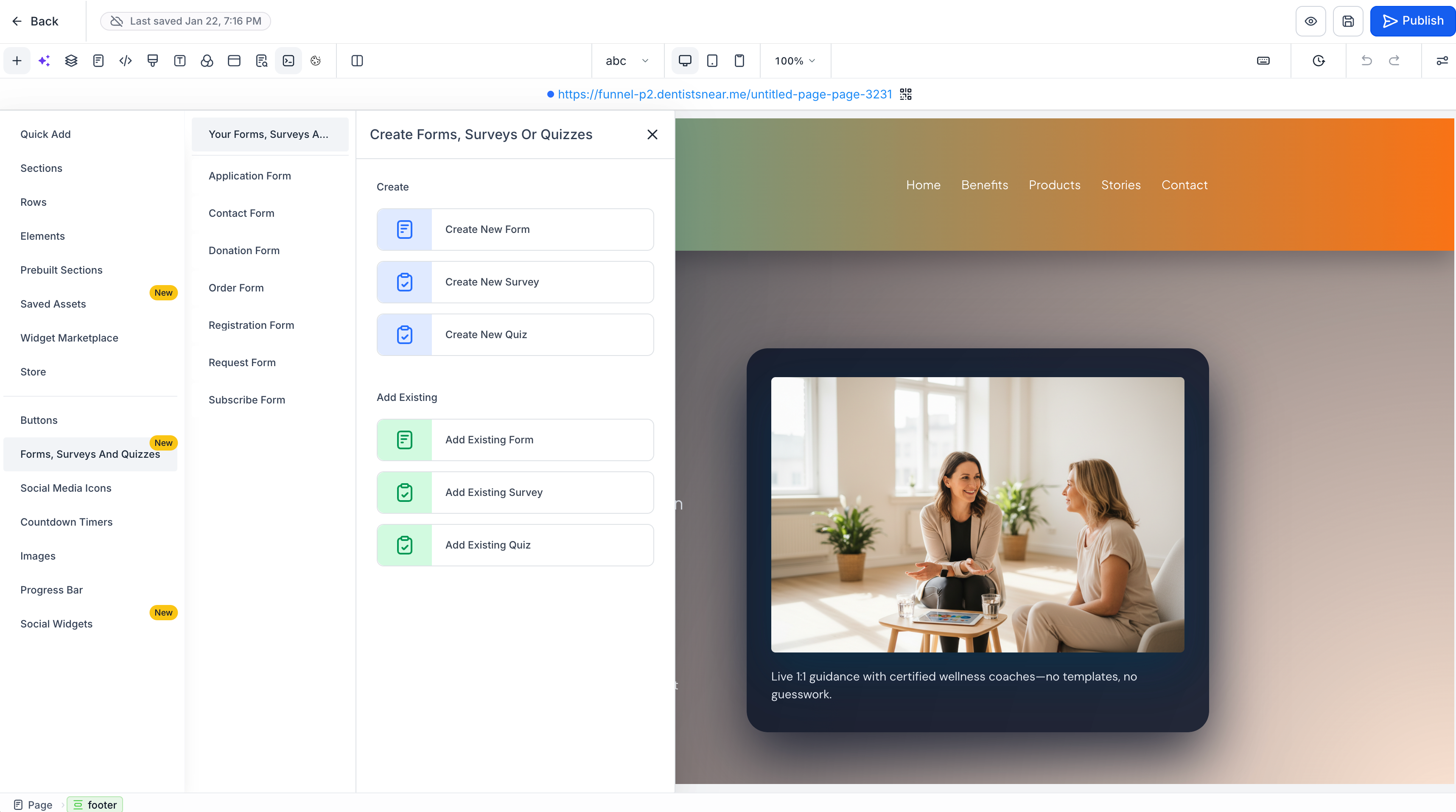
When you add the quiz element, you have two options:
- Create a new quiz: Build a brand-new quiz directly in the funnel or website builder when you drop in the quiz element.
- Choose an existing quiz: Select a quiz you have already created and place it into your funnel step or website page in a few clicks.
There is no need to jump between areas or repeat configuration. Just pick the quiz you want and move on with the rest of your page.
3. Edit quizzes without leaving the builder
If you spot something you want to adjust in a quiz after adding it to your funnel or website, you can now update it right from the same editing view.
You can now open and edit your quizzes inside the funnels and websites builder, so you stay focused on the page you are building while you fine-tune quiz content and settings.
How it works
- Edit directly: Open the quiz builder straight from the quiz element on your page.
- 90% popup experience: The quiz builder appears in a large popup that covers about 90% of your screen, giving you plenty of space to work comfortably.
- Seamless editing workflow: Make your quiz changes and then close the popup to continue editing your funnel or website where you left off.
This creates a more connected building experience so you can manage your pages and quizzes in one place without breaking your flow.
How to add and manage quizzes
- Open the builder: Go to any funnel step or website page in the EveryCatch funnels and websites builder.
- Add the quiz element: Drag and drop the quiz element onto your page where you want the quiz to appear.
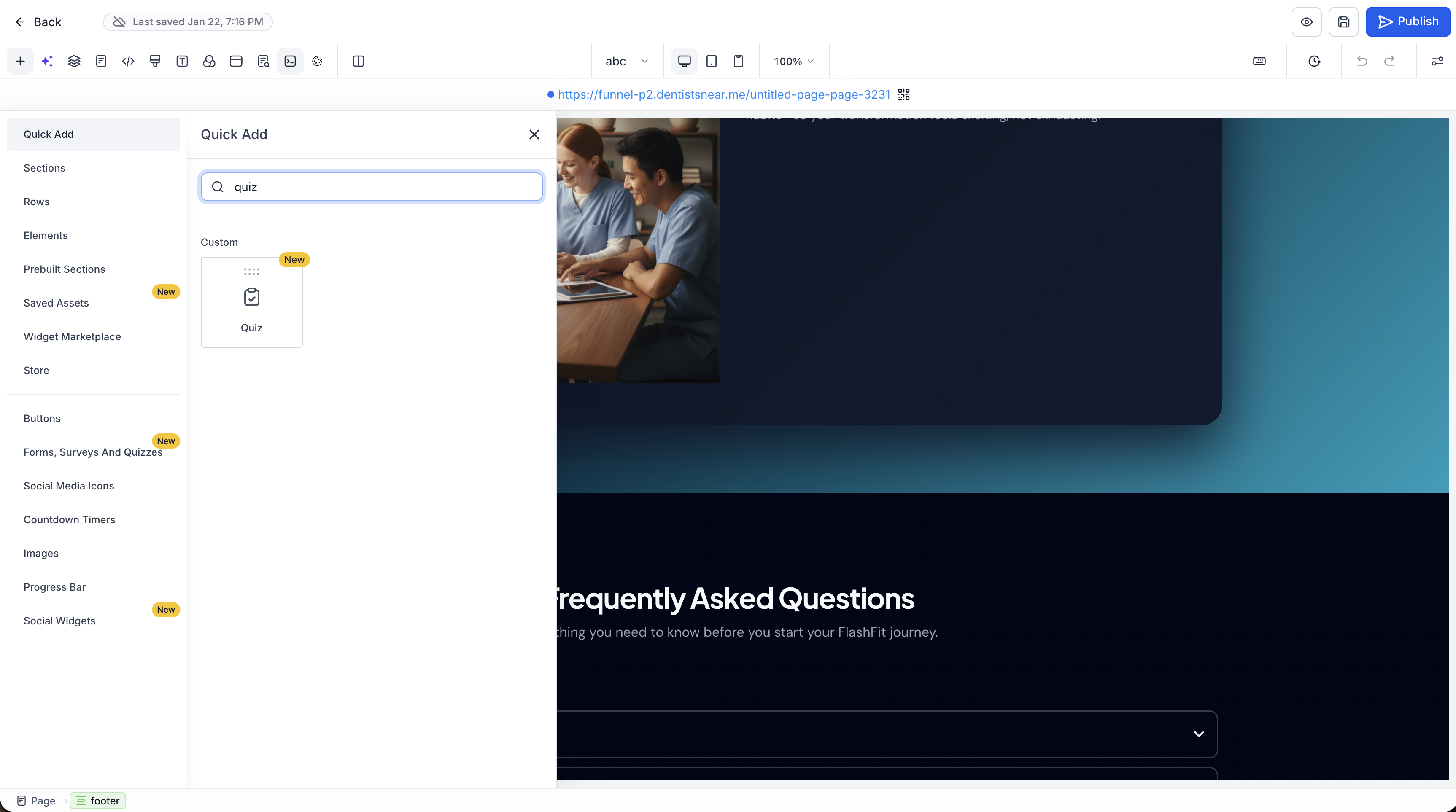
- Choose your quiz: Either create a new quiz on the spot or select one of your existing quizzes from the list.
- Edit when needed: Click into the quiz element to open the quiz builder in the 90% popup whenever you want to adjust questions, logic, or styling.
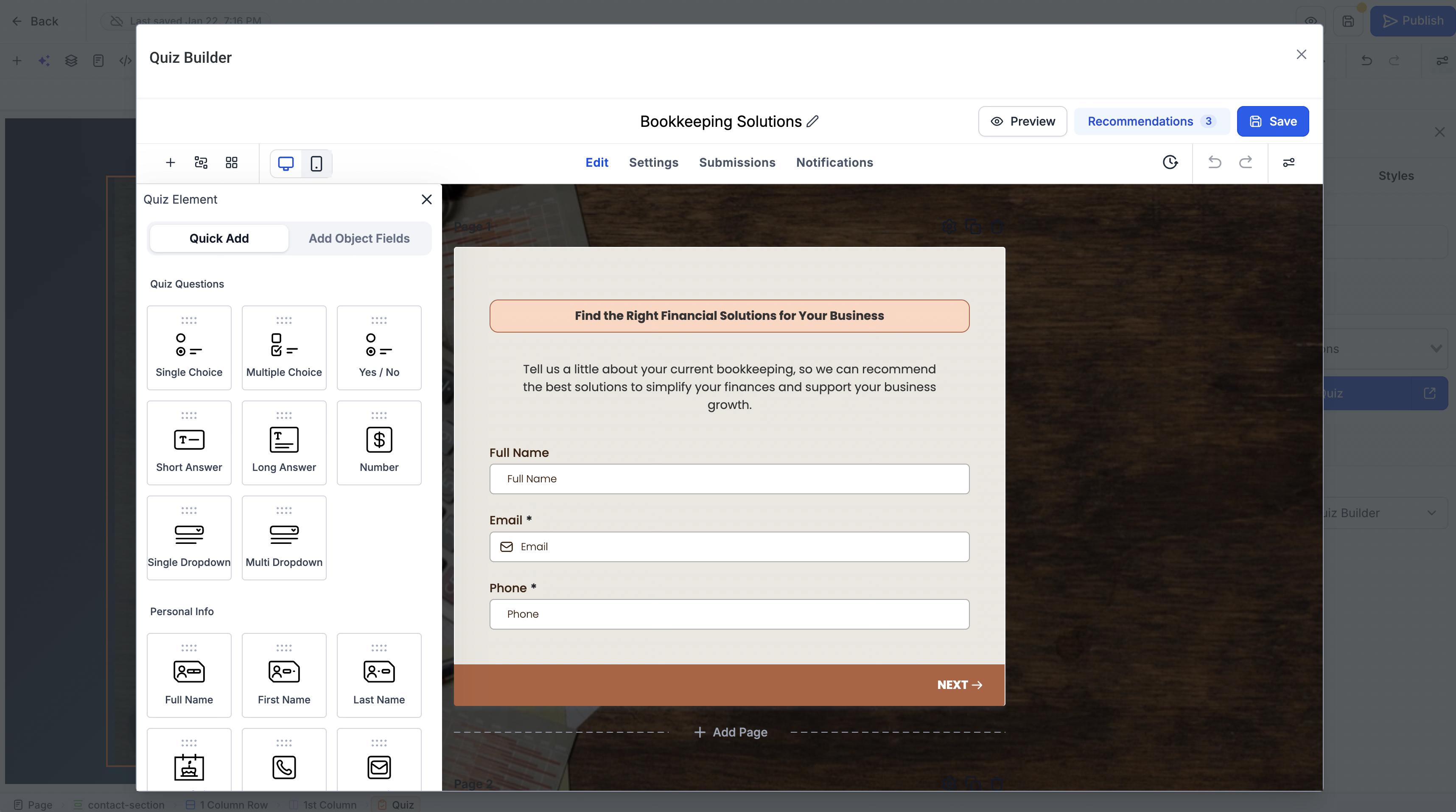
- Continue building: Close the popup to go right back to editing your funnel or website layout without switching to a different builder.
Key highlights
- Native quiz integration: Add quizzes directly to funnels and websites without manual embed codes.
- Faster setup: Remove extra steps previously required to embed quizzes.
- Create or reuse: Decide whether to build a new quiz or insert an existing one when you add the element.
- In-builder editing: Edit quizzes straight from your funnel or website editing view.
- Spacious editing experience: Work in a large 90% popup that keeps the quiz easy to edit.
- Unified workflow: Build funnels, websites, and quizzes in one connected experience instead of jumping between separate sections.
Notes
- Availability: The quiz element is available in both the funnel builder and the website builder in EveryCatch.
- Quiz selection: When you add the quiz element, you can either create a new quiz or choose one you have already set up.
- Quiz editing: You can edit quizzes from within the funnel or website builder using the 90% popup interface.
- No embed codes required: The quiz element handles the connection for you, so you do not need to copy and paste quiz embed codes.
Why this matters
Quizzes are a practical way to engage visitors, collect data, and introduce interactive experiences in your funnels and websites. Before this update, using them often meant dealing with a separate workflow that relied on manual embed codes and switching between different builders. The new quiz element brings that into a single, native flow in EveryCatch.
You can now add, create, and edit quizzes directly where you build your funnels and websites, which reduces friction, saves time, and makes it easier to launch pages that keep visitors involved.
Less copy-pasting. More quiz building. Better funnels and websites.



