Fewer steps between a full cart and a completed order.
EveryCatch now lets each restaurant choose how guests sign in when they order online or book a table: you can set it to Never ask, Offer it, or Require it.
What changed
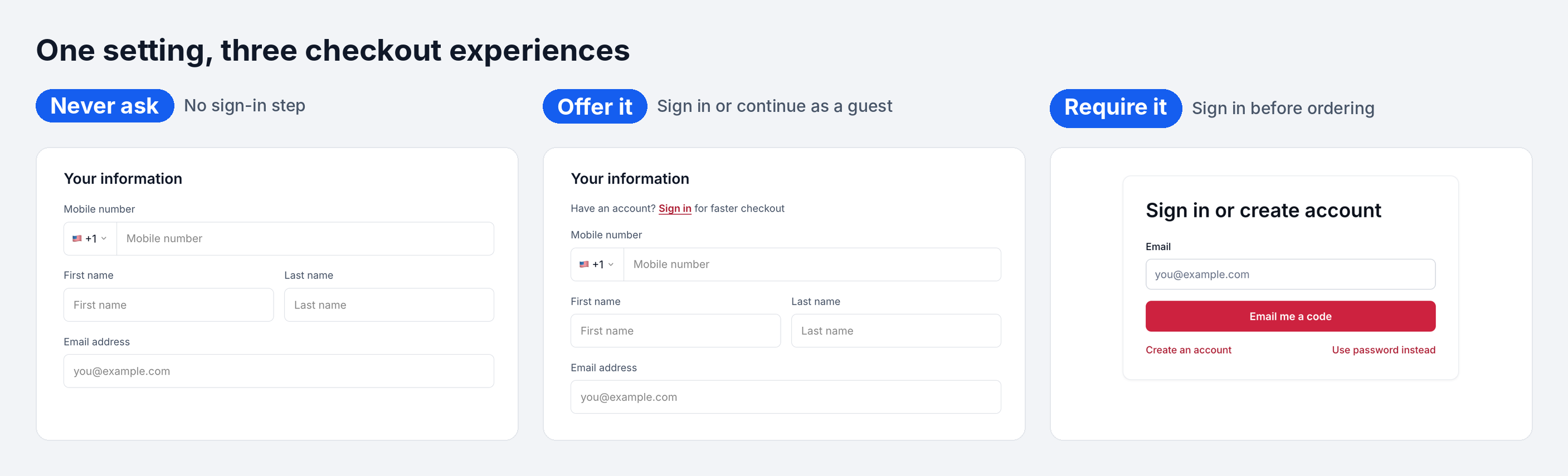
- Never ask: Guests order and book without creating an account. Checkout only asks for their mobile number, name and email so you can confirm the order or booking.
- Offer it: Guests see a clear option to sign in for a faster checkout, or they can continue as a guest if they prefer.
- Require it: Guests must sign in before they place an order or make a booking, so every transaction is tied to a customer profile.
- Easy sign-in: Guests can sign in with a one-time code sent to their email, or by using a password if they already have one.
- Faster next time: When guests sign in, their details are saved so future checkouts and bookings are pre-filled.
How to get started
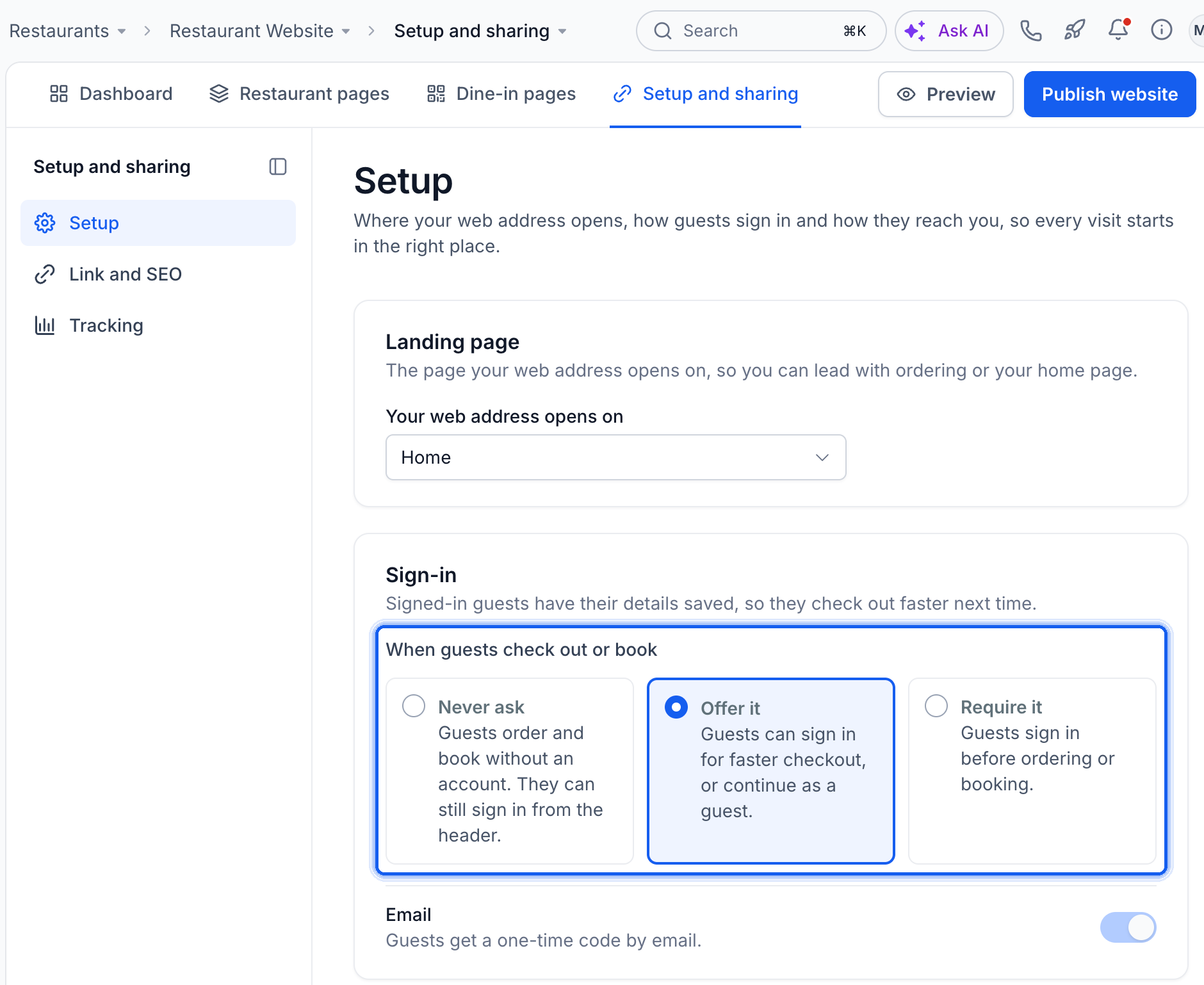
- In EveryCatch, go to Restaurants → Restaurant website → Setup and sharing → Setup.
- Under Sign-in → When guests check out or book, choose one option: Never ask, Offer it, or Require it, based on the experience you want to provide.
- Click Save changes, then use Preview to see exactly what your guests will experience.
Why it matters
- More first orders: New guests can move from cart to order quickly when you choose Never ask, because they do not need to create an account first.
- You decide: Quick-service locations can keep checkout as fast as possible by skipping sign-in, while full-service or membership-style concepts can offer or require sign-in.
- One setting: Your sign-in choice automatically applies to both online orders and table bookings, so you only update it in one place.
Availability
This feature is available to agencies using Restaurants on the Founder's plan in EveryCatch.
Your checkout, your rules, your extra orders.