Your guests can now place their restaurant orders online and pay in person when they pick up or receive their food.
You can turn on cash on delivery for pickup, delivery, or both. Guests choose it at checkout, then pay at the counter for pickup or at the door for delivery.
What changed
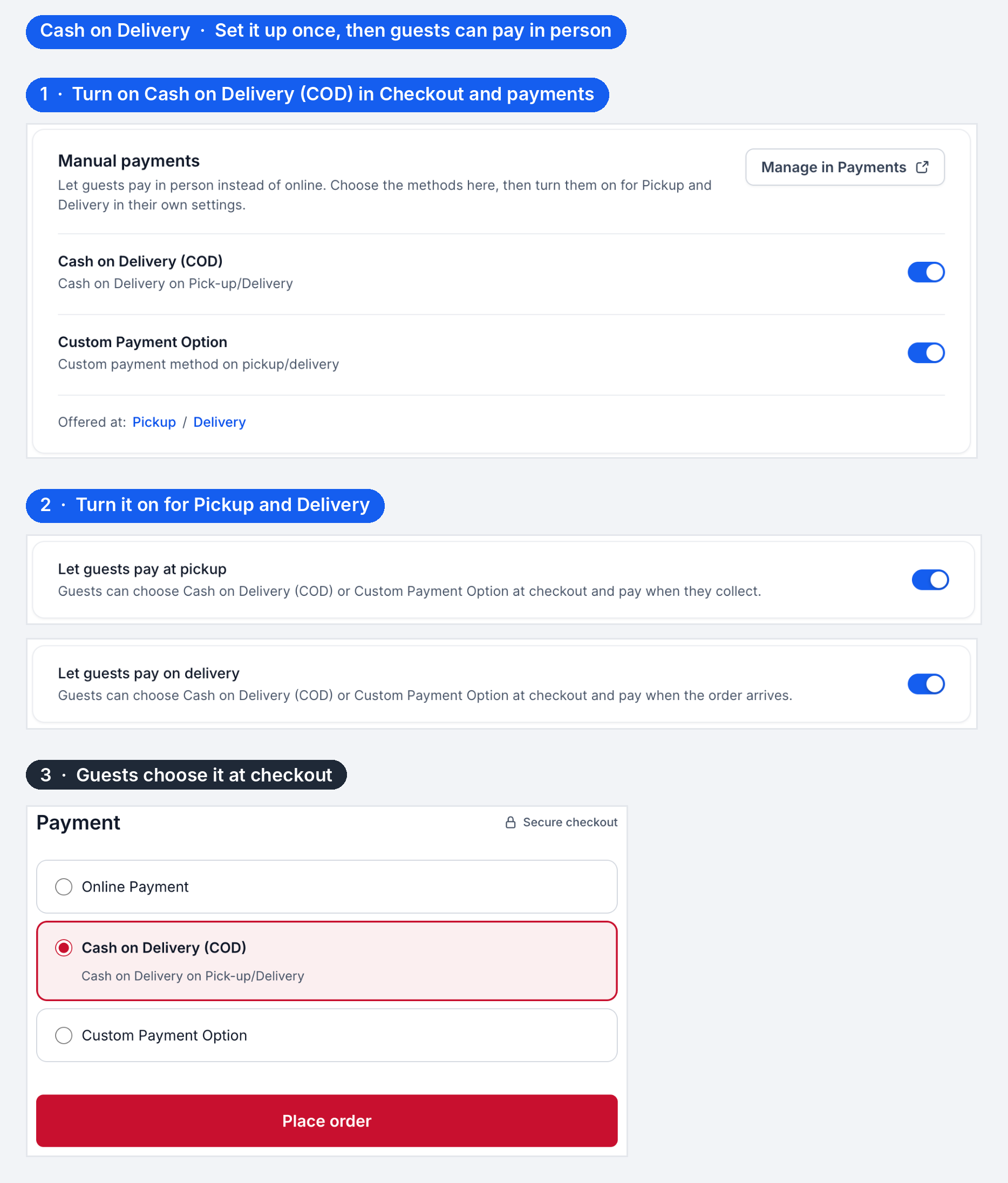
- Manual payments in Restaurants: You can now turn cash on delivery (COD) and your own custom manual payment methods on or off directly in Checkout and payments.
- Pickup, delivery, or both: Choose whether guests can pay in person for pickup orders, delivery orders, or for both types of orders.
- Right at checkout: Guests see cash on delivery next to online payment during checkout. Your instructions appear under the option, and no card details are required.
- Synced with Payments: When you turn a manual payment method on or off in Restaurants or in Payments, the status automatically stays in sync in both places.
How to get started
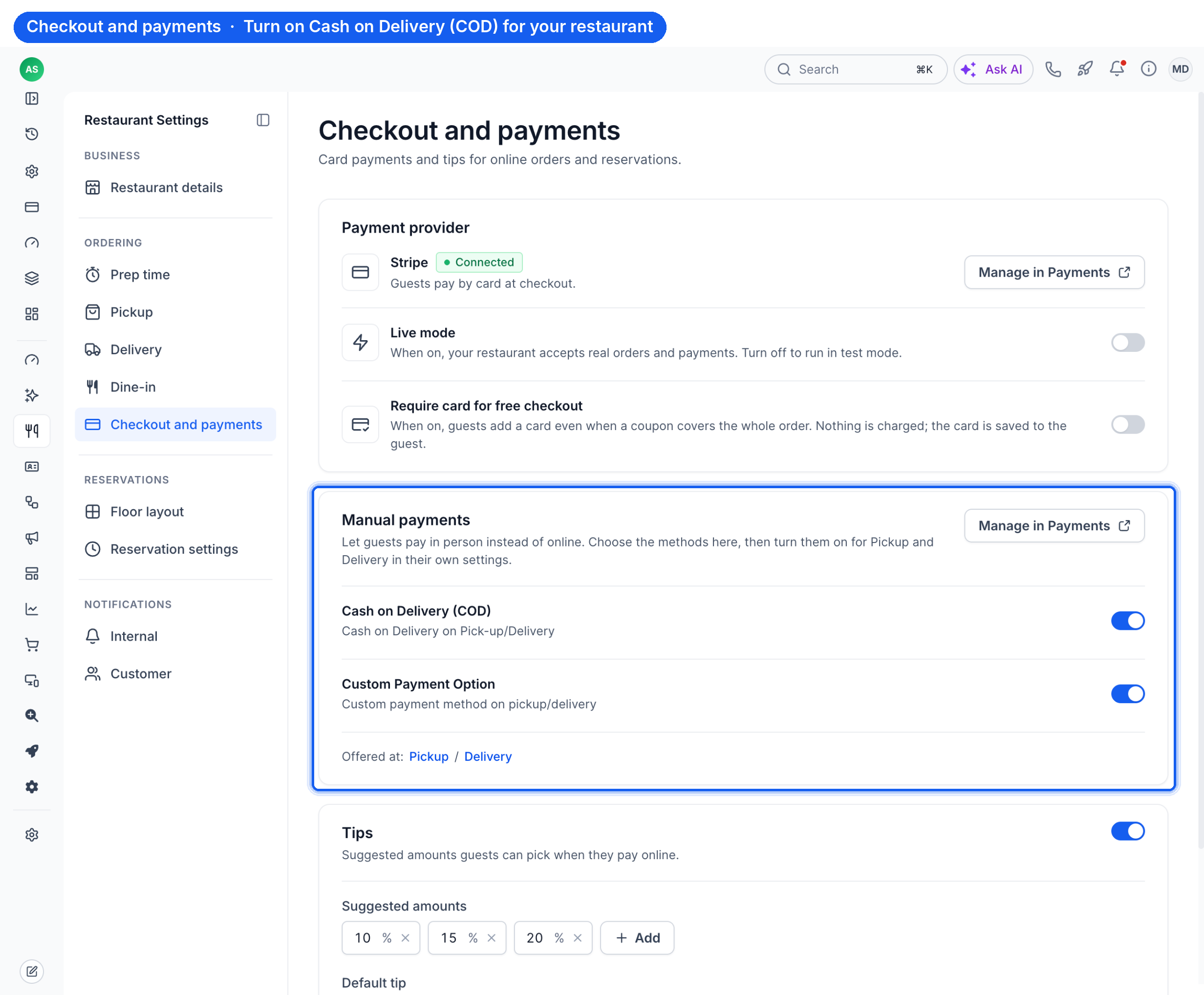
- Go to Restaurants → Settings → Checkout and payments.
- Under Manual payments, click Set up in Payments. Configure cash on delivery, tick Restaurants under Enable for, and save your changes.
- Back in Checkout and payments, confirm that cash on delivery (COD) is turned on.
- In Pickup and Delivery settings, turn on Let guests pay at pickup and Let guests pay on delivery for the options you want to offer.
Why it matters
- Reach guests who prefer cash: Guests who like to pay with cash can now place their orders online instead of calling the restaurant.
- No card fees on cash orders: Cash orders do not go through a card processor, so you avoid card processing fees for those orders.
Availability
This feature is available to agencies using Restaurants on the Founder's plan.
Order online. Pay in person. No card needed.