EveryCatch blogs now include a refreshed author layout so you can present author details in a modern, clear, and professional way. This helps your readers quickly see who is behind each post and build a stronger connection with your team.
You get better author visibility, stronger credibility, and a more engaging reading experience on every blog post.
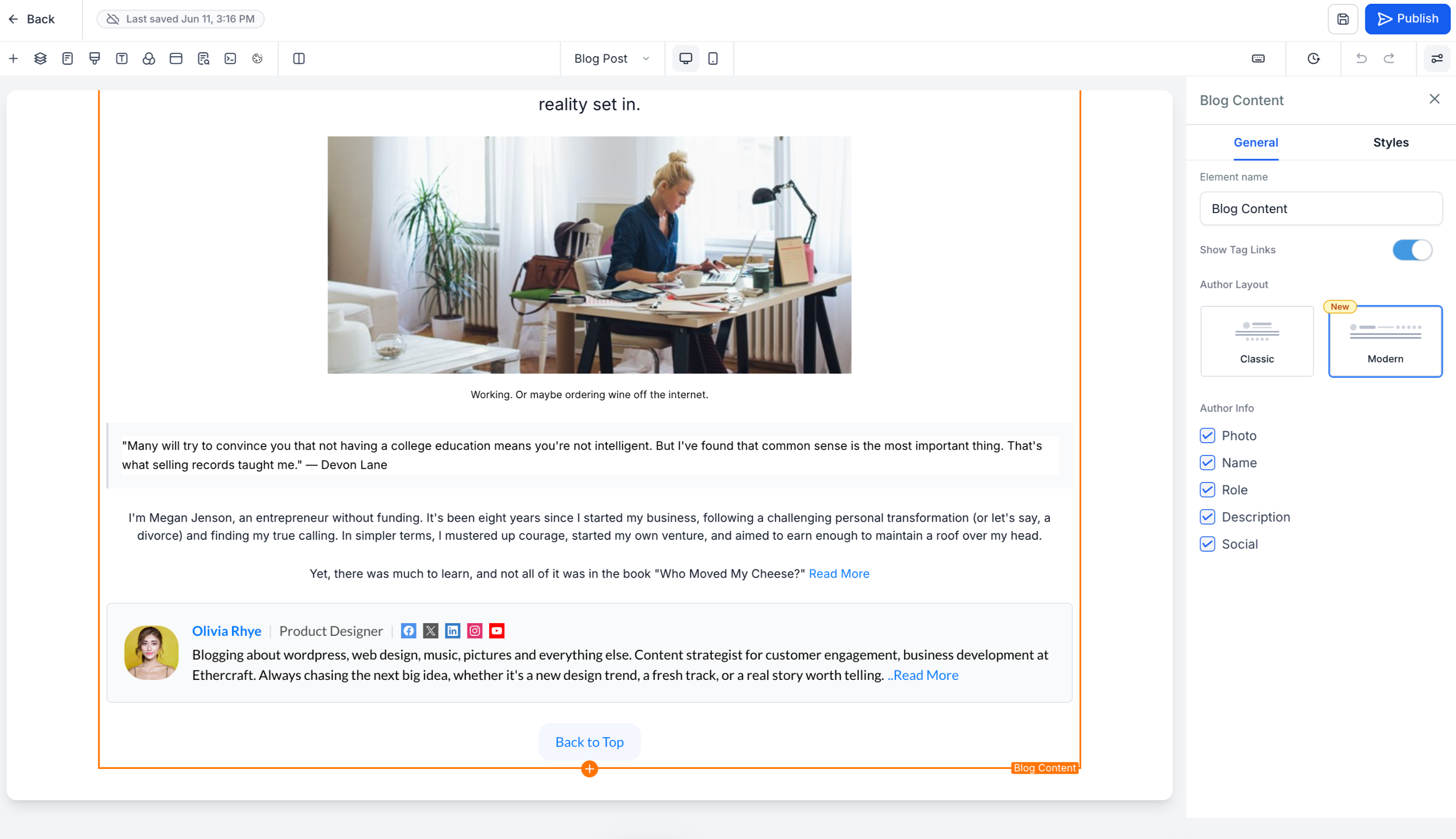
- Choose between two author layouts
You can now pick the author layout that best matches your brand and publishing style.
Modern preview (new)
- Card-based design for a clean, structured author section
- Improved visual hierarchy so key details stand out
- Optimized layout to encourage readers to explore the author profile
- Set as the default layout for all newly created blog posts
Classic preview
- Keeps the familiar author layout you have been using
- Available if you prefer to maintain your current look and feel
- Enhanced author profiles
Author information now appears in a richer, more structured layout so readers can quickly understand who wrote the post. You can include:
- Profile image
- Author name
- Designation or role
- Author bio
- Social media links
- Email address
This gives readers clear context about the author’s expertise and background at a glance.
- Expandable "read more" experience
When an author bio is long, EveryCatch automatically shows a shortened version to keep the page tidy. Readers can click Read more to expand and view the full bio without affecting the rest of the blog layout.
- Fully responsive across devices
The author section is designed to adapt smoothly to different screen sizes, including:
- Desktop
- Tablet
- Mobile
Your readers get a consistent, easy-to-read author experience whether they are on a computer, tablet, or phone.
- Go to Sites → Blogs
- Open Blog post settings for the post you want to edit
- Select your preferred author layout (Modern or Classic)
- Fill in the author details, social links, and email information you want to display
- Publish your blog
- Build trust and credibility by showcasing clear author branding
- Increase reader engagement with richer, more complete author profiles
- Give your blog a polished, professional presentation
- Highlight your team’s expertise and thought leadership in a consistent way
- The modern author layout is the default for all new blog posts
- Existing blog posts will keep their current layout unless you update them manually
- Dedicated standalone author profile pages are not included in this update
- Multiple authors per blog post are not currently supported



