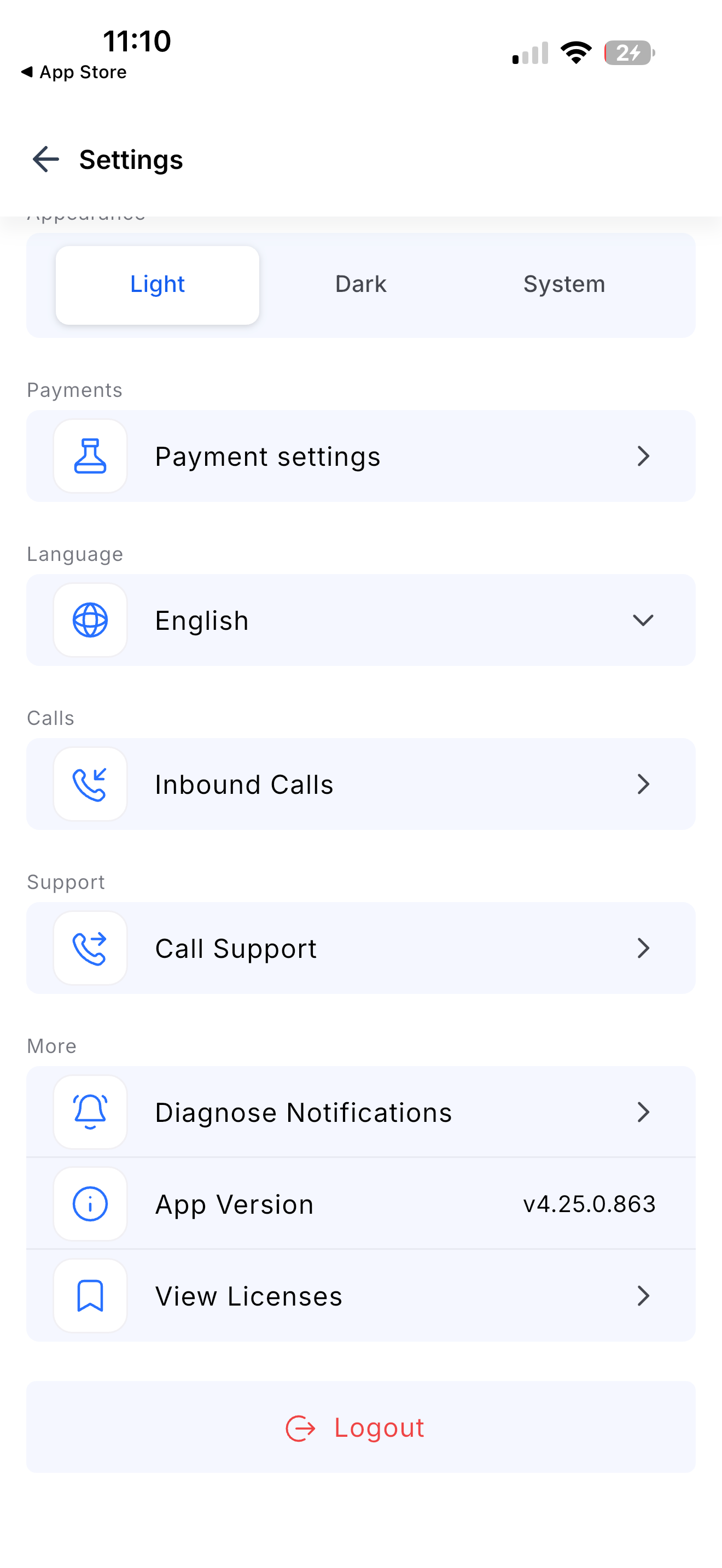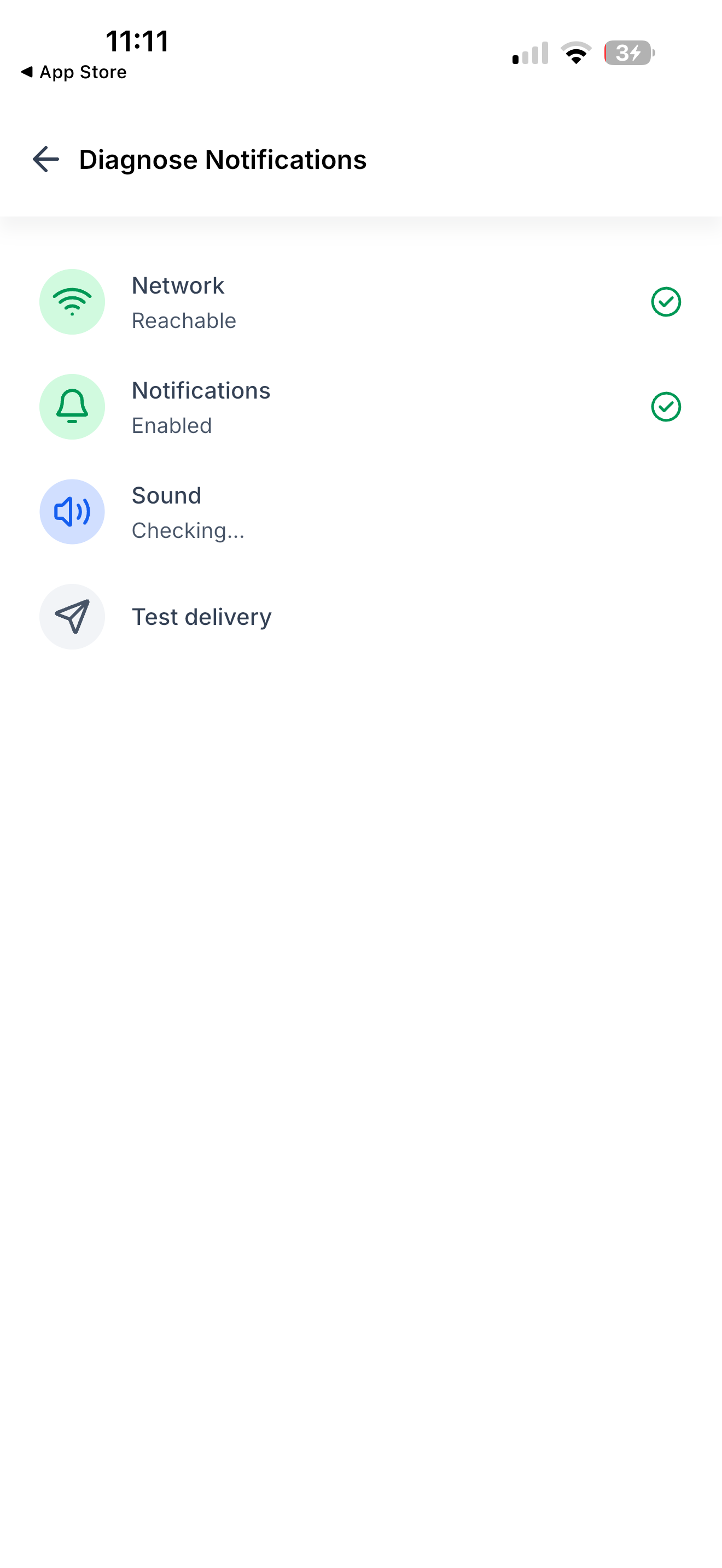
Not getting notifications? Run a quick check-up in Settings. It tests your network, notification permission, sound, and sends a real test notification to your phone - then tells you what's wrong.
The challenge
When notifications stop arriving, there's no way to tell why. Is it your Wi-Fi? A setting you turned off? Your phone on silent? Or something on our side? You were left guessing, and support had nothing to go on.
Solution
A one-tap diagnosis that checks everything between our servers and your phone, and points at what's broken.
What all can be done
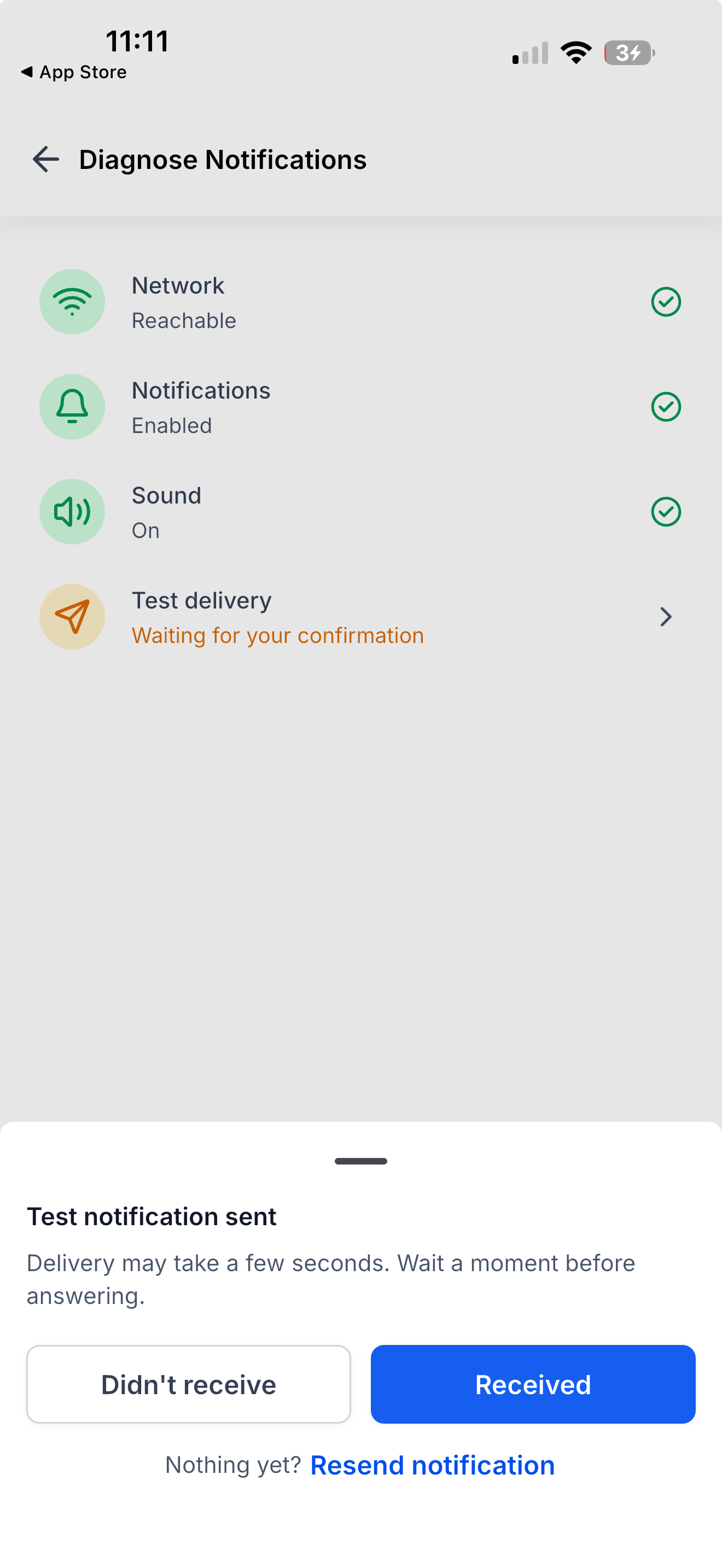
- Run four checks in one tap: Network, Notifications, Sound, and Test delivery - each with a clear pass or "needs attention".
- Get a real test notification: we send one to your phone and ask if it arrived. Not there? Tap Resend to try again.
- See what to fix: every failed check tells you what to change - your Wi-Fi, your notification permission, or your ringer and Focus mode.
- Copy the report: one tap copies your results to paste into a support ticket.
- Re-check anytime: fix something and tap Run diagnosis again.
What you get out of it
- An answer in under a minute, instead of guessing at settings.
- Proof it's not your phone: if every check passes and the test still doesn't arrive, it's on us to fix not you.
- Faster support: send one report instead of answering a list of questions.
How to get started?
- Open Settings → Diagnose Notifications, then tap Start Diagnosis.
- Answer the test notification: Received, Didn't receive, or Resend.
- Fix anything flagged, then tap Run diagnosis again.
- Still stuck? Tap Copy report and send it to support.
Roll-out & availability
- Release Date: September 2026
- Available Version: 4.25.0 or higher
- Status: Production
- EveryCatch::white_check_mark
- EveryCatch::white_check_mark
- WL App::white_check_mark