Community monetization in EveryCatch now gives you much more flexibility. You can create several pricing plans with different benefits and access levels in a single community, instead of choosing only between a single Free or Paid option.
What’s new
Create and manage multiple pricing plans
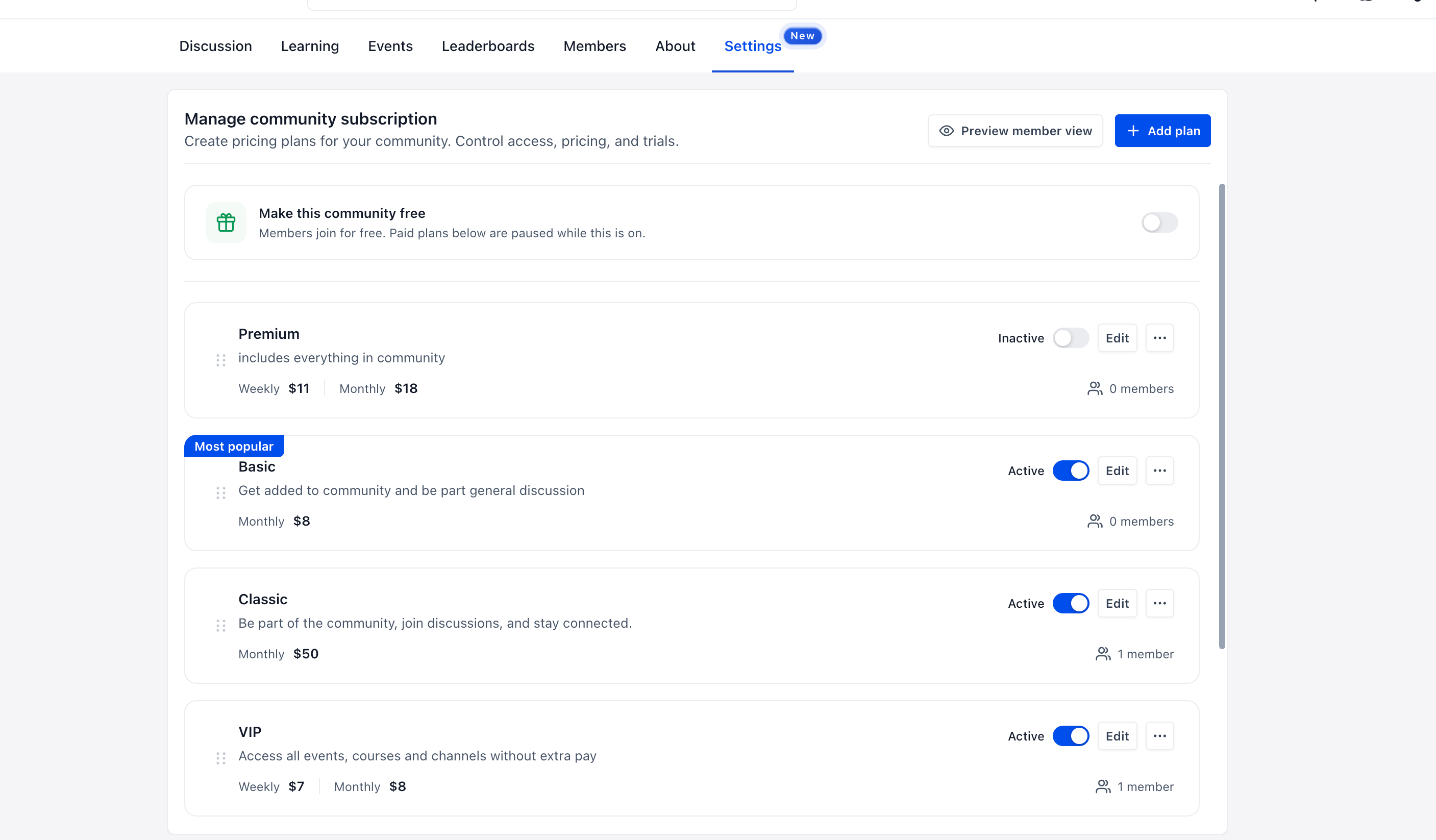
You can now create multiple pricing plans under Settings → Subscriptions. Each plan has its own name, description, price, and included benefits, so you can easily offer tiers like Basic, Pro, and VIP within one community space.
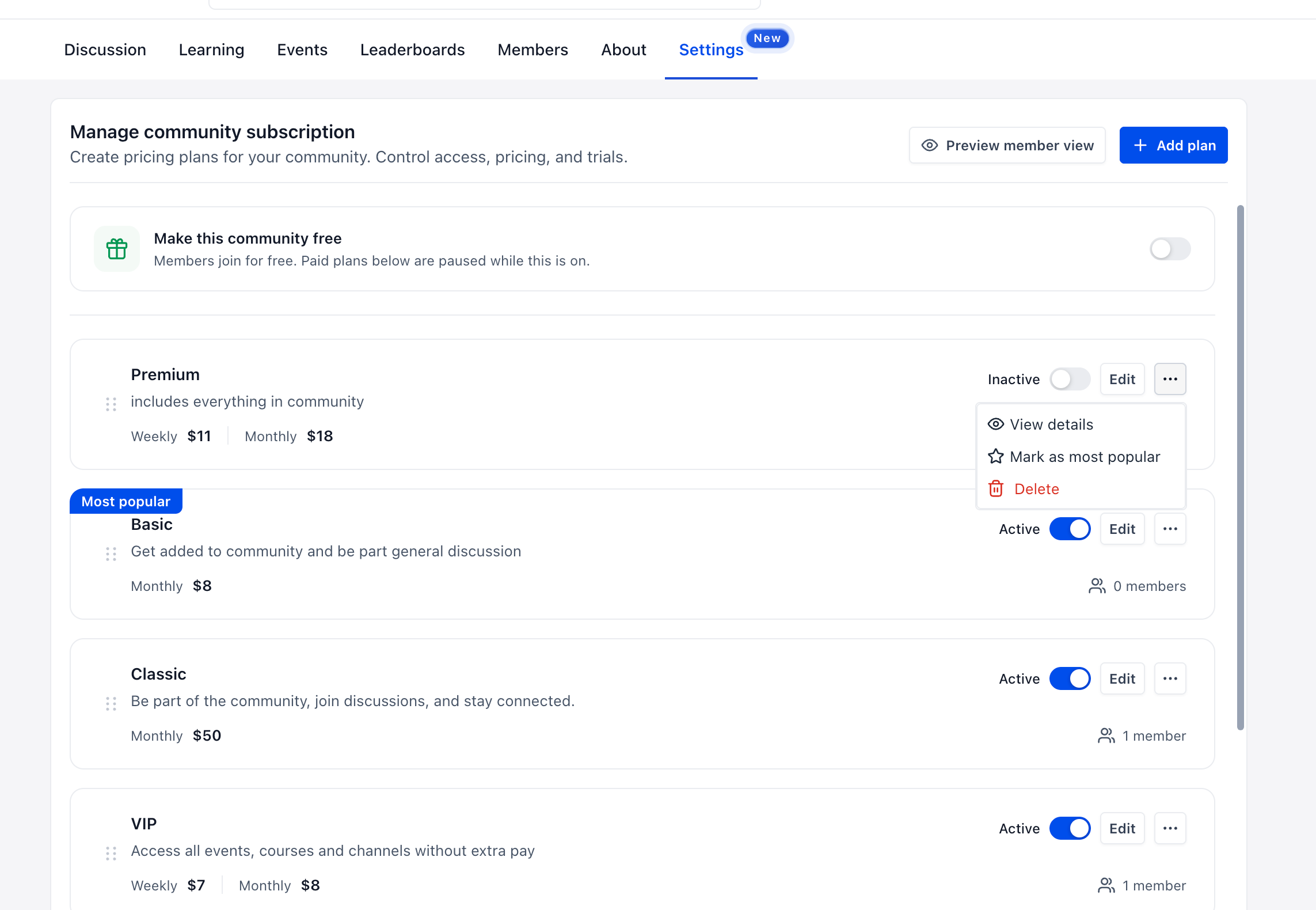
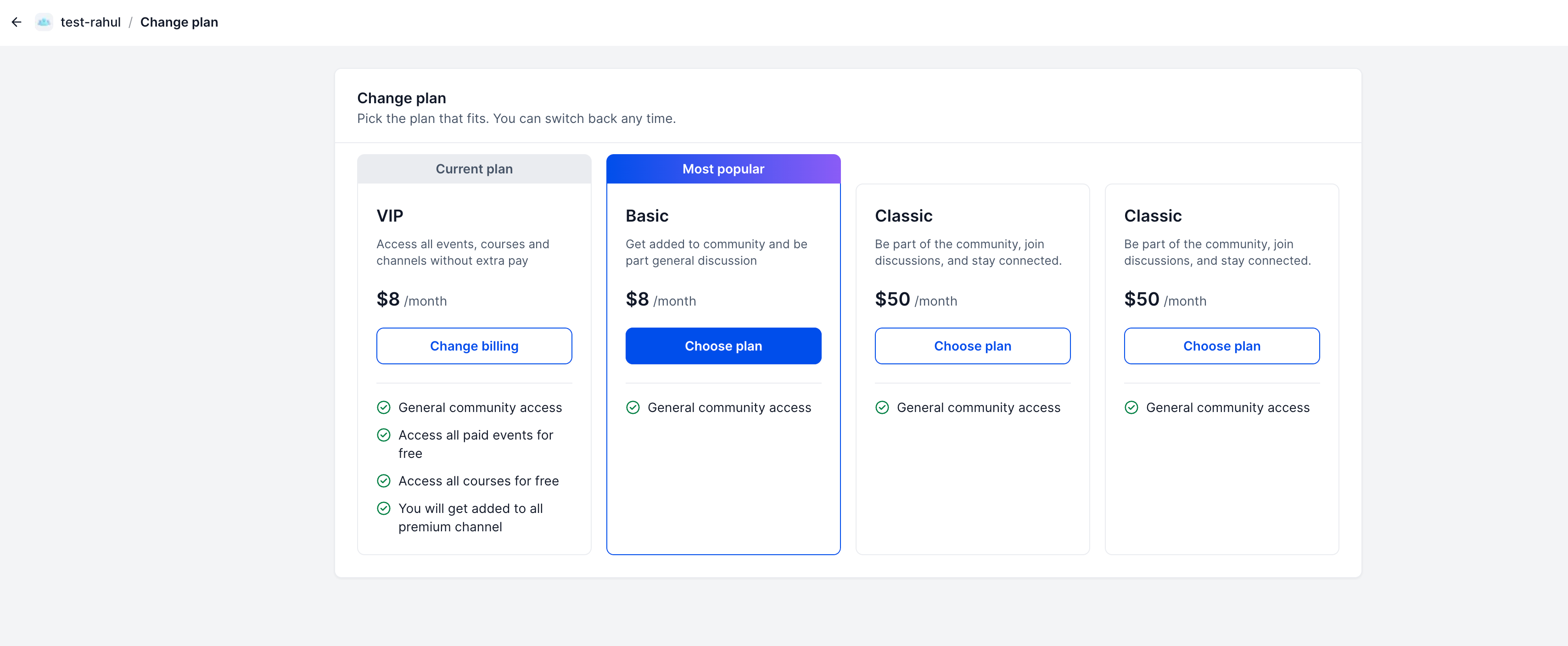
Plans support flexible pricing options, including weekly, monthly, yearly, or one-time payments across multiple currencies, with optional free trials. From the same screen, you can activate or deactivate plans, change their order, mark one as Most popular, and see how many members are on each plan.
Bundle exclusive content into plans
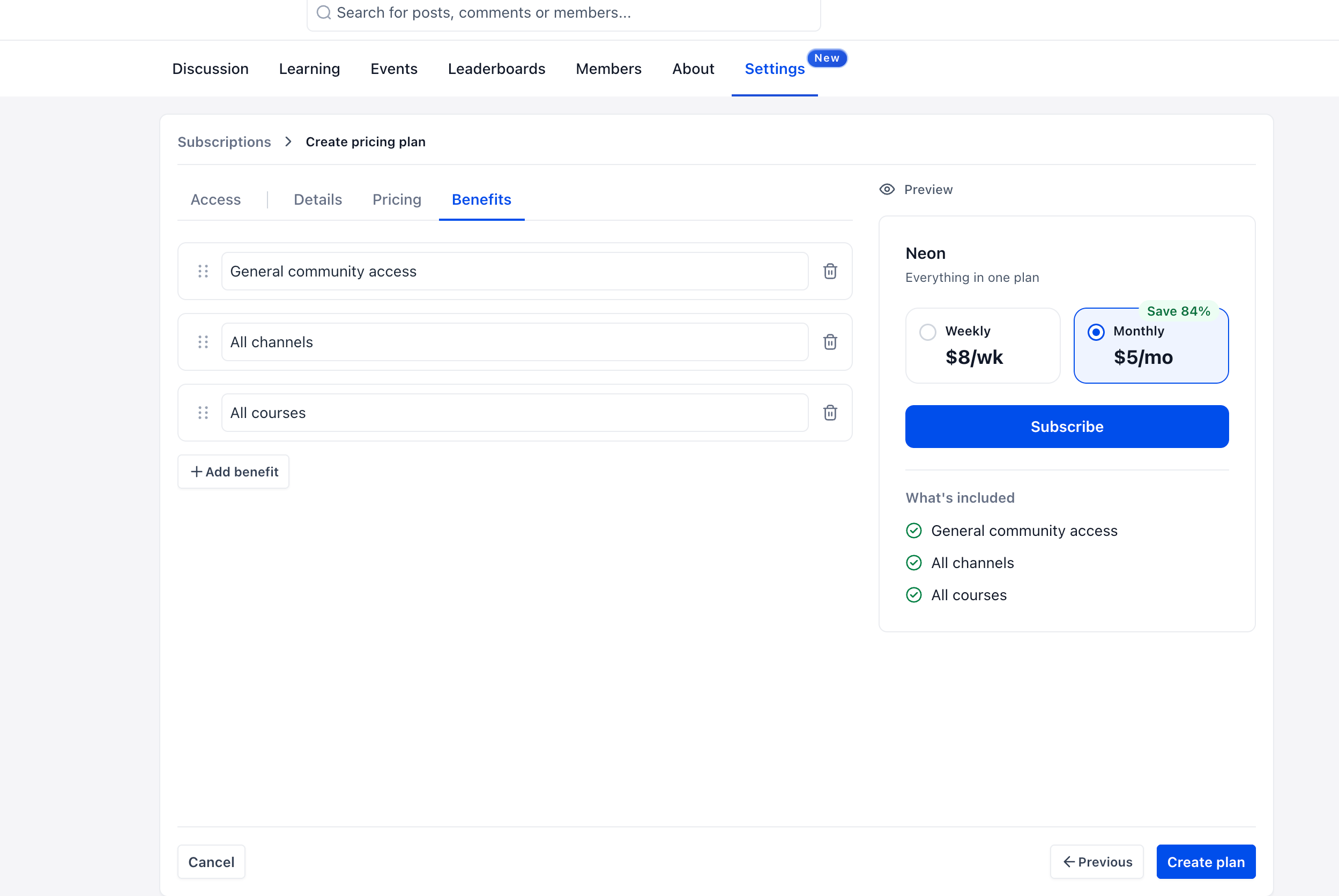
EveryCatch now lets you bundle exclusive content and access into each plan. During plan creation, use the Benefits tab to choose what is included, while a live preview shows exactly how the plan will appear to members.
- Private channels – Grant access to selected private channels as part of the plan.
- Paid events – Include paid events so members on the plan can attend without making a separate purchase.
- Paid and private courses – Bundle courses into the plan and avoid manual access management.
For example, you might set up Basic for general community access, Pro for general access plus private channels and premium courses, and VIP for everything, including paid events.
Member plan switching
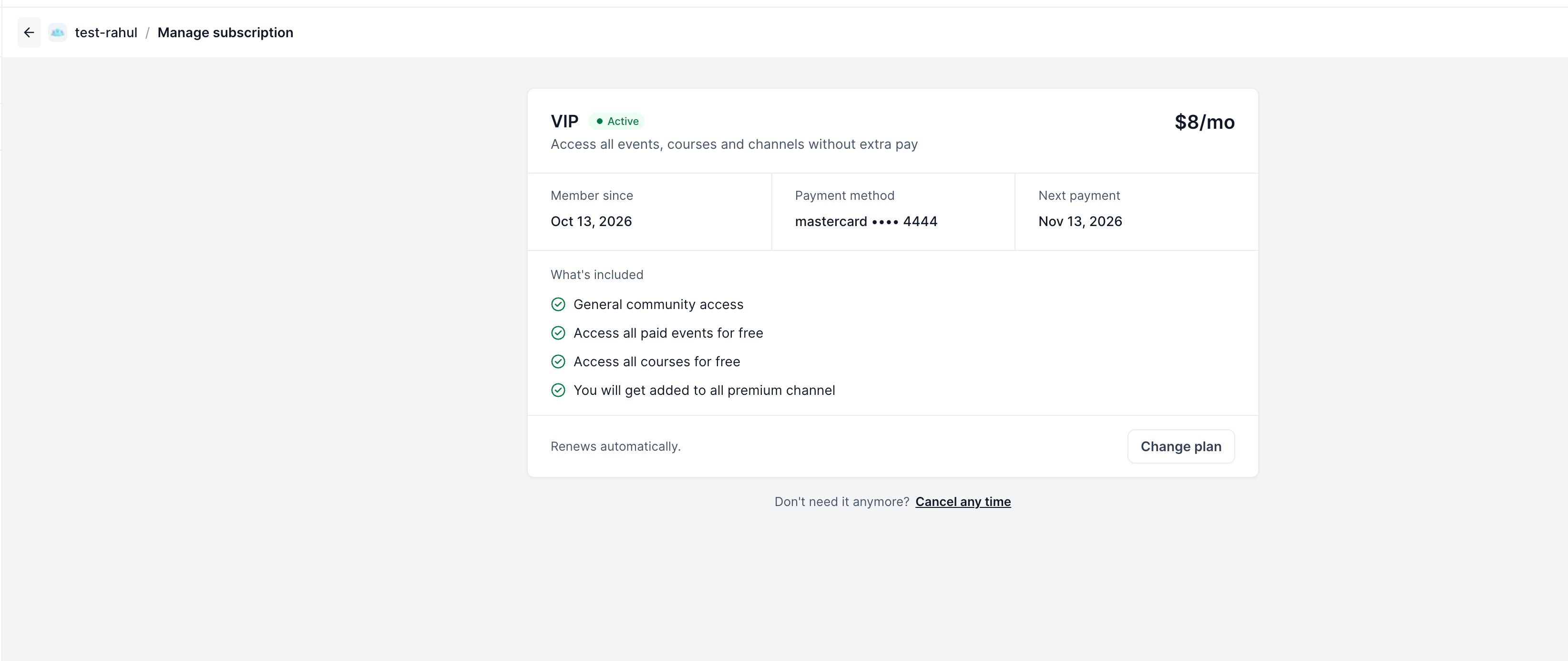
Members can now see all available plans, compare them, subscribe, and move between plans whenever they choose. Their current subscription remains in place until they confirm a change. From the Manage subscription page, members can also review their active plan details, payment method, and next billing date.
How to configure
- Go to Settings → Subscriptions.
- Access – Choose which private channels, paid events, and paid or private courses to include in the plan, or select Full access.
- Details – Enter the plan name and description so members understand what they are getting.
- Pricing – Set the billing frequency, currency, price, and an optional free trial for the plan.
- Benefits – Add and arrange the benefit descriptions that will be shown on the plan card to members.
- Publish – Create and activate the plan, and optionally mark it as Most popular.
Why this matters
Previously, a community in EveryCatch had to be either Free or Paid with a single membership price, which limited how you could offer different access levels or package exclusive content. Many admins ended up creating separate groups to deliver tiered experiences, which spread members across multiple spaces.
Multiple pricing plans let you monetize a single community with clearly defined tiers. Members can choose the plan that fits them and switch when they need to, while you manage all plans, access, and content bundles from one place.
Notes
- Plans support weekly, monthly, yearly, and one-time pricing across multiple currencies.
- You can configure free trials individually for each plan.
- Members can switch plans at any time, and their existing subscription stays active until the new one is confirmed.
- You can reorder plans at any time and mark one as “Most popular.”
- Free plan configuration is coming soon, so you will be able to define exactly what is included in your free tier alongside paid plans.