Problem statement
If you manage multiple client accounts, you likely build Email AI templates for them. Previously, when Email AI was turned off for a specific location, your agency users could not open or work with Email AI inside that location. You had to create templates in a few locations where Email AI was enabled, then manually share or copy them into other locations. This added extra steps and led to duplicated work across accounts.
What changed
- EveryCatch now gives agency users Email AI access in all locations, regardless of the location’s own Email AI setting.
- As an agency user, you can now create and manage Email AI templates directly inside any location where you are working.
- Location users still follow their own location-level Labs configuration, so their Email AI access remains controlled at the location level.
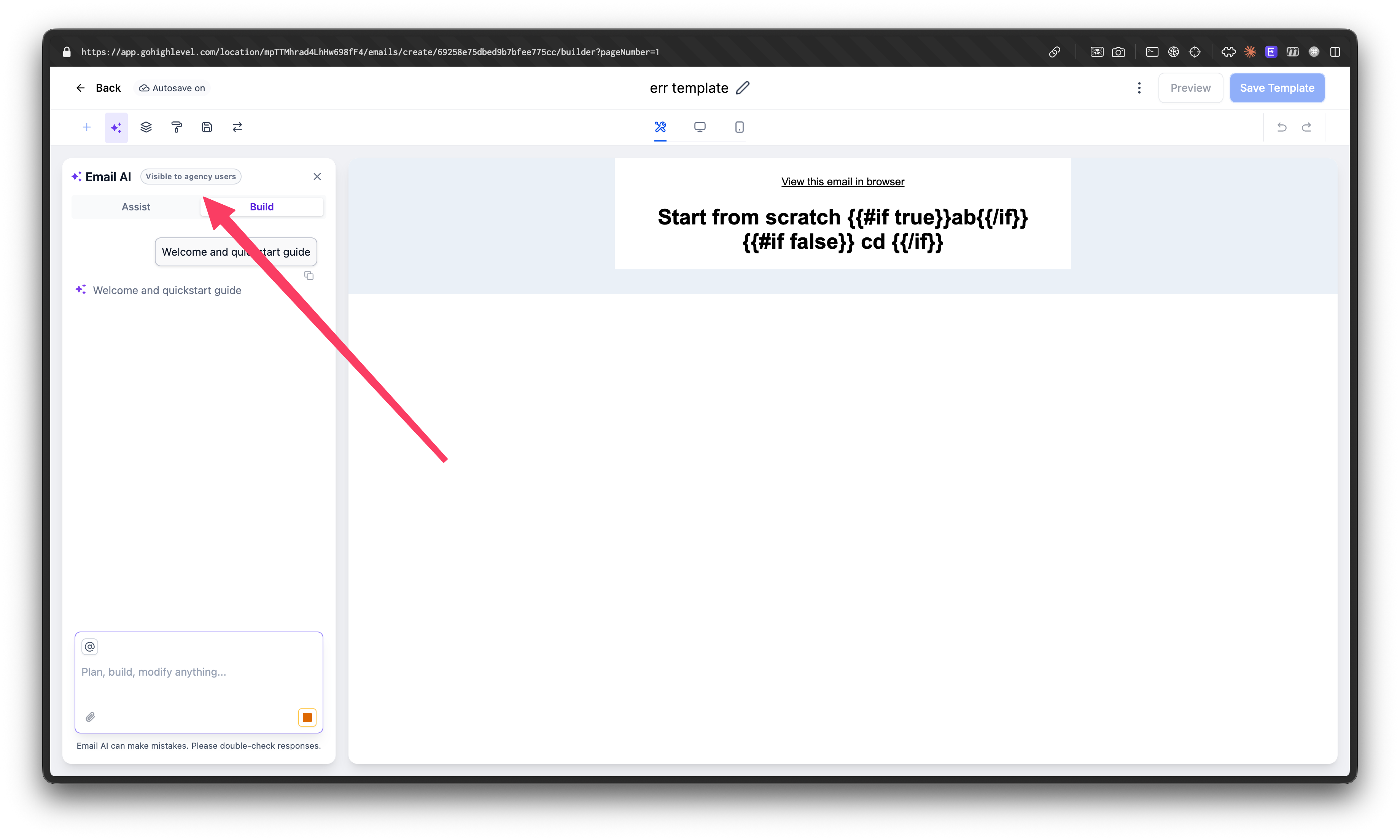
- You will now see a "Visible to Agency Users Only" tag when Email AI is disabled for a location, so agency users understand that only they can access Email AI there.
How this helps you
- Enables agency users to build and edit Email AI templates inside any client location they manage.
- Removes the need to create templates in one place and then manually share or copy them across locations.
- Cuts down repetitive setup work and simplifies your internal operations.
- Keeps existing location-level Email AI controls in place for location users, so you keep the same governance while giving your team broader access.