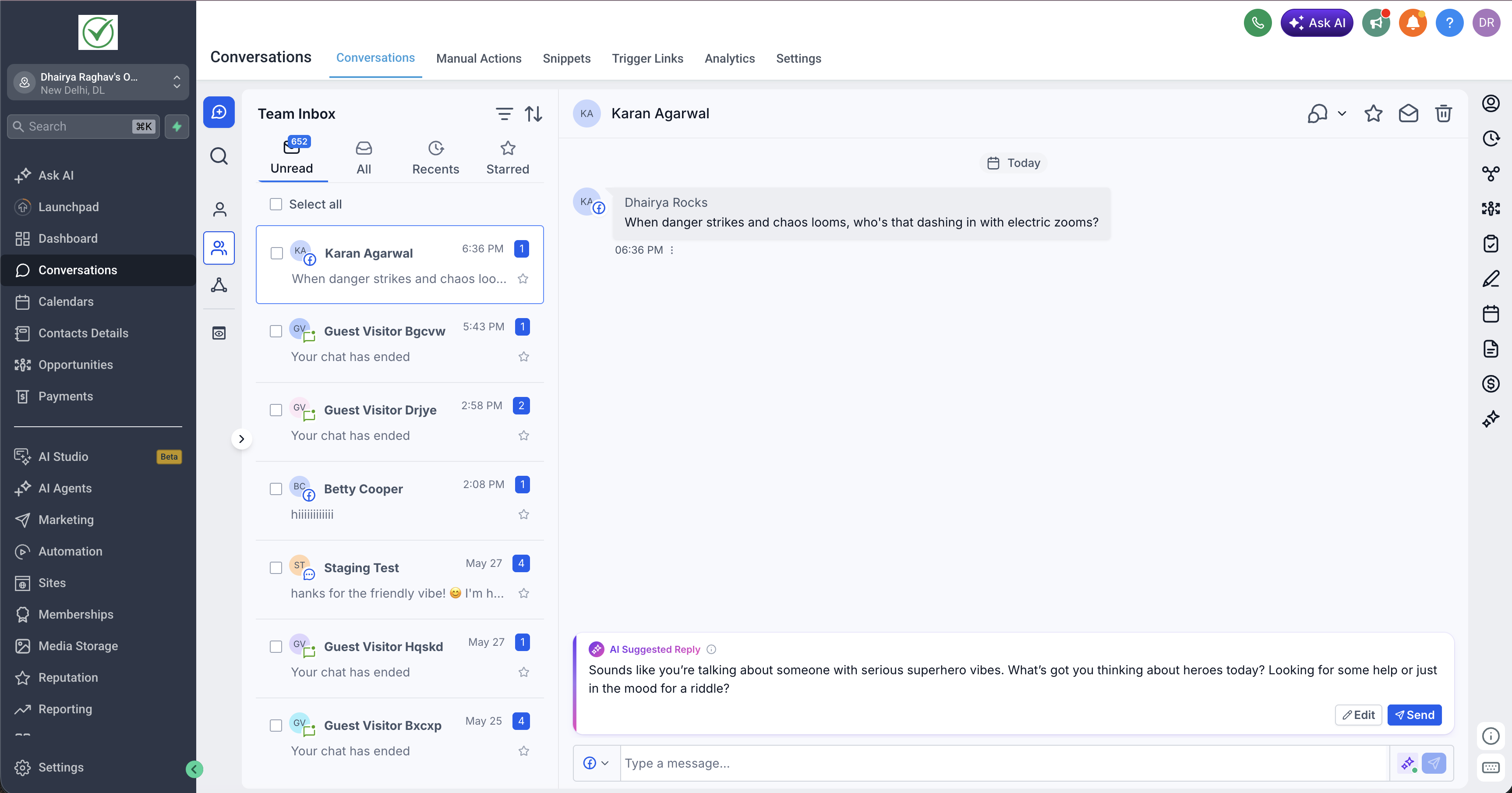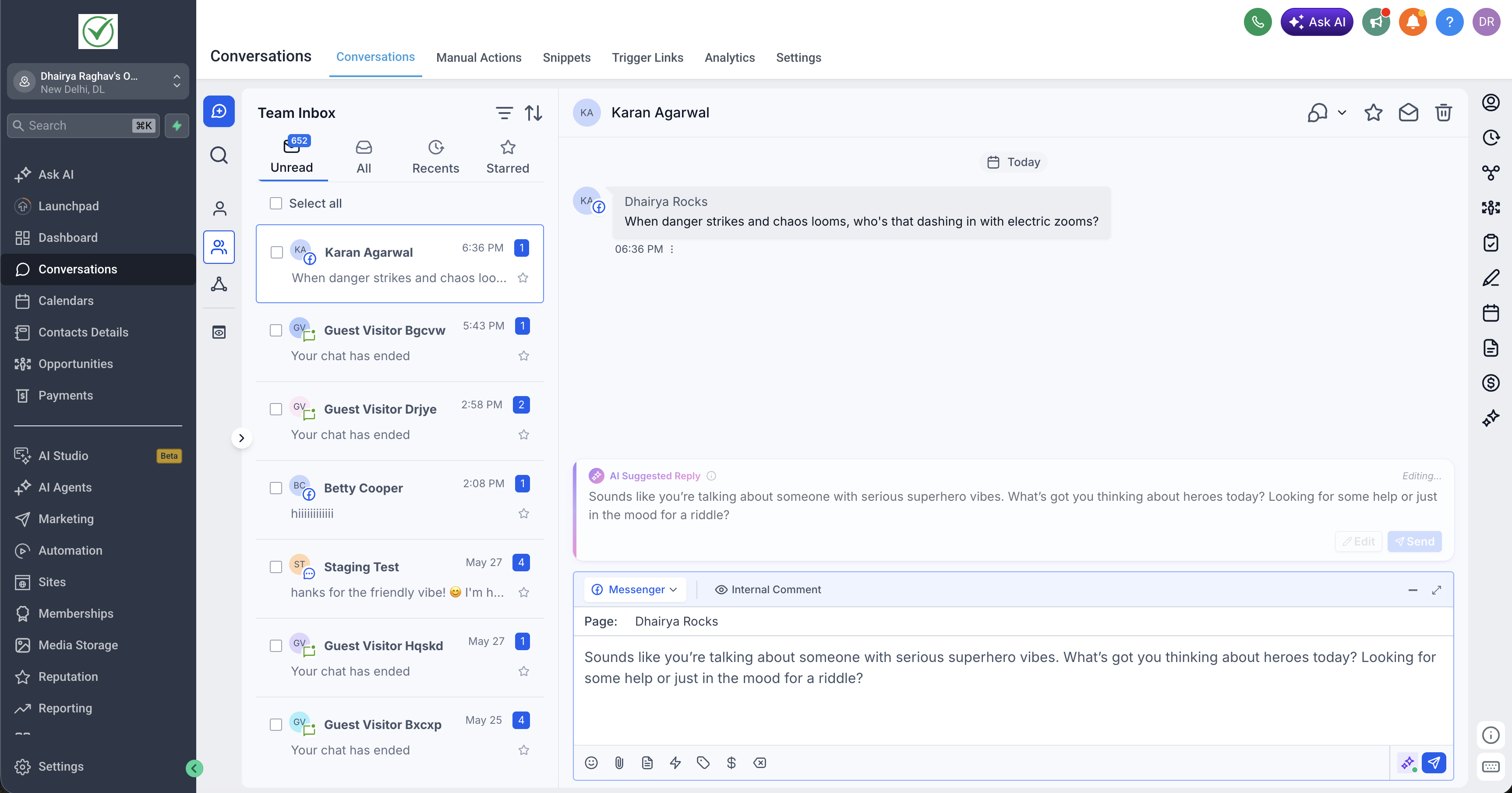
EveryCatch has upgraded Suggestive Mode in Conversations AI so your reply suggestions are prepared in the background as soon as a new message comes in. This gives you faster responses, fewer clicks, and full control over what gets sent.
What changed
- Suggestions now generate automatically: Conversations AI starts drafting a reply in the background the moment a new message arrives, so you are not waiting after you open the composer.
- Updated suggestion layout: a cleaner, redesigned suggestion card makes it easier to scan, adjust, and send AI replies while you stay focused on the conversation.
- Quicker editing and sending: you can accept a suggestion with a single click or lightly edit it so it better matches your tone before you send.
- You stay in control: suggestions remain drafts only. Messages are never sent automatically, so you always decide what is sent and when.
How it works
- A new message arrives: as soon as a contact replies, Conversations AI begins creating a suggested response in the background based on the conversation context.
- Your suggestion is ready when you open: when you open the conversation, the suggested reply is already in the new suggestion card. There is no loading screen or extra button to generate it.
- Review and edit: read through the suggestion, adjust the language so it sounds like you, or replace it entirely with your own text if you prefer.
- Send when you are ready: send the suggestion in one click once it looks right. If a more recent message from the contact comes in, Conversations AI refreshes the suggestion so it stays aligned with the latest context.
This gives you a responsive AI helper inside your inbox that prepares replies in advance while keeping every send action in your hands.