What changed
EveryCatch Ad Manager now lets you request policy exemptions for eligible Google Ads policy violations directly in the campaign builder, without switching tools or tabs.
Previously, when Google flagged a policy violation that blocked publishing, you had to stop and resolve it outside EveryCatch before trying again. You can now submit an exemption request and immediately retry publishing from within EveryCatch Ad Manager.
How it works
- Policy violation detection: When Google flags a policy violation during publishing, EveryCatch Ad Manager checks whether that violation qualifies for a policy exemption request.
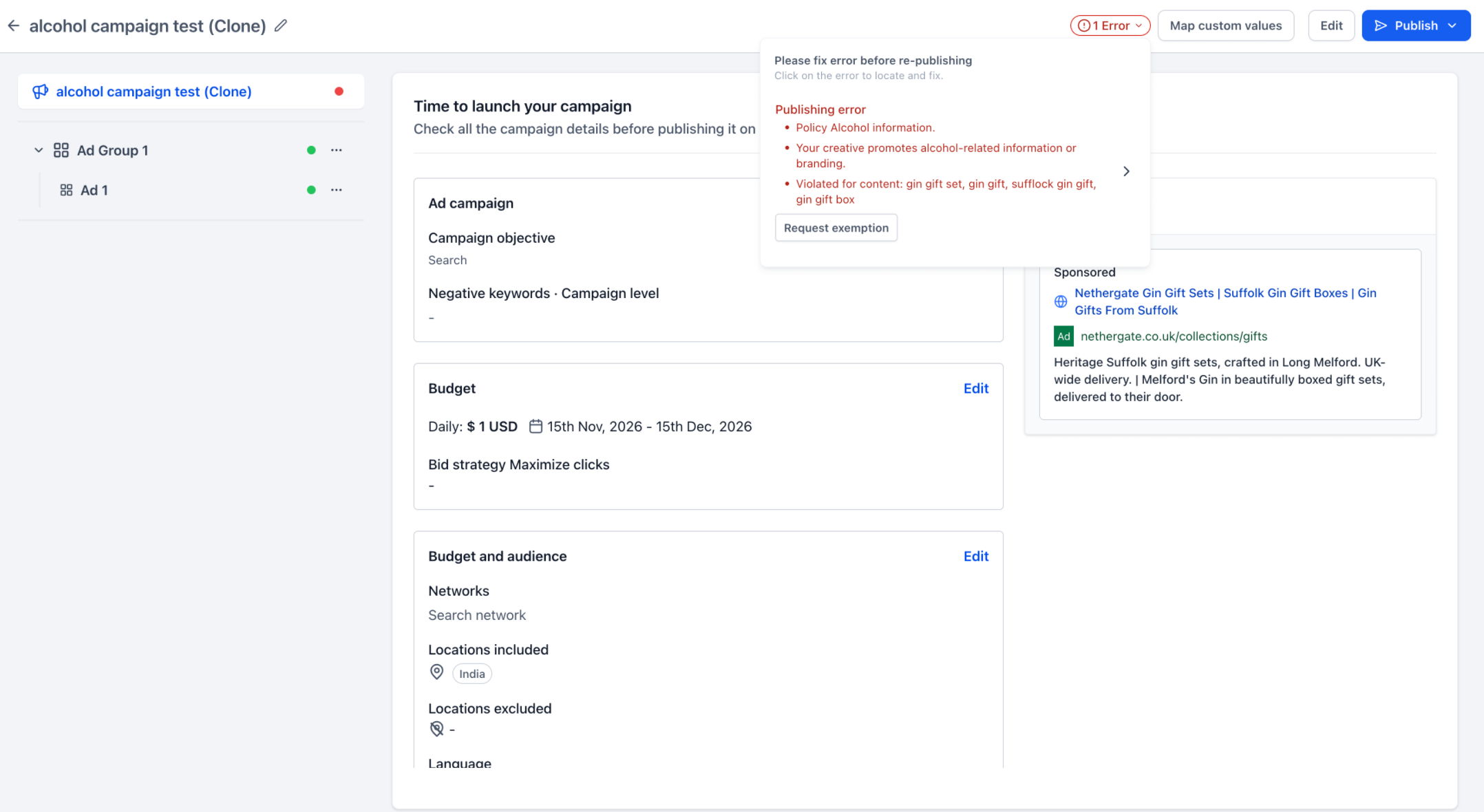
- Request exemption: For eligible policy errors, you will see a Request exemption action in the campaign’s error section so you can start the exemption process right away.
- Review & confirm: When you click Request exemption, a modal opens showing the details of the policy violation and a confirmation checkbox where you acknowledge Google’s advertising policies before you proceed.
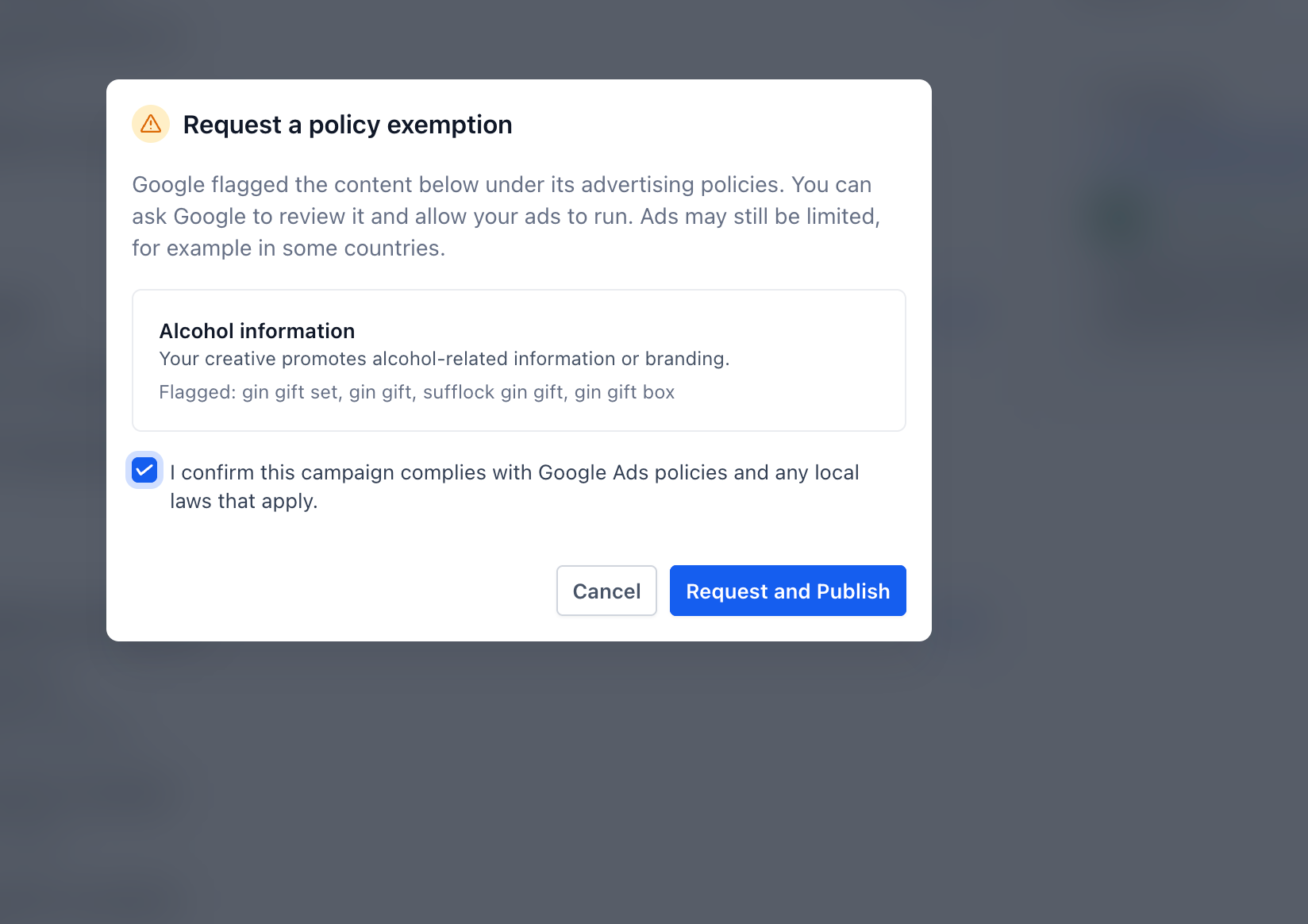
- Request and publish: After you confirm, click Request and publish to send the exemption request to Google and automatically retry publishing your campaign from EveryCatch.
- Publishing status: Your campaign then goes through the standard Google publishing and review flow, with the exemption request attached to the specific eligible policy violation.
Why it matters
- Fewer publishing blockers: Handle eligible Google Ads policy violations right inside EveryCatch Ad Manager so you can keep campaigns moving.
- Simplified experience: Request exemptions and retry publishing in a single action, instead of managing this in multiple places.
- Greater clarity: See which policy is involved and what resolution is available before you decide to proceed.
Notes
- Available only for Google Ads campaigns where Google marks a policy violation as eligible for an exemption request.
- The exemption option appears only on policy violations that qualify for an exemption, not on other publishing or system errors.
- Requesting a policy exemption does not fix other validation or publishing errors in the campaign. Those still need to be resolved separately.
- All campaigns and exemption requests remain fully subject to Google’s advertising policies and standard review process.