WhatsApp template builder now catches invalid variables before you save
The Create WhatsApp Template builder now validates your variable placeholders inline as you type, so you catch mistakes at authoring time instead of finding out after WhatsApp rejects the submission.
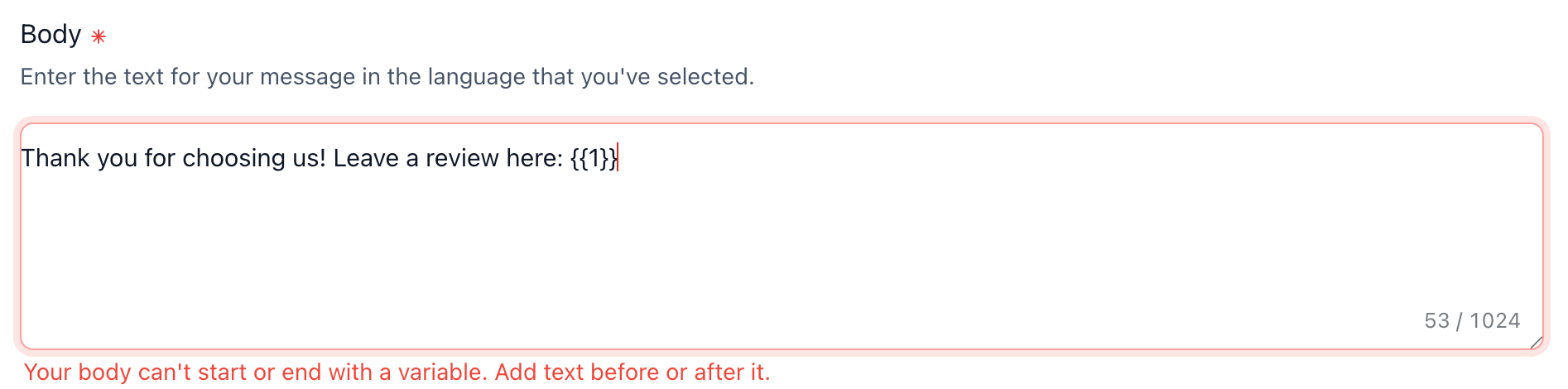
No more saving a template, waiting, and getting a WhatsApp rejection you have to decode. Bad variables are flagged immediately, right in the builder.
What changed
Inline variable validation
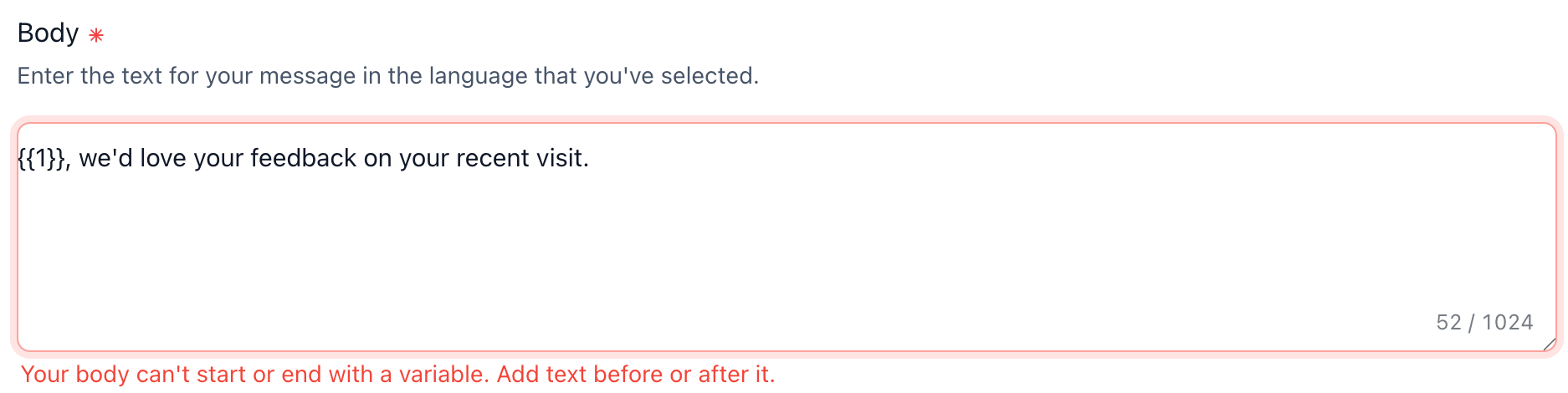
- Start and end variable check: WhatsApp rejects a message body that begins or ends with a variable. The builder now flags it and blocks save until there is text around the variable, instead of letting you save something that will be rejected later.
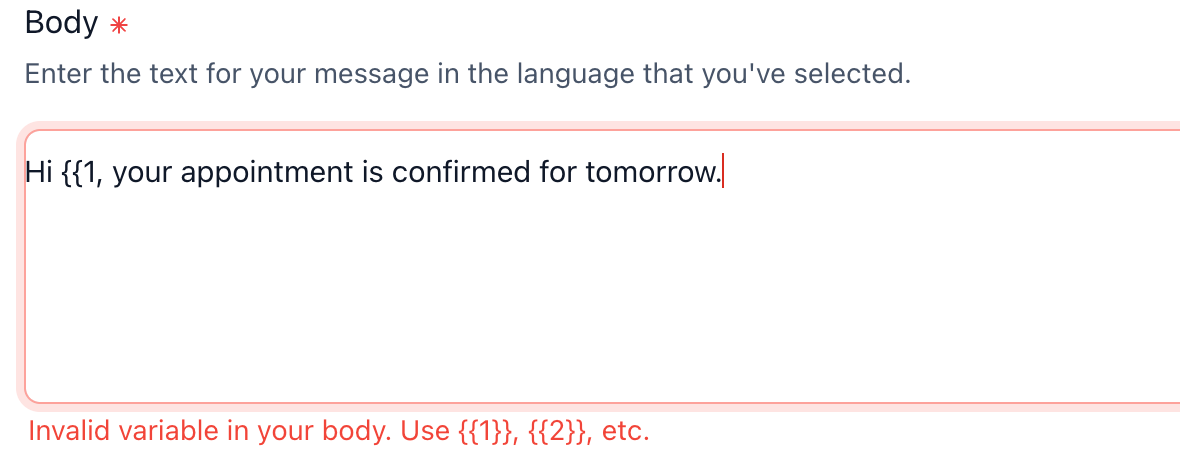
- Invalid variable detection in header and body: Only numbered placeholders ( {{1}}, {{2}}, and so on) are valid. Broken tokens like {{1$}} and unbalanced or extra braces ( {{1, {{1}}} ) are now caught immediately, with guidance to the correct format.
- Reputation review-request preset fixed: The default reputation template used to end in a trailing variable, which trips the rule above. It has been cleaned up so new reputation templates pass validation with no manual edits.
How to use
Nothing to enable. Validation is built into the Create WhatsApp Template builder ( Settings > WhatsApp > Templates ). Just build your template, and any invalid variables are flagged inline before you can save.
Why this matters for your business
Create Template is one of the most-used WhatsApp surfaces, and a template rejected by WhatsApp after you save is pure wasted effort: you have to guess what WhatsApp did not like and retry. Catching variable mistakes inline turns a delayed, opaque rejection into a clear, immediate fix, so templates go live faster and generate less support confusion on a core messaging surface.
- Get templates right on the first try, with no post-save rejection round-trips
- Faster template setup on a surface agencies use constantly
- Fewer support tickets from confusing WhatsApp rejections
Build your next whatsapp template and let the builder catch issues before you save.
Need help with this?
If you'd like help setting this up or want to know what it means for your account, book a quick call and we'll walk you through it.
