Upload images directly from a URL
You can now upload images straight into your EveryCatch media storage using a public image URL, so you do not need to download files to your device first.
What changed
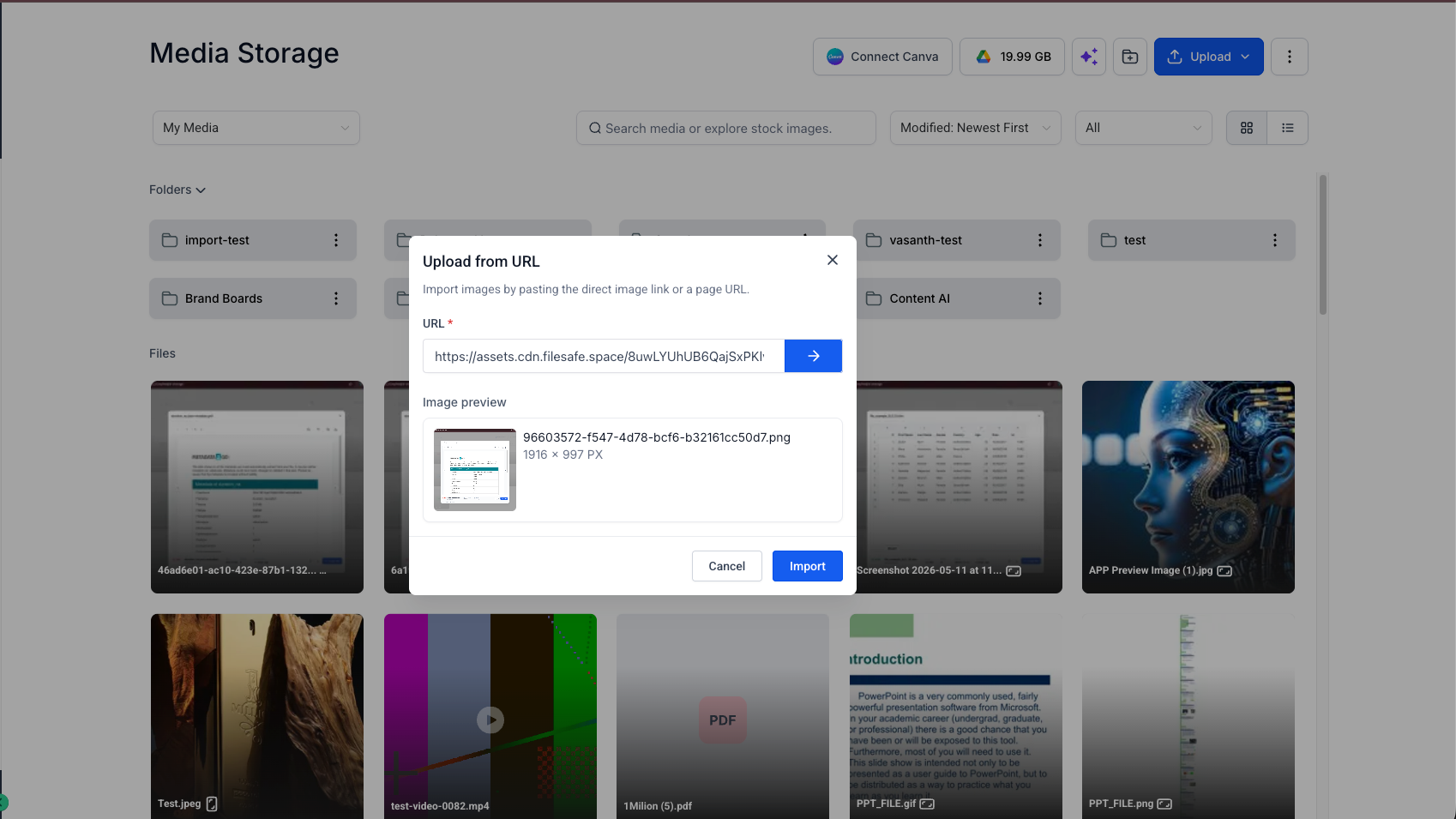
Upload from URL: Import images directly from any publicly accessible image link into your media storage.
Image preview before import: See a thumbnail preview so you can confirm you are importing the correct image before adding it to your library.
Auto-detected file details: EveryCatch automatically pulls in the file name and image dimensions from the source URL for you.
Built-in validation: Get instant feedback if the link is invalid, the file type is not supported, or the image is larger than allowed.
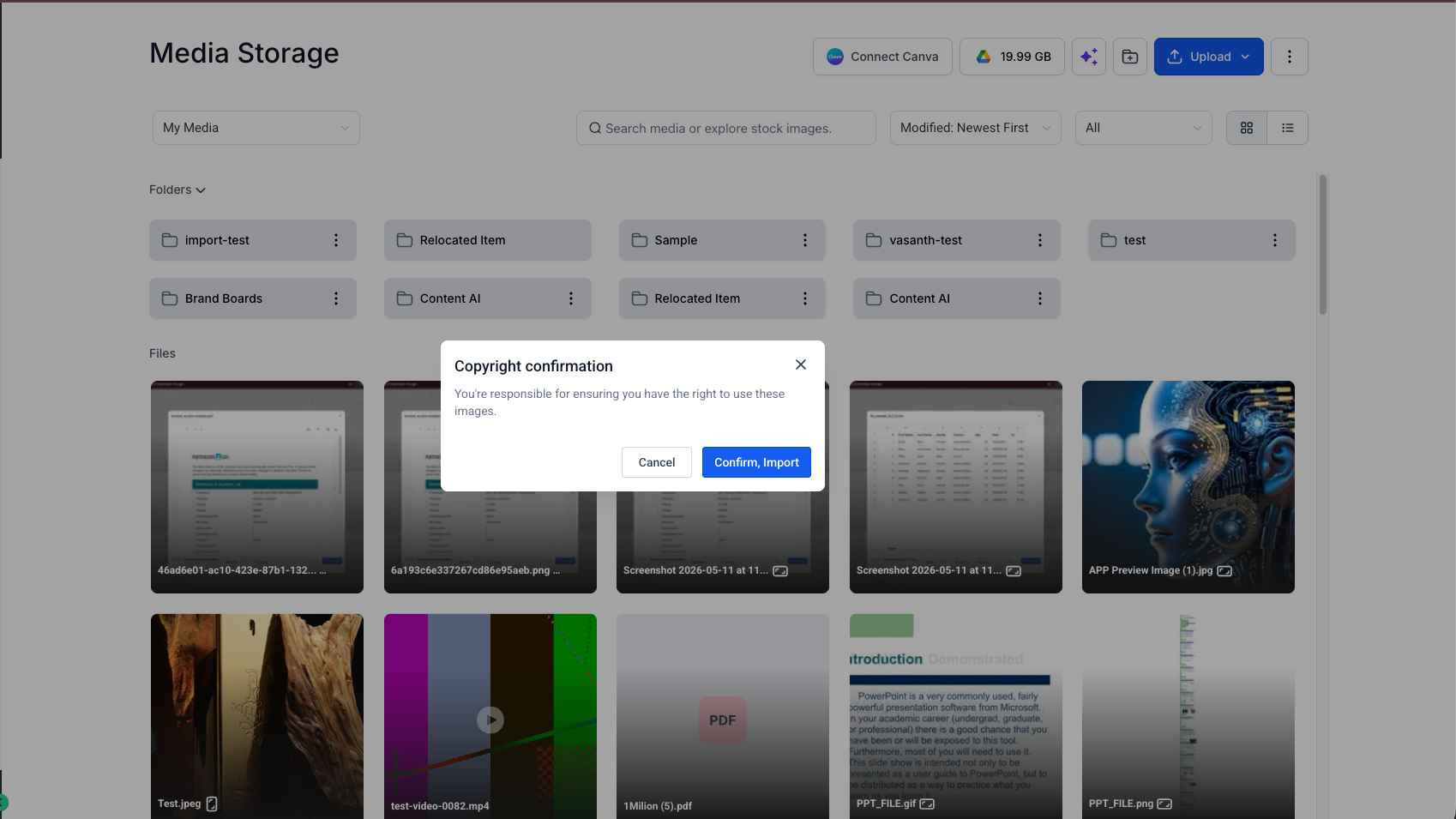
Copyright confirmation and smoother library management: You are prompted to confirm that you have permission to use the image before import. Once imported, the image is saved in your current media storage folder and behaves the same way as any other uploaded file.
How it works
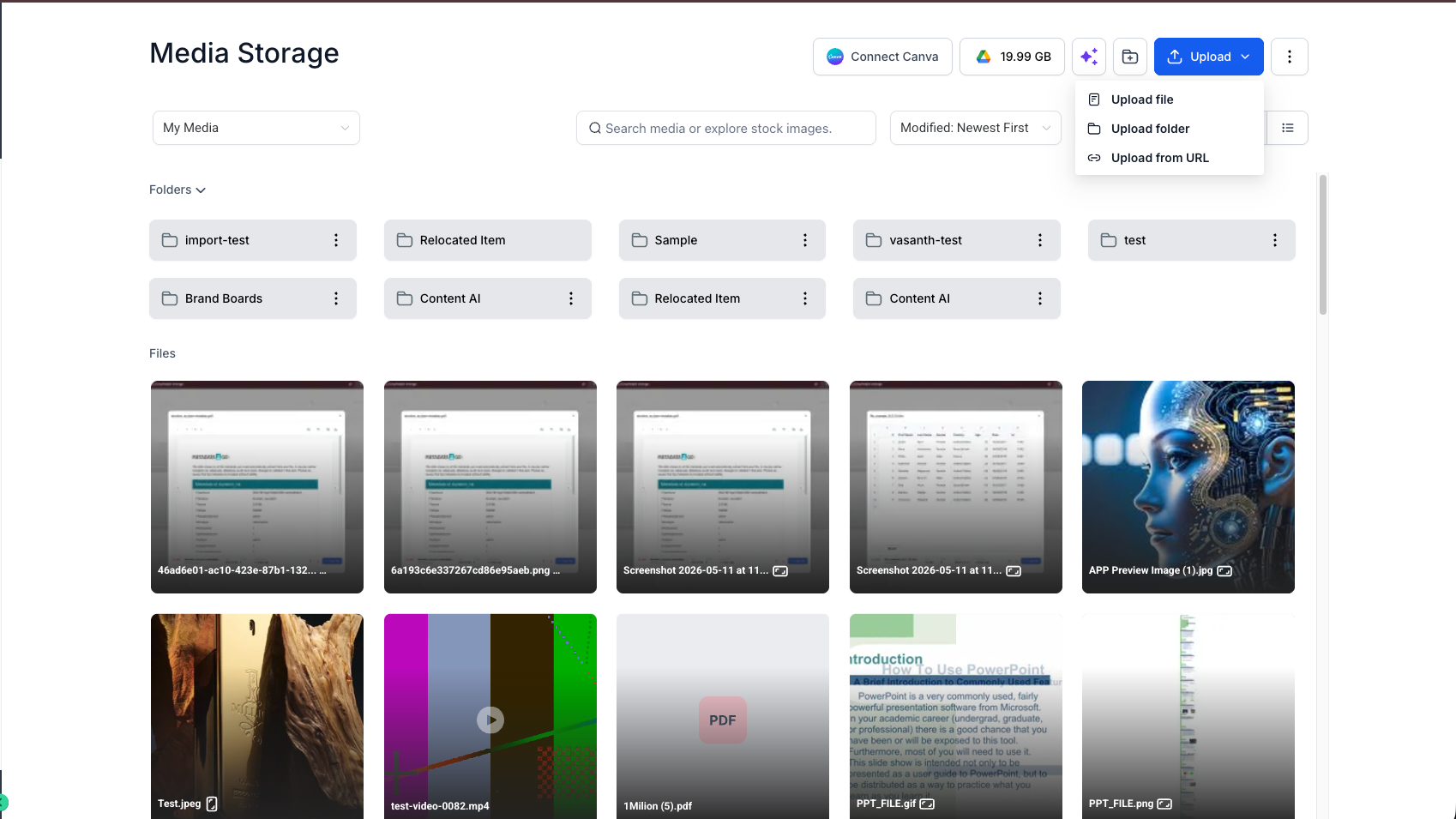
- Open media storage in EveryCatch.
- Click Upload and select Upload from URL.
- Paste a public image URL and click the → button.
- Review the image preview and auto-detected details.
- Click Import.
- Confirm copyright ownership or usage rights when prompted.
- Your image is added to the current media storage folder and is ready to use in your assets and campaigns.
This update helps you quickly bring in assets from CDNs, shared image links, stock photo libraries, and other public sources without extra download and re-upload steps.
Need help with this?
If you'd like help setting this up or want to know what it means for your account, book a quick call and we'll walk you through it.
