Targeted edits in AI builder
Overview
EveryCatch’s AI builder now follows targeted edit instructions with much greater accuracy. When you name the actions or triggers you want to change, it updates only those and leaves the rest of your workflow as it is. You can also apply the same change across many actions in one go, so bulk updates that used to mean opening each action manually now happen in a single pass.
What changed
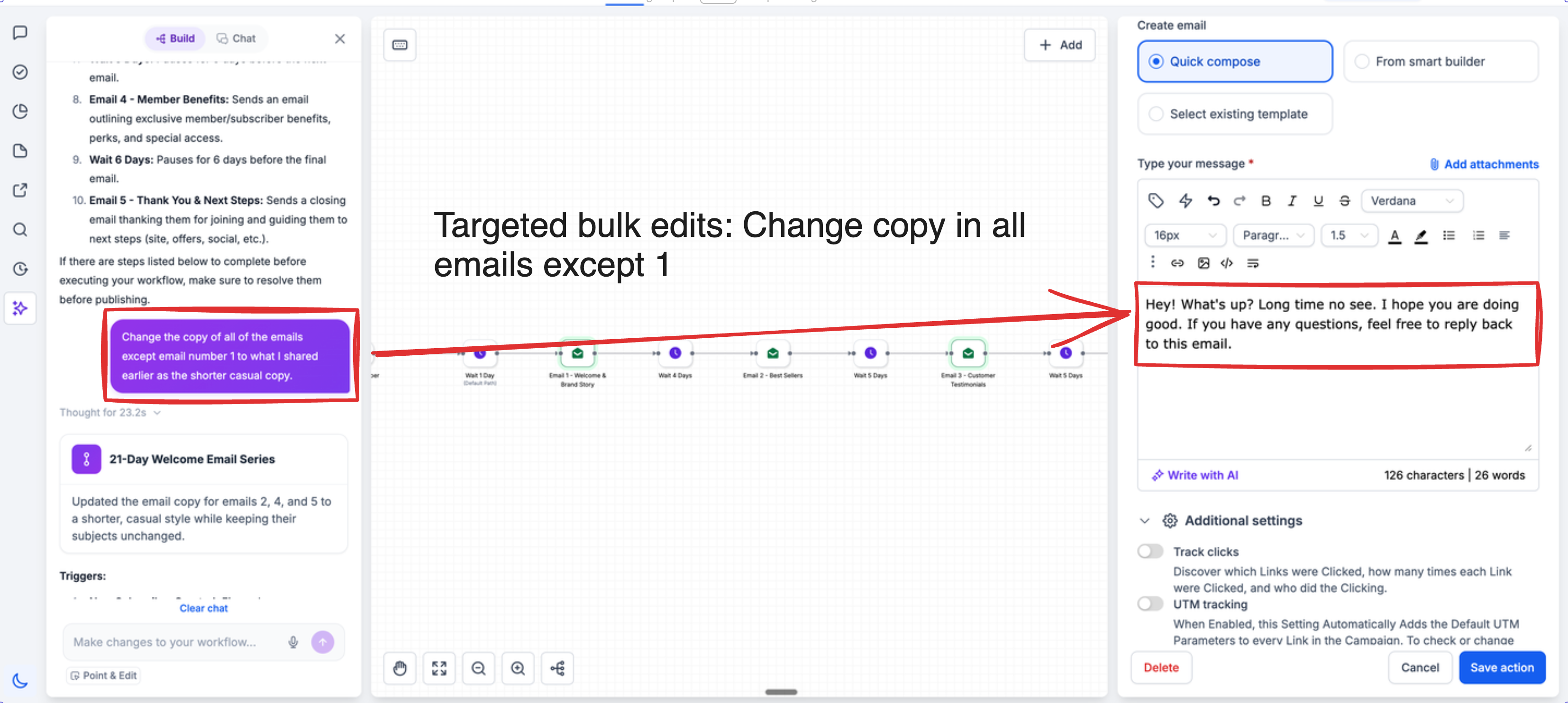
- More precise scoped edits: You can specify exactly which actions or triggers should be updated (all of them, a specific number, or only certain ones by name), and the AI builder will apply the change only to that group.
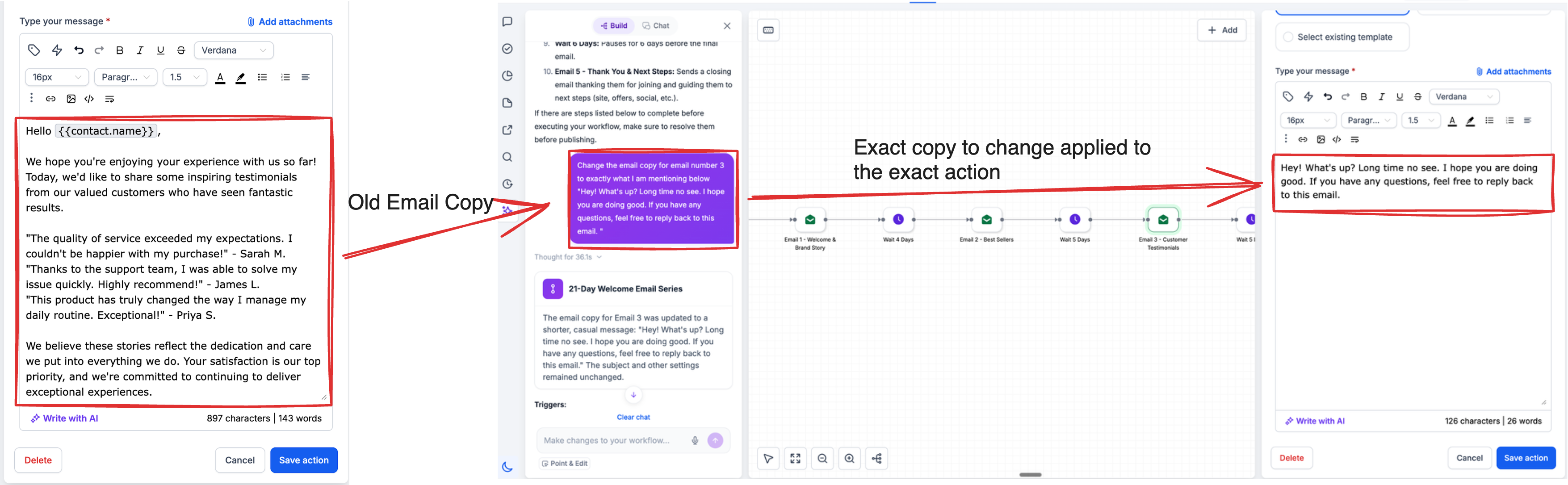
- Bulk copy updates: You can now refresh email, SMS, or any-channel message content across multiple actions in one step, instead of editing each message individually.
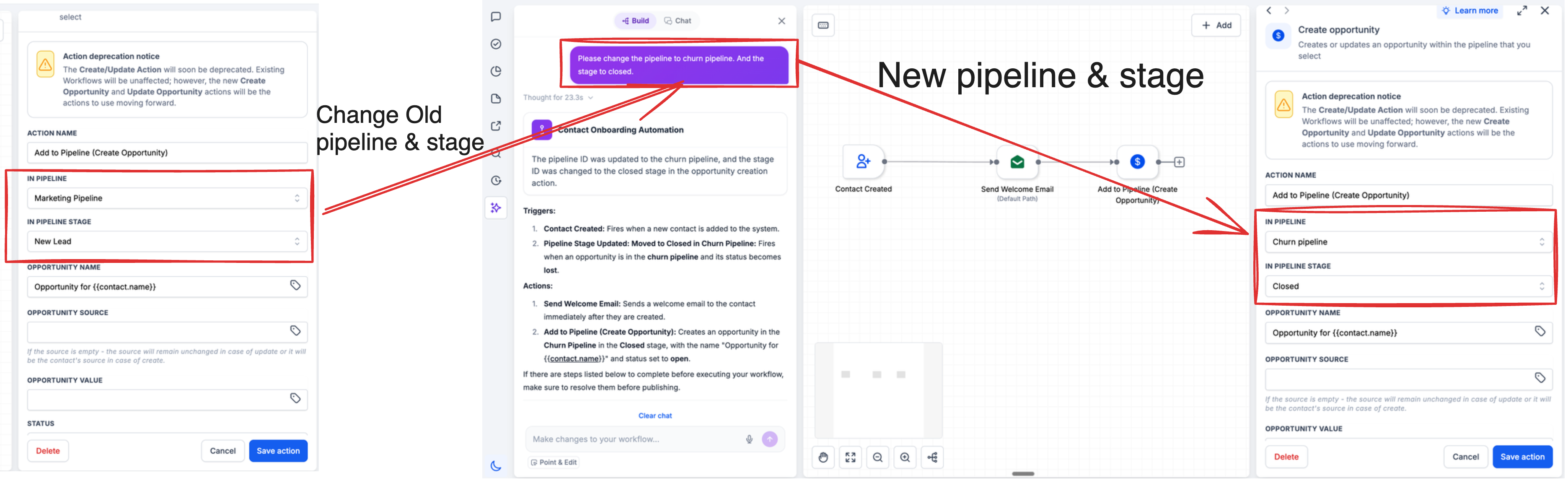
- Bulk pipeline stage changes: Update pipeline stages across all actions and triggers, or only selected ones, at the same time. This is helpful when you refine your sales process and want your automations to match quickly.
- Bulk sender identity controls: Set the From name and From email across all or selected email actions with a single instruction so your sending identity stays consistent without repetitive edits.
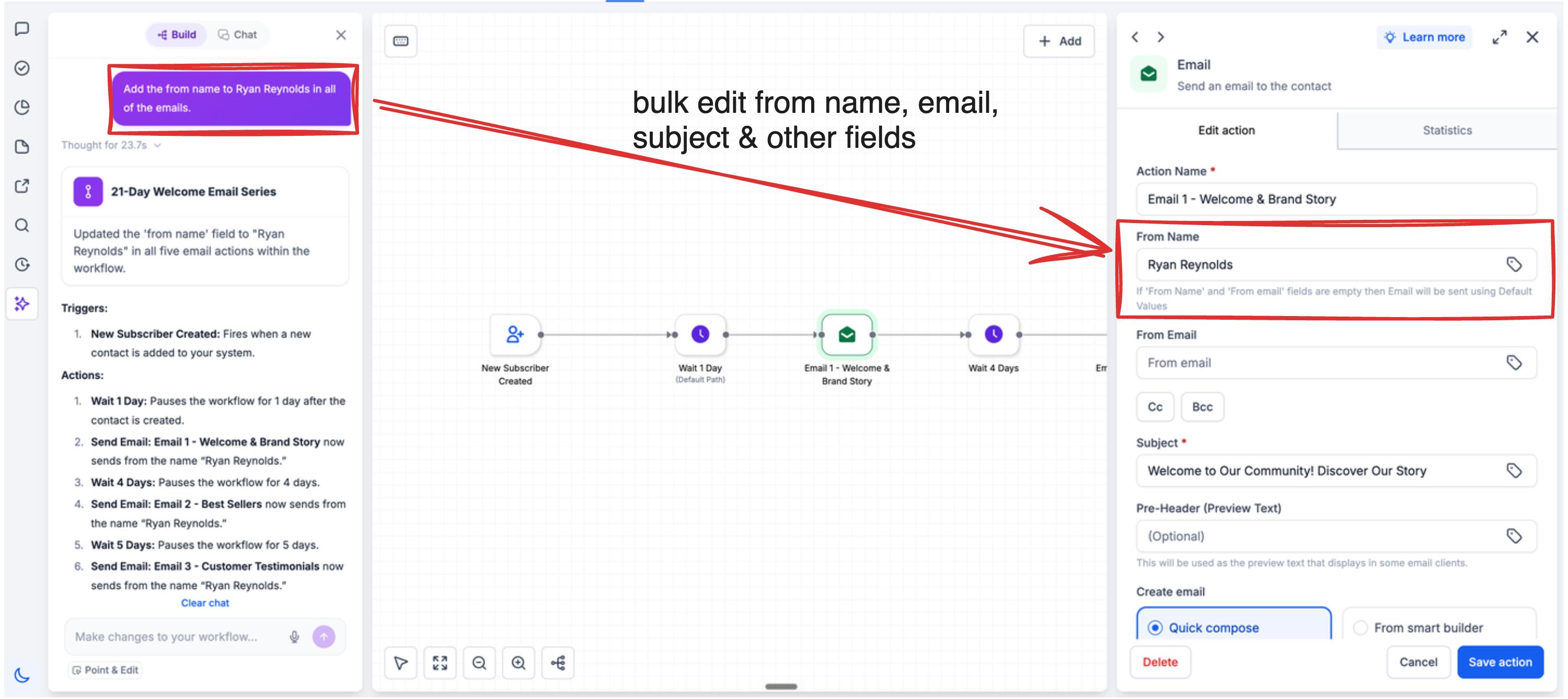
- Tight targeting for partial updates: You can provide exact copy or instructions for a subset of messages, such as 20 of your 50 emails, and the AI builder will modify only those 20 and leave the remaining emails unchanged.
How to use
- Open the AI assistant from the sidebar inside the workflow builder in EveryCatch.
- Describe both the change and its scope, for example: “Set the From name to Aviv in all email actions” or “Update the SMS copy in only the first two actions.” Be as specific as you can about which actions or triggers you want to change.
- Review the preview of the proposed edits, confirm that the right actions are affected, and then save your changes.
Why this matters
Your editing workload no longer grows with the size of your workflow. In long, detailed workflows, the slow part has always been clicking into each action one by one, and a single scoped instruction now removes most of that work. This is especially valuable for your largest automations. Just as important, accurate scoping makes AI-driven bulk editing safer to rely on at scale, because changes stay limited to the actions and triggers you specify, without affecting anything you did not select.
Need help with this?
If you'd like help setting this up or want to know what it means for your account, book a quick call and we'll walk you through it.
