
Organize and discover courses faster with course tags
Organize and discover courses faster with course tags
Finding the right course in EveryCatch is now easier. Course tags help you organize your training and help your clients quickly spot the courses that match what they need.
What changed
You can now add standardized Language, Difficulty, and Topic tags to each course directly from the course settings.
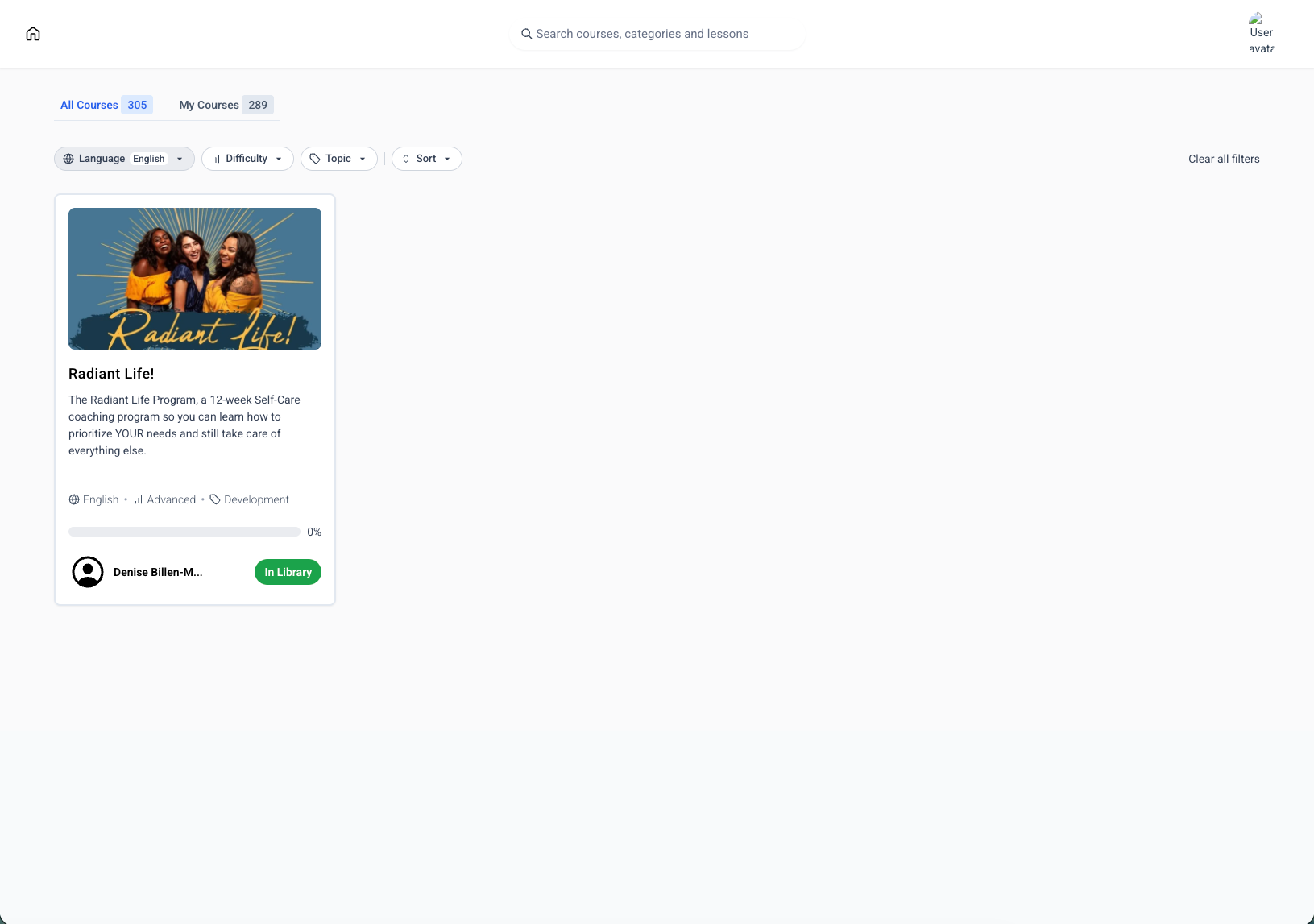
Your learners can filter the course library using these tags so they can narrow down to exactly what they want to learn.
Tags appear on each course card, so learners can see key details about a course at a glance before they click in.
EveryCatch uses a predefined set of tags so your courses stay consistently categorized across your whole library.
Tags and filters work in both the All courses and My courses views in your learning library.
Why you'll love it
Learners can quickly find courses that match their preferred language, current skill level, and topics of interest.
Your course library becomes easier to scan and understand, which keeps the experience clean and organized.
You can categorize courses without extra custom fields, manual lists, or one-off workarounds.
Your Client Portal course library looks and feels more like a structured catalog, which makes browsing smoother for your learners.
How to get started
- Go to Memberships → Courses → Settings for the course you want to update.
- In the Course tags section, select the Language, Difficulty, and Topic options that best fit this course.
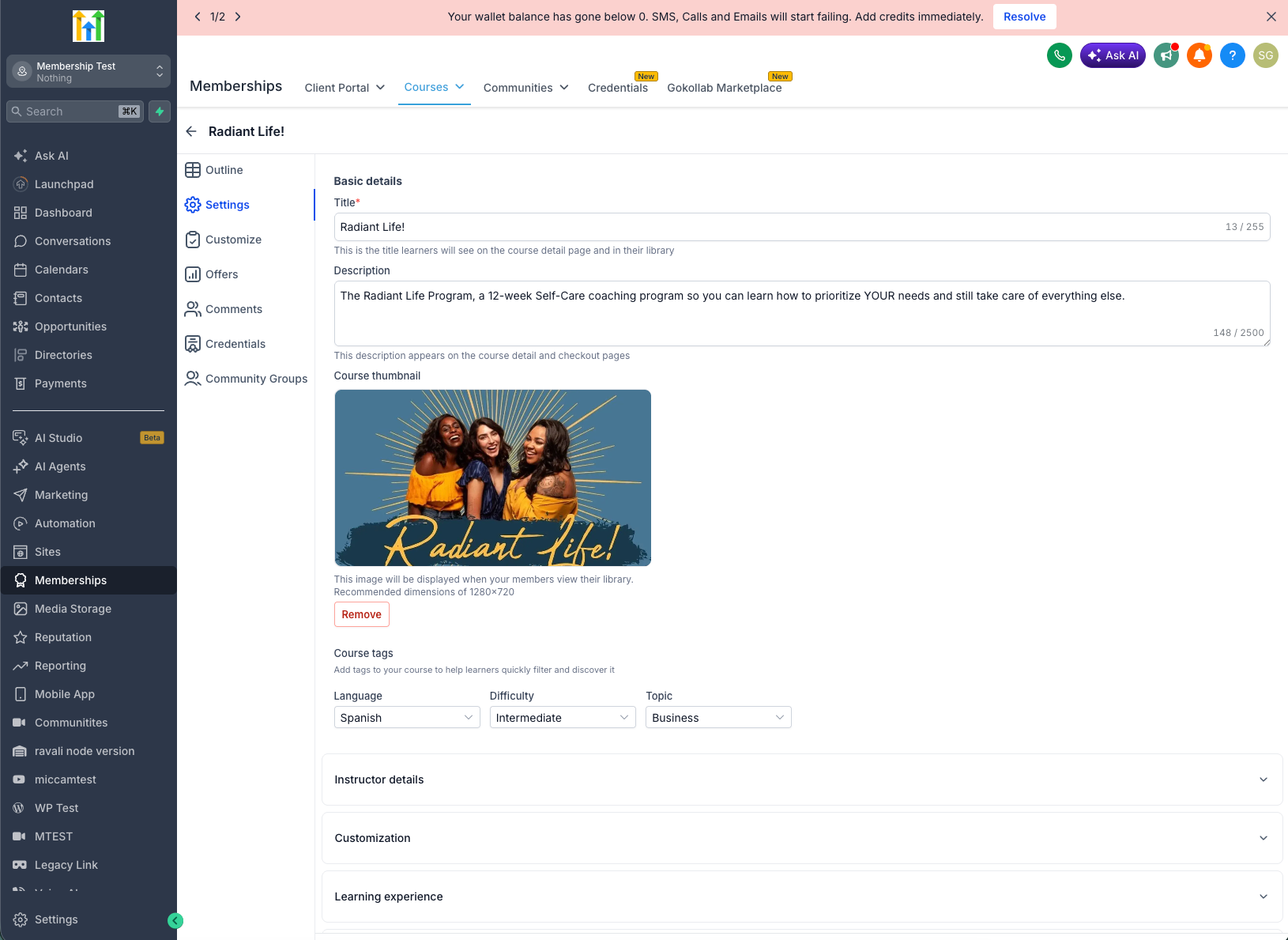
- Save your course to apply the new tags.
- Learners will immediately see the tags on course cards and can start using the filters to discover courses more easily.
What's next?
We are working on giving you the option to create your own tags so you can tailor course categorization even more closely to your programs.
Need help with this?
If you'd like help setting this up or want to know what it means for your account, book a quick call and we'll walk you through it.
