SMS widgets for dashboards & reporting - all your SMS data, right where you work
What changed
- EveryCatch now includes a dedicated SMS section in the dashboard widget panel, similar to email widgets but focused on SMS activity
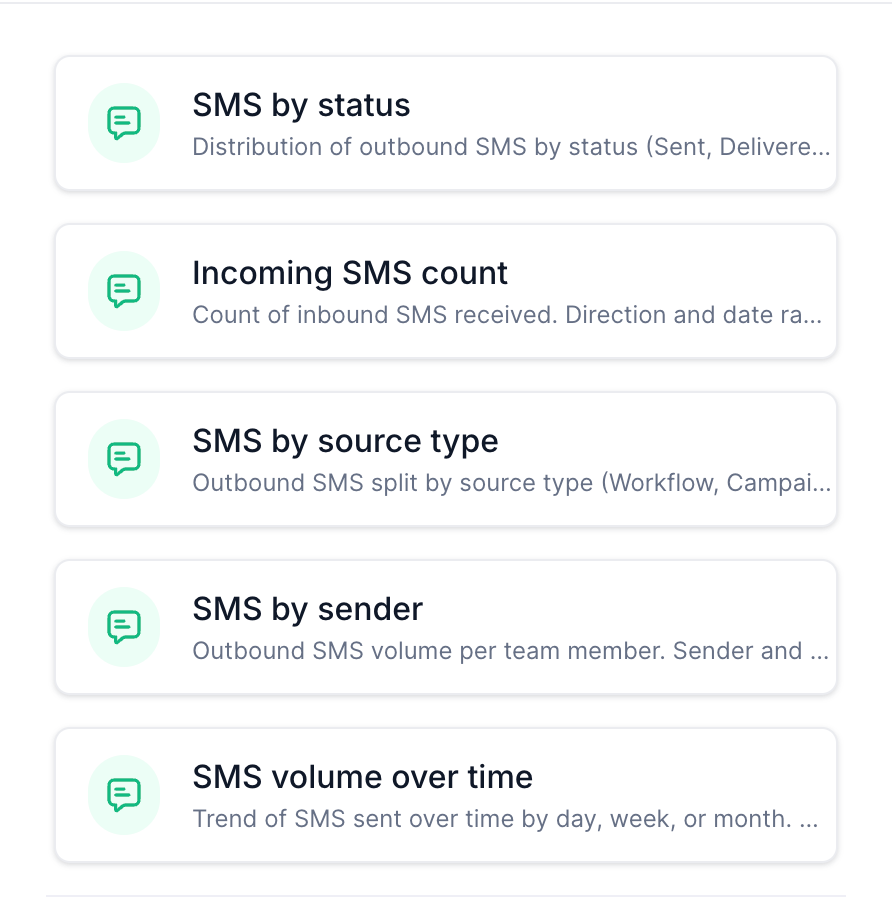
- You get five ready-to-use SMS widgets: SMS by status, Incoming SMS count, SMS by source type, SMS by sender, and SMS volume over time
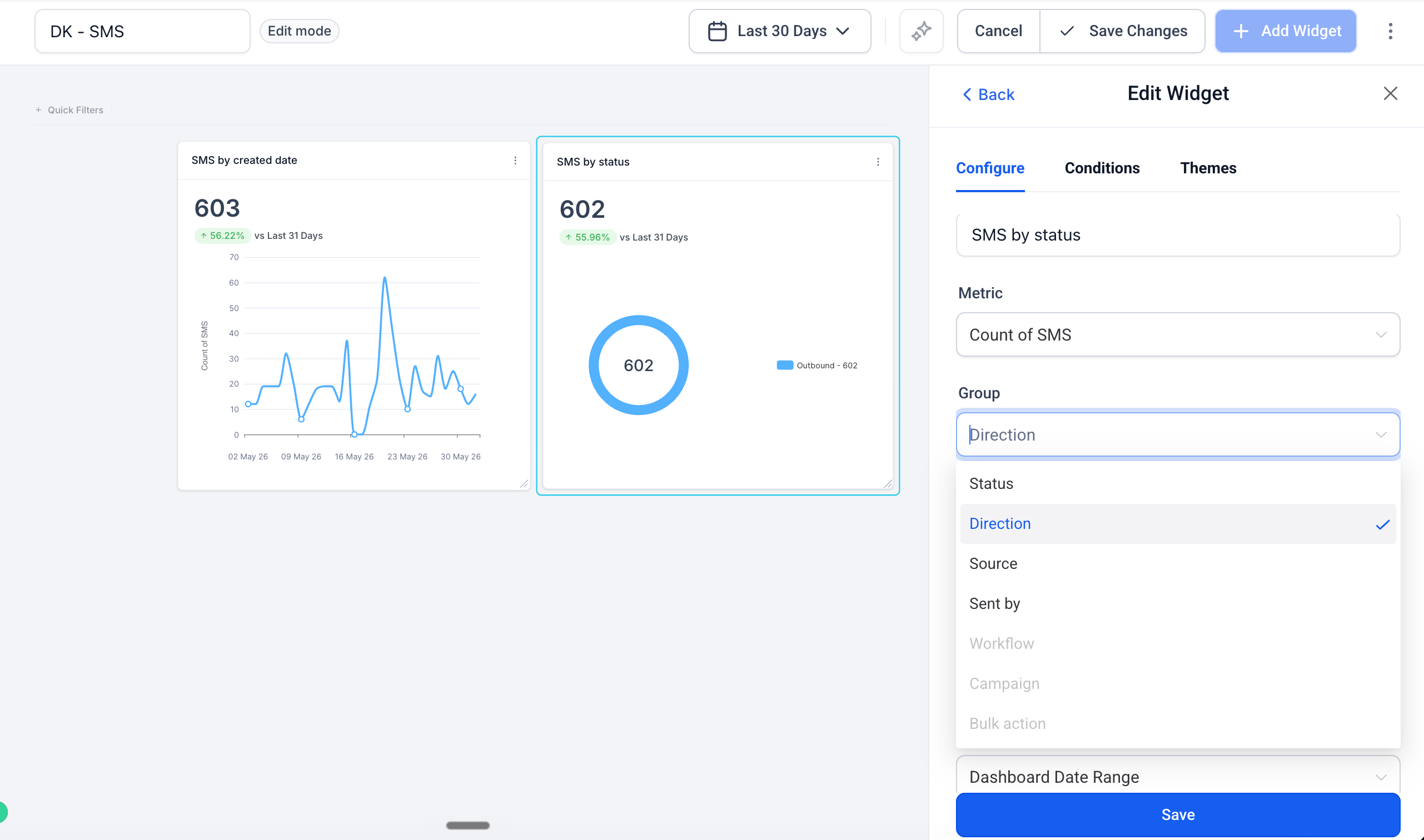
- Each widget is fully configurable, so you can filter by delivery status, direction, source, or sender to surface exactly the data you need
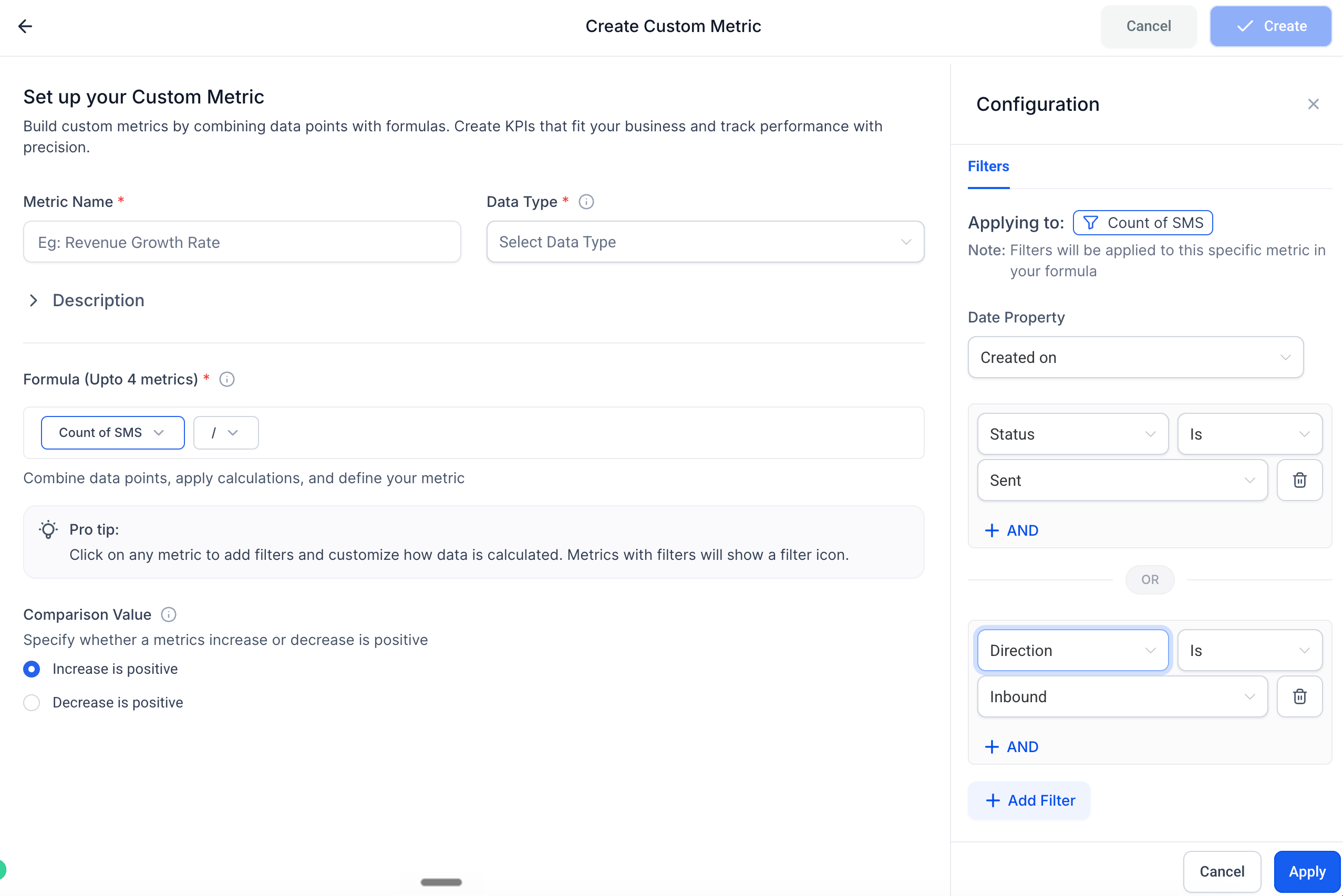
- SMS is now available as a dimension in Custom Metrics, so you can build KPIs like delivery rate or inbound volume using the formula builder
How it works
- Open any dashboard in EveryCatch and click Edit dashboard
- Click + Add widget and scroll to the new SMS section
- Choose a widget, set your filters and chart type, then click Save changes
Why it matters
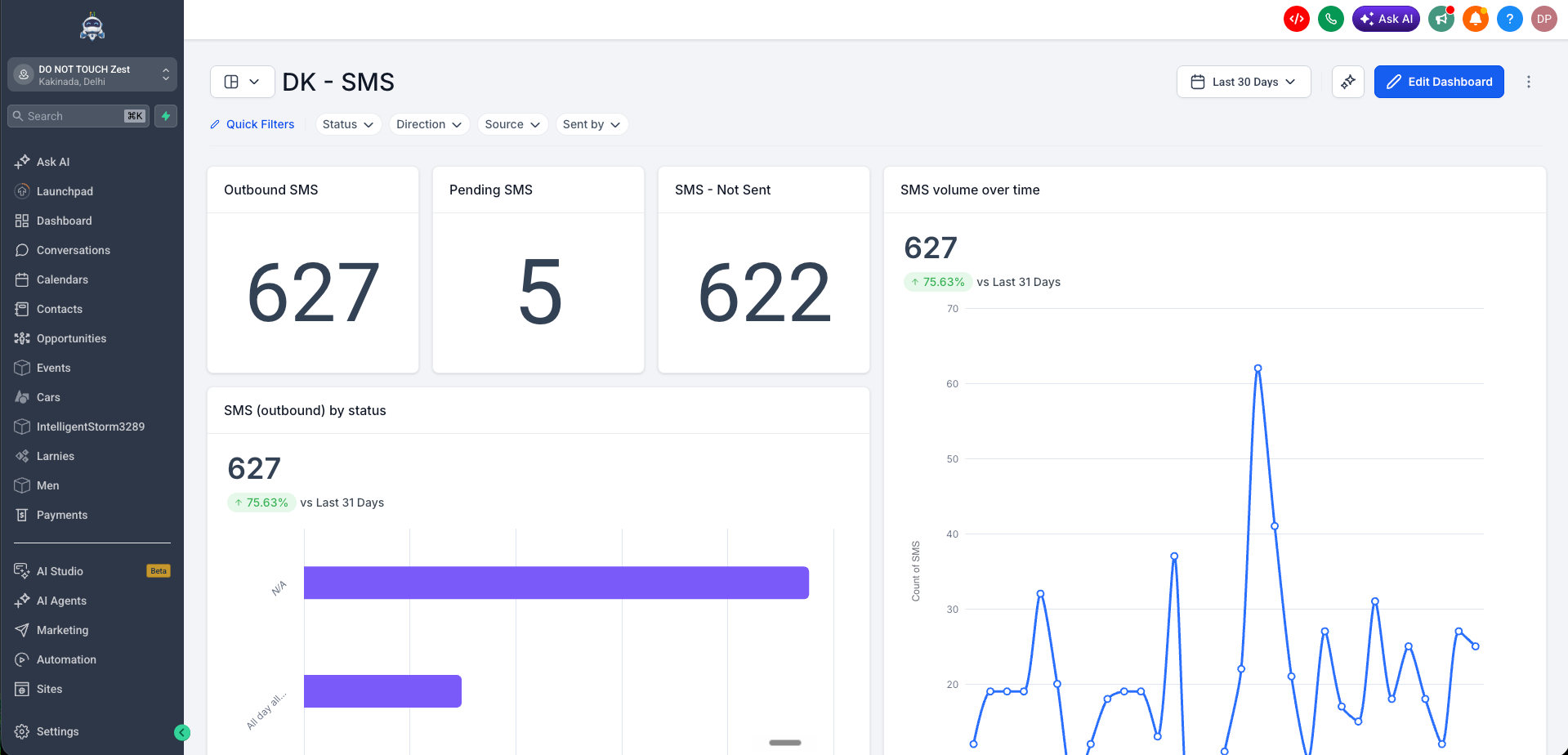
- You get a full messaging picture in one place, with SMS now shown alongside emails and calls on your dashboard so you can see all channel activity without switching tools or digging through Conversations
- You can check delivery health at a glance and know exactly how many messages were sent, delivered, failed, or undelivered for any time period
- You can understand what drives your SMS volume by breaking it down by source (workflow, campaign, bulk action) or by team member to see who sent what and from where
- You get clear two-way visibility, tracking inbound SMS alongside outbound so you can measure how conversations are performing, instead of only seeing how many messages were sent
Notes
- All SMS widgets support filtering by status, direction, source, and sender, and you can combine filters for precise segmentation
- These widgets are available on all plans that include Dashboards & Reporting
- You can use SMS widgets in the Dashboards, Reporting, and Custom Metrics modules
Need help with this?
If you'd like help setting this up or want to know what it means for your account, book a quick call and we'll walk you through it.
