Sms notifications now available for rentals
Overview
EveryCatch now lets you send SMS notifications for rental bookings so you can confirm, remind, and update your customers and team directly on their phones. SMS gives you a quick way to keep everyone informed in real time and reduce missed bookings or confusion.
What changed
SMS support for key event types
You can now send SMS notifications for all main rental booking events: booking unconfirmed, booked, canceled, rescheduled, reminder, and follow-up. This keeps your customers and team updated at every important stage of the rental.
Customizable recipient options
For each SMS notification, you can choose whether it goes to the contact, the business, or both. This helps you control exactly who receives each type of update.
Per-recipient templates
You can set different SMS templates for contacts and for your business team. Customers can receive clear booking details, while your internal team can get operational information tailored to them.
Template management made easy
Each notification type includes a default SMS template to get you started. You can edit that template, pick any existing SMS template in your account, or create a new one so that your messages match your tone and process.
Send test SMS before going live
Use the Send test SMS option to preview how your message looks before you turn it on for live bookings. This helps you confirm that your content, merge fields, and formatting are correct.
How to use it
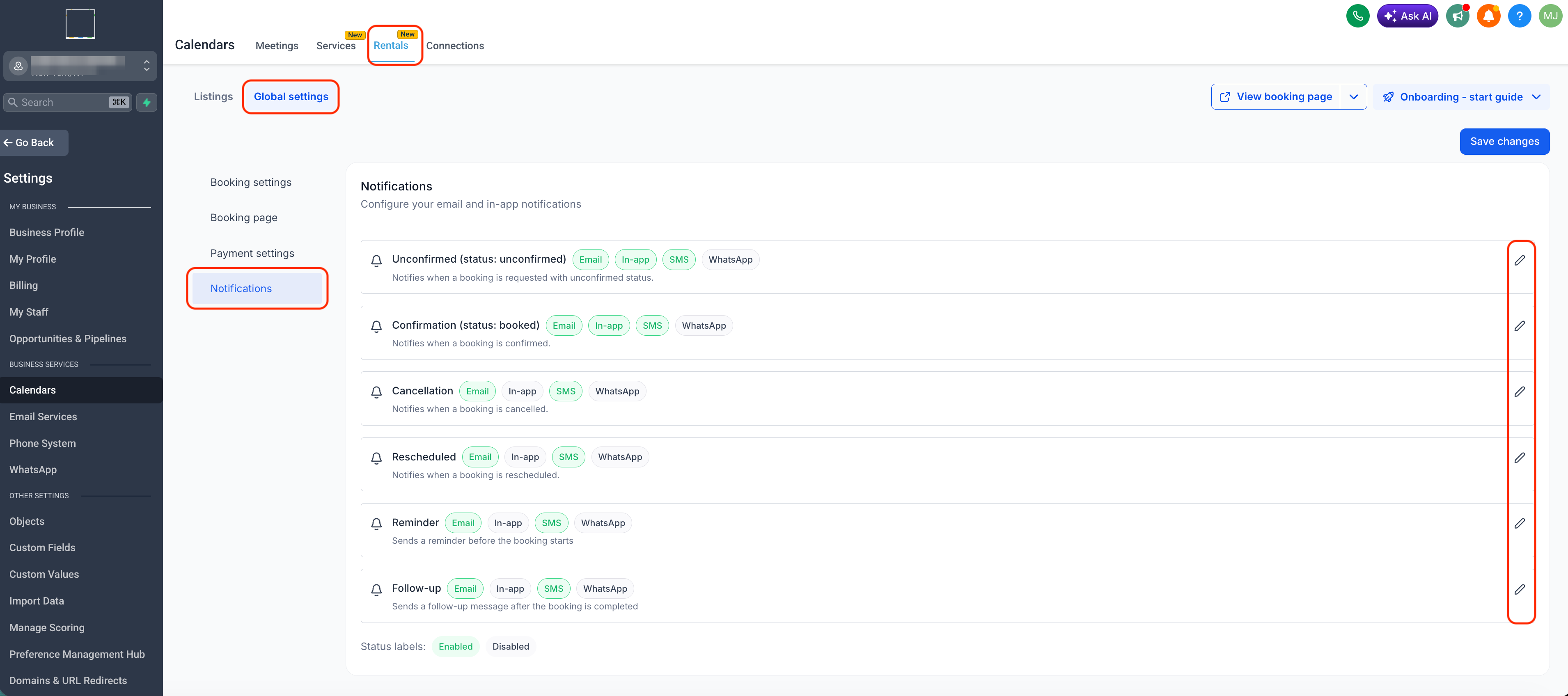
- Go to Calendar settings > Rentals > Global settings > Notifications
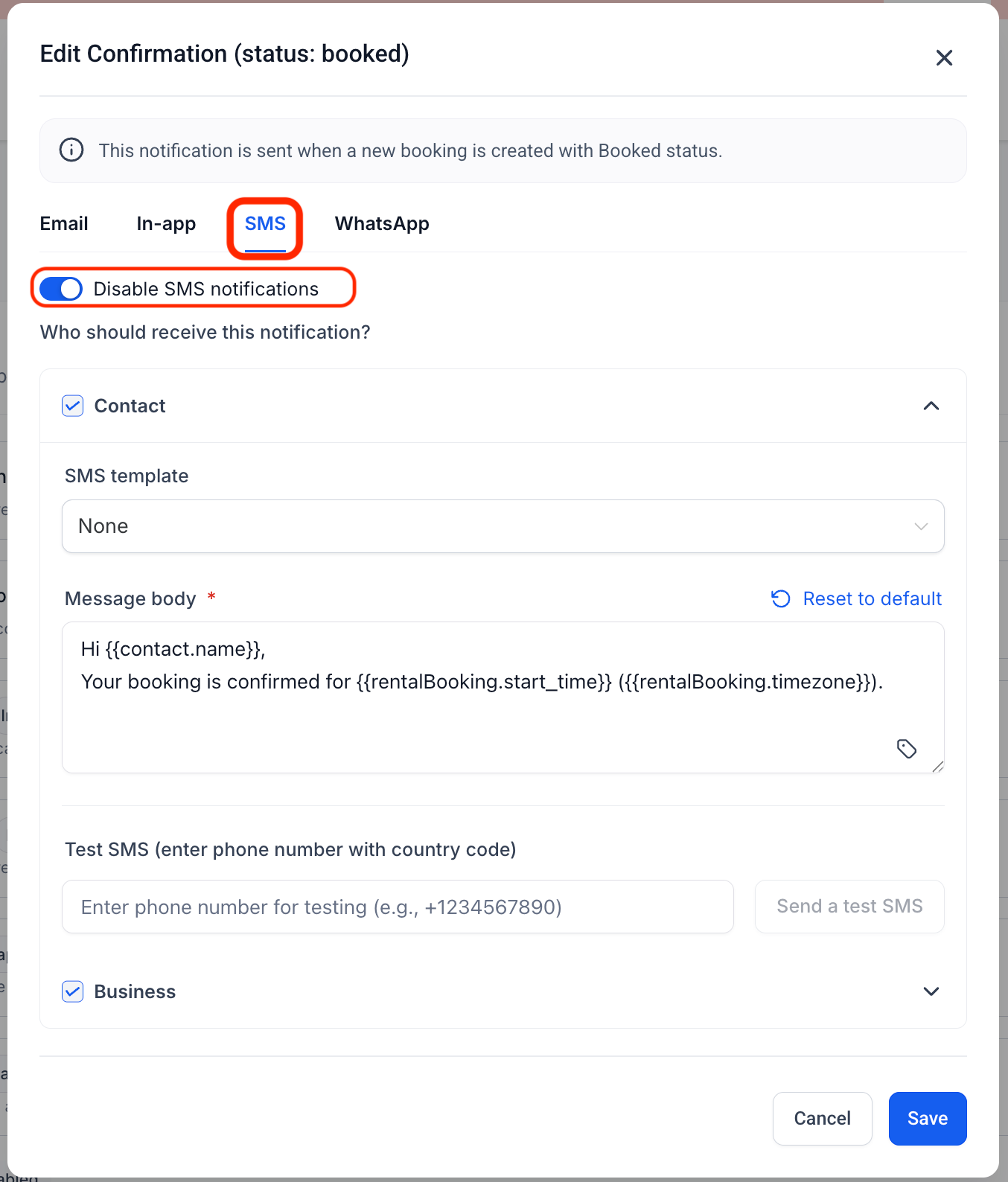
- Edit a notification type, open the SMS tab, and switch on the SMS toggle
- Choose your recipients (Contact, Business)
- Select the SMS template you want to use
- Send a test SMS to verify the content
- Save your settings; SMS will now be sent whenever that notification is triggered
Why this matters
- Improves show-up rates with fast, mobile-first communication
- Gives you flexibility in how you reach different recipients
- Cuts down on manual follow-ups
- Keeps you in control of message content and delivery for each notification
Need help with this?
If you'd like help setting this up or want to know what it means for your account, book a quick call and we'll walk you through it.
