SLA widgets in dashboards - response time accountability
What changed
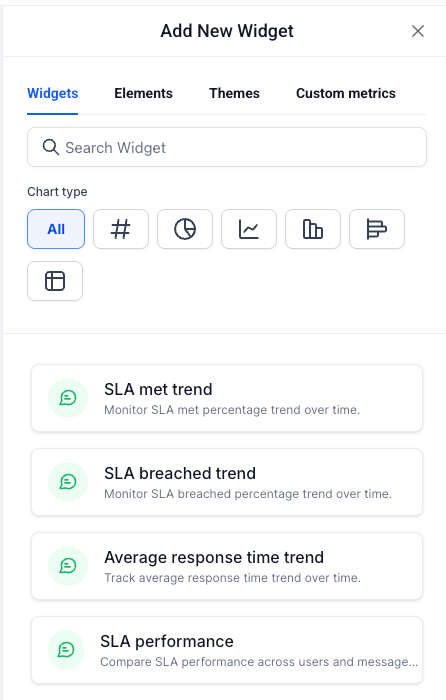
- You can now add four new SLA widgets from the Conversations section in the Dashboards widget panel, located at the bottom of that section
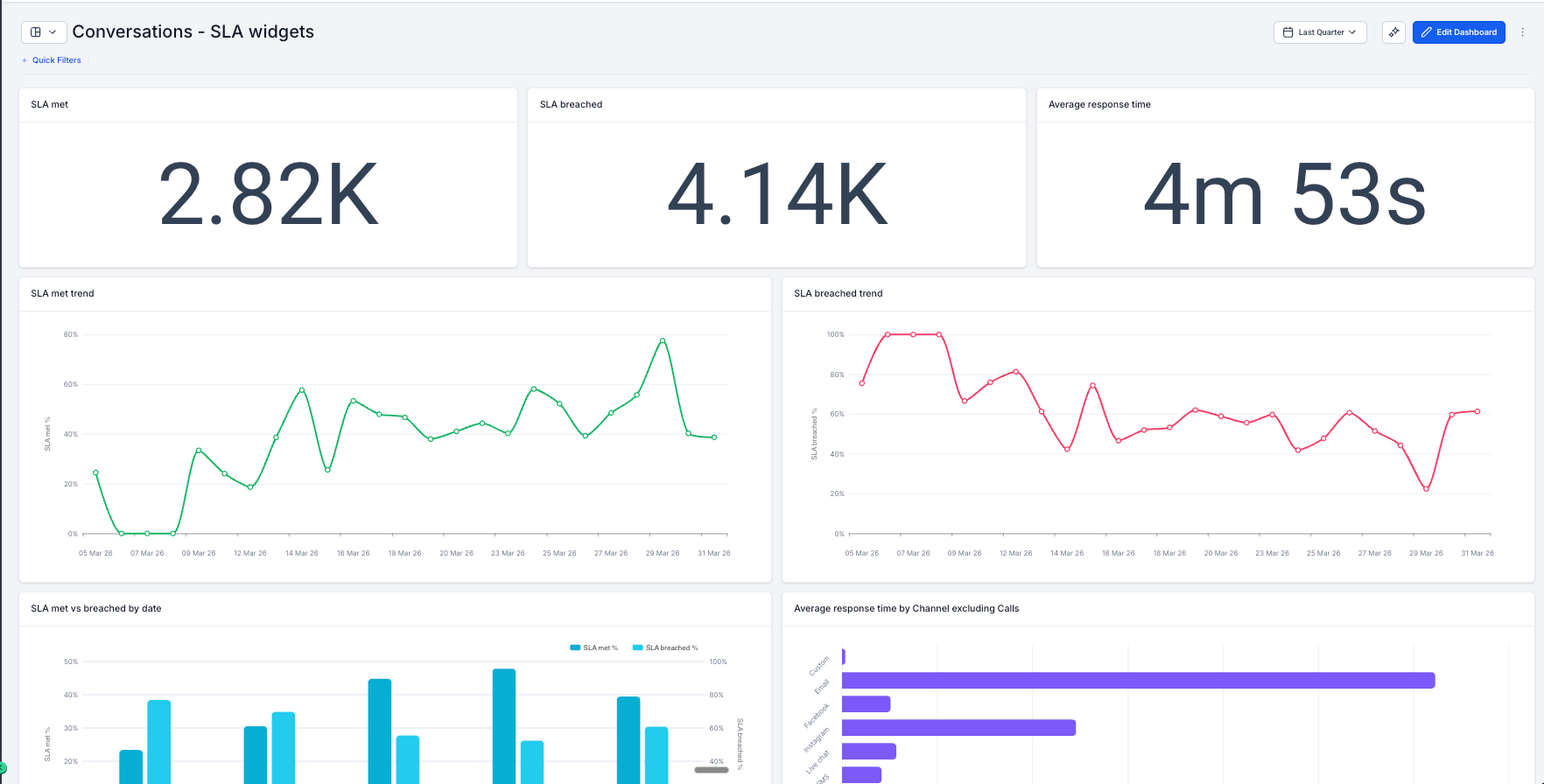
- EveryCatch now lets you track SLA met trend, SLA breached trend, average response time trend, and SLA performance across users and channels in one dashboard view
- Each widget can be filtered by Assigned user and Message channel (Call, SMS, Email, Web chat, Facebook, GMB, Instagram) so you can drill into the exact segment you care about
- These SLA widgets work with the existing Conversations widgets already on your dashboard, so you can add them without any separate setup
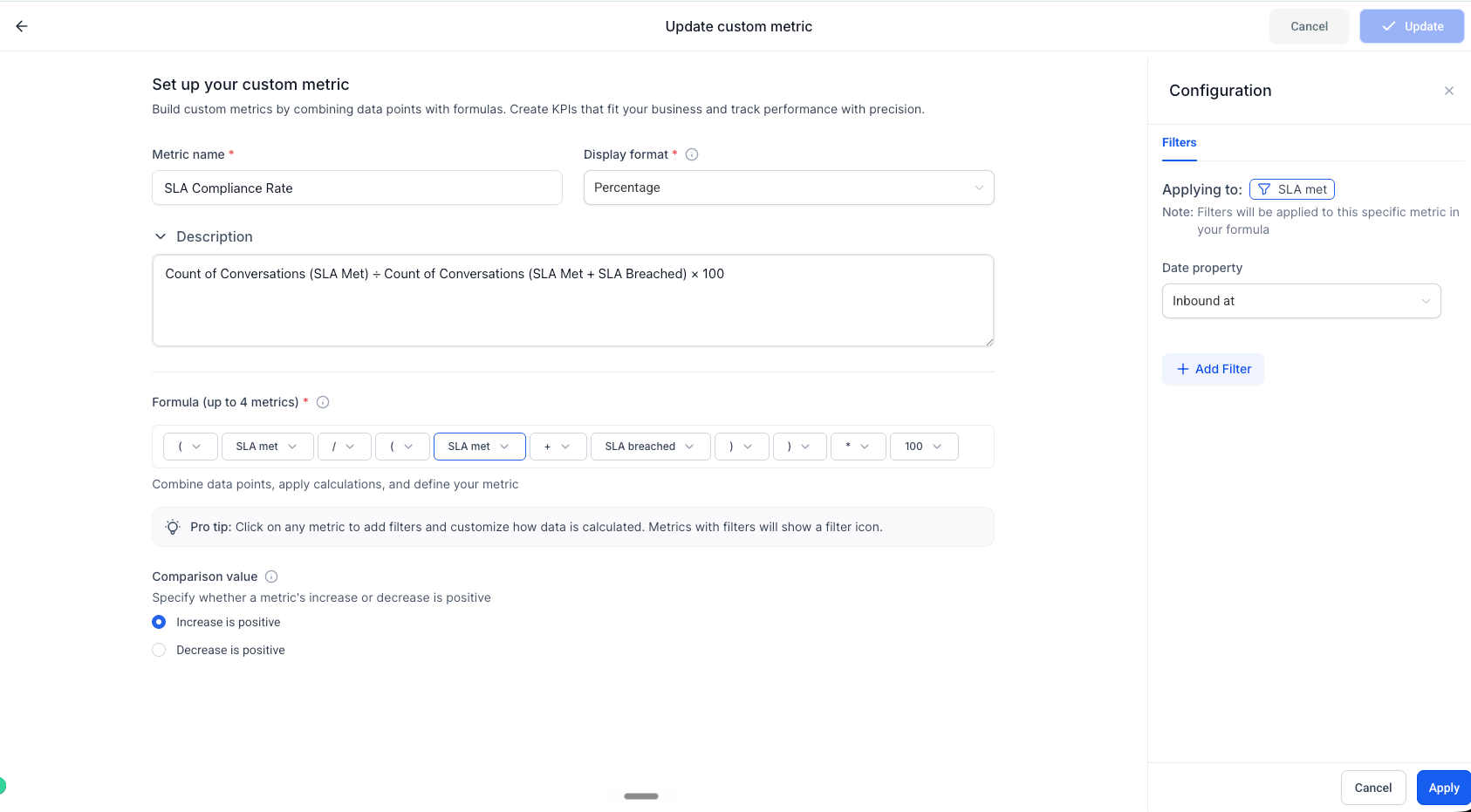
- SLA met and SLA breached are already available as dimensions in Custom Metrics, so you can build KPIs such as SLA compliance rate using the formula builder right away
How it works
- Open any dashboard and click Edit dashboard
- Click + Add widget and scroll to the Conversations section
- Find the four SLA widgets at the bottom of the section, choose the one you want, set your filters and chart type, then click Save changes
Why it matters
- Complete your conversation tracking: you already see volume and assignments in Dashboards, and SLA widgets now show whether those conversations were handled within your agreed response times
- Identify breach trends early: SLA breached trend highlights the periods with the highest SLA misses so you can investigate and adjust staffing, routing, or workflows before clients raise concerns
- Monitor team responsiveness: average response time trend shows whether your team’s speed is improving, holding steady, or slowing over time instead of giving you only a single current value
- Understand performance by person and channel: the SLA performance widget breaks down met and breached rates by user and message channel, giving managers a clear, data-based view of individual and channel performance
What’s next?
There are no additional changes planned for this specific feature yet. Future improvements to SLA tracking and reporting will be shared in upcoming release notes.
Notes
- Conversation SLA widgets support a maximum date range of 1 year
- All SLA widgets include filters for Assigned user and Message channel
- These widgets are available on all plans that include Dashboards & Reporting
Need help with this?
If you'd like help setting this up or want to know what it means for your account, book a quick call and we'll walk you through it.
