Shopify integration just got simpler! No custom app setup required
Connecting Shopify is now much simpler. You can link your store with the Shopify OAuth app in under a minute, without API tokens, custom app setup, or developer configuration.
Note: Existing integrations are not affected. If you've already connected Shopify using the custom app method, your integration continues to work as-is. No action required.
What changed
- Simplified OAuth connection: connect your Shopify store directly with one click. You do not need to create a custom app or copy API tokens from Shopify.
- Safer connection: OAuth 2.0 avoids long-lived API credentials. Access is scoped, auditable, and can be removed from your Shopify admin.
- Same sync options: historic and real-time sync still work for customers, orders, transactions, products, and collections.
- Faster setup: connecting Shopify now takes less than a minute, with no manual API token generation.
How it works
- Step 1: Go to Settings > Integrations > Shopify and click Connect.
- Step 2: Enter your Shopify store URL and click Next.
- Step 3: Select your import and sync preferences, click Save
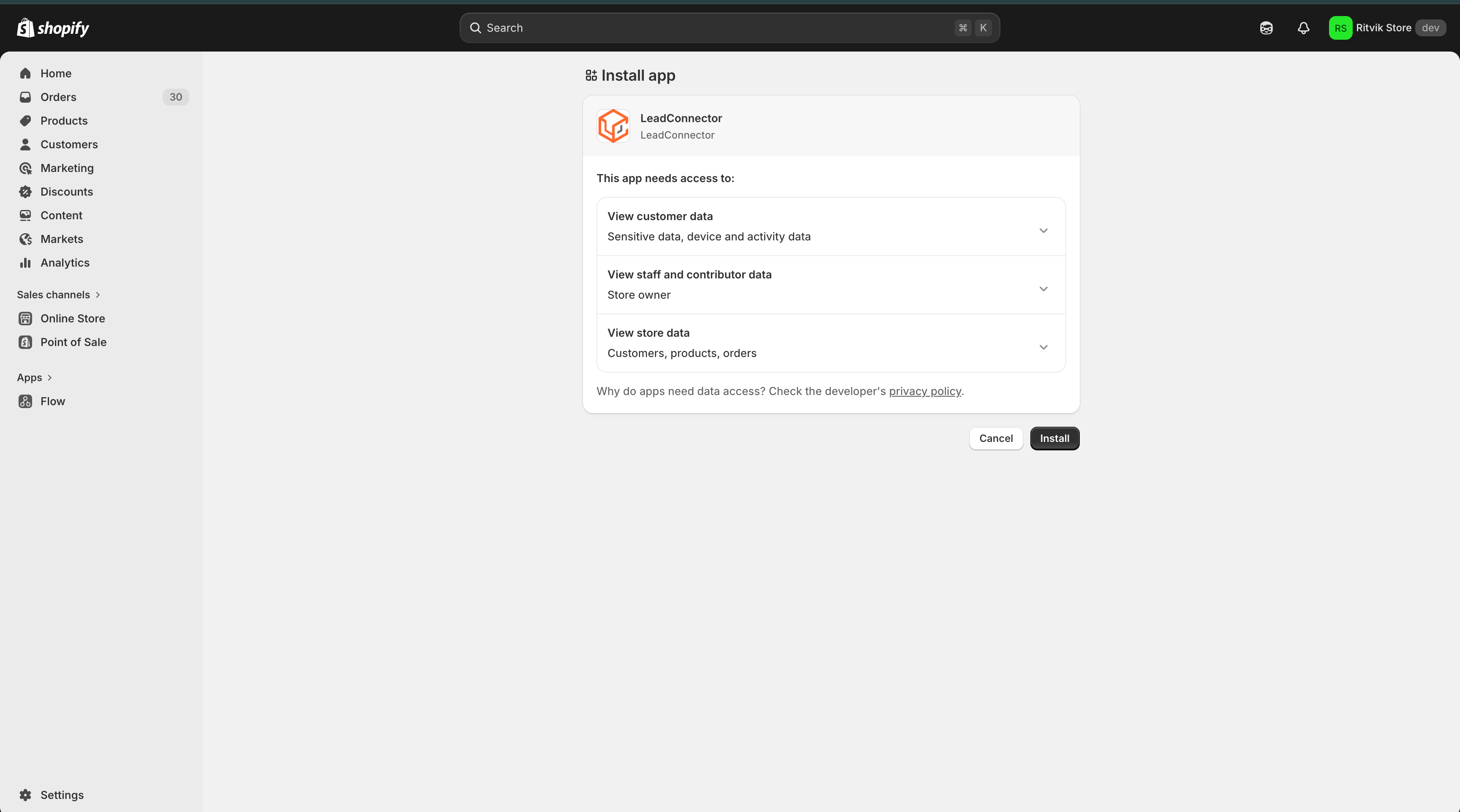
- Step 4: You will be redirected to Shopify to review the requested permissions and click Install.
- Step 5: Once approved, you'll be redirected back to your account automatically and you're all set!
Why it matters
Store owners can connect Shopify without creating a custom app or understanding API scopes.
Faster setup for multiple stores: if you manage multiple Shopify stores, each connection can be set up more quickly.
The Shopify connection now uses Shopify's standard authorization flow, so setup feels familiar and avoids third-party token handling.
Need help with this?
If you'd like help setting this up or want to know what it means for your account, book a quick call and we'll walk you through it.
