Reviews AI now supports Facebook replies
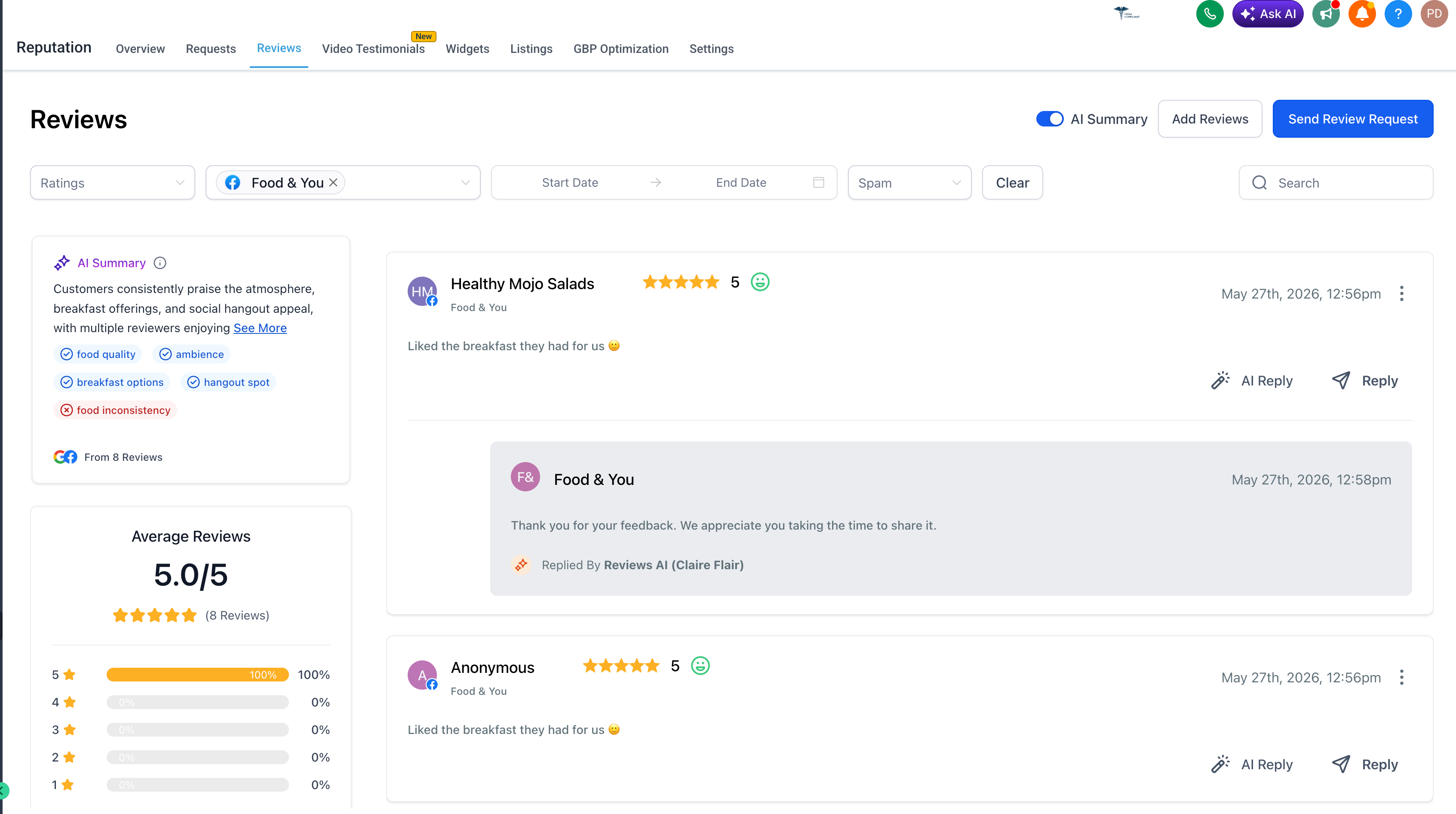
Reviews AI now supports Facebook replies, in both suggestive and auto-response modes.
You can now use AI to reply to Facebook reviews directly inside EveryCatch Reputation Management. This helps you respond faster, keep your messaging consistent, and manage reviews across both Google and Facebook from one place.
What’s new
AI replies for Facebook reviews
- Generate AI-assisted replies for Facebook reviews directly from the Reviews page in Reputation Management.
- Review, edit, and send AI-generated replies manually so you can respond quickly while staying in full control of what is posted.
- Choose specific connected Google or Facebook pages so you only generate replies for the locations that matter.
Auto responses for Facebook reviews
- Reviews AI Agents can now automatically respond to Facebook reviews based on the rules you configure.
- Once you create an AI Agent, it can watch for matching Facebook reviews and reply to them automatically, which helps your team increase coverage with less manual work.
Choose Facebook pages for auto response
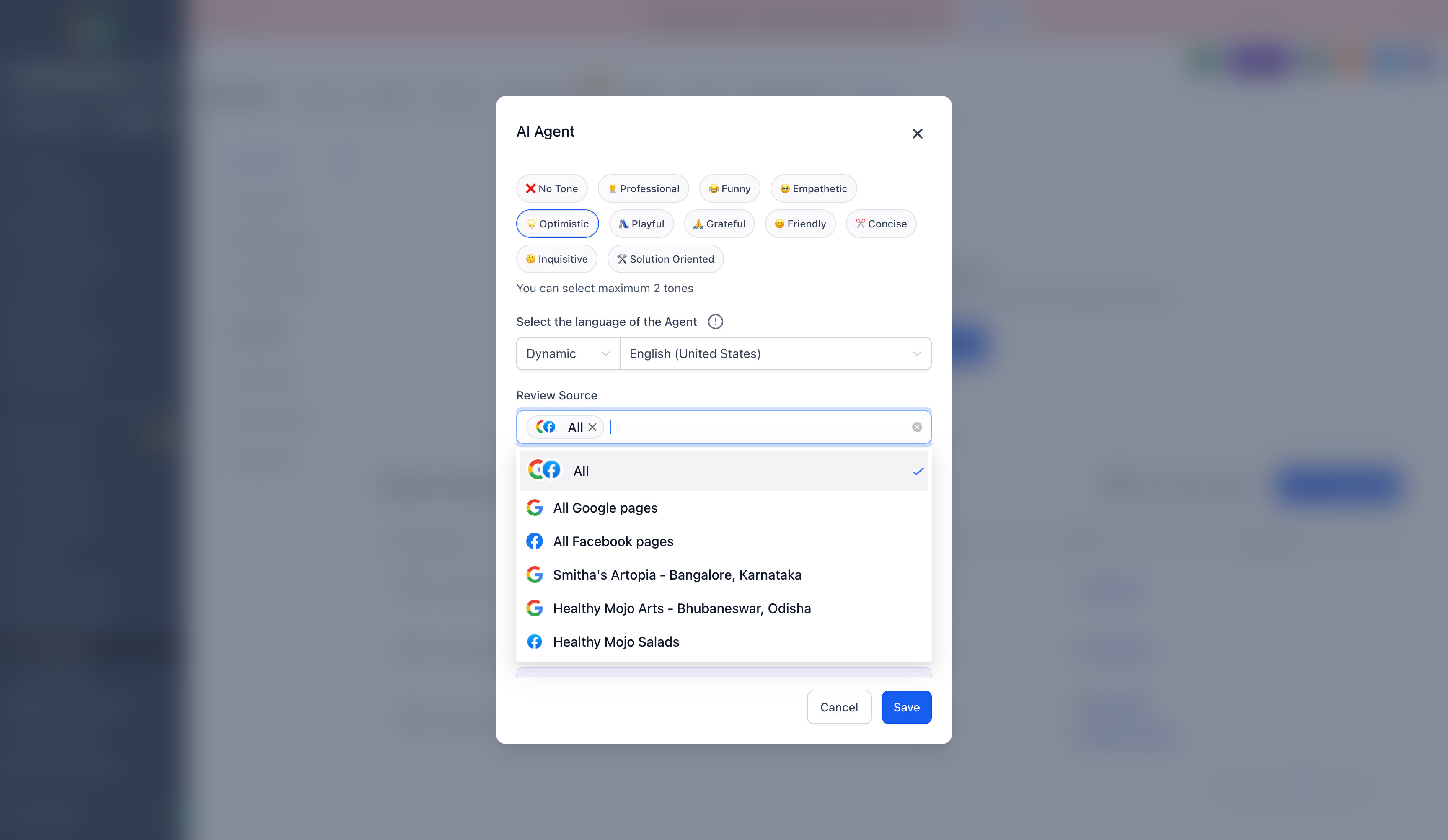
When you create or edit an AI Agent in EveryCatch, you can now choose which Facebook pages it should reply to automatically.
Supported review source options include
- All sources
- All Google pages
- All Facebook pages
This gives agencies and multi-location businesses page-level control over where automation is turned on, so each page can follow the right response strategy.
Custom AI agent rules
Facebook auto responses respect your existing Reviews AI Agent configurations, so you can fine-tune how AI responds. Supported options include
- Conditions based on review type or rating (for example, only respond automatically to 4–5 star reviews).
- Tone selection so replies match your brand voice.
- Preferred language so responses align with your audience.
- Review source selection to decide which platforms the agent covers.
- Page-level source control so only selected pages receive automated replies.
Suggestive + auto response modes
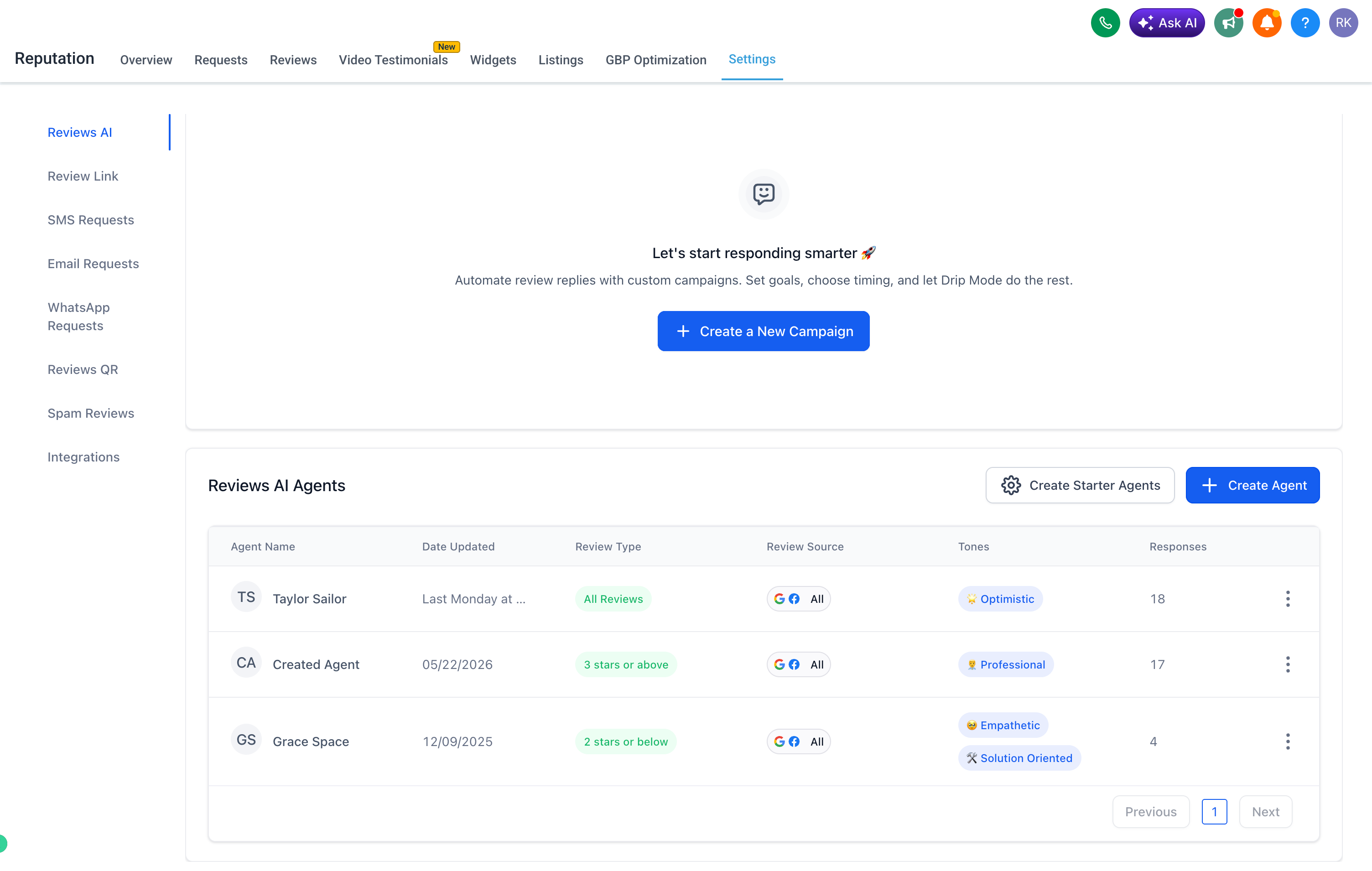
Reviews AI for Facebook supports two workflows so you can choose the level of automation that fits your team.
Suggestive mode
EveryCatch drafts a reply for each Facebook review and you or your team can review, edit, and send it manually from the Reviews page.
Auto response mode
Reviews AI Agents automatically respond to Facebook reviews based on the pages you select and the rules you configure, such as tone, rating filters, and language.
Why it matters
- Reply to Facebook reviews faster and keep response times consistent.
- Increase the percentage of reviews that receive a response.
- Reduce manual workload for agencies and in-house teams.
- Keep replies aligned with your chosen tone and language across locations.
- Use page-level automation settings for multi-location clients and brands.
- Extend Reviews AI beyond Google so you can manage another major review source in one place.
How it works
Go to Reputation → Reviews in EveryCatch.
Click AI Reply on a Facebook review to generate a suggested response, then edit and send it when you are ready.
For auto responses
- Go to Reputation → Settings → Reviews AI.
- Click Create Agent.
- Choose your preferred tone, language, and review conditions (such as rating filters).
- Under Review Source, select All Facebook pages or choose specific Facebook pages you want covered.
- Save the agent.
Your AI Agent will now automatically respond to Facebook reviews that meet your conditions on the selected pages.
We would love your feedback on this update. Please share your thoughts with your usual EveryCatch support contact or account representative so we can continue improving Reviews AI for you.
Need help with this?
If you'd like help setting this up or want to know what it means for your account, book a quick call and we'll walk you through it.
