Refreshed placeholder images in store builder
What changed
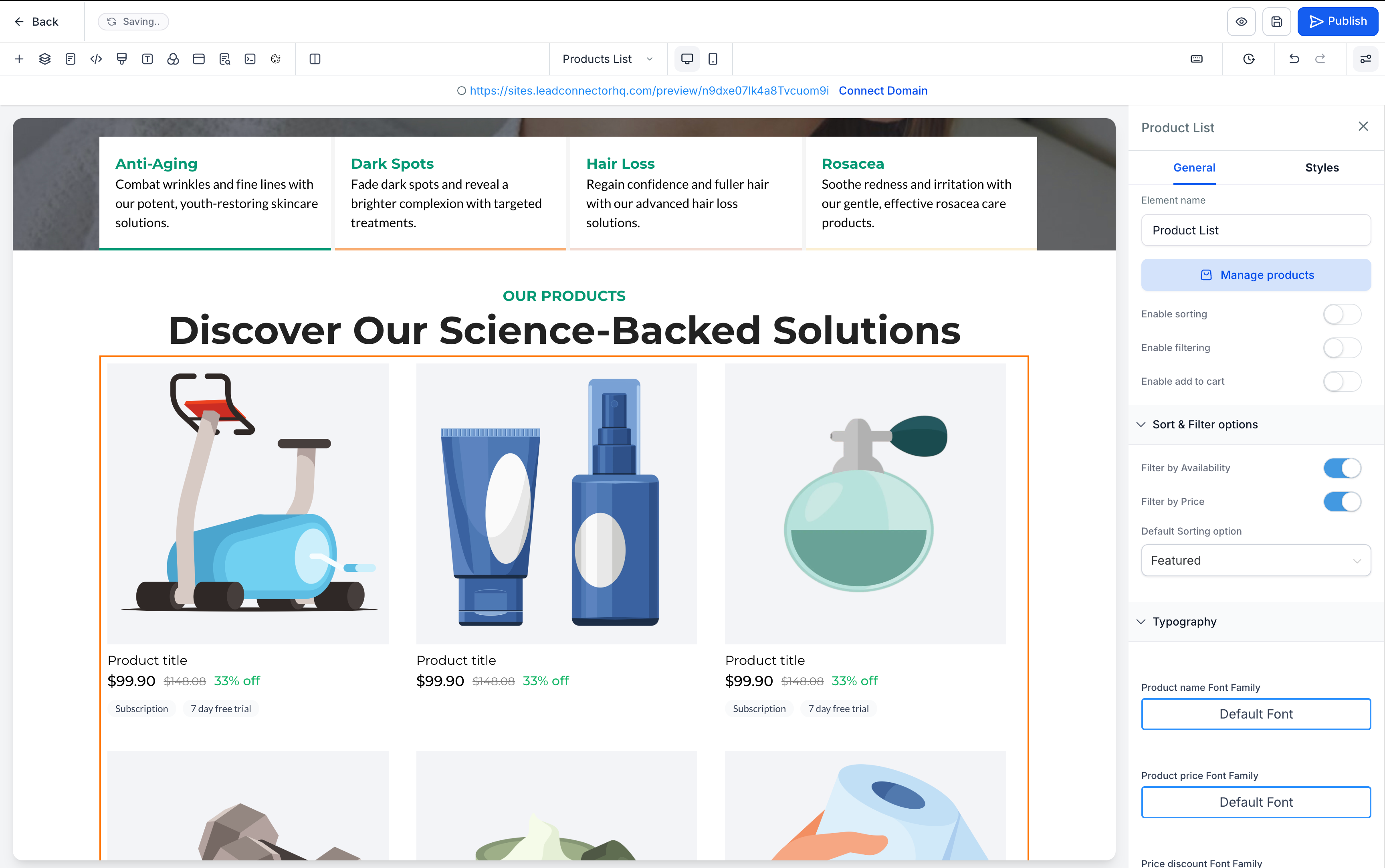
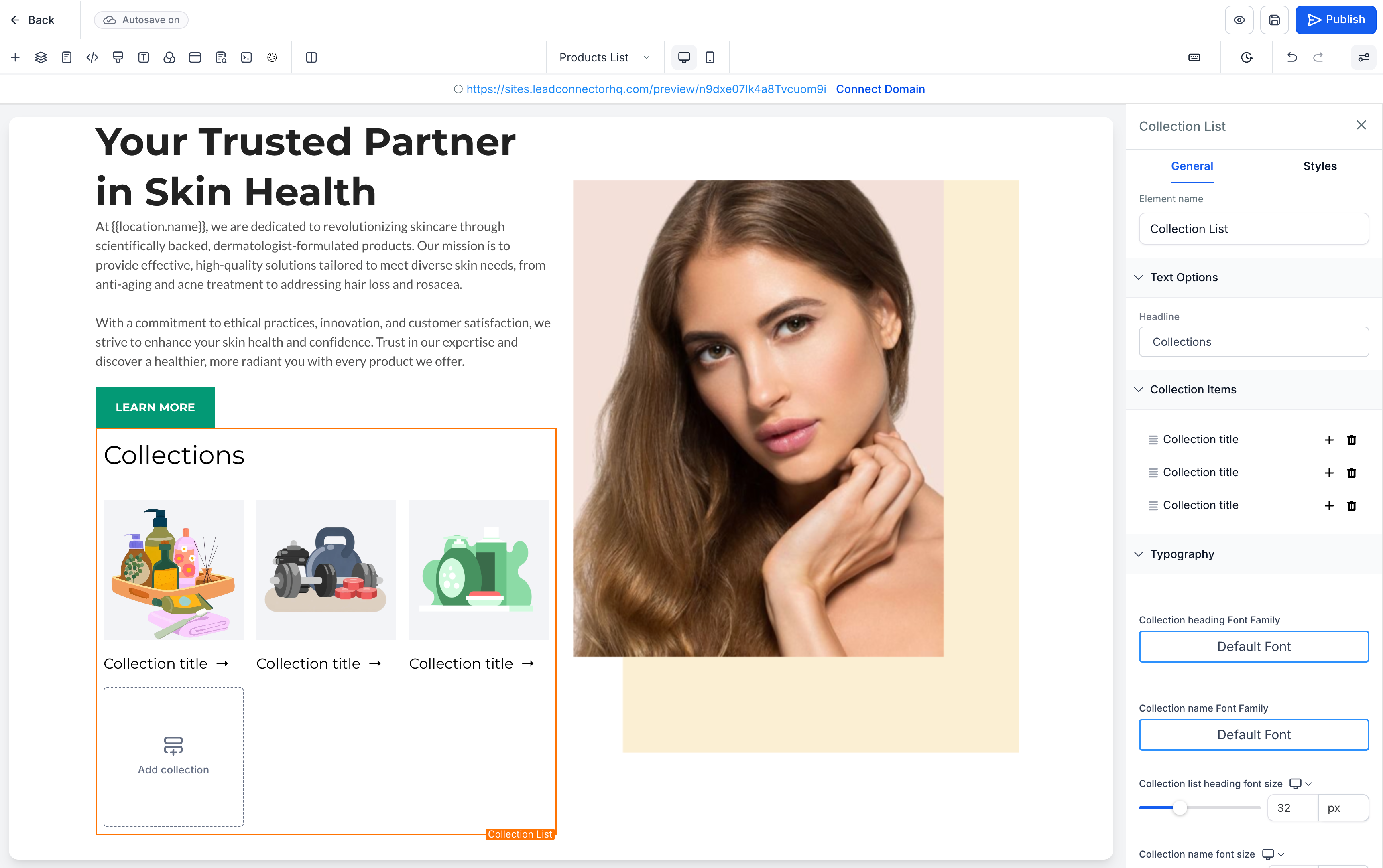
EveryCatch now uses updated illustration-style placeholder images across ecommerce store pages and store elements in the page builder. These new visuals create a cleaner, more consistent editing experience and make it easier to see which content is sample data instead of real products.
You will see the new placeholders throughout:
- Product listing, product detail, cart, checkout, and thank you pages
- Featured product, featured products, upsell, and collection elements
We have also standardized placeholder text labels (for example, "Product title" and "Collection title") and improved page builder previews by showing:
- Subscription and free trial badges below the price on product cards
- A product image placeholder for collections that do not have an image, instead of a plain gray box
How to use it
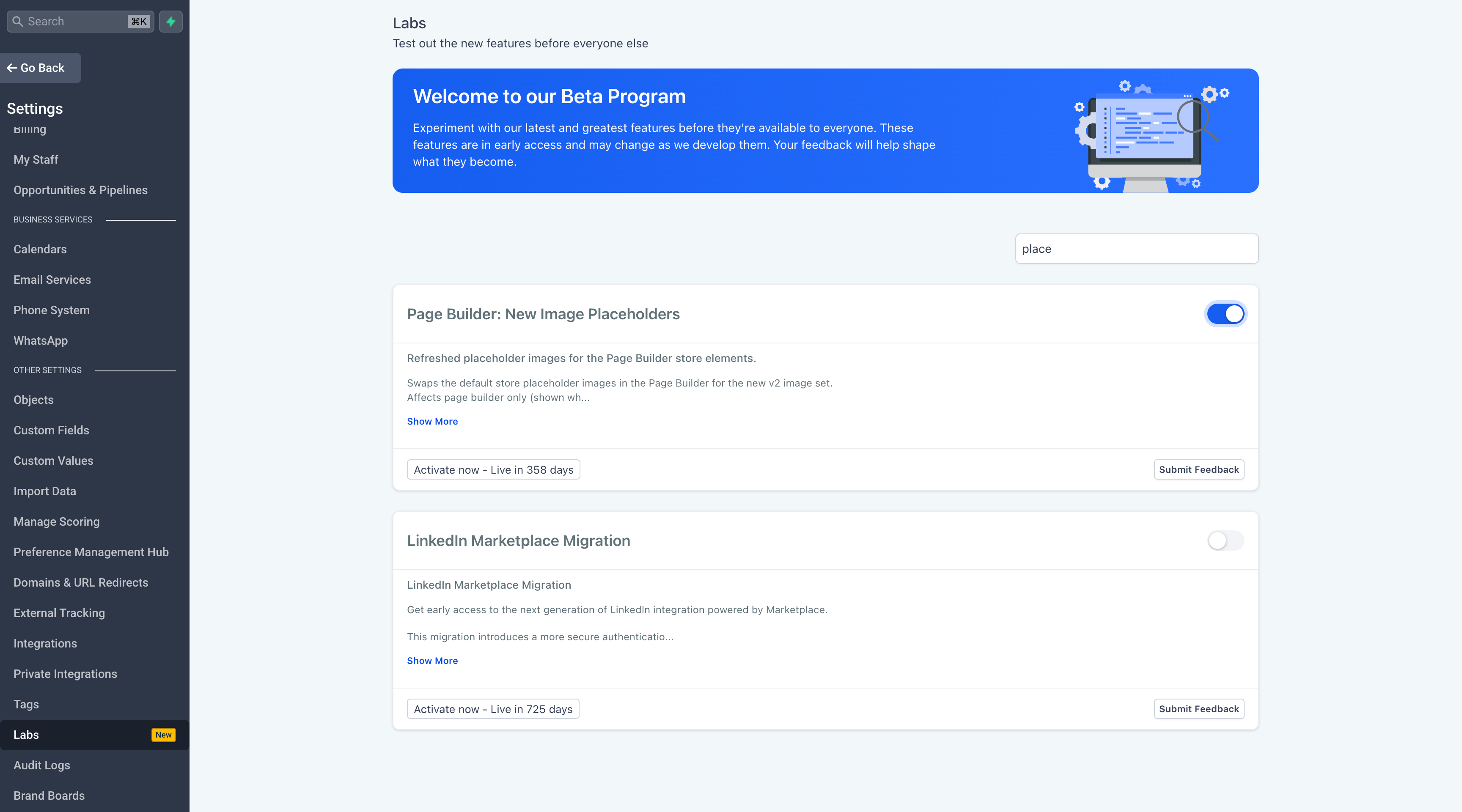
- Go to Admin Portal → Settings → Labs.
- Search for "Page Builder: New Image Placeholders".
- Toggle the feature On.
- Reload the page builder to see the updated placeholders.
A few details to know
- This is a visual-only enhancement with no changes to layouts, functionality, or live store content.
- The feature only affects placeholder images that appear when no product or collection is connected.
- The Labs flag is enabled per account and can be turned off at any time to switch back to the original placeholders.
Images
Need help with this?
If you'd like help setting this up or want to know what it means for your account, book a quick call and we'll walk you through it.
