QR code sharing in funnel builder
Overview
EveryCatch now lets you create and download QR codes directly inside Funnel Builder, so you can instantly generate a QR code for the current funnel step without leaving your workspace.
What’s improved
- You can now generate a QR code right from Funnel Builder for any funnel step you are working on
- Each QR code is automatically linked to the specific funnel step you have open, so the scan goes to the correct page
- You can download the QR code in PNG, SVG, or PDF formats, ready for digital or print use
- You can choose Edit QR to open additional customization options before you download
- The QR code option will only appear when the funnel step has a connected or hosted domain, so visitors always have a live destination
How to access
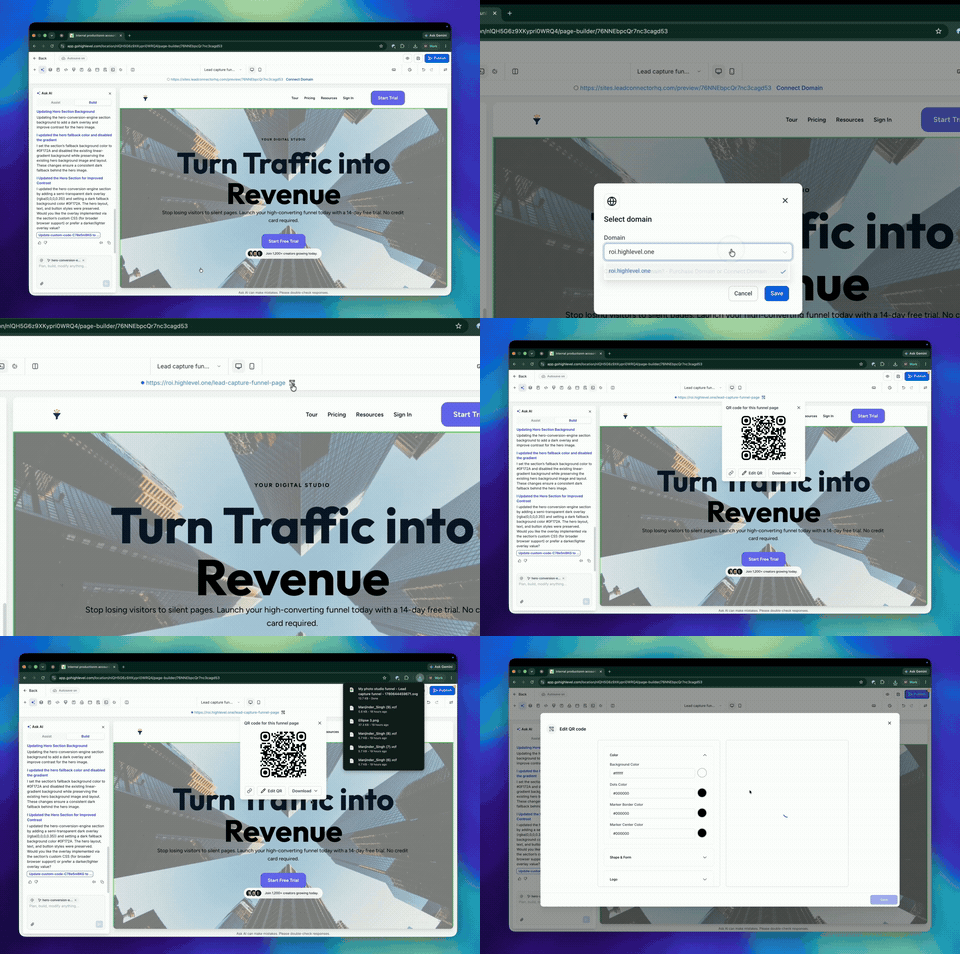
- Open a funnel in Funnel Builder
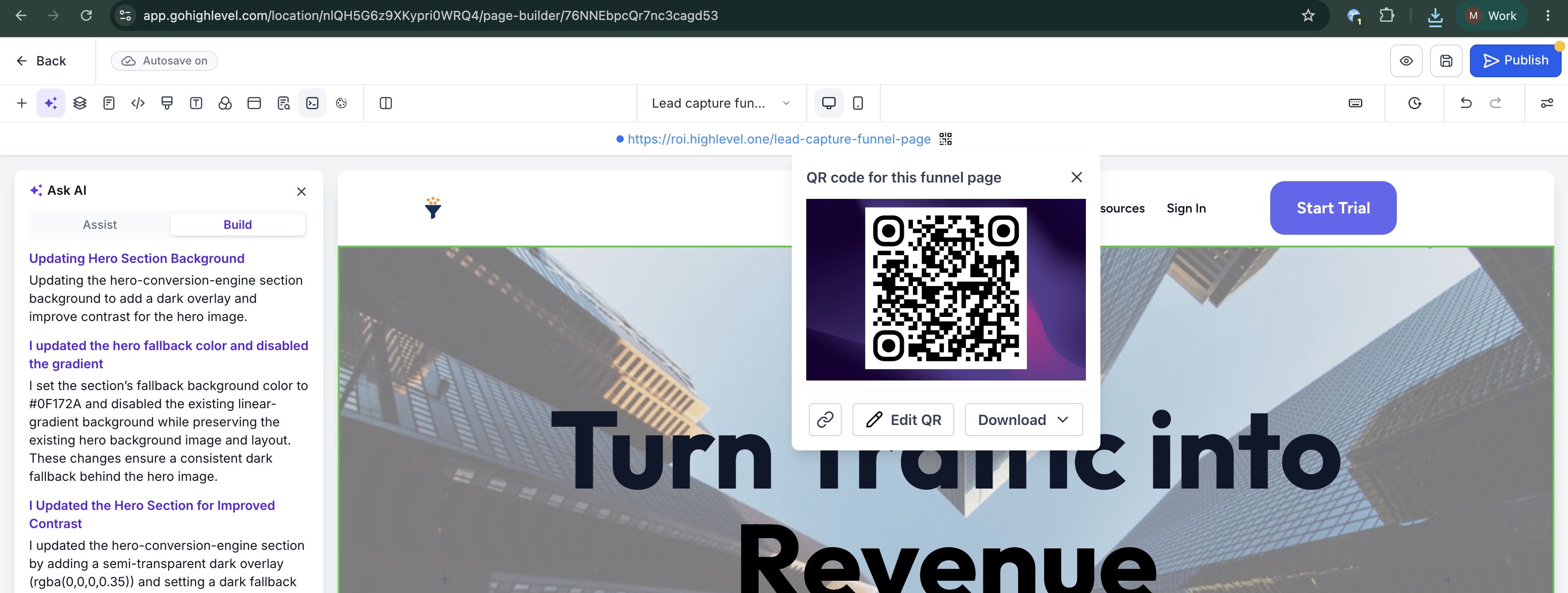
- Find the Funnel URL at the top of the Funnel Builder screen
- Click the QR code icon next to the URL
- Download the QR code in your preferred format, or select Edit QR to adjust the design and settings before downloading
Why it matters
- Removes extra steps in your process so you can go from funnel step to QR code in a few clicks
- Helps prevent mistakes by tying the QR code directly to the exact page or step you have open
- Makes it straightforward to promote your funnels through print pieces, event materials, packaging, signage, and other offline channels
- Keeps QR code creation in the same place where you design and manage your funnels, so you do not need separate tools
Need help with this?
If you'd like help setting this up or want to know what it means for your account, book a quick call and we'll walk you through it.
