Prospecting: smarter CRM contact creation and contact enrichment
Prospecting in EveryCatch now creates and enriches contacts in your CRM in a smarter, more complete way.
Prospects are no longer added as basic business records. They now come into your CRM as richer, cleaner contacts that are ready for outreach and automation as soon as they are created.
What changed
1. Richer contact enrichment from prospect websites
EveryCatch Prospecting now goes beyond Google Business Profile data when building your contact records.
In subaccount prospecting, when website details are available, we automatically enrich your prospect by collecting phone numbers and email addresses directly from their website. This gives you a more complete CRM record from day one. This same capability is coming soon to agency-level prospecting as well, although contact creation at the agency level is still unavailable.
2. Better CRM contact records
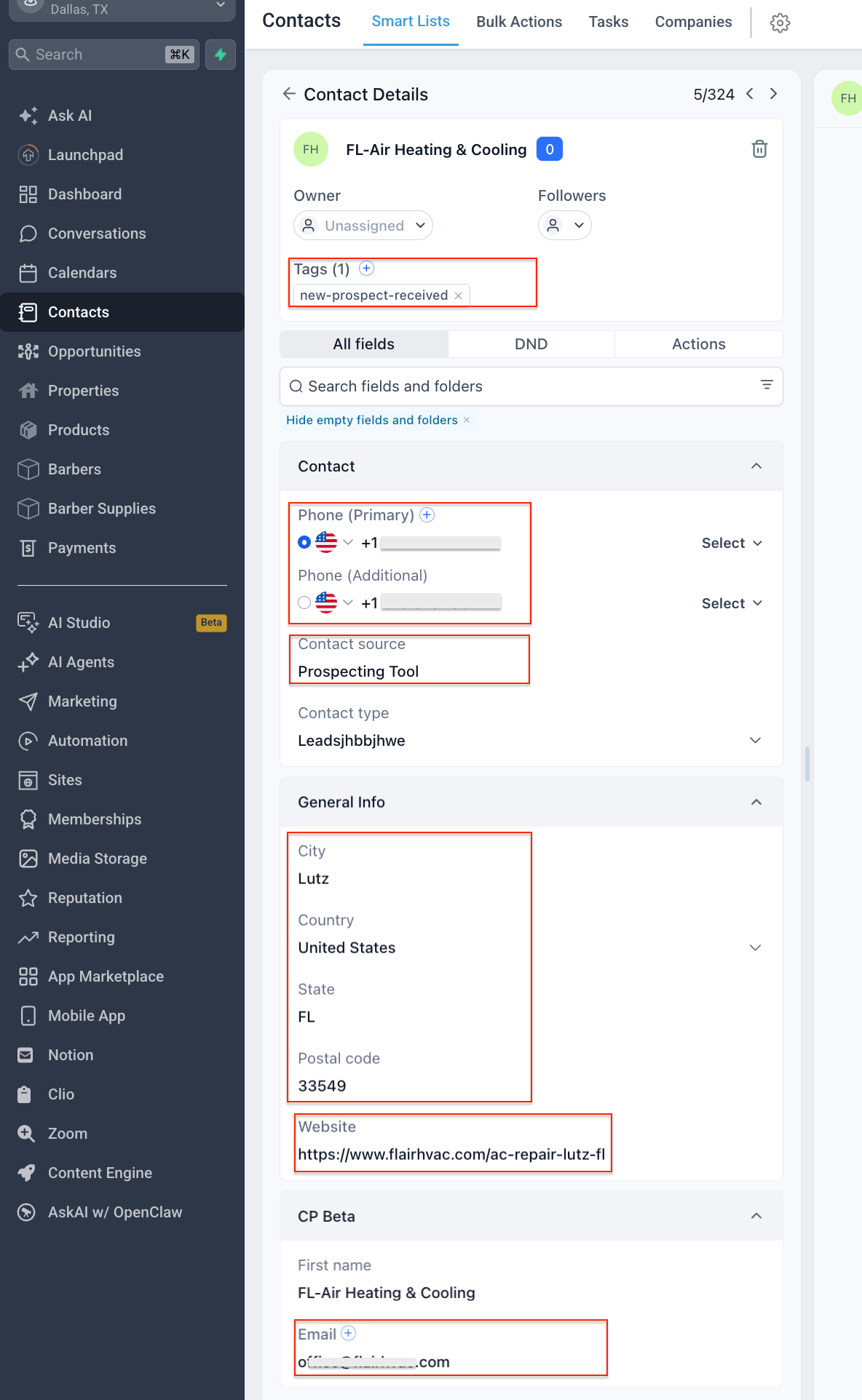
New contacts created by EveryCatch Prospecting now include more useful information automatically, including:
- Contact source = Prospecting Tool
- Prospect tags for workflows and segmentation
- Phone number (and additional phone numbers when found)
- Email address (and additional email addresses when found)
- Prospect website URL
- Address and location details (city, state, ZIP code, and similar fields)
- Business information captured during prospect creation
This makes it much easier to:
- Build automations
- Trigger workflows
- Filter and segment prospecting contacts
3. Control over business contacts when you need them
You now have full control over whether EveryCatch Prospecting should look for additional business contacts and how those contacts are created in your CRM.
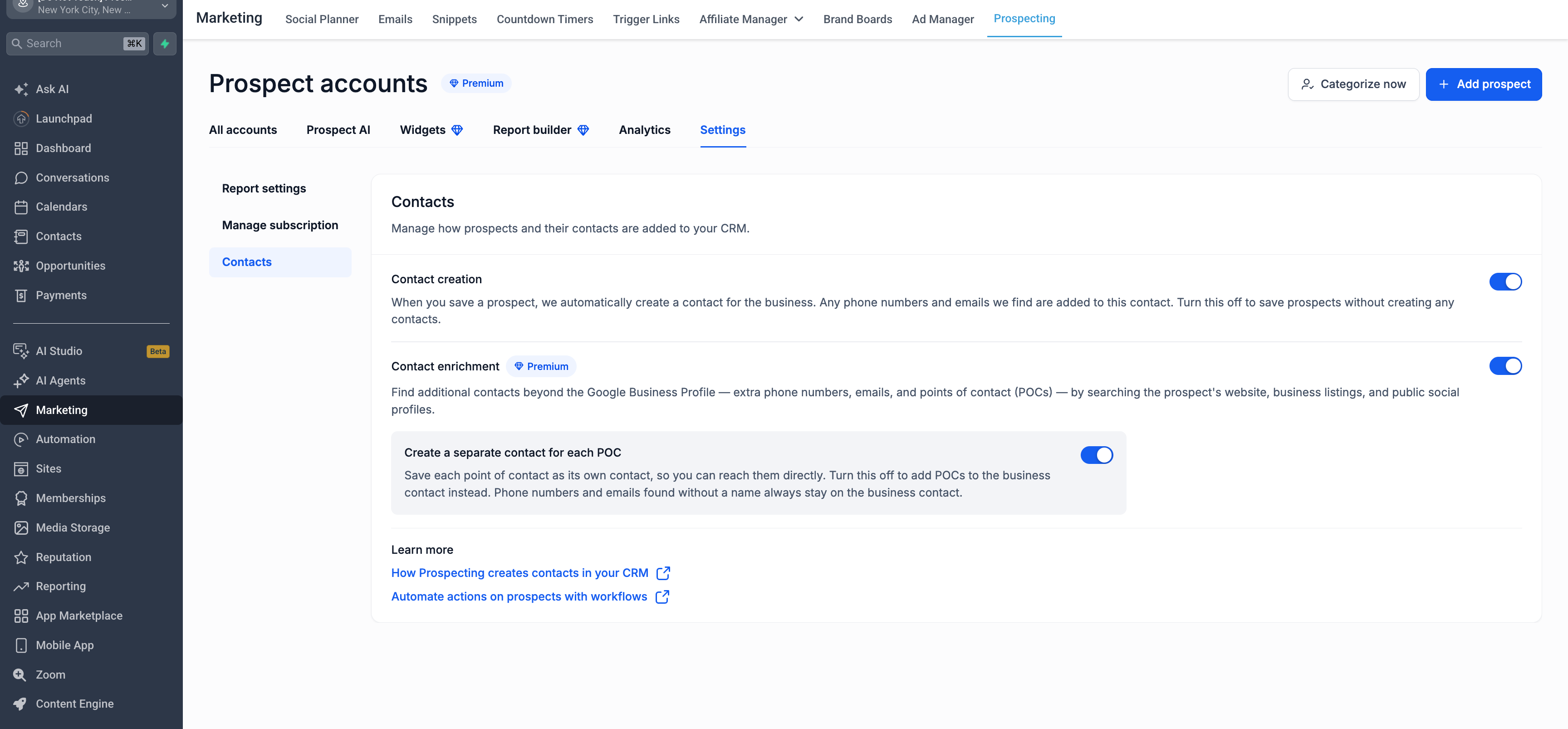
A new contact enrichment setting lets you choose whether prospecting should search for additional Points of Contact (POCs), such as business owners, managers, or key decision-makers, and defines how their contact records should be created.
If this setting is enabled:
- Prospecting searches for POCs along with extra emails and phone numbers from websites, listings, and similar sources
- Each POC that is found is created as its own CRM contact
If this setting is disabled:
- Only the primary business contact is created from Google Business Profile (GBP) data
- This is a good fit if you want faster prospect creation or if you do not need additional contacts in your CRM
4. Fewer duplicate business contacts
We have also improved how business contacts are created so your CRM stays cleaner over time.
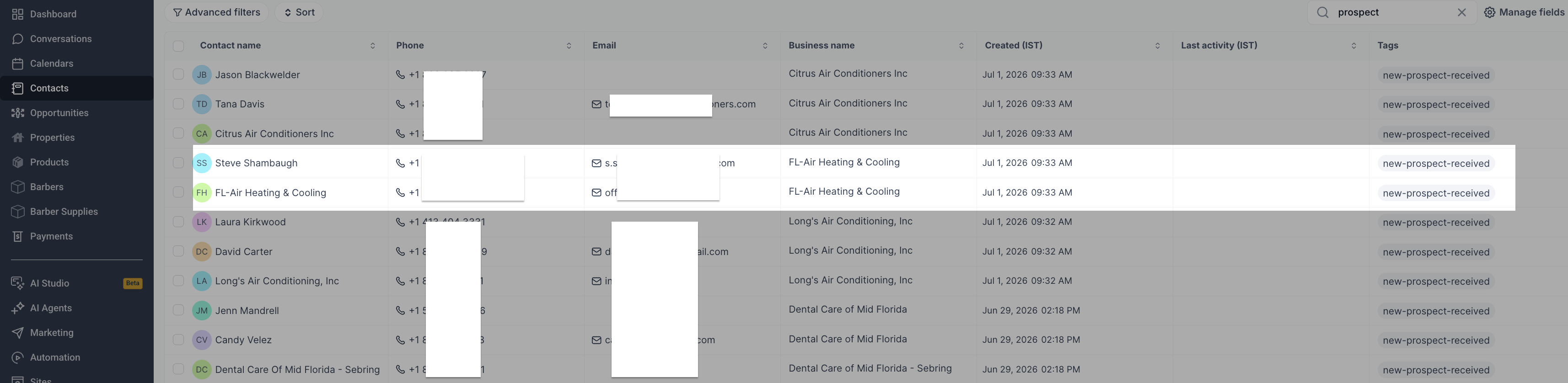
Previously, a single business could end up with multiple contact records when different emails or phone numbers were found during prospecting.
Now:
- One primary business contact is created for the business
- Additional phone numbers and email addresses for that business are added to the same contact record
- Individual Points of Contact (POCs) are still created as separate contacts when they are identified
This gives you a cleaner CRM with fewer duplicate business records, while still keeping all of the useful contact details in one place.
Why this matters
- Cleaner CRM records
- Stronger contact enrichment from each prospect
- Data that is easier to use in automations and workflows
- Less time spent cleaning up duplicate records
- Simpler outreach to both businesses and key decision-makers
Whether you are generating a single prospect or working at higher volume, EveryCatch Prospecting now creates CRM records that are much more useful for your sales, marketing, and automation workflows.
Relevant support articles
- Contact creation in sub account prospecting
- Contact creation in agency level prospecting
Need help with this?
If you'd like help setting this up or want to know what it means for your account, book a quick call and we'll walk you through it.
