Prospect AI gets an activity center and pipeline integration
Prospect AI in EveryCatch now gives you clearer visibility into what your AI sales agents are doing, what they are finding, and how they are running in the background.
Managing multiple AI agents in EveryCatch is now simpler and faster for your whole team.
What changed
Redesigned AI agent cards
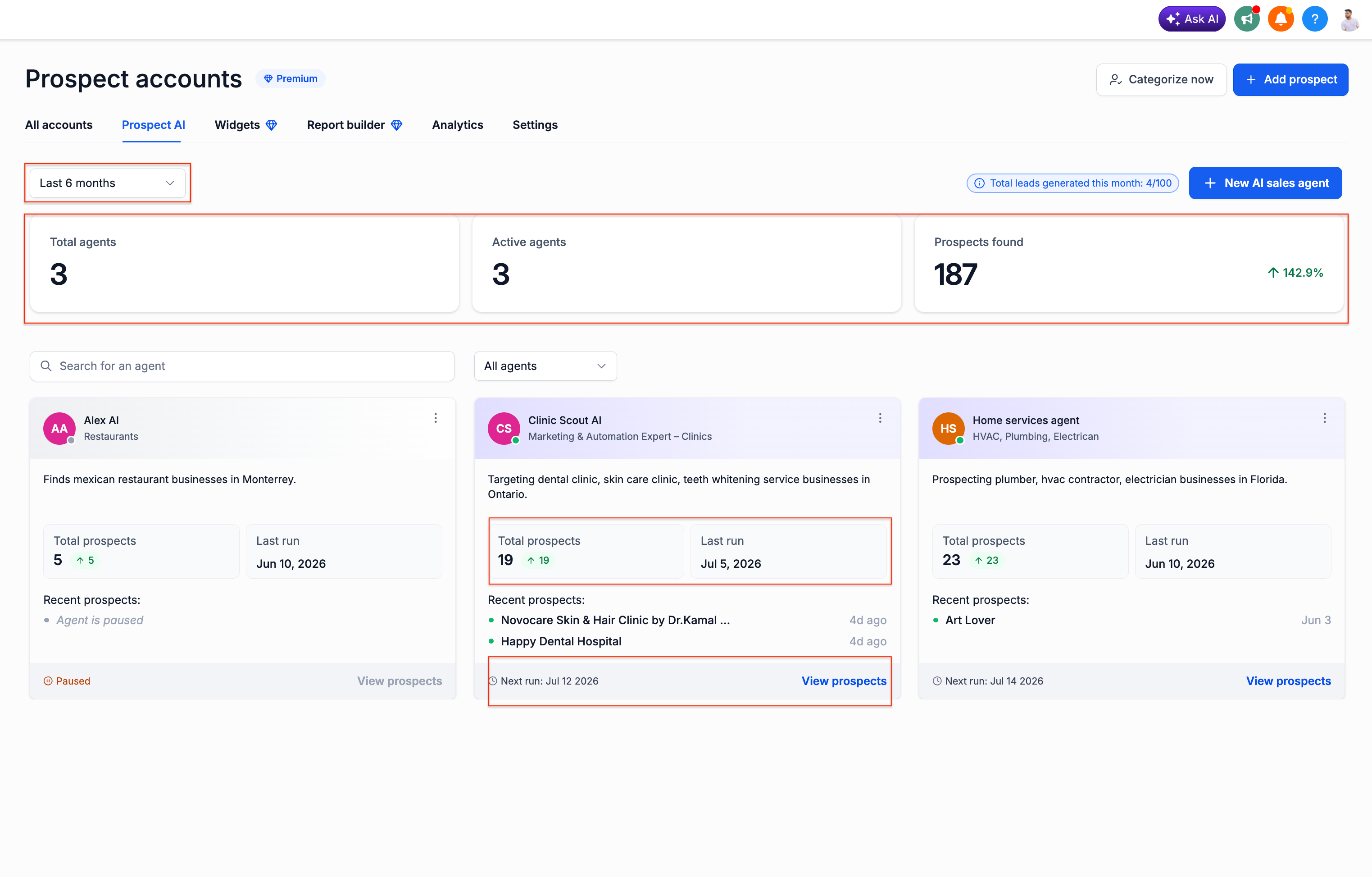
AI agent cards in Prospect AI now surface the key details you need without opening each agent. At a glance, you can see:
- Total prospects discovered
- Last successful run
- Next scheduled run
- Agent description and specialization
- Quick access to view all prospects found by that agent
- You no longer need to open every agent just to understand its status.
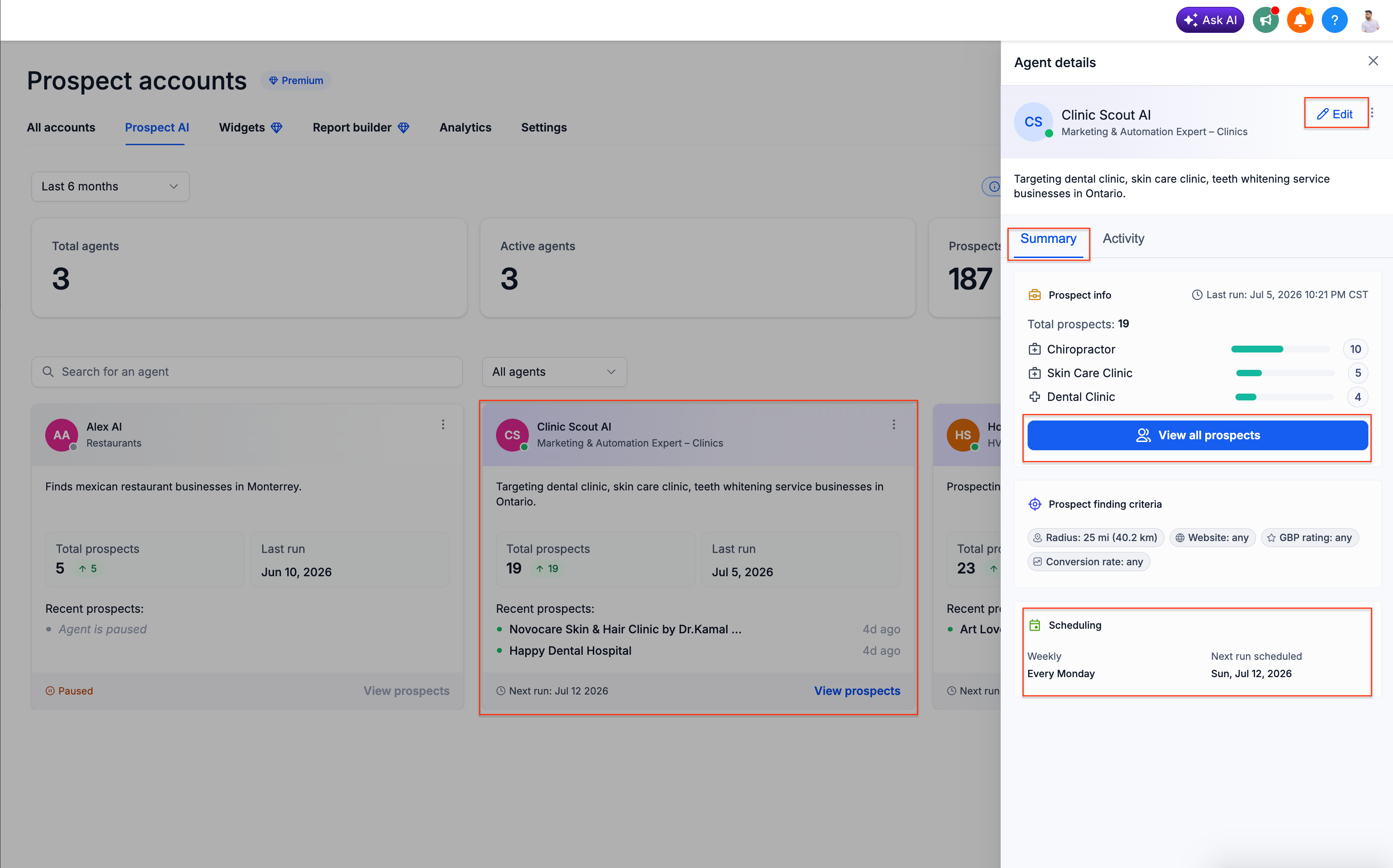
Clicking an AI agent now takes you into that agent’s dedicated workspace instead of straight into edit mode. Each workspace gives you two focused views to work from:
Summary
- Agent configuration
- Prospect statistics
- Prospect finding criteria
- Next scheduled run
- Quick access to all discovered prospects
Activity
- Complete execution history
- Previous runs
- Upcoming schedules
- Success and failure logs
From the activity view, you can quickly review how an agent has been performing before you adjust its settings or criteria.
Introducing the agent activity center
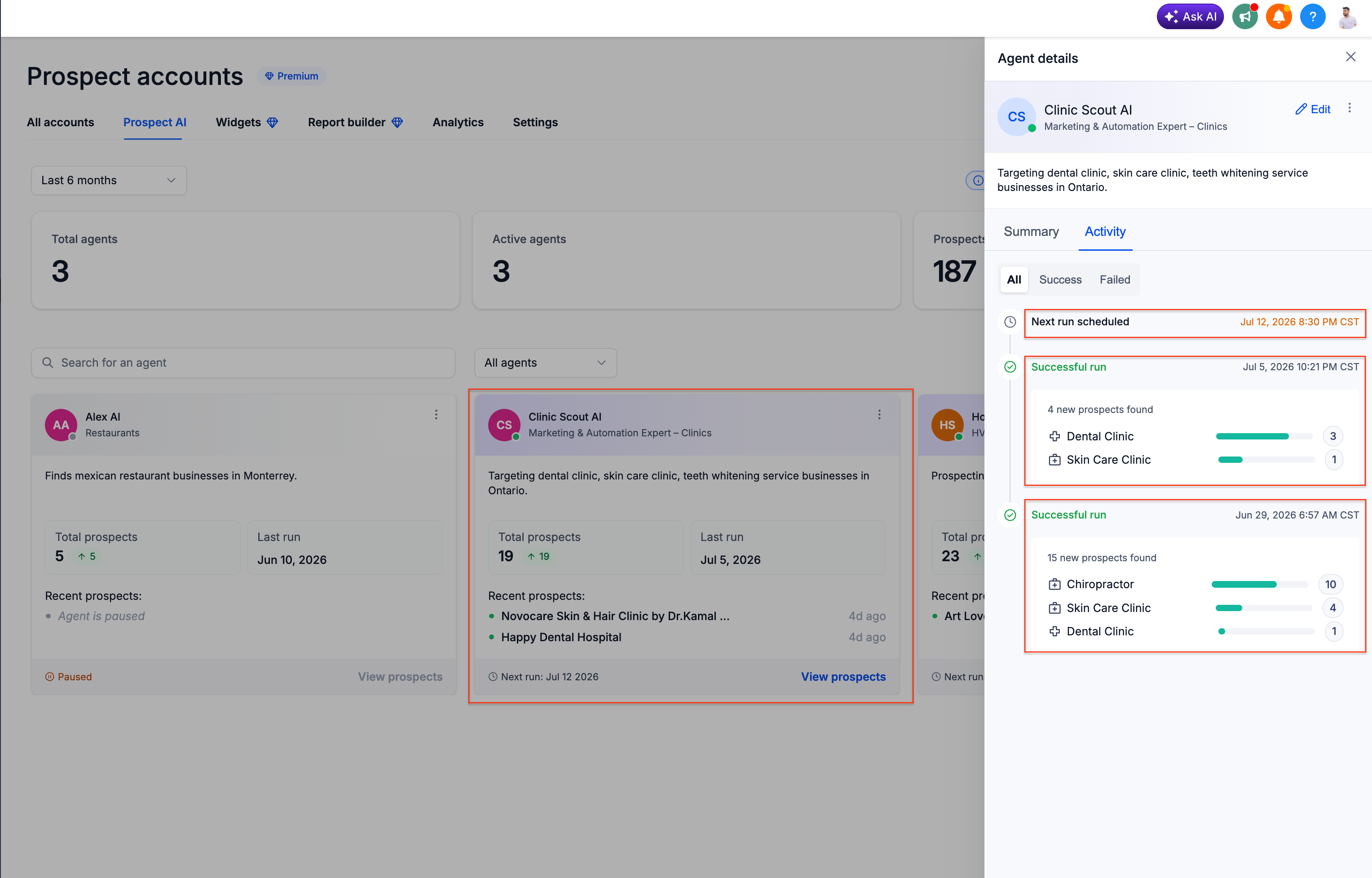
EveryCatch now gives Prospect AI agents a dedicated activity center so you can see what each agent has been doing over time. You can quickly review:
- When the agent last ran
- When it is scheduled to run next
- How many prospects were found
- Which business categories were discovered
- Historical execution logs
If an agent does not find any prospects, Prospect AI now explains the likely reasons and offers practical suggestions, such as:
- Increase search radius
- Relax conversion score filters
- Lower GBP rating requirements
- Upgrade to a higher monthly limit or adjust how limits are allocated across agents
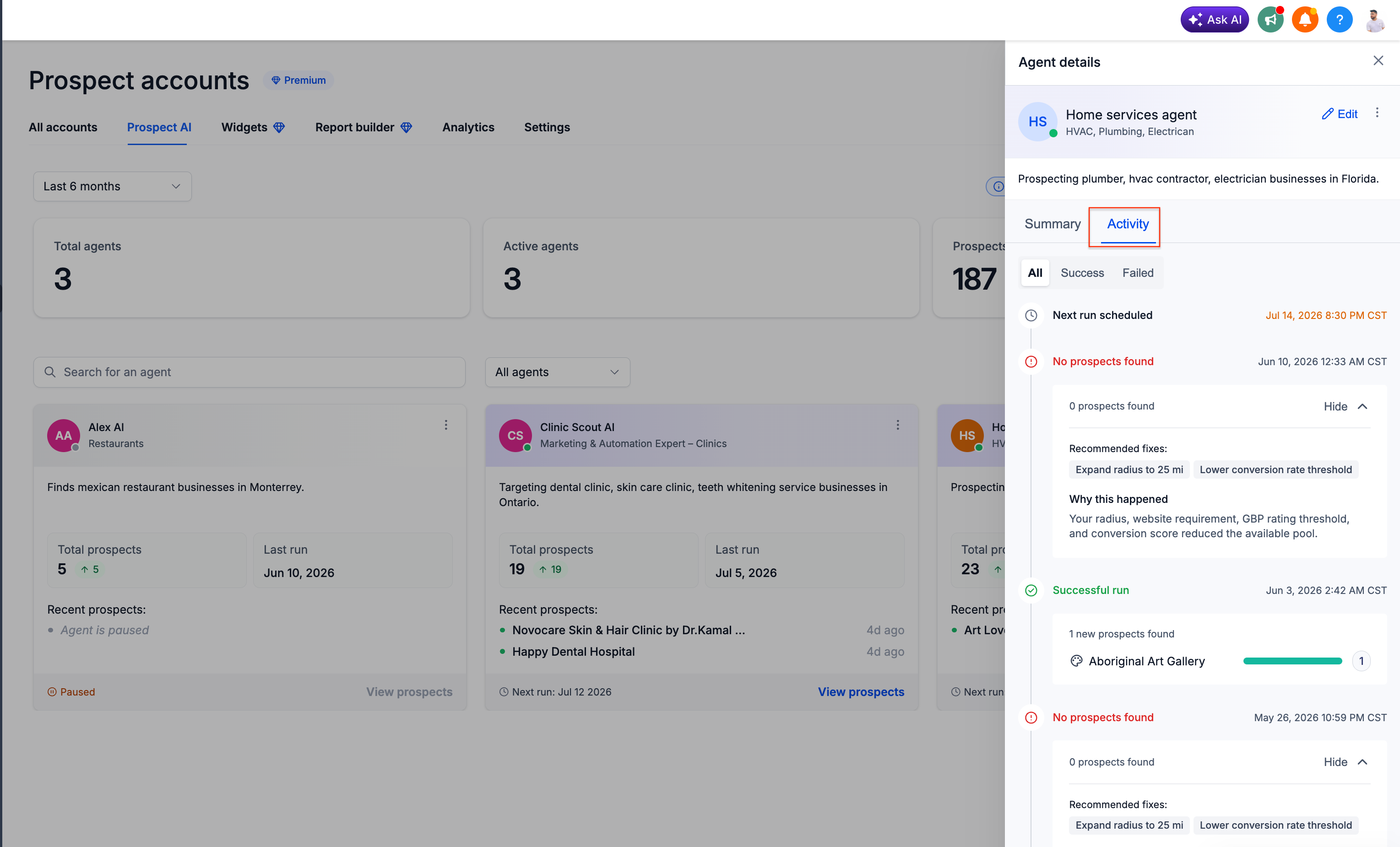
Instead of guessing why results are low, you now get clear, actionable recommendations to improve each agent’s performance.
Dashboard metrics and faster navigation
The Prospect AI dashboard in EveryCatch now includes high-level metrics for all your agents, so you can see in one view:
- Total AI agents
- Active agents
- Total prospects discovered
- Monthly lead usage
You also have a search bar on the Prospect AI dashboard, so as your AI sales team grows you can quickly find, open, and manage specific agents.
Native CRM pipeline integration
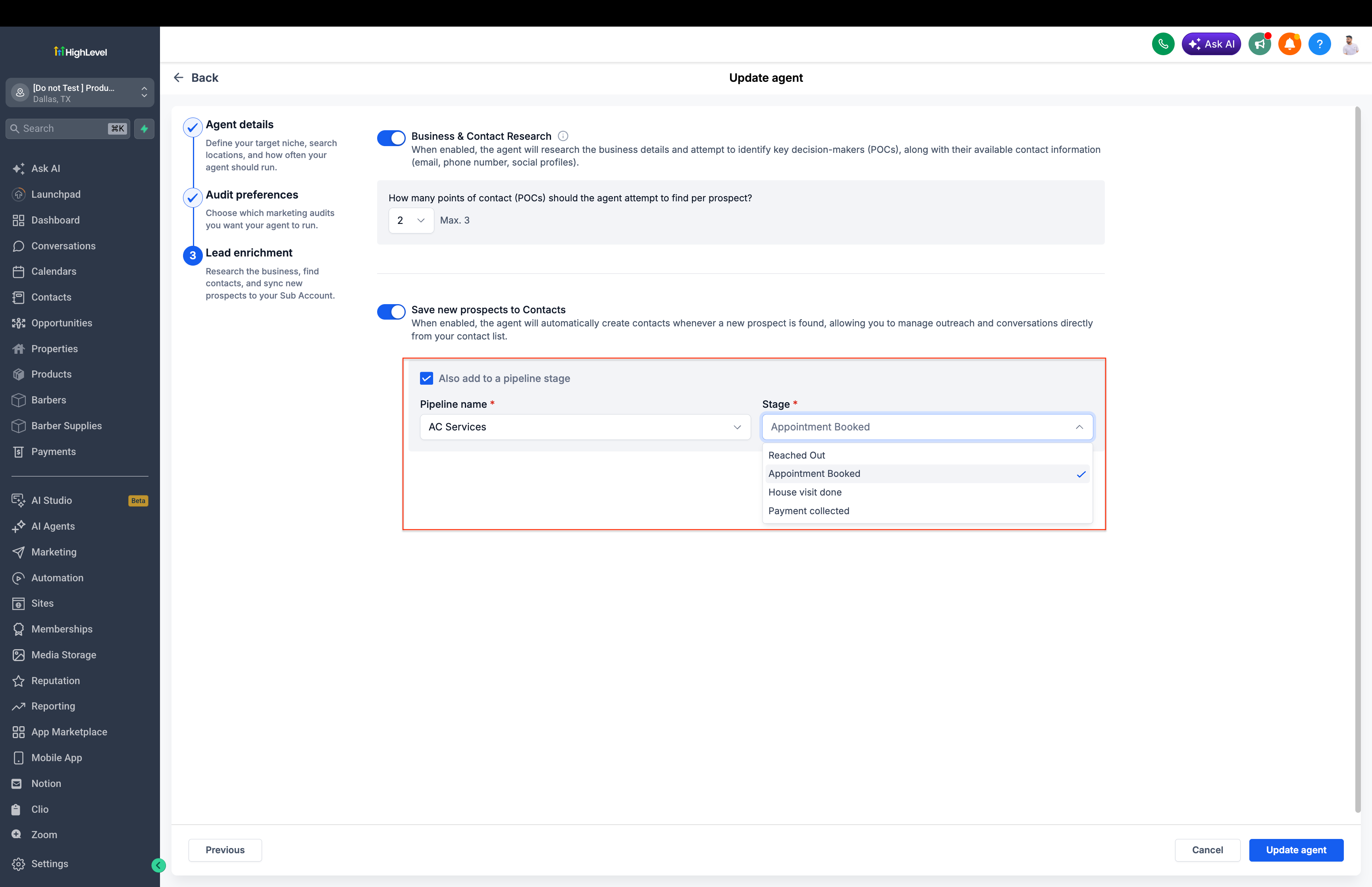
Prospect AI in EveryCatch now connects directly to your CRM pipelines. When you configure an agent, you can choose:
- Which pipeline new prospects should enter
- Which stage they should be placed in
Every newly discovered prospect can now be pushed straight into your CRM pipeline so they are ready for your review, automations, and outreach as soon as they are found.
This removes the need to manually move prospects between your prospecting list and your sales pipeline.
Why this matters
Prospect AI in EveryCatch now gives you stronger visibility, detailed execution history, focused recommendations, and direct CRM integration, so your AI agents operate more like coordinated members of your sales team.
You can now:
- Understand what every agent is doing
- Diagnose why an agent is not finding prospects
- Review every prospect an agent has discovered
- Automatically move new prospects into your sales pipeline
- Manage your growing AI sales team from a single dashboard
Prospect AI is growing from a basic prospect discovery tool into an AI SDR and sales engine that helps you discover, qualify, organize, and prepare prospects for outreach with minimal manual work.
If you have ideas or feedback on how Prospect AI in EveryCatch can make your outbound prospecting easier and more efficient, please share them with us.
Need help with this?
If you'd like help setting this up or want to know what it means for your account, book a quick call and we'll walk you through it.
