Password compliance enforcement
Phase 1: stronger password standards now enforced across all login and profile areas
Overview
EveryCatch is rolling out updated password security standards to help protect your account and align with current security best practices. These new requirements now apply across the platform wherever you create or change a password.
What changed
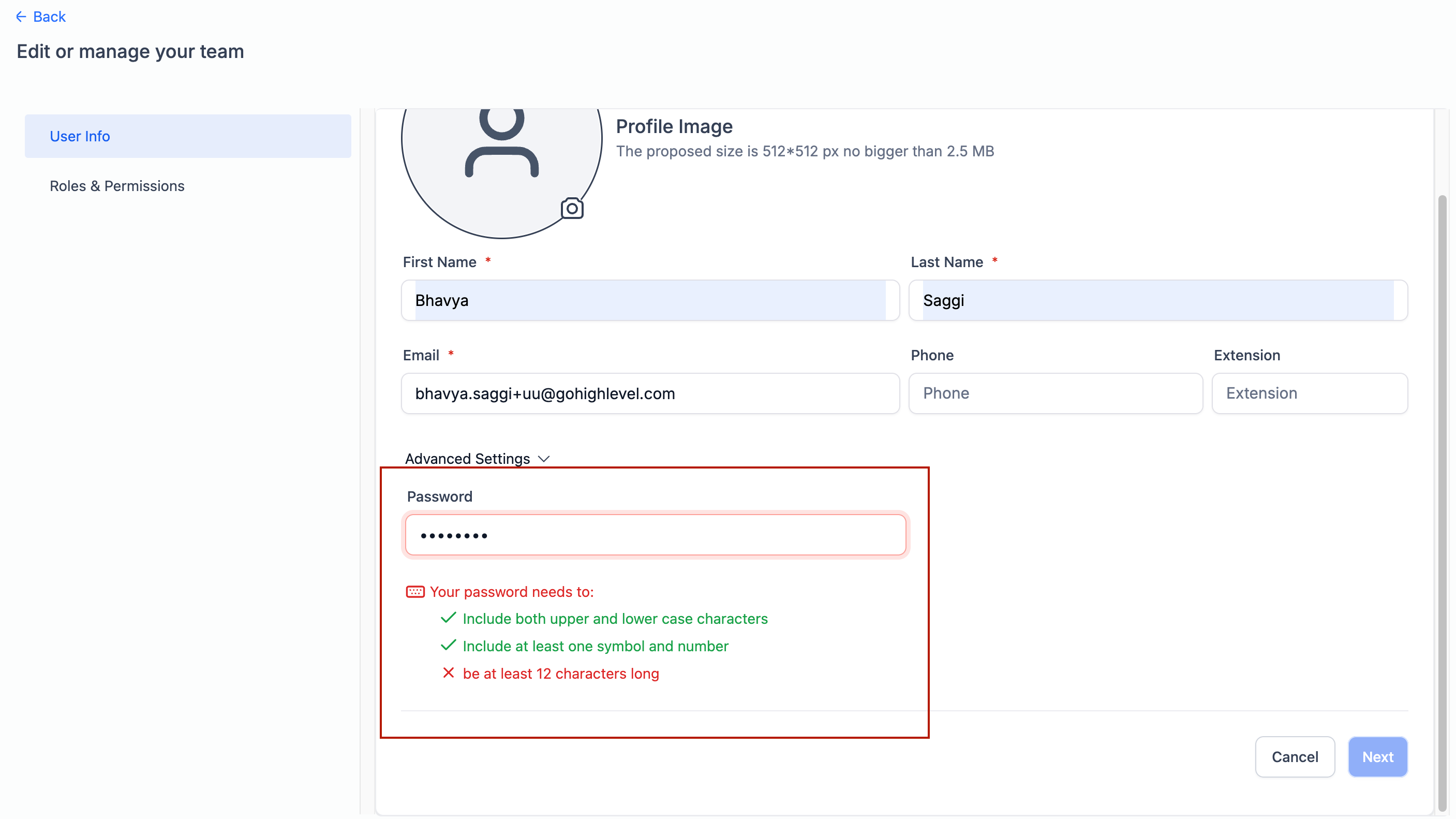
Password complexity checks are now active on all key password entry points in EveryCatch. When you set or update a password, it must meet all of the following requirements:
- Minimum 12 characters
- At least one uppercase letter (A–Z), one lowercase letter (a–z), one number (0–9), and one special character (for example: !, @, #, $)
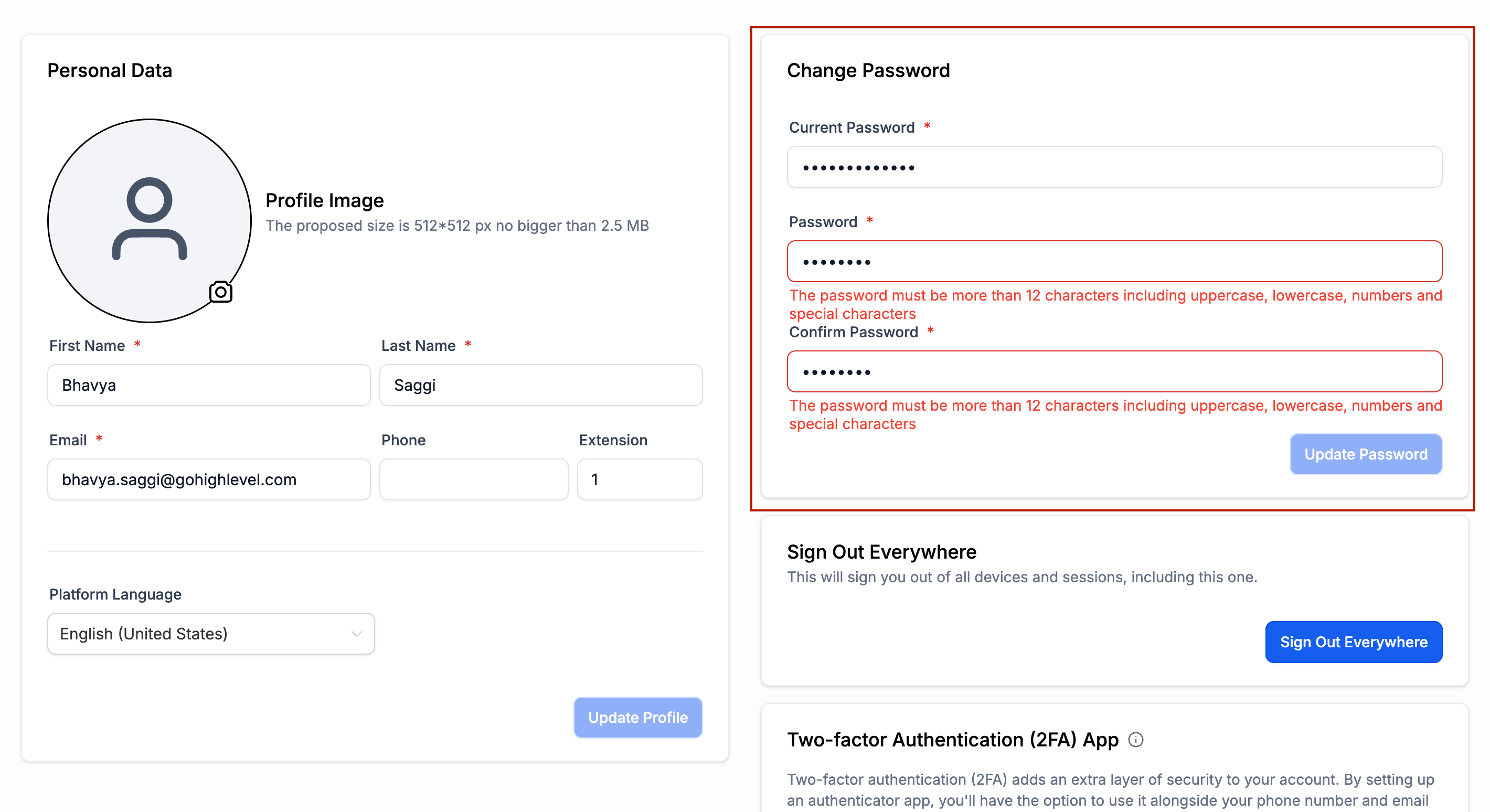
These rules are enforced across the flows shown in the screenshots below so you see consistent behavior wherever you create or update a password.
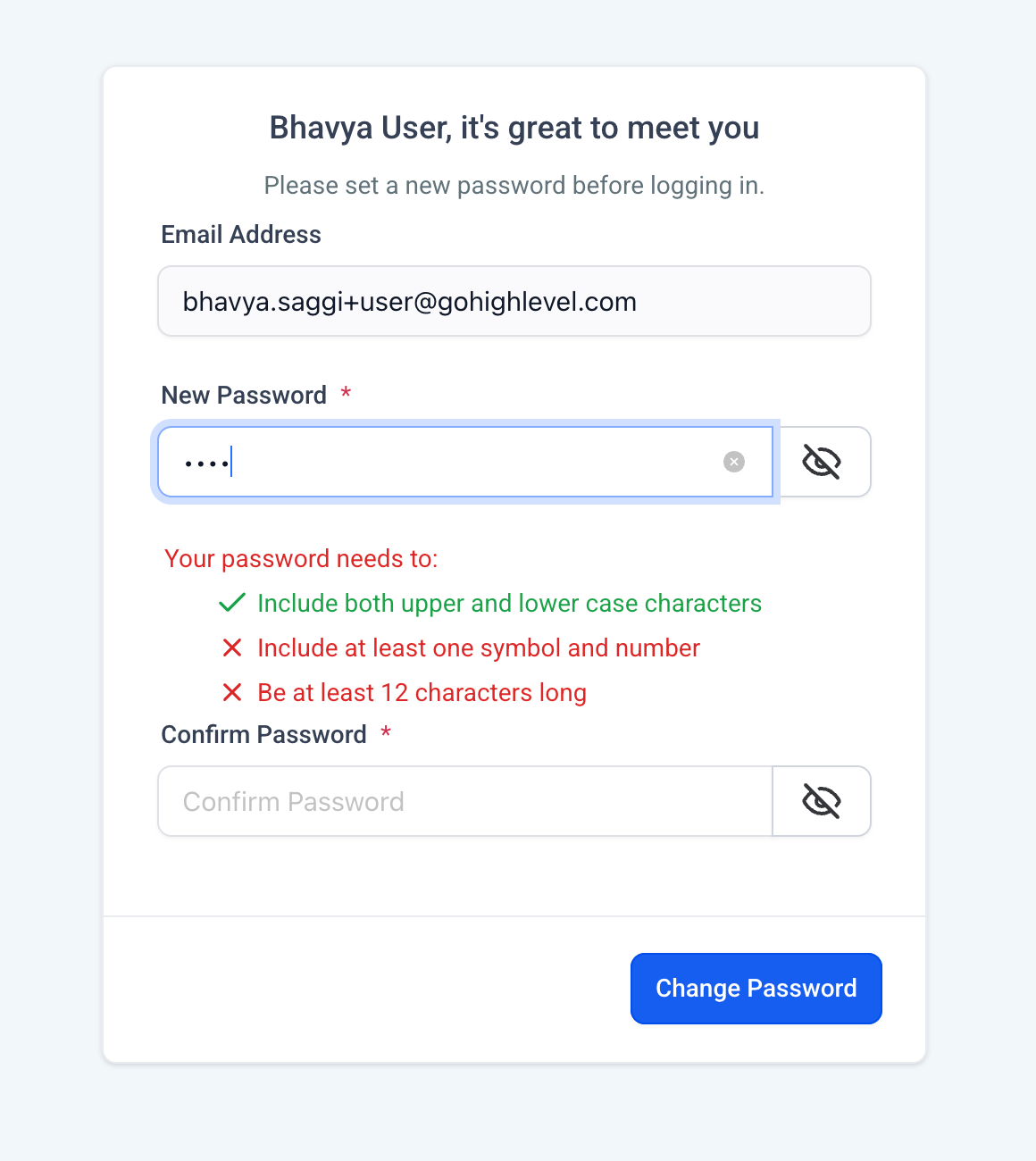
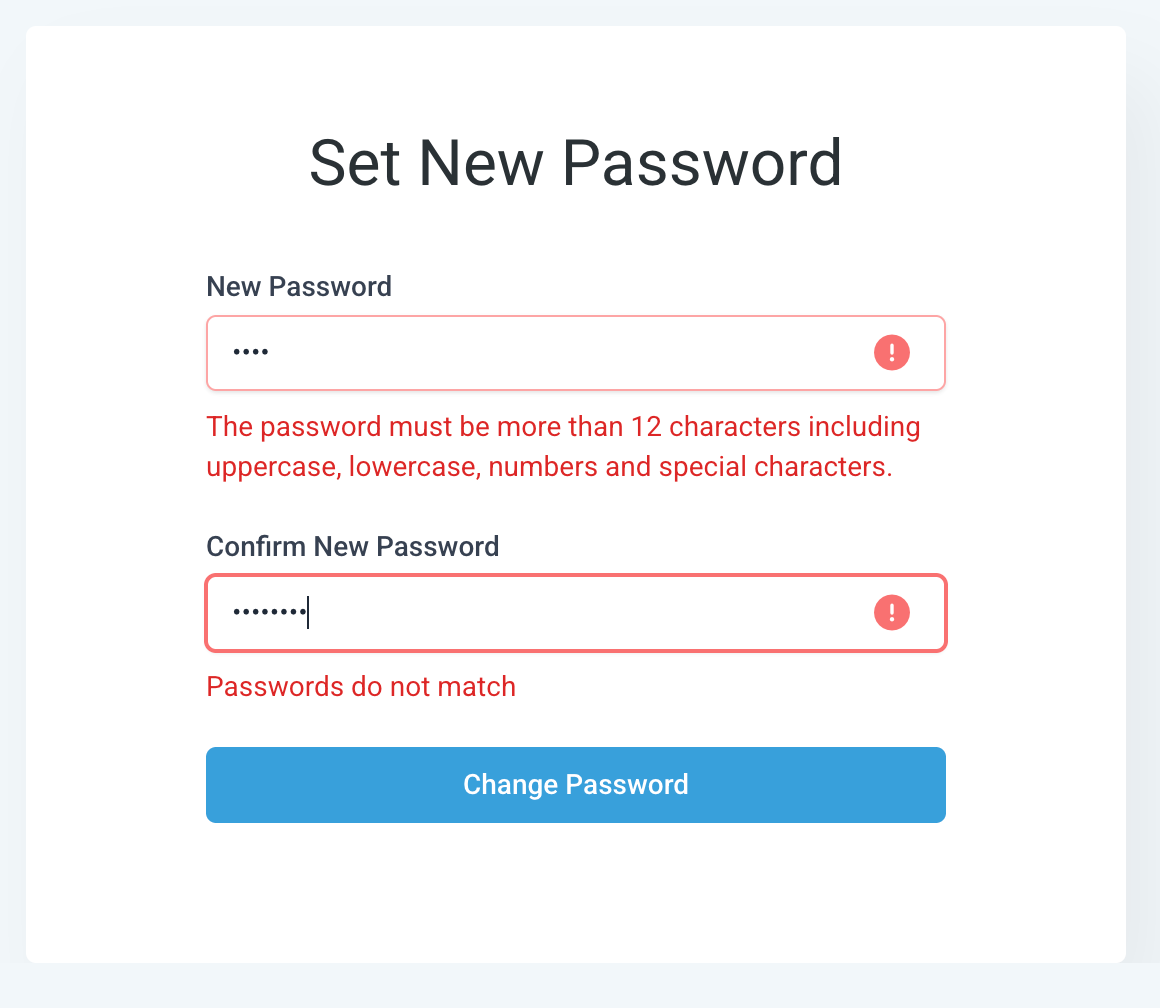
- Signup and activation: When creating a new EveryCatch account, your chosen password must meet the new standards before you can complete signup.
- Password reset and forgot password: Any time you reset a password through the "Forgot password" or reset links, you will be prompted to create a compliant password.
- Profile update: When you change your own password from your profile or account settings, the new rules will apply.
- Edit user info: When you update another user’s details and set or change their password, the updated password must follow these requirements.
Starting 4th June 2026, these requirements apply to all new EveryCatch users and to any existing users whenever they change their password.
Need help with this?
If you'd like help setting this up or want to know what it means for your account, book a quick call and we'll walk you through it.
