New notifications accessibility & enhanced tooltips in forms, surveys & quizzes
What changed
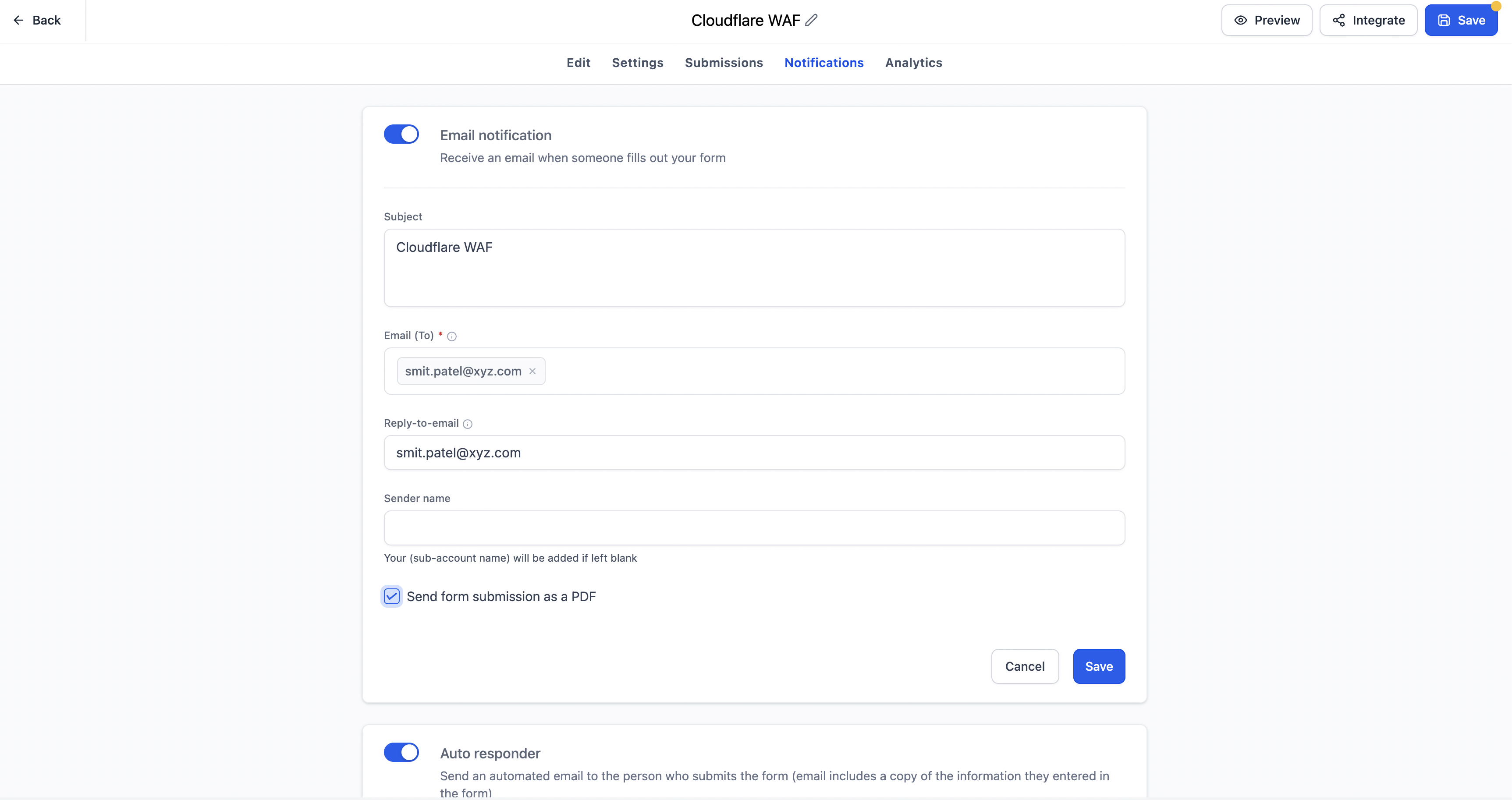
EveryCatch has made notifications in Forms, Surveys, and Quizzes easier to find by moving them from a small icon into a dedicated Notifications tab inside the builder.
Tooltips in the builder now give clearer explanations, more relevant context, and direct Learn more links to related Help Center articles, so you can understand settings while staying in the builder.
These updates come from user feedback, especially from newer customers who had trouble finding notification controls and needed extra help to understand some builder options.
Key highlights
- Notifications now sit in a dedicated Notifications tab inside the builder.
- Notification settings are easier to see and access.
- Tooltips across Forms, Surveys, and Quizzes have clearer guidance and contextual explanations.
- Supported tooltips now include Learn more links to relevant Help Center articles.
- You can rely less on support to find and understand notification and builder settings.
- The overall experience is more intuitive and approachable for both new and experienced users.
How it works
Previously, you had to click a small icon in the builder to access notification settings, which made them easy to miss, particularly if you were new to EveryCatch.
Now, you will see a clearly labeled Notifications tab in the builder, so you can quickly locate and adjust notification preferences without needing extra guidance.
EveryCatch has also upgraded several tooltips in the builder. You will notice more detailed explanations, messages that adapt to the product or field type you are working with, and direct links to Help Center documentation where it is most useful.
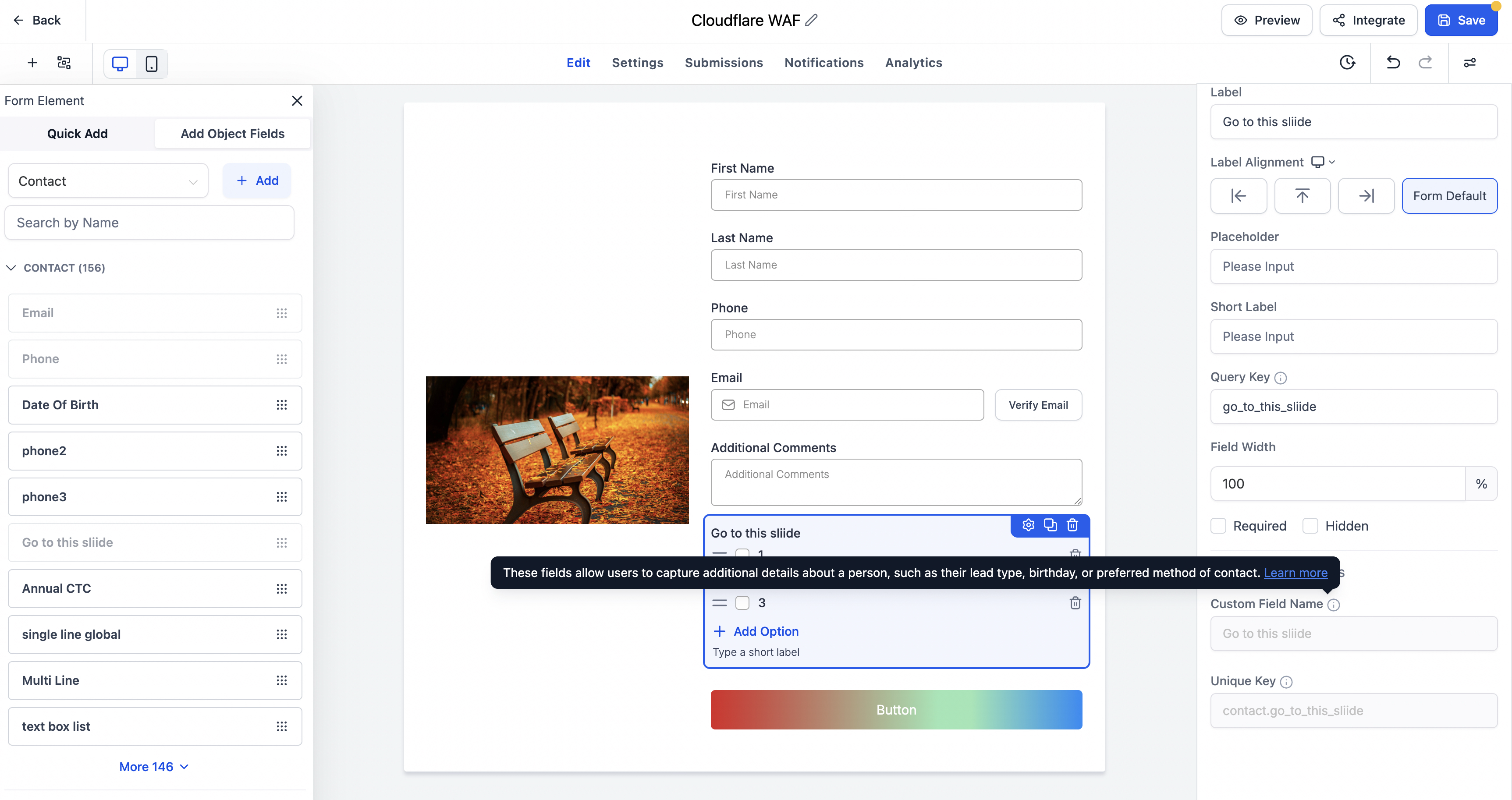
This helps you understand configuration choices while you work, so you can stay focused and move through setup with fewer interruptions.
Notes
- All existing notification behavior remains the same; only how you access and learn about it has changed.
- This update is focused on accessibility, easier navigation, and clearer in-product guidance.
- Tooltips across Forms, Surveys, and Quizzes now offer improved descriptions and contextual Help Center links where available.
- These enhancements are available across Forms, Surveys, and Quizzes in EveryCatch.
By making notifications easier to locate and adding clearer guidance inside the builder, EveryCatch helps you get started faster and move through onboarding with less friction.
Need help with this?
If you'd like help setting this up or want to know what it means for your account, book a quick call and we'll walk you through it.
