New communities triggers in workflows: automate more, faster
Overview
EveryCatch now includes 4 new Communities triggers in Workflows to help you react quickly to key member activity. You can use these triggers to automate follow-ups, send alerts, support moderation, and launch event-related engagement based on what members do inside your groups.
What changed
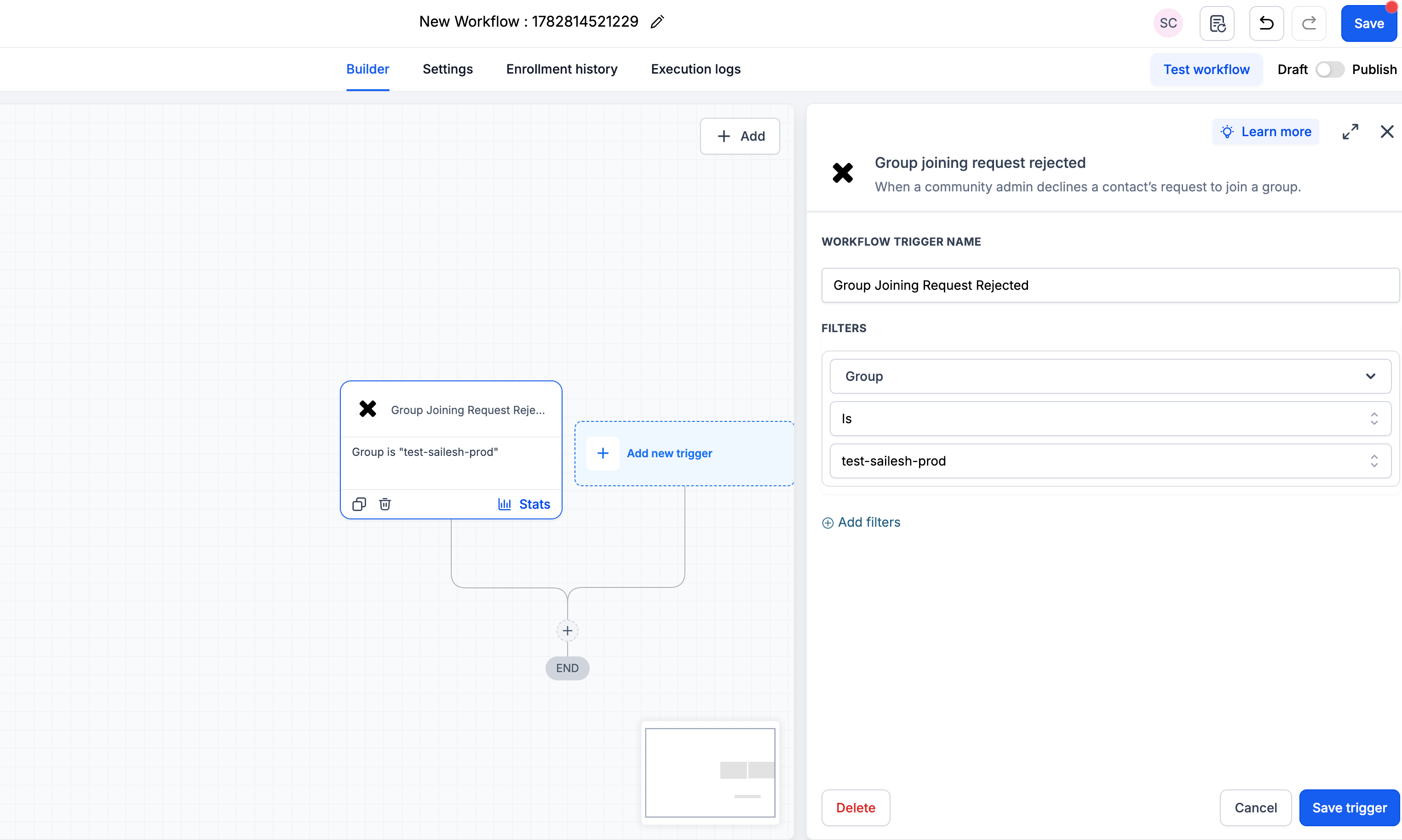
- Group joining request rejected
You can now start a workflow when a member’s request to join a group is rejected. This is useful for sending a follow-up message, logging the decision, or alerting a team member to review the request.
Available filters: Group (required).
- Group post created
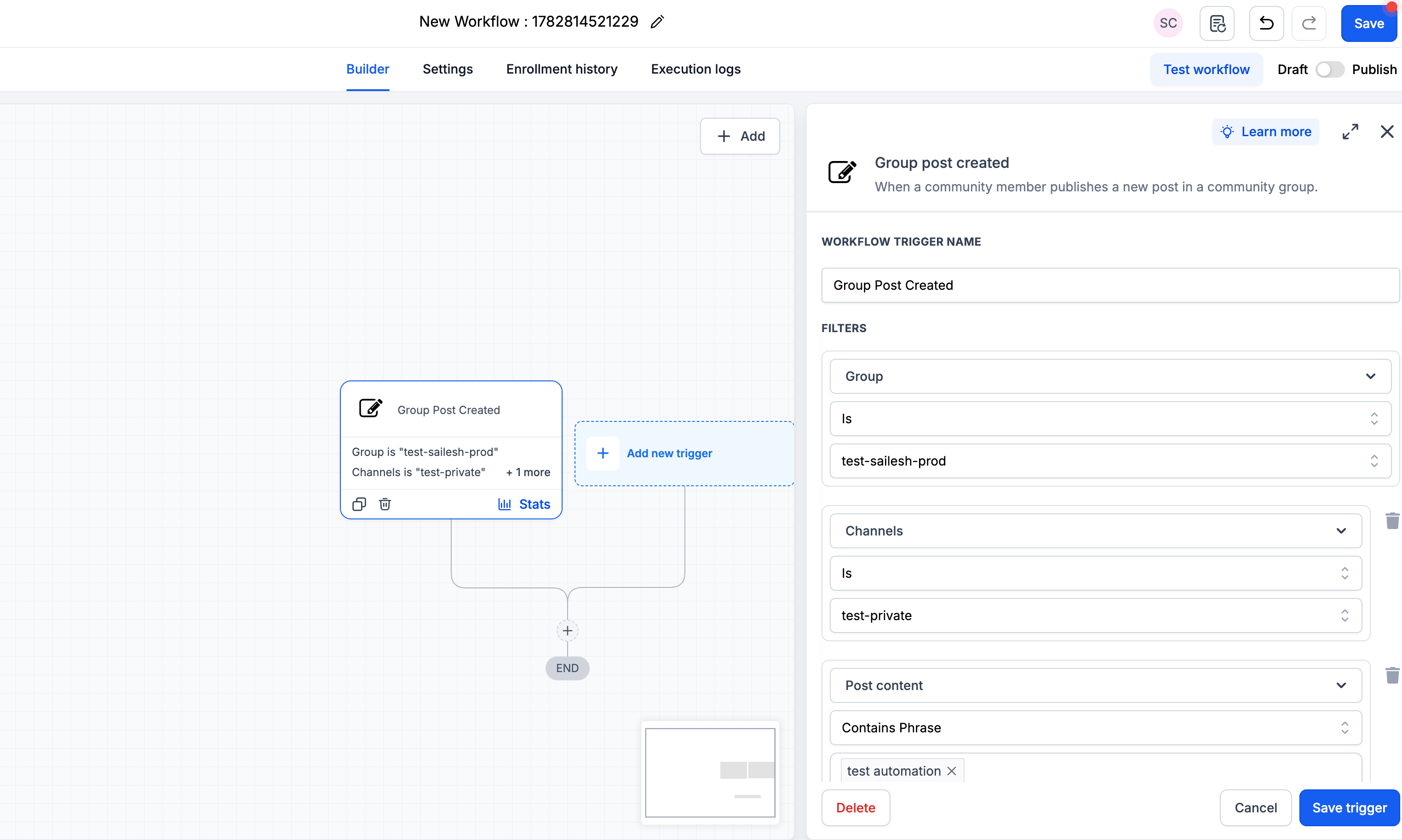
You can trigger a workflow when a new post is created in a group. This allows you to automatically welcome new posts, notify moderators, or track posts on specific topics.
Available filters: Group (required), Channel, Post title, Post content.
- Group comment created
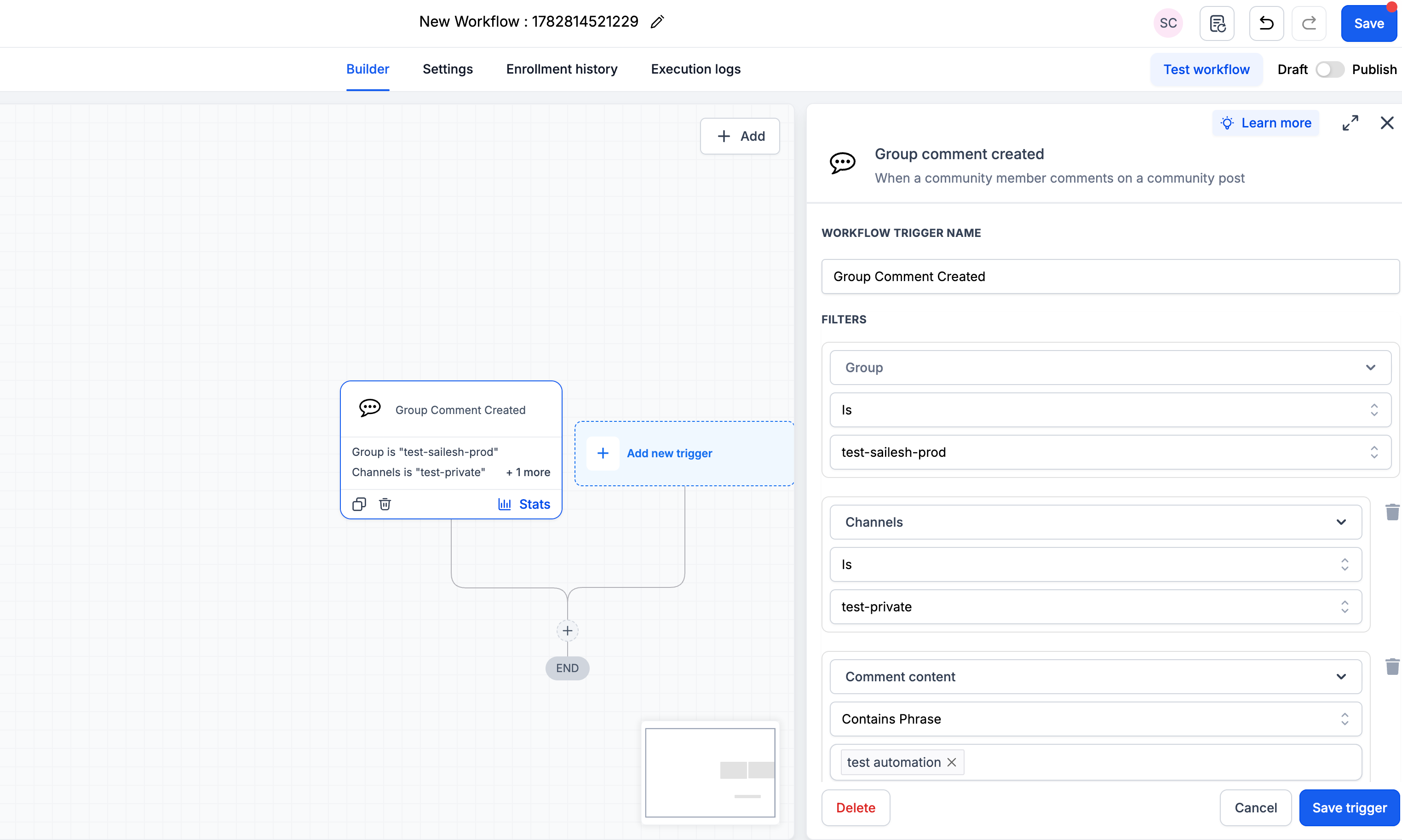
You can trigger a workflow when a new comment is added to a group post. This is helpful for monitoring important threads, handling support-related comments, or escalating specific conversations to your team.
Available filters: Group (required), Channel, Post title, Post content, Comment content.
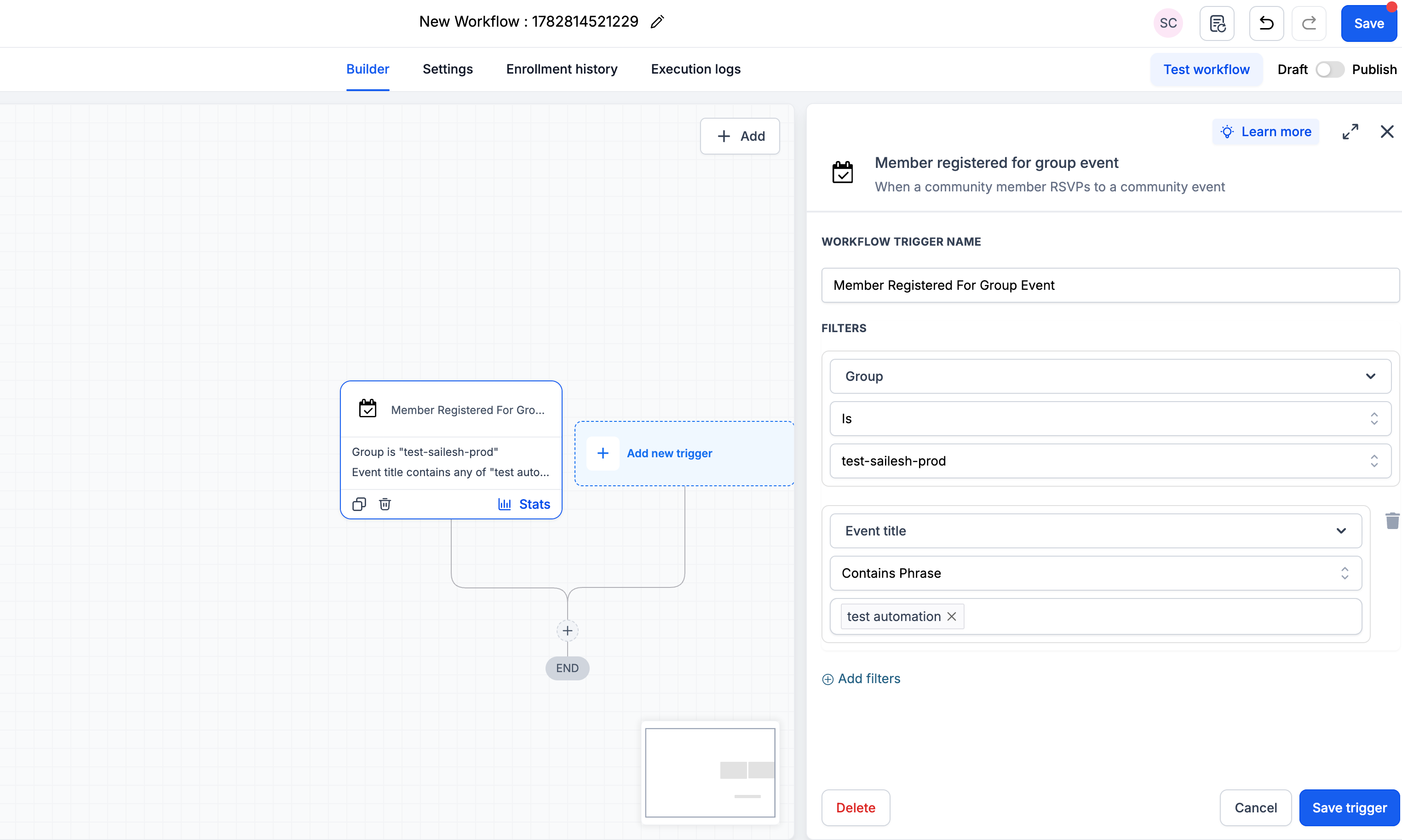
- Member registered for group event
You can launch a workflow when a member registers for a group event. Use this to send confirmations, reminders, or tailored content before and after the event.
Available filters: Group (required), Event title.
Why this feature matters
More automation options: Turn everyday community activity into workflow actions that happen automatically.
Smarter targeting: Use filters like channel, post content, comment content, and event title so workflows run only when they match the member activity you care about.
Faster moderation and visibility: Automatically alert the right people, flag important conversations, or route updates to the right place.
Less manual effort as groups grow: Reduce repetitive tasks by automating common engagement and follow-up steps across your communities.
A tighter Communities and Workflows connection: Posts, comments, event registrations, and membership decisions can now directly power more of your automated journeys.
How to use it
In your EveryCatch account, go to Automation > Workflows.
Create a new workflow or open an existing workflow you want to update.
Click Add new trigger, then search for "Community" to see the new Communities triggers.
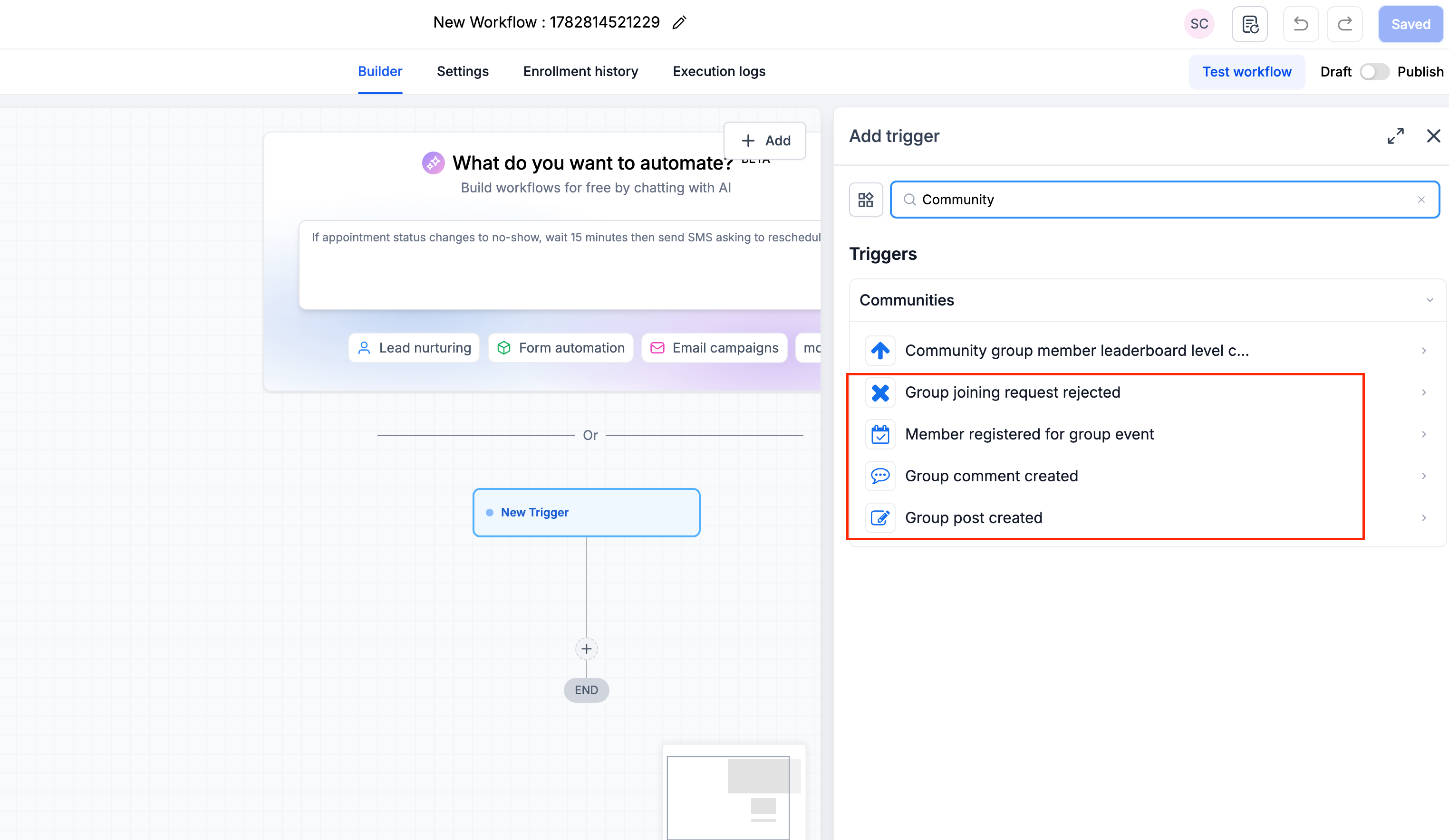
Select the trigger you want to use, choose the Group (required), and then apply any optional filters such as Channel, Post title, Post content, Comment content, or Event title.
Add your workflow actions and click Save trigger, then Publish. Your new community-driven automation will start running for matching activity.
Need help with this?
If you'd like help setting this up or want to know what it means for your account, book a quick call and we'll walk you through it.
