Multi-level ad campaign preview support in template library
What changed
- Ad Template Library now supports multi-level ad campaign previews for Meta, Google, and LinkedIn campaigns.
- You can now view the complete campaign hierarchy including multiple Ad Sets / Ad Groups and Ads within each structure.
- Added platform-specific preview experiences aligned with native ad placements and formats.
- Unified preview component integration for Template Library and Ad Manager campaign creation flows.
How it works
- Users select a campaign template from the Ad Template Library or while creating campaigns in Ad Manager.
- The preview now displays
- Campaign → Ad Set / Ad Group → Ads hierarchy
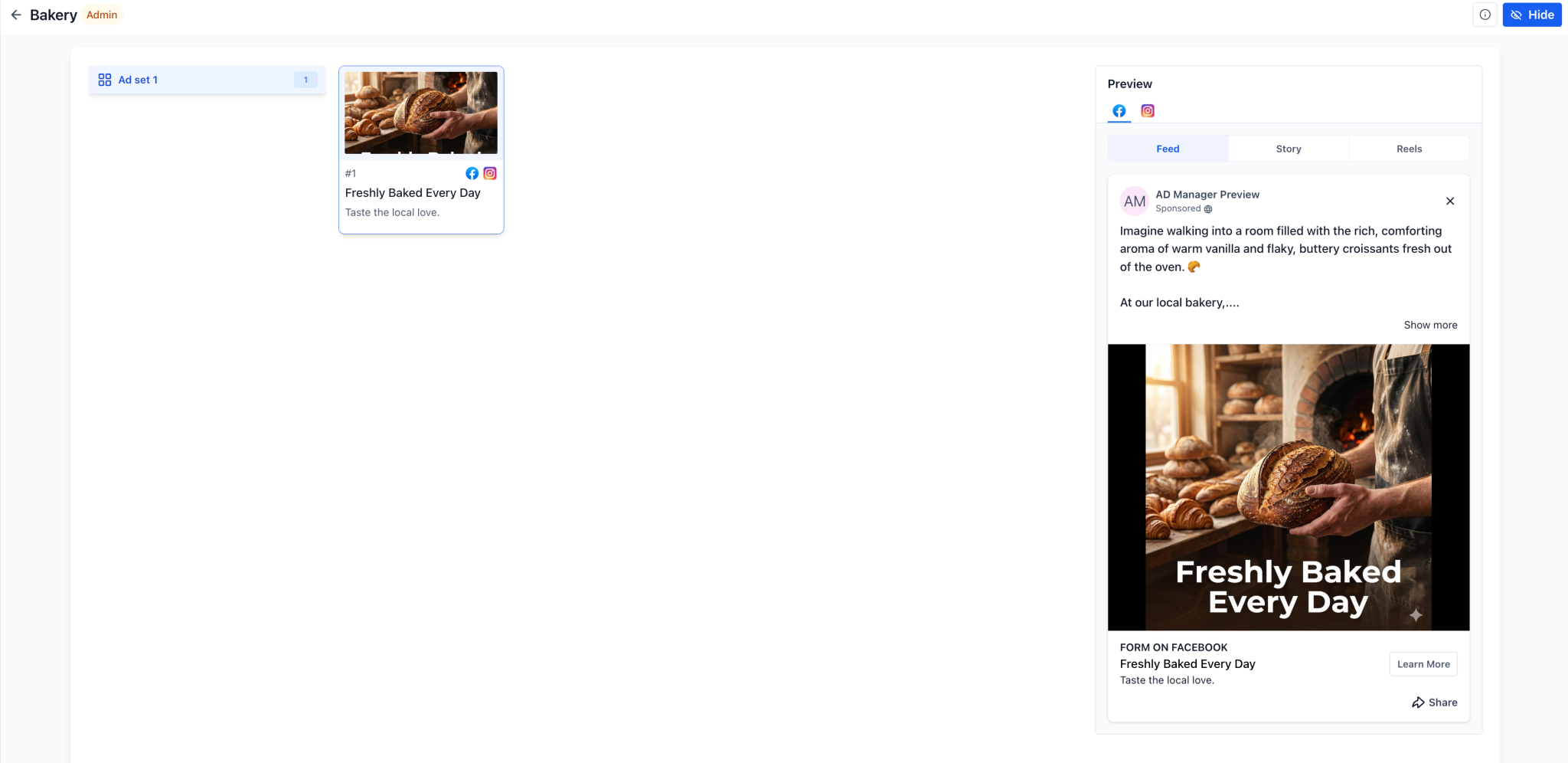
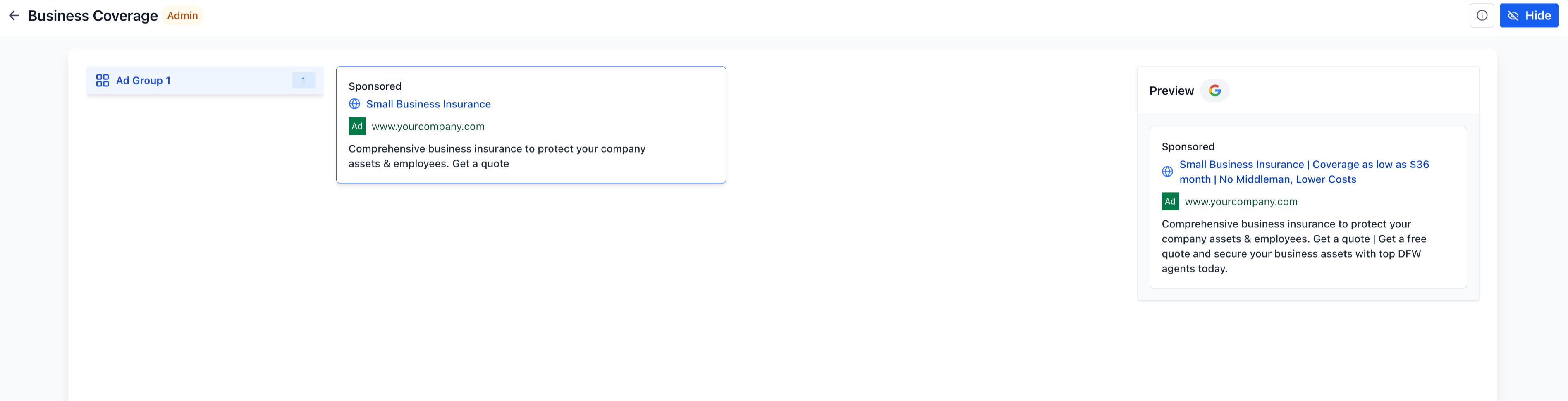
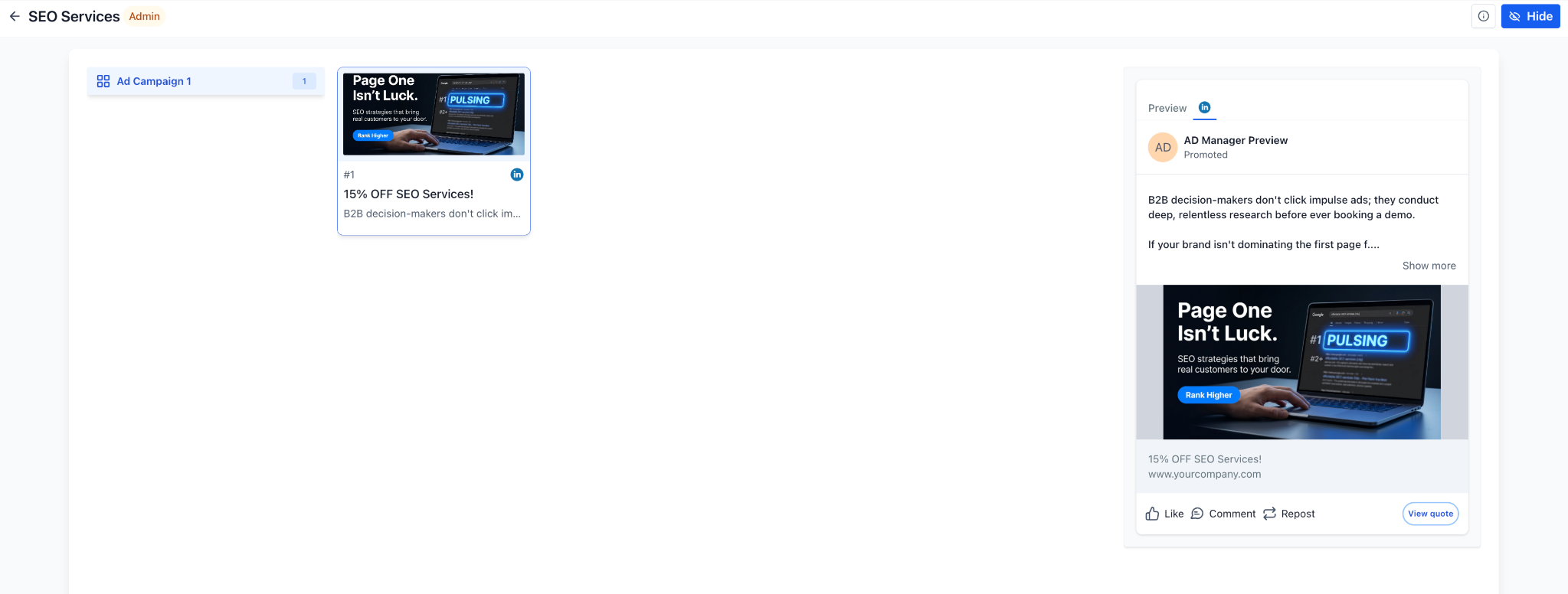
- Multiple ads inside each Ad Set / Ad Group
- Real-time placement-specific ad preview panel
- Sidebar navigation allows users to switch between Ad Sets / Ad Groups and preview associated creatives instantly.
- Same preview experience is now supported while creating campaigns using templates inside EveryCatch Ad Manager.
Why it matters
- Gives customers better visibility into complete campaign structures before campaign creation.
- Improves understanding of templates containing multiple ad sets/groups and creatives.
- Reduces confusion caused by earlier single-ad-only previews.
- Creates a more native and platform-consistent ad preview experience across Meta, Google, and LinkedIn.
- Helps teams choose campaign templates with more confidence before they create the campaign.
Notes
- Supports customer-created templates with multiple ad sets/groups and ads.
- Preview component has been centralised and simplified for easier maintenance and scalability.
- Platform placements shown in preview
- Meta > Feed, Story, Reels
- Google > Search, YouTube, Gmail
- LinkedIn > LinkedIn native placement
- Includes UI/UX improvements, fullscreen preview refinements, and non-scrollable preview optimisations.
- Applies across Template Library and Ad Manager template-based campaign creation flows.
Need help with this?
If you'd like help setting this up or want to know what it means for your account, book a quick call and we'll walk you through it.
