Meta special ad categories – smart defaults and compliance warnings
Summary
EveryCatch Ad Manager now gives you guided support when you run Meta campaigns that use Special Ad Categories. As soon as you choose a Special Ad Category, you will see clear notices, audience guidelines, and field-level warnings that call out targeting options that may not meet Meta’s compliance requirements.
This helps you catch and correct common issues before you publish, which reduces the risk that Meta will reject your campaign because of Special Ad Category rules.
What changed
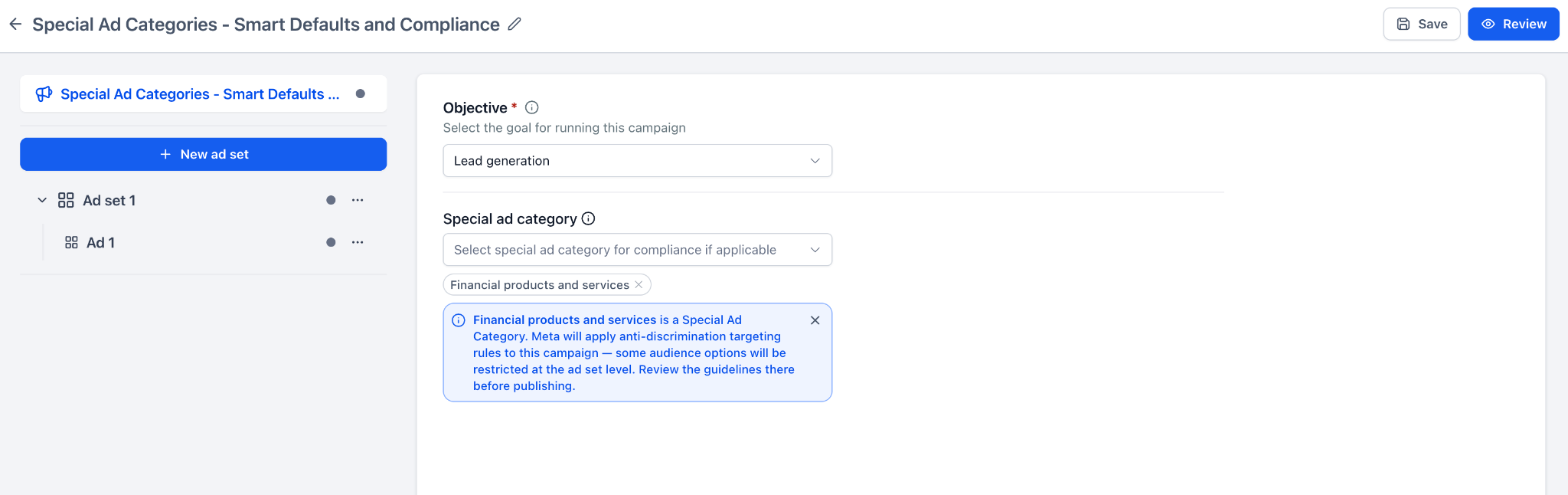
- Campaign-level guidance: When you select a Special Ad Category, Ad Manager now shows an informational notice that explains what to watch for in your setup.
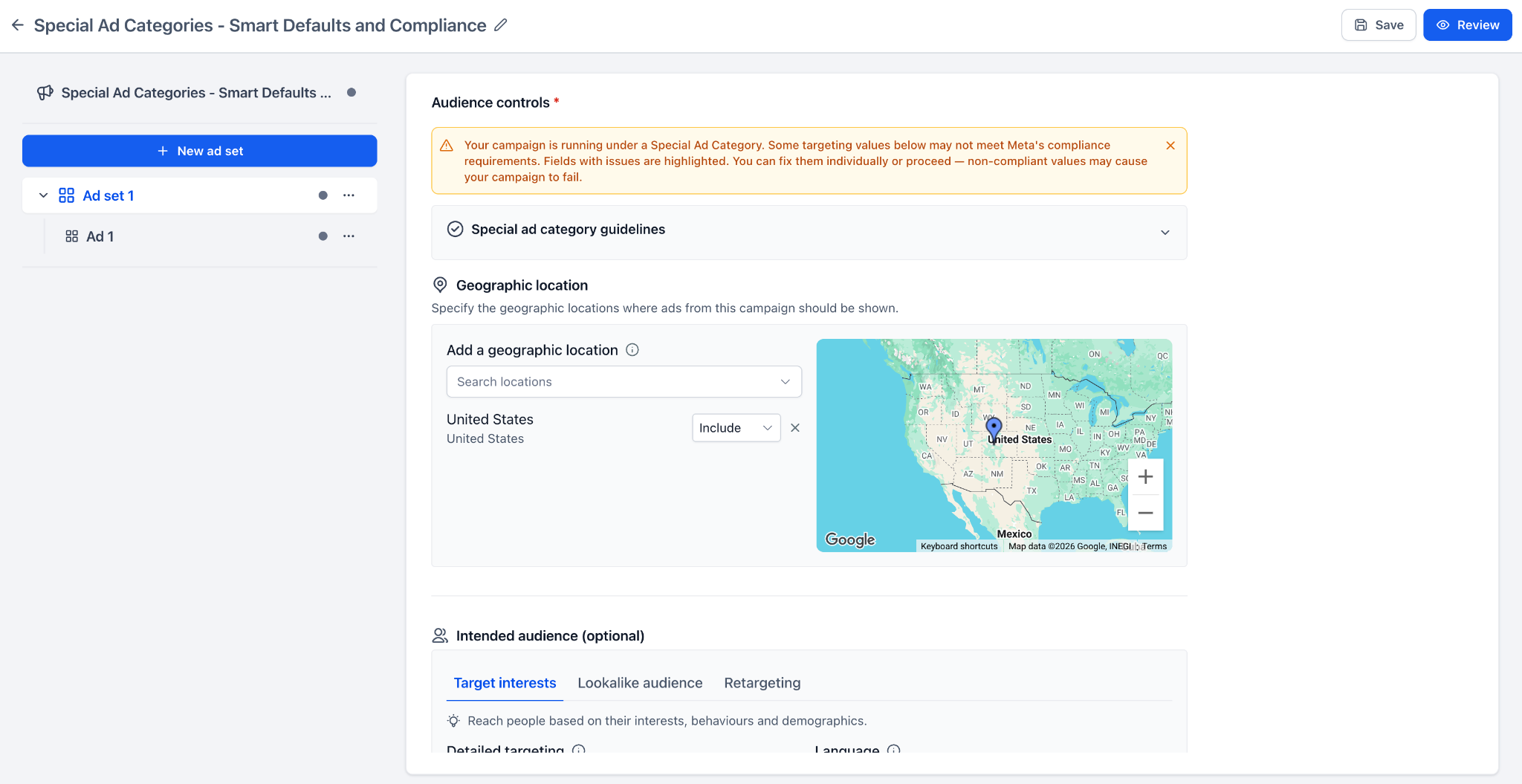
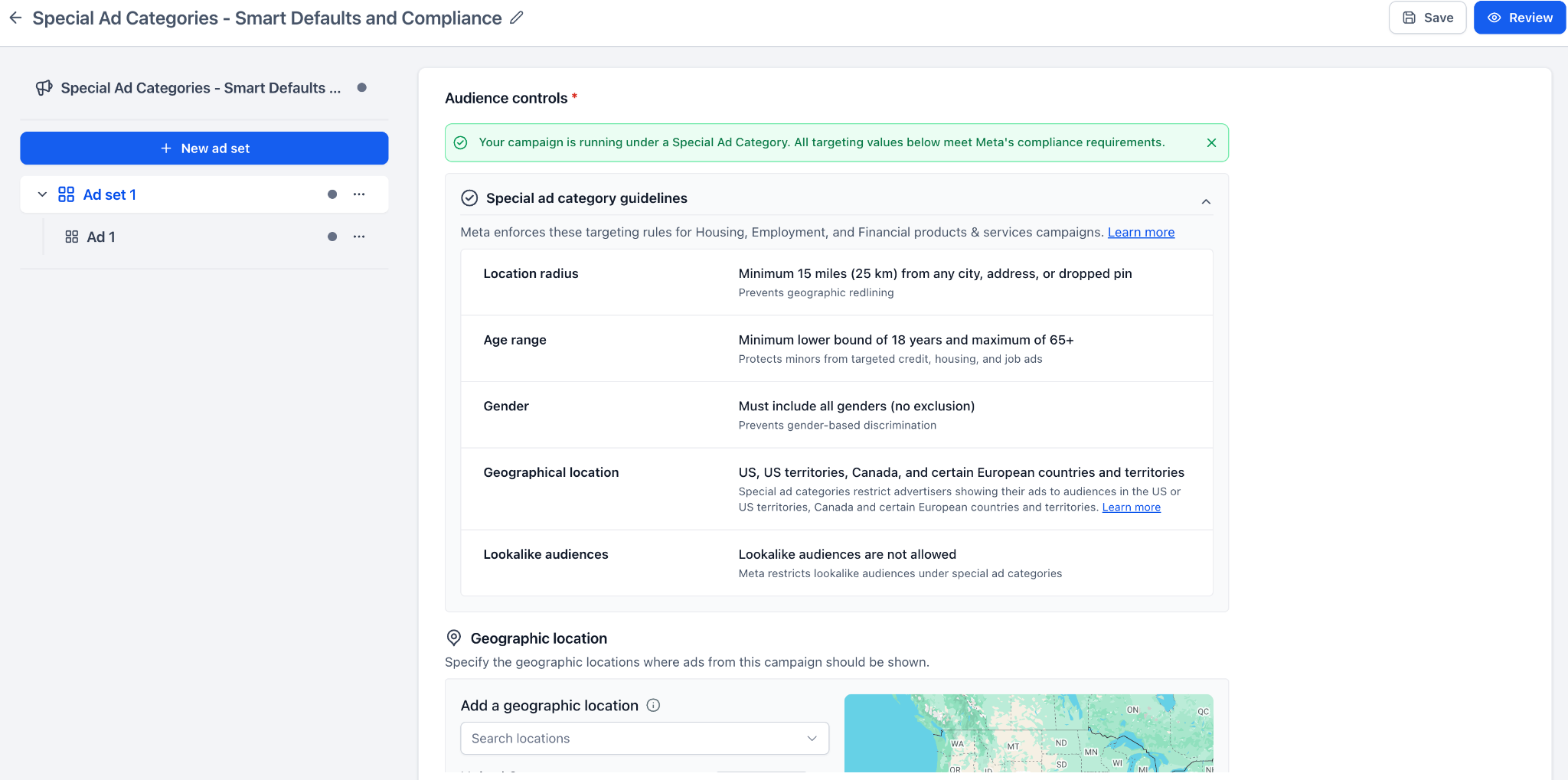
- Audience compliance banner: In the ad set’s targeting section, you will now see a banner that tells you if your audience settings look compliant or if something needs your attention.
- Guidelines accordion: Inside the Audience controls, you can open a guidelines section to quickly review the key targeting rules for your chosen Special Ad Category.
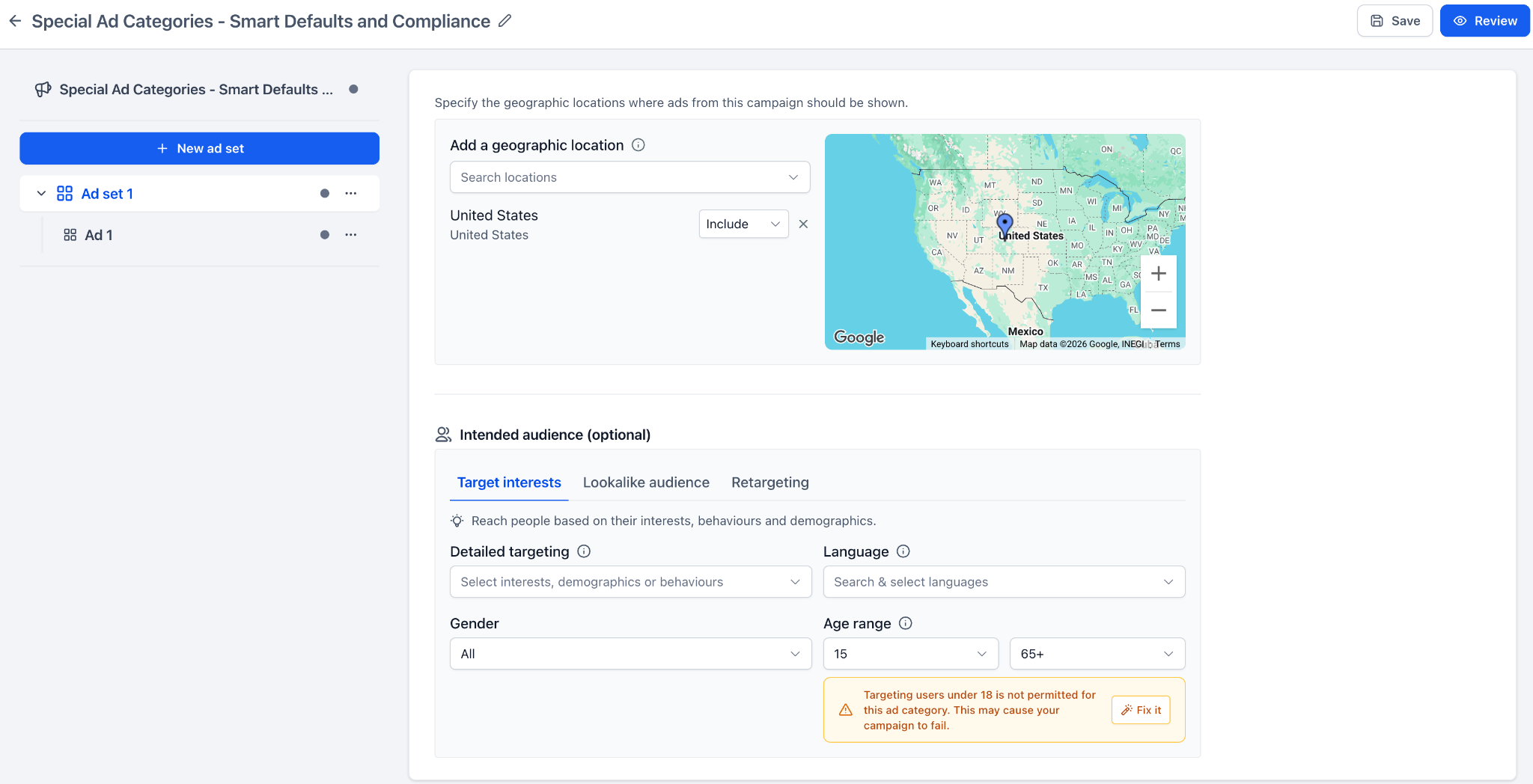
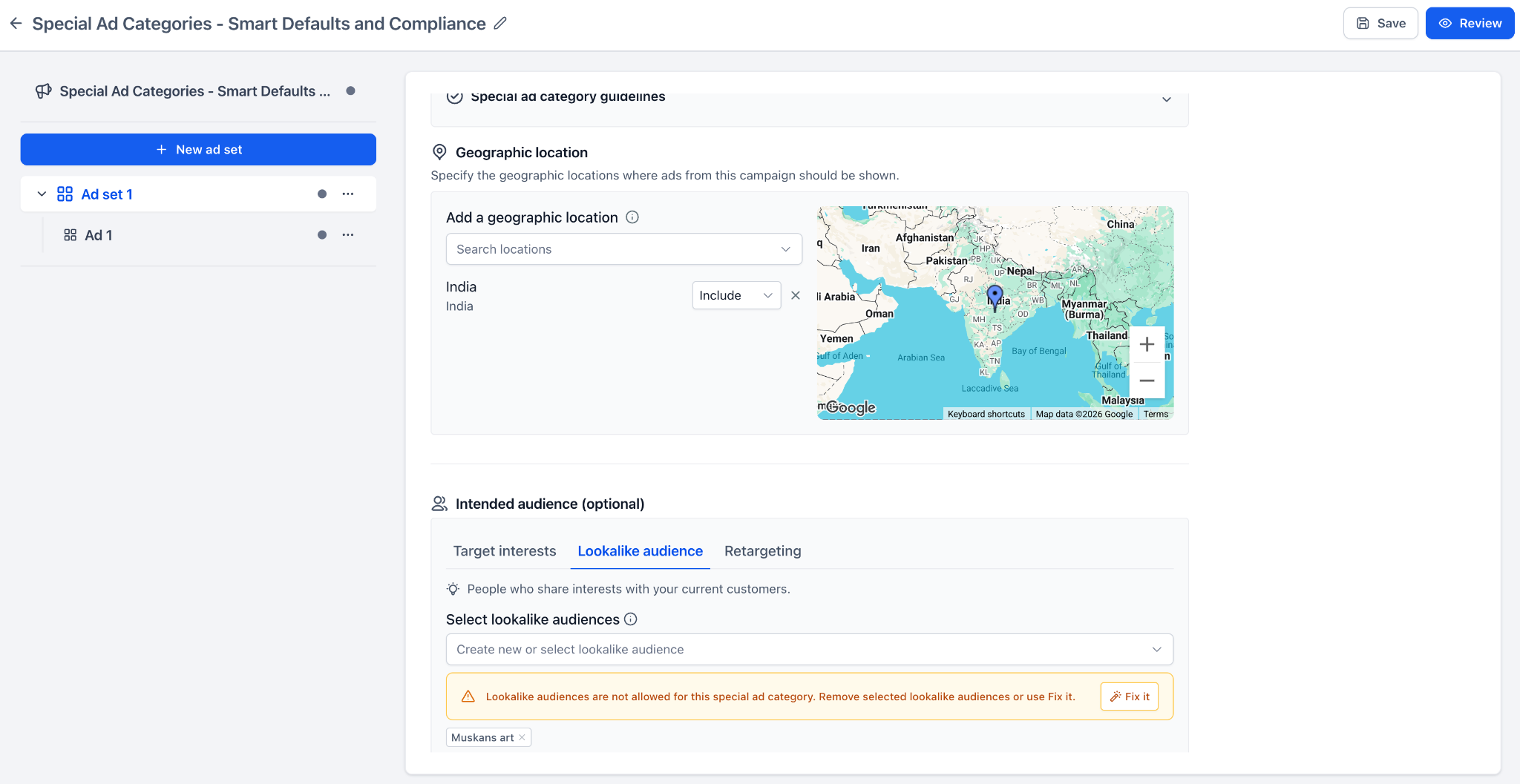
- Field-level warnings: If any targeting value appears non-compliant, Ad Manager highlights it directly beside the relevant field so you can spot it quickly.
- Fix it action: Where available, you can click Fix it to automatically apply recommended compliant values in one step.
- Non-blocking flow: You can still move forward and publish, and Ad Manager clearly warns you when selected values might lead to campaign failure so you can make an informed decision.
How to use it
- Create or edit a Meta campaign in EveryCatch Ad Manager.
- At the campaign level, choose the appropriate Special Ad Category from the dropdown.
- Look at the informational notice that appears below the category field to understand the main rules and recommendations for your selection.
- Open the ad set and scroll to the Audience controls section.
- Review the compliance banner at the top and expand the guidelines to see the detailed Special Ad Category targeting rules that apply to this audience.
- Review any highlighted targeting fields, then either click Fix it to apply the suggested compliant settings or adjust the values manually to meet Meta’s rules.
- When you are satisfied with your targeting and any fixes, continue to Review and Publish to send your campaign to Meta.
Why this feature
Meta applies strict targeting rules to campaigns related to housing, employment, credit, financial products, and social issues / elections / politics. If these requirements are missed, your campaigns can fail at the publishing stage.
This update gives you clearer, in-context guidance while you build your campaign so you can see what needs attention, make corrections early, and publish with more confidence that your setup aligns with Meta’s policies.
Notes
- This experience applies to Meta campaigns created in EveryCatch Ad Manager.
- Warnings are advisory and do not prevent you from continuing or publishing.
- EveryCatch Ad Manager does not silently change your targeting; you always choose whether to accept suggested fixes or update values yourself.
Need help with this?
If you'd like help setting this up or want to know what it means for your account, book a quick call and we'll walk you through it.
