Layers in certificate and badge builder
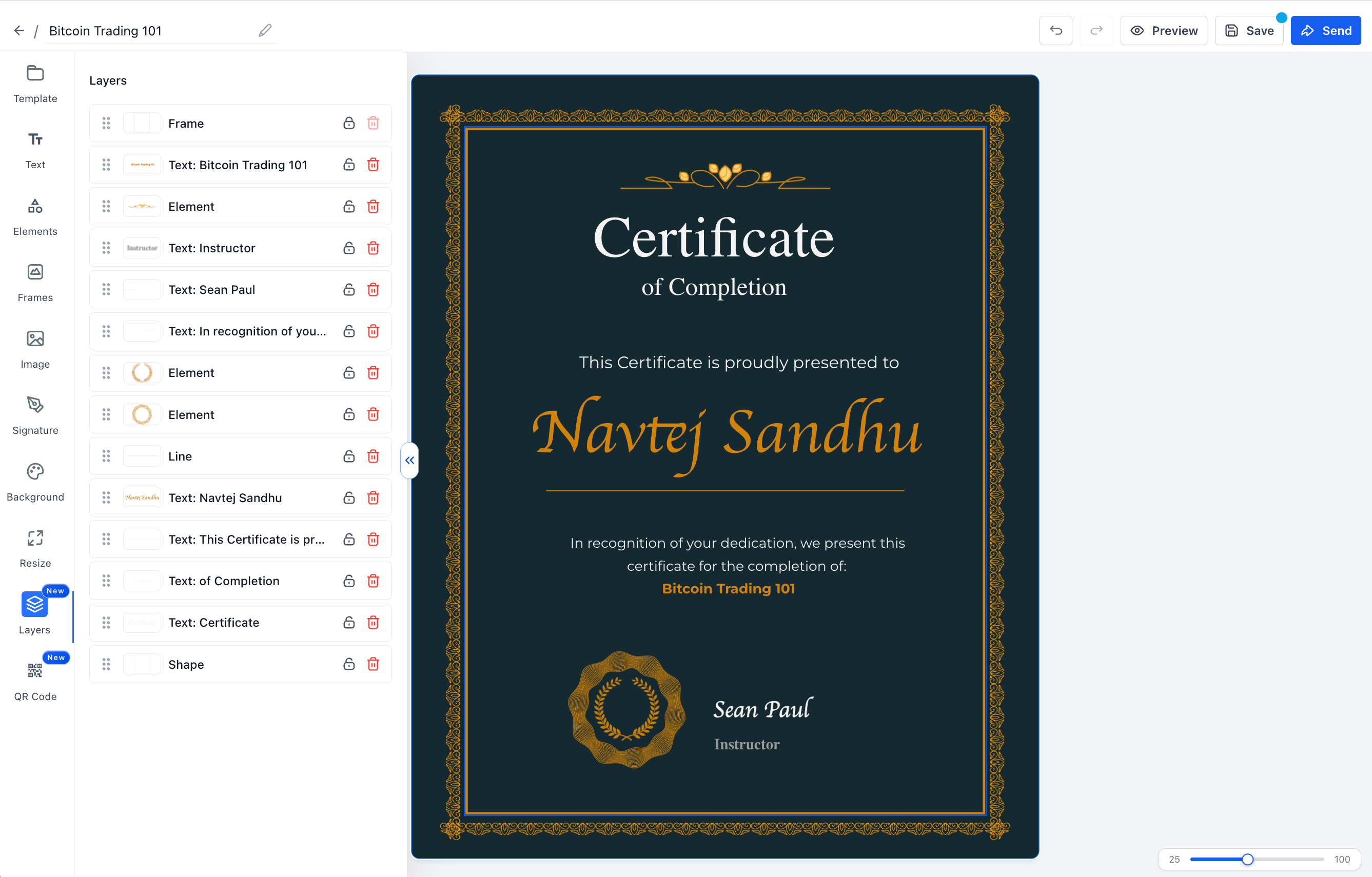
EveryCatch now includes a dedicated Layers panel in the certificate and badge builder, so you can easily see how elements are stacked, keep important pieces fixed in place, and spot broken custom-field placeholders before you publish.
Key highlights
- New Layers tab in the builder sidebar that shows every element on your canvas in stacking order
- Click any layer to select that element on the canvas, and drag layers up or down to change which elements sit in front or behind
- Per-layer lock controls, so locked layers cannot be moved, resized, deleted, or edited using shortcuts
- Delete any layer that is not locked directly from the Layers panel, without searching for it on the canvas
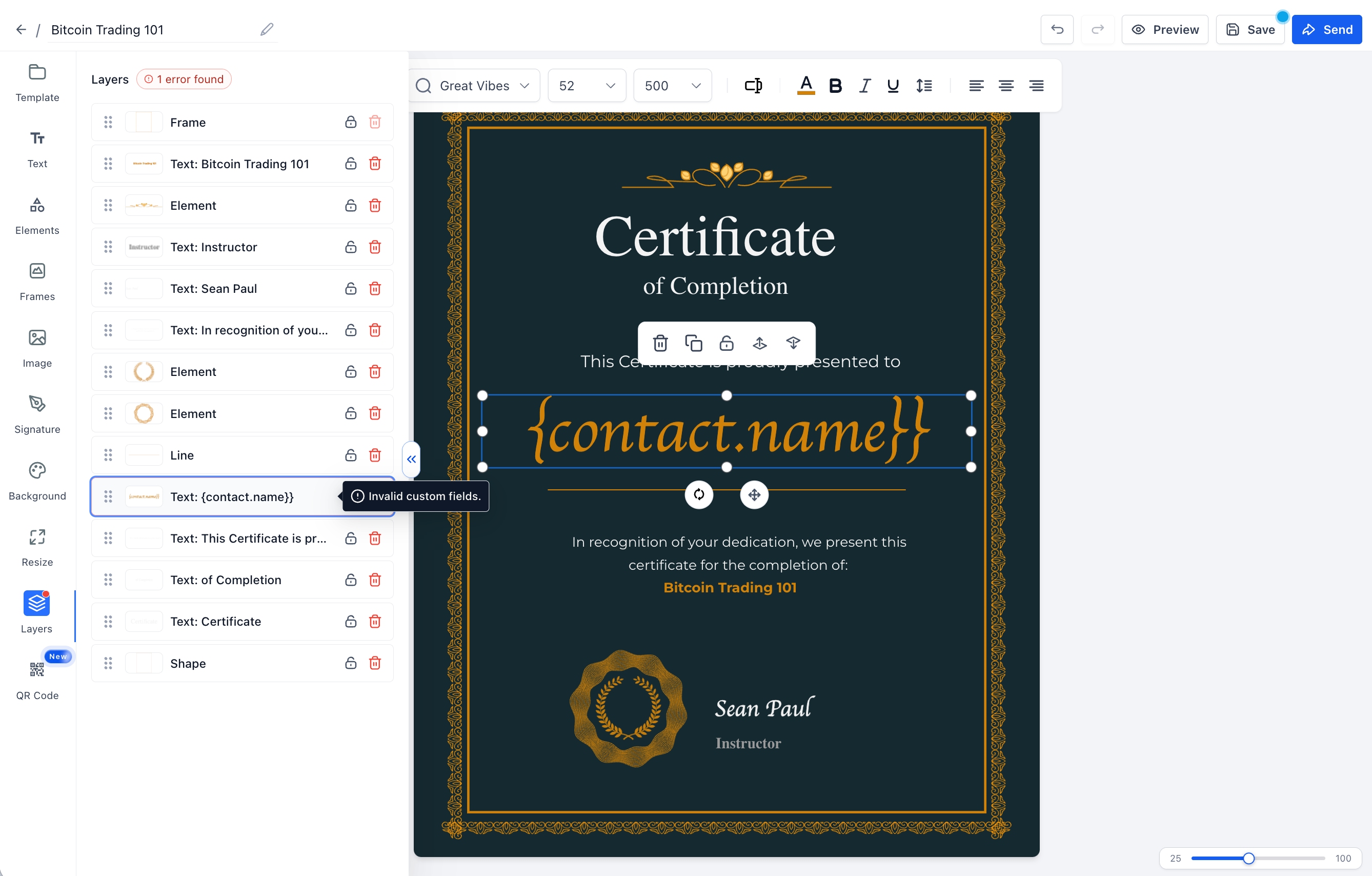
- Invalid custom-field placeholders are clearly flagged with an error pill on the affected layer
- When you click manual save, EveryCatch alerts you if any invalid placeholders are still present (auto-save continues as usual)
Why this matters
- More precise control over how certificate and badge elements overlap on the page
- Fewer accidental changes to key elements because you can lock important layers
- A better opportunity to catch and fix broken custom fields before certificates are generated and sent
- A familiar design workflow that makes it faster and more comfortable to build and adjust templates
Getting started
- Open the certificate or badge builder for the template you want to edit
- Select the Layers tab in the left sidebar to see all elements on your canvas in order
- Click a row to select that element, drag rows to reorder the stack, use the lock icon to protect important layers, and use delete to remove any you no longer need
- Check any layers with an error pill, then fix or replace the invalid custom fields before you publish or manually save your template
Need help with this?
If you'd like help setting this up or want to know what it means for your account, book a quick call and we'll walk you through it.
