Invoices accounting sync
Keep your books aligned every time. Invoices, transactions, and contacts now stay in sync across your tools, with full visibility into what synced and what needs attention.
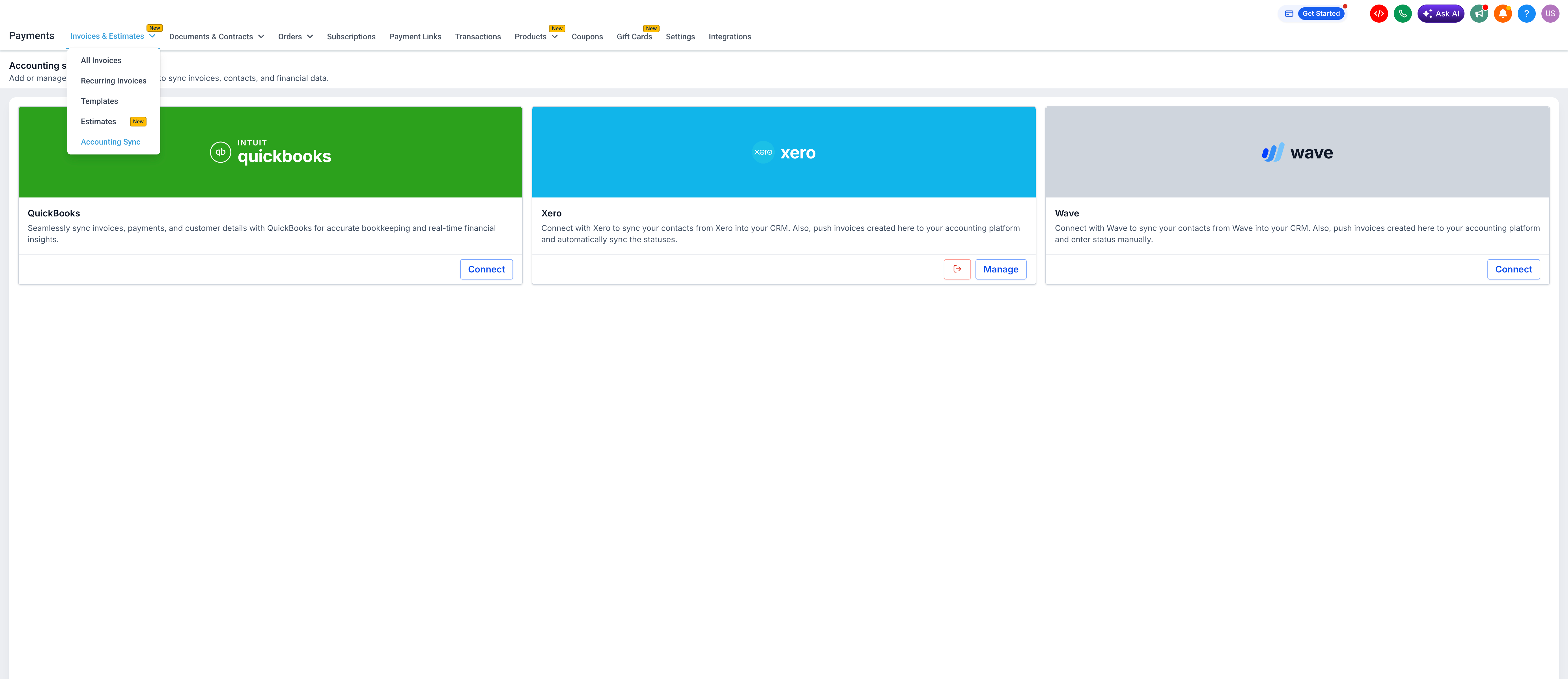
When you send an invoice, EveryCatch now manages the accounting sync in the background and clearly shows you what happened. The accounting sync area is your central place to review and fix sync activity for QuickBooks, Xero, and Wave.
The challenge
You connected your accounting platform and expected your data to flow through automatically. In reality, some invoices failed to sync without any warning, log, or way to review what went wrong. The gaps only surfaced later when missing records caused issues during reconciliation, which often meant hours of manual cleanup.
Our solution
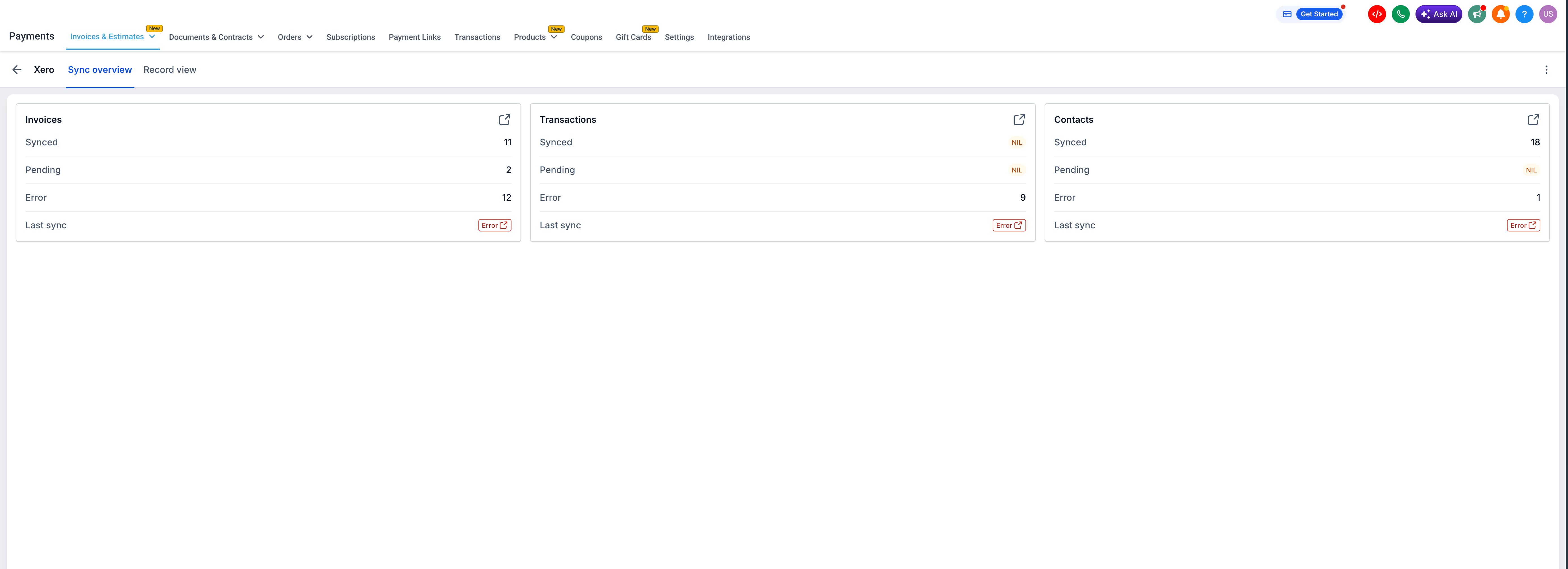
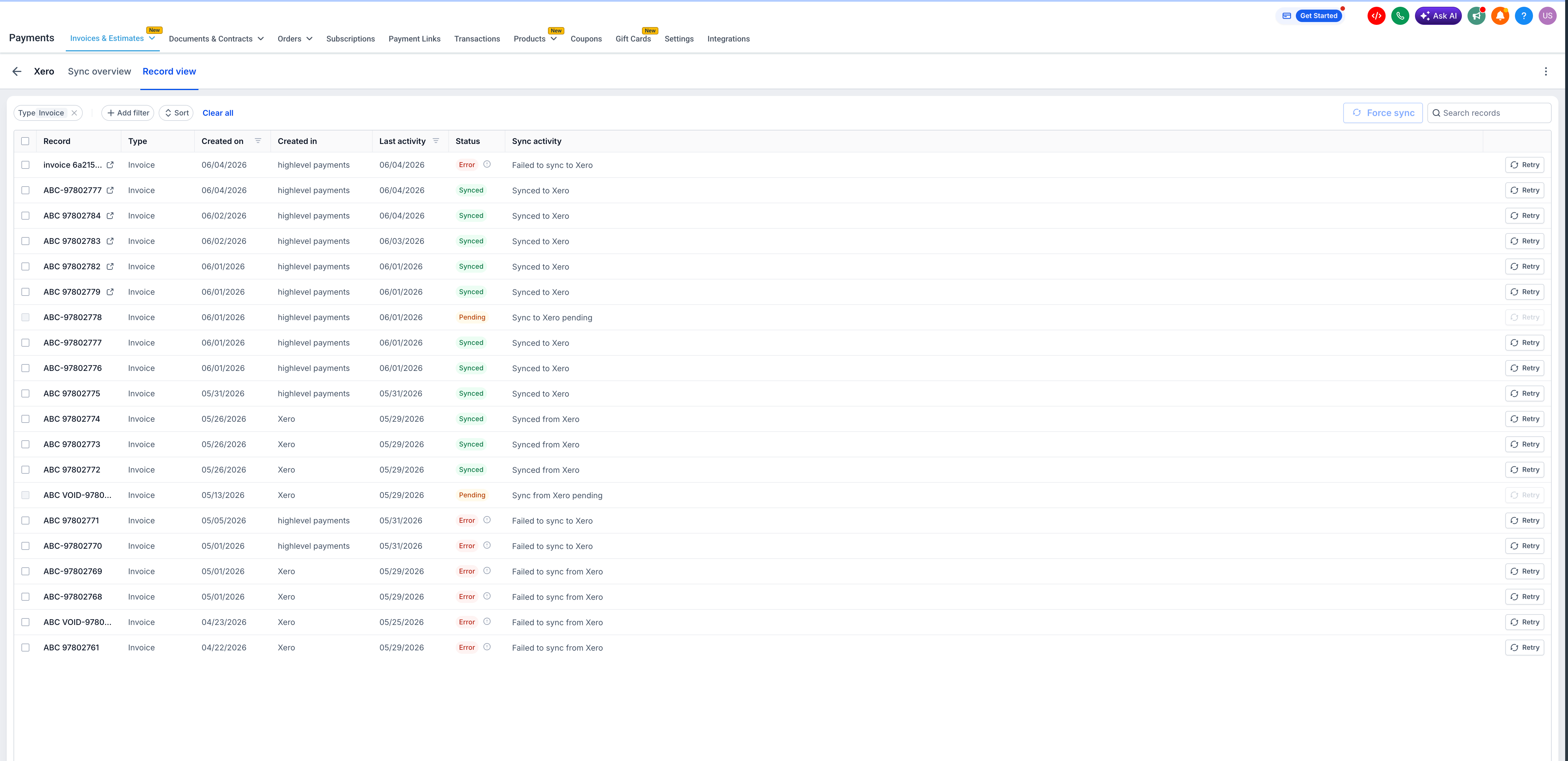
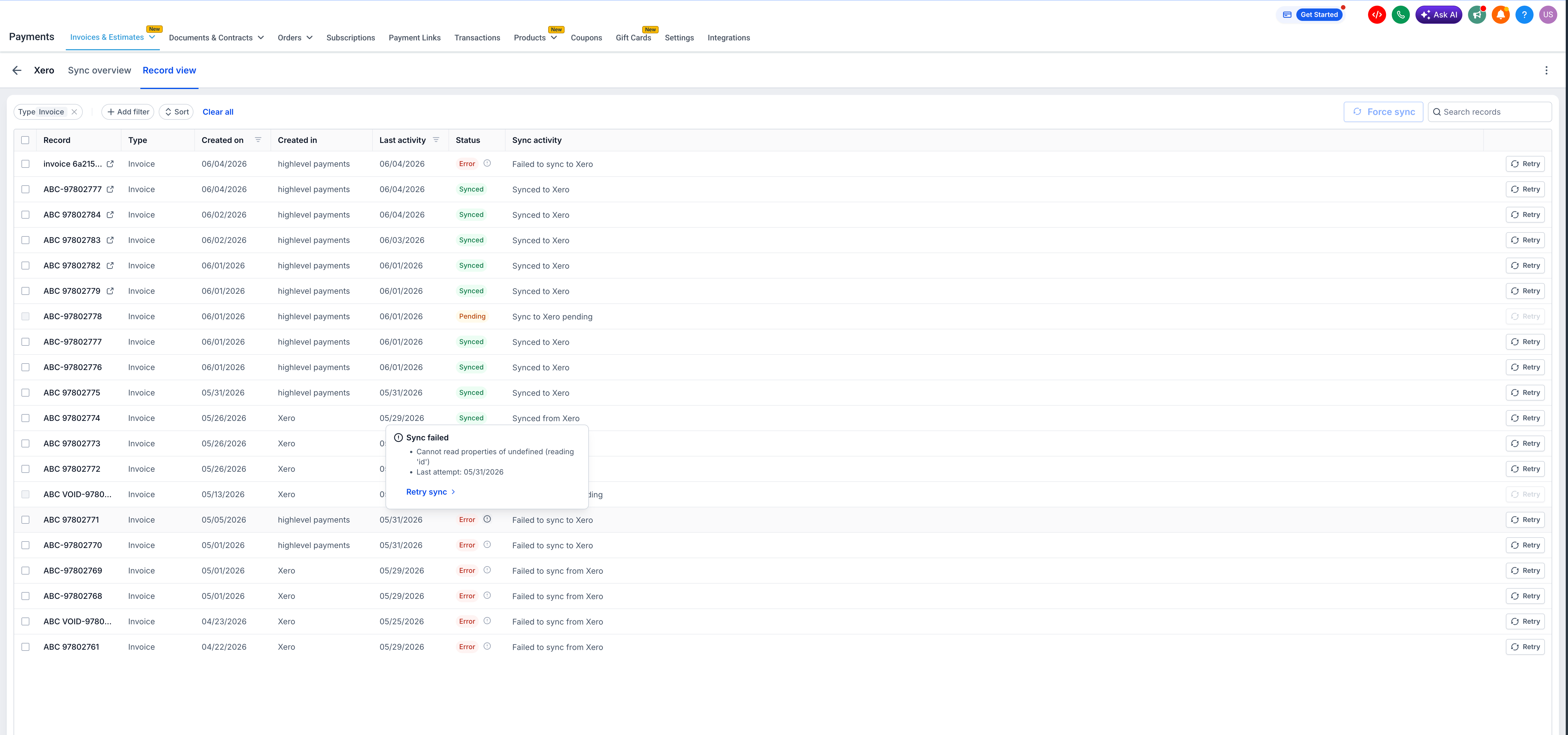
Accounting sync in EveryCatch gives you a live dashboard for each connected accounting platform. You can see how many invoices, transactions, and contacts synced successfully, and which ones failed. You can open individual records, read a clear error message, and retry the sync with a single click.
How this helps your business
- Stay audit-ready: Catch sync failures right away, before they create accounting issues.
- Save reconciliation time: Avoid manually cross-checking records between EveryCatch and your accounting platform.
- Resolve issues quickly: Use the failure log to understand what happened and retry the sync directly from the dashboard, without needing to contact support.
- See everything in one place: Monitor invoices, transactions, and contacts across your connected platforms from a single view.
How to get started
- In your EveryCatch account, go to Payments → Invoices & Estimates → Accounting sync.
- Click Manage next to the accounting platform you want to review (QuickBooks, Xero, or Wave).
- Use the expand icon on any entity type to open Record view and see the sync status for each individual record.
- Hover over the ⓘ icon on any record with an error to see the failure reason and the timestamp of the last sync attempt.
- Click Retry on a record to trigger the sync again for that specific item.
What's next?
Transaction sync for Wave is coming soon, so Wave users will be able to track invoices, transactions, and contacts together, similar to QuickBooks and Xero. The team is also exploring proactive failure notifications so you can be alerted as soon as a sync error happens, without needing to check the dashboard manually.
Good to know
- Supported accounting platforms: QuickBooks, Xero, Wave.
- Transaction and contact sync for Wave are not yet available; only invoices sync today.
- Accounting sync is available on web only.
- Invoices created and sent from the EveryCatch mobile app will still sync to your accounting platform automatically, but you need to use the web app to review sync status and logs.
- The Retry button is available per record only; bulk retry for multiple records at once is not yet supported.
Need help with this?
If you'd like help setting this up or want to know what it means for your account, book a quick call and we'll walk you through it.
