
Introducing LinkedIn Integration! Bring your LinkedIn Leads Ads into EveryCatch
Introducing LinkedIn Integration! Bring your LinkedIn Leads Ads into EveryCatch

We’re proud to present the LinkedIn lead integration, a feature meticulously crafted to enhance lead management processes.
What’s New?
Streamlined Lead Import:
You can connect your LinkedIn accounts and watch as leads are effortlessly integrated into the CRM.
LinkedIn Lead Ads Integration:
Just as you can with Facebook and TikTok, you can now channel leads from LinkedIn lead ads directly into EveryCatch.
Capability to Handle Multiple LinkedIn Accounts:
You have the freedom to link multiple LinkedIn Pages or Ad accounts, with no restrictions on the number of accounts. 🔄
Customizable Syncing Options:
We offer flexibility in lead syncing. Users can opt to import leads from the past 90 days or focus on new leads only. ⏰
🛠️ How to Implement:
Activate the Feature: Navigate to Labs settings and enable the LinkedIn Integration.
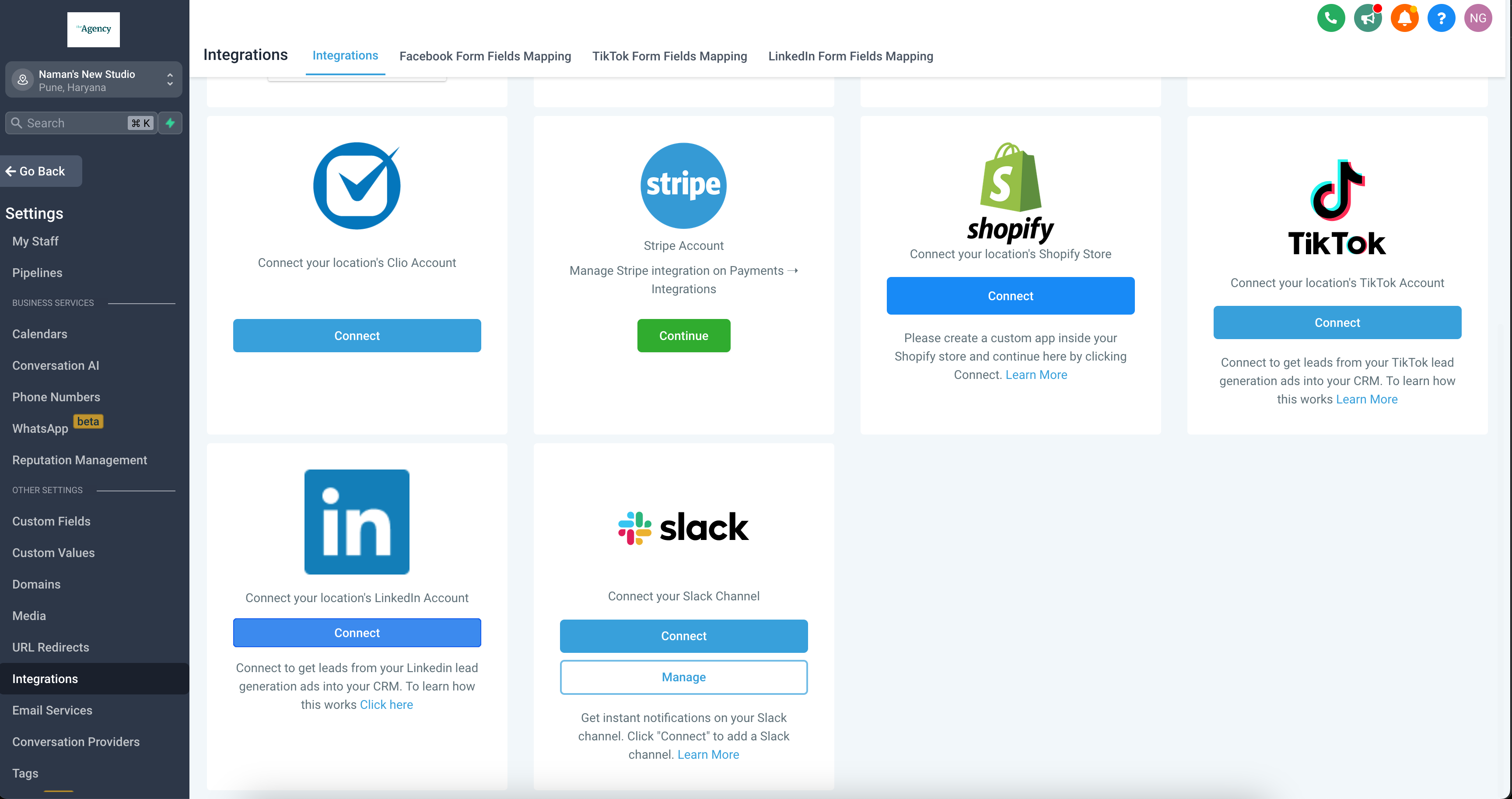
Set up your connection to LinkedIn: On the integrations page, there’s an option to click “Connect” next to LinkedIn.
Authorize the Account: By logging into LinkedIn and granting the necessary permissions, you can ensure a smooth integration.
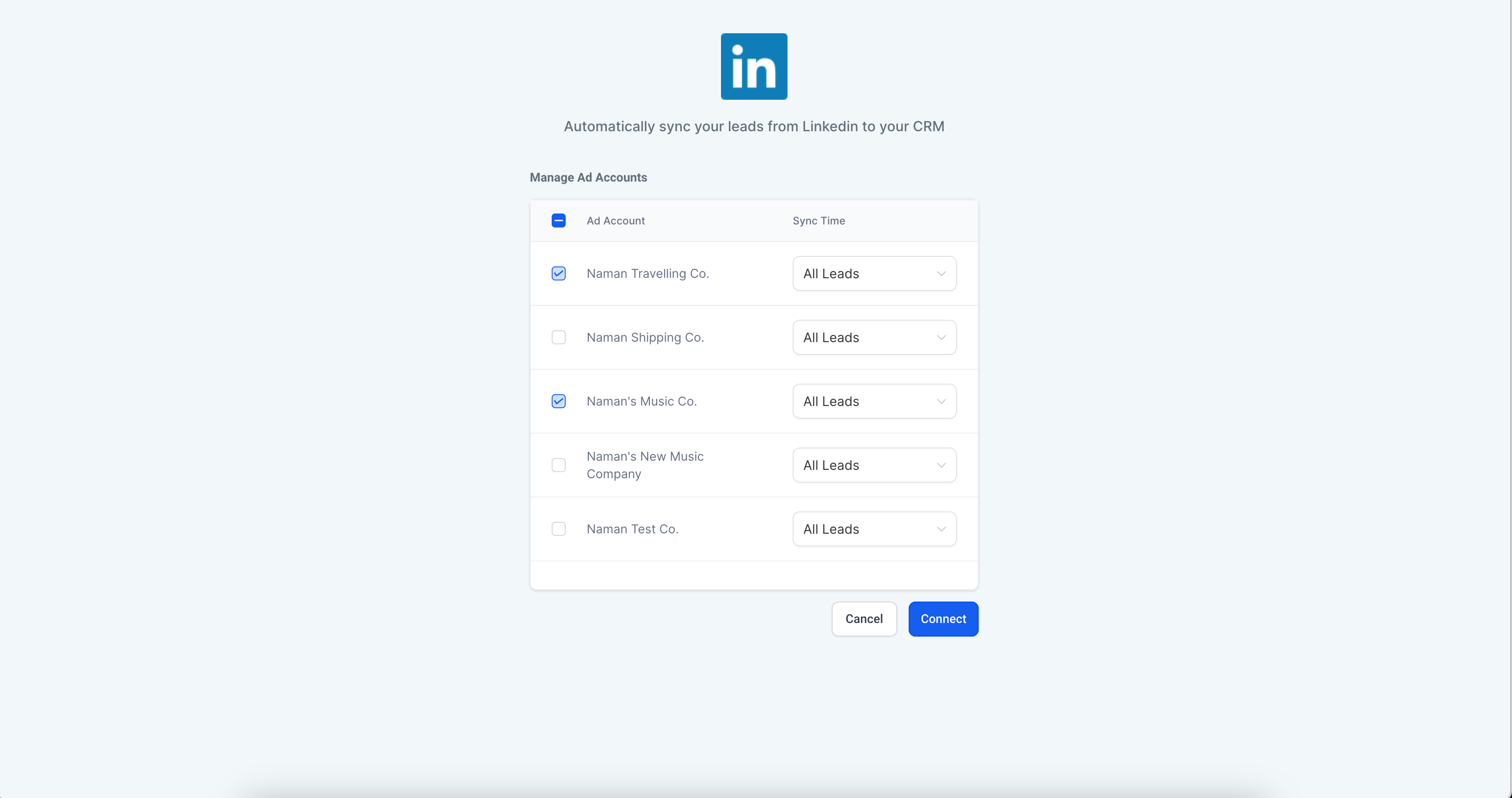
Specify Preferences: You can select your desired ad accounts and set your preferred sync time (All leads or New leads only).
Establish the Connection: By clicking “Connect,” the integration process is set in motion.
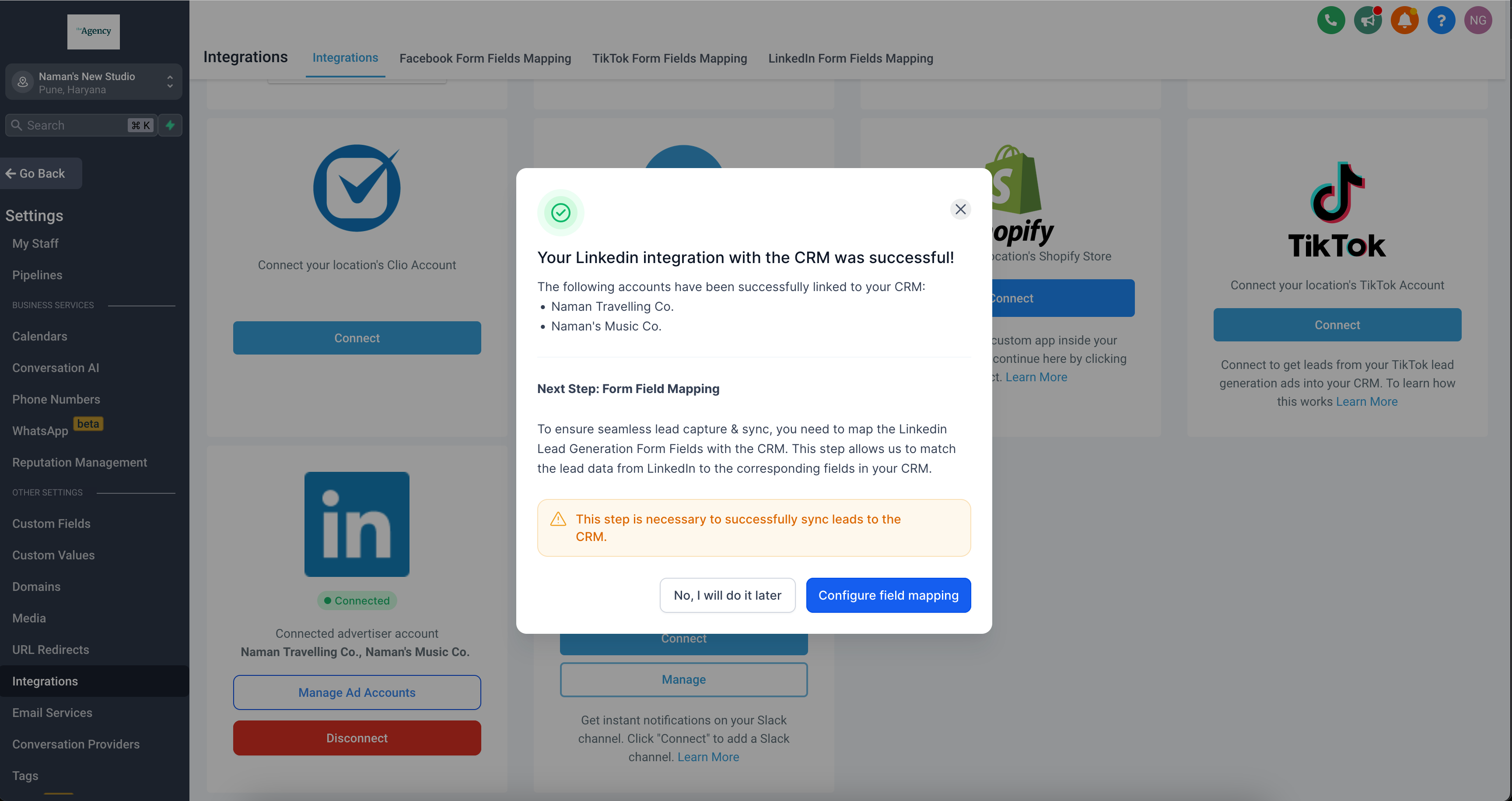
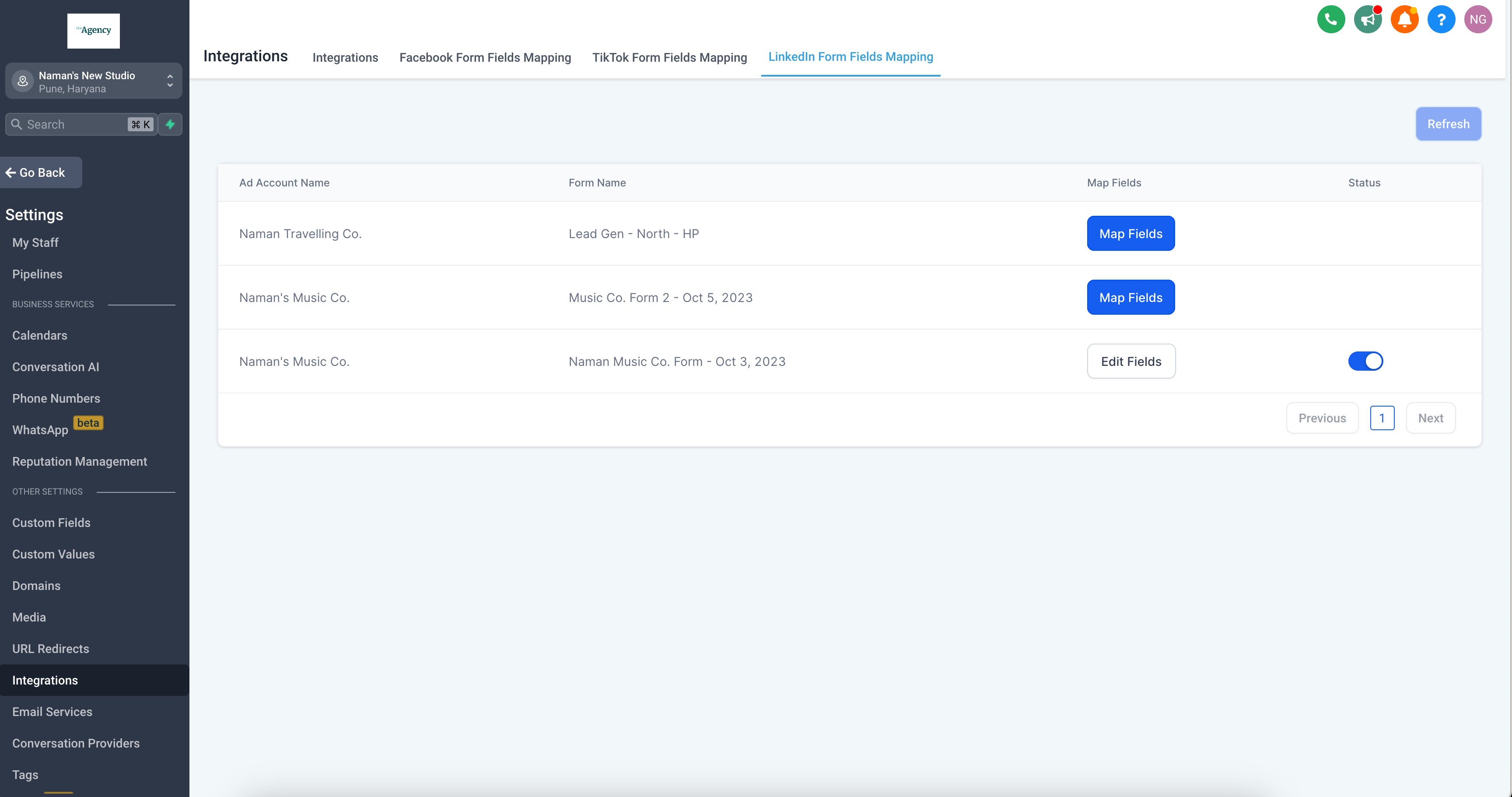
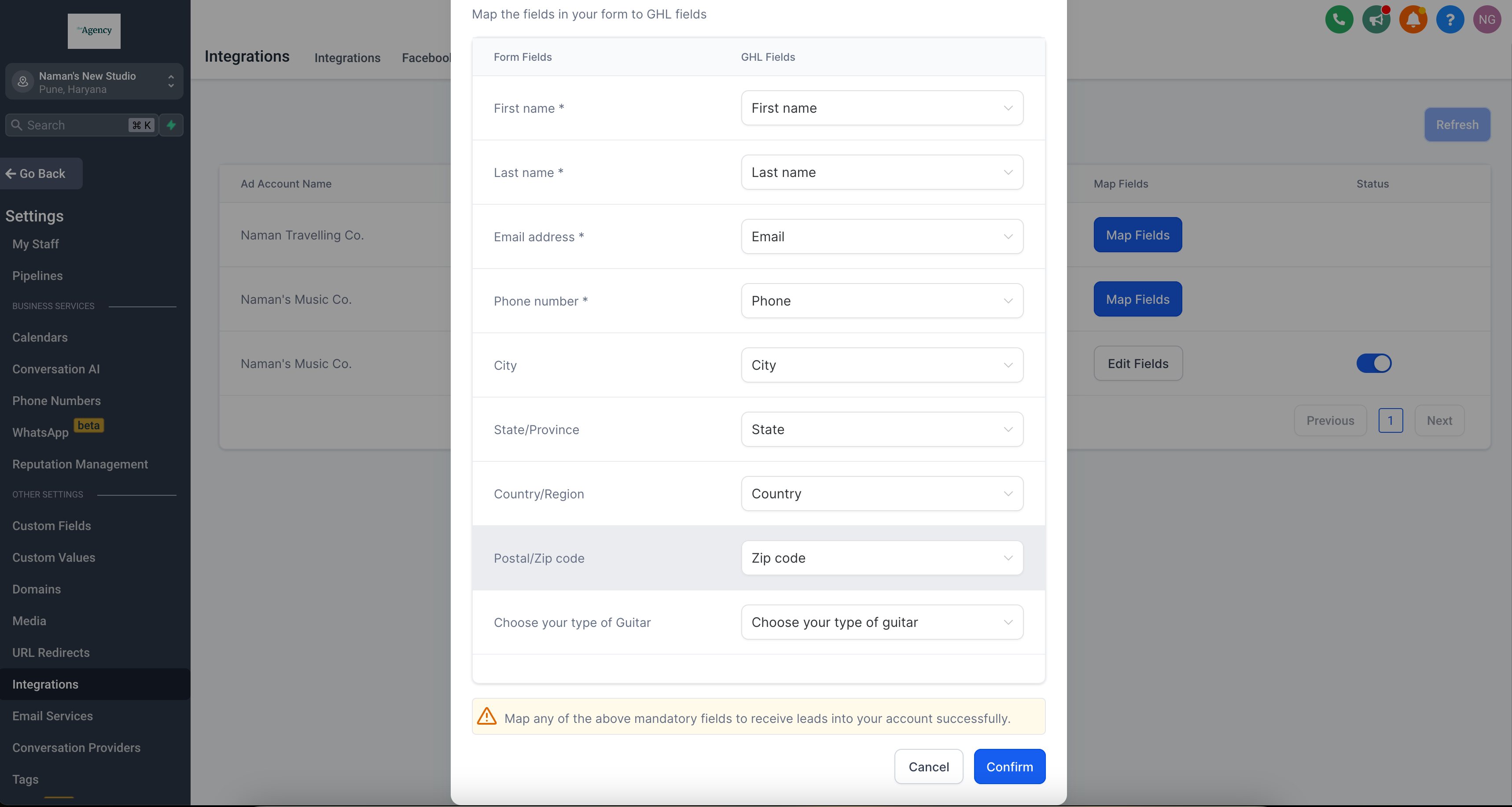
Field Mapping: You can visit the form field mapping section and adjust the fields to your requirements.
Lead Collection: Once set up, leads will automatically populate in the contacts section.
