Inline validation errors for schema markup JSON view
Overview
EveryCatch has improved the schema markup JSON view in the Website and Funnel Builder so you can now see validation errors directly on the specific lines that need attention.
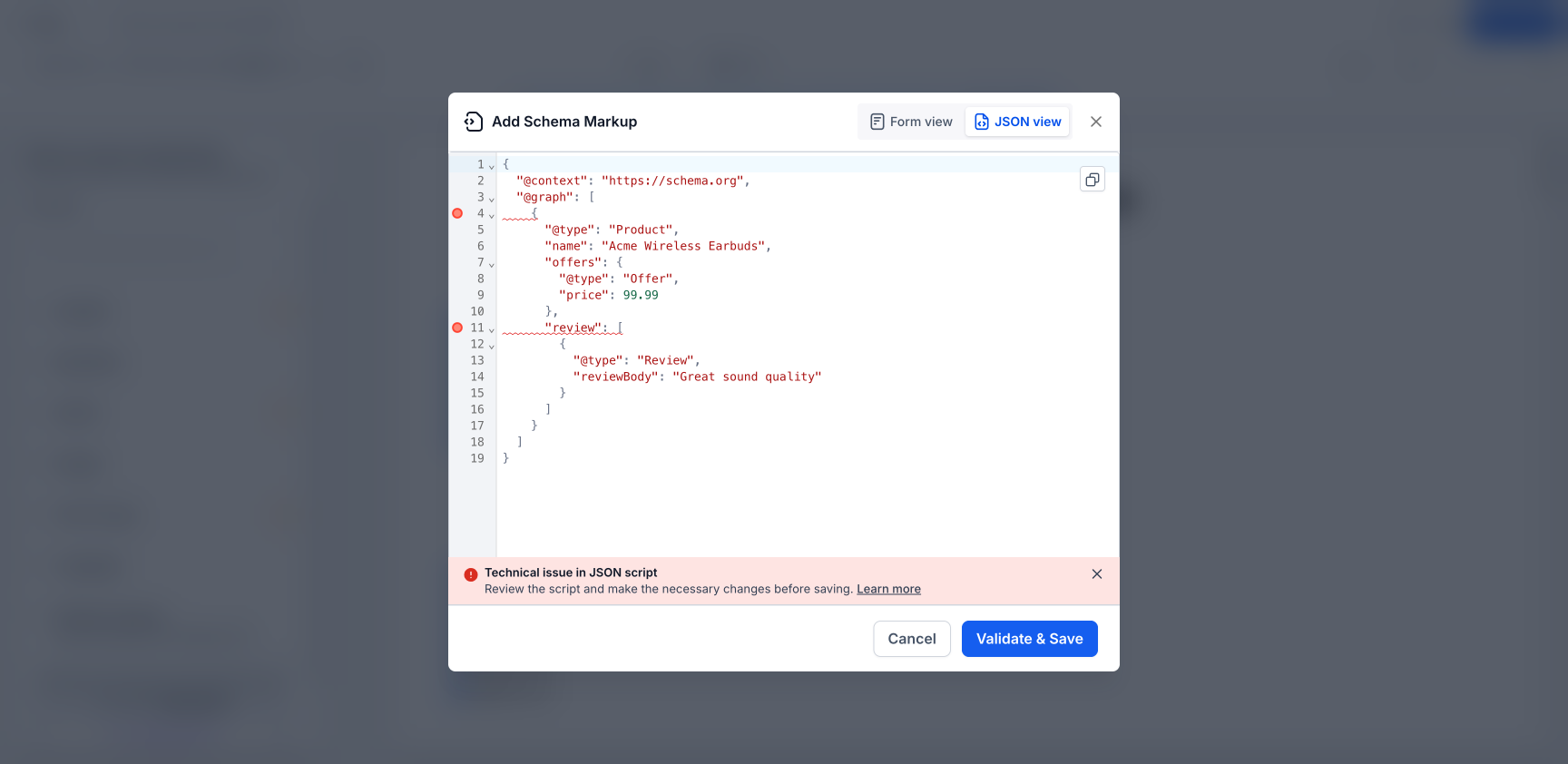
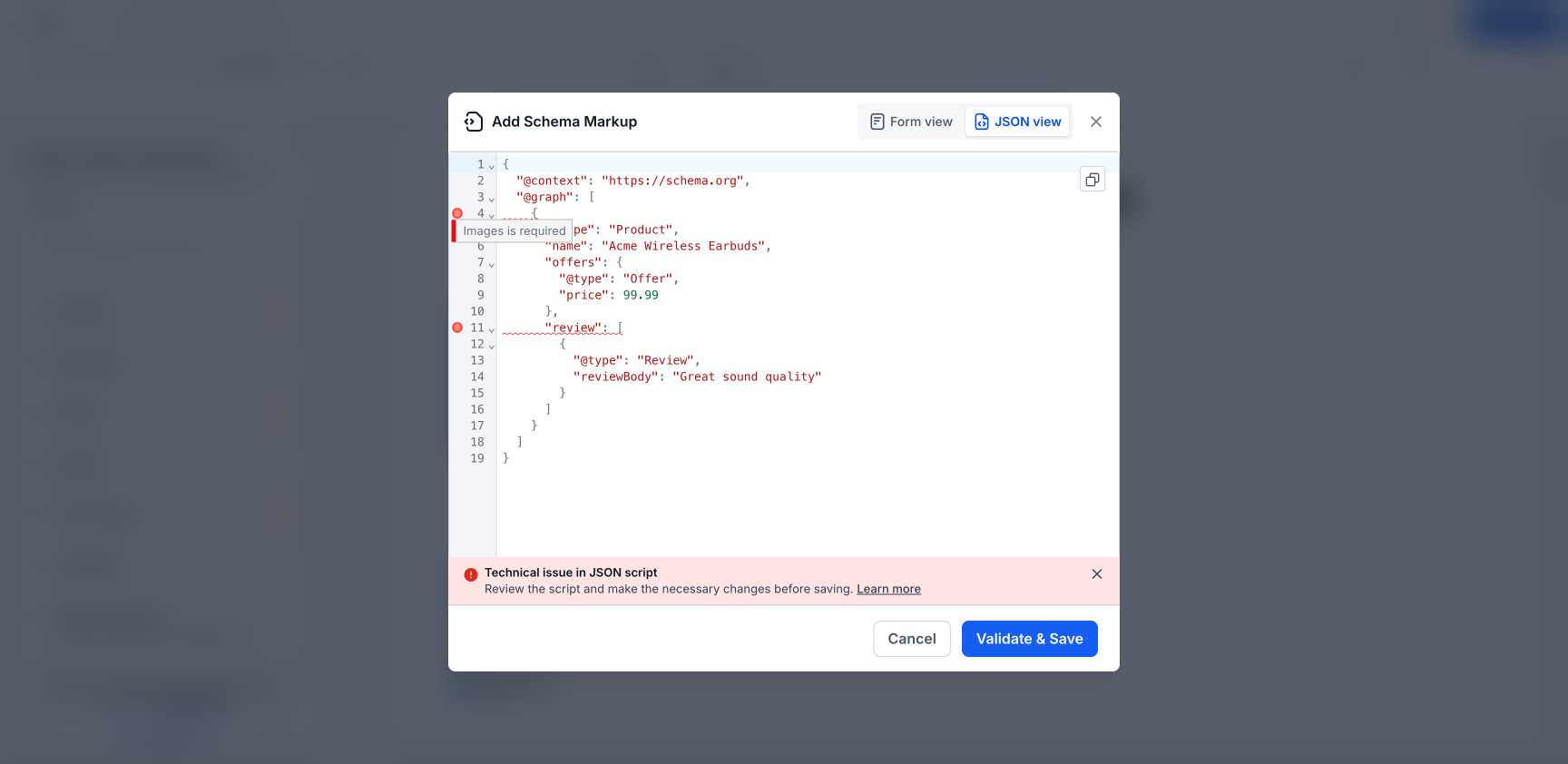
Before this update, JSON validation issues appeared only as a general alert, which made it harder to locate the exact problem. Now, each issue is highlighted inline with a marker and a tooltip that explains what is wrong and what you should adjust.
What’s improved
- Validation errors now appear inline next to the exact JSON line that is causing the issue
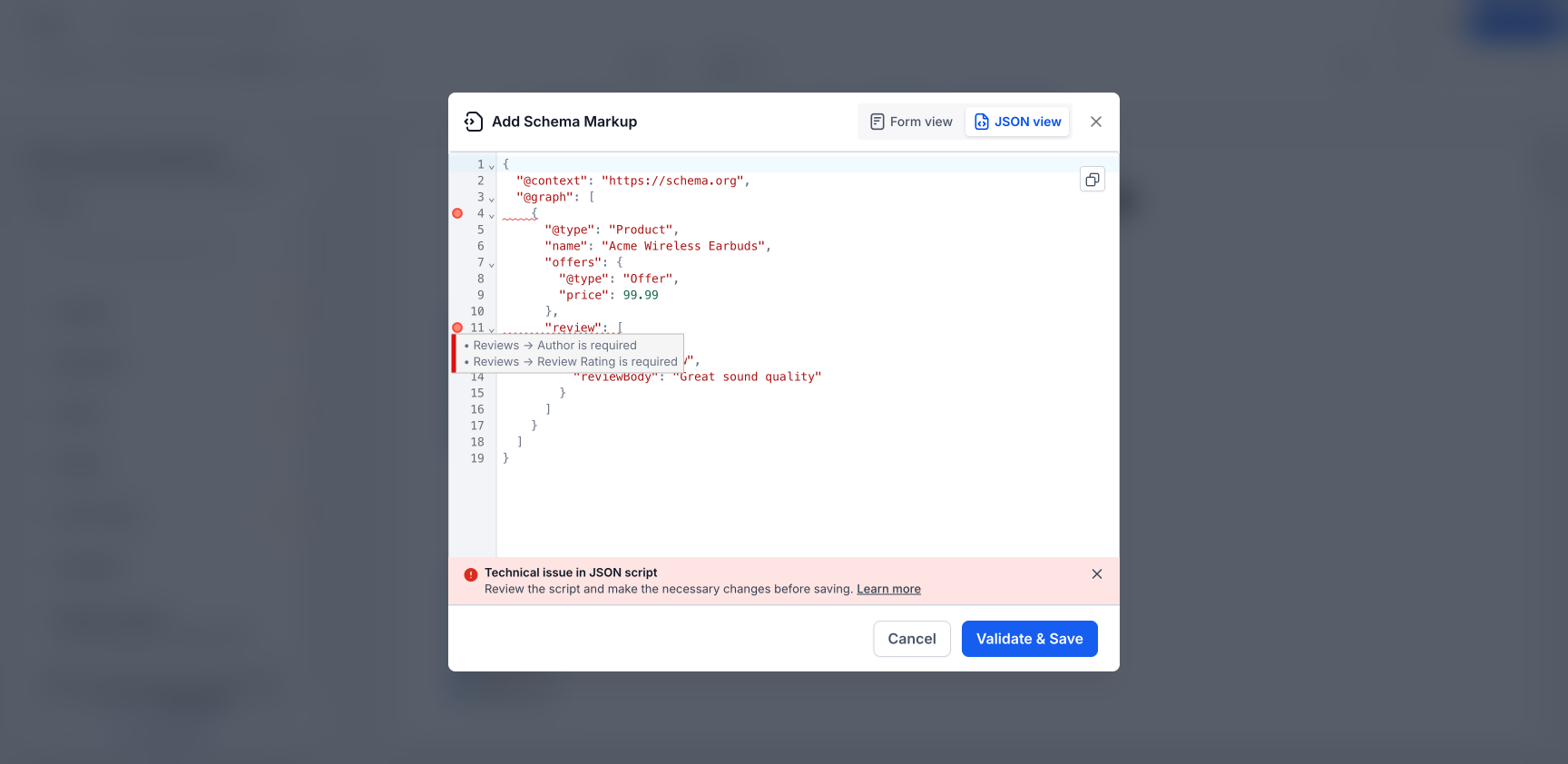
- Hovering over an error marker shows a clear, plain-language description of the problem
- Handles nested fields and complex schema structures so you can track down issues deeper in your schema
- Works with multi-schema (@graph) JSON, assigning each error to the correct schema block
- Errors clear one by one as you fix them, so you can see progress as you edit
How to access
- Go to the Website or Funnel Builder in EveryCatch
- Open Edit page for the page you want to update
- Go to SEO & AI search optimization > Schema markup
- Open Add/Edit schema and switch to the JSON view
- Click Validate & save to run validation and see inline error markers directly in your JSON
Why it matters
- Makes schema markup errors easier and quicker to find and fix
- Cuts down on guesswork when working with larger or more complex JSON-LD scripts
- Lets you save valid schema configurations more efficiently
- Improves the editing experience for advanced schema setups and multi-schema implementations
Good to know
- Available in both the Website Builder and Funnel Builder in EveryCatch
- Works with all schema types, including Product, Organization, FAQ, LocalBusiness, Article, Recipe, Event, and others
- Fully supports multi-schema (@graph) payloads so each schema block is validated accurately
Need help with this?
If you'd like help setting this up or want to know what it means for your account, book a quick call and we'll walk you through it.
