Inbound call routing by working hours
25th of June, 2026
Inbound call routing by working hours
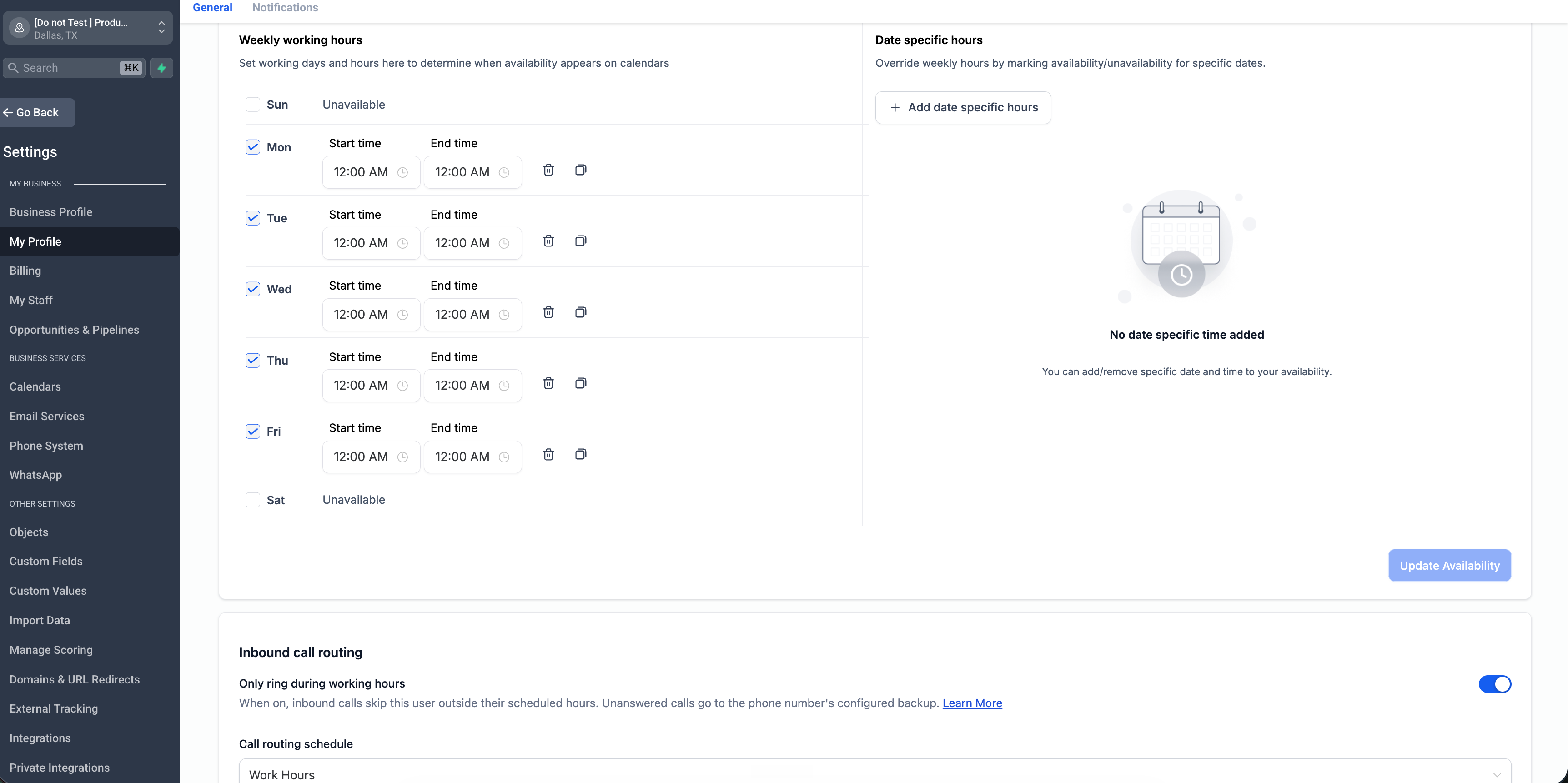
You can now choose to receive inbound calls only during your working hours in EveryCatch. Turn on "Only ring during working hours" in your profile, select the schedule that matches when you are available, and any inbound call that comes in outside those hours will automatically skip you and go to the phone number's existing backup.
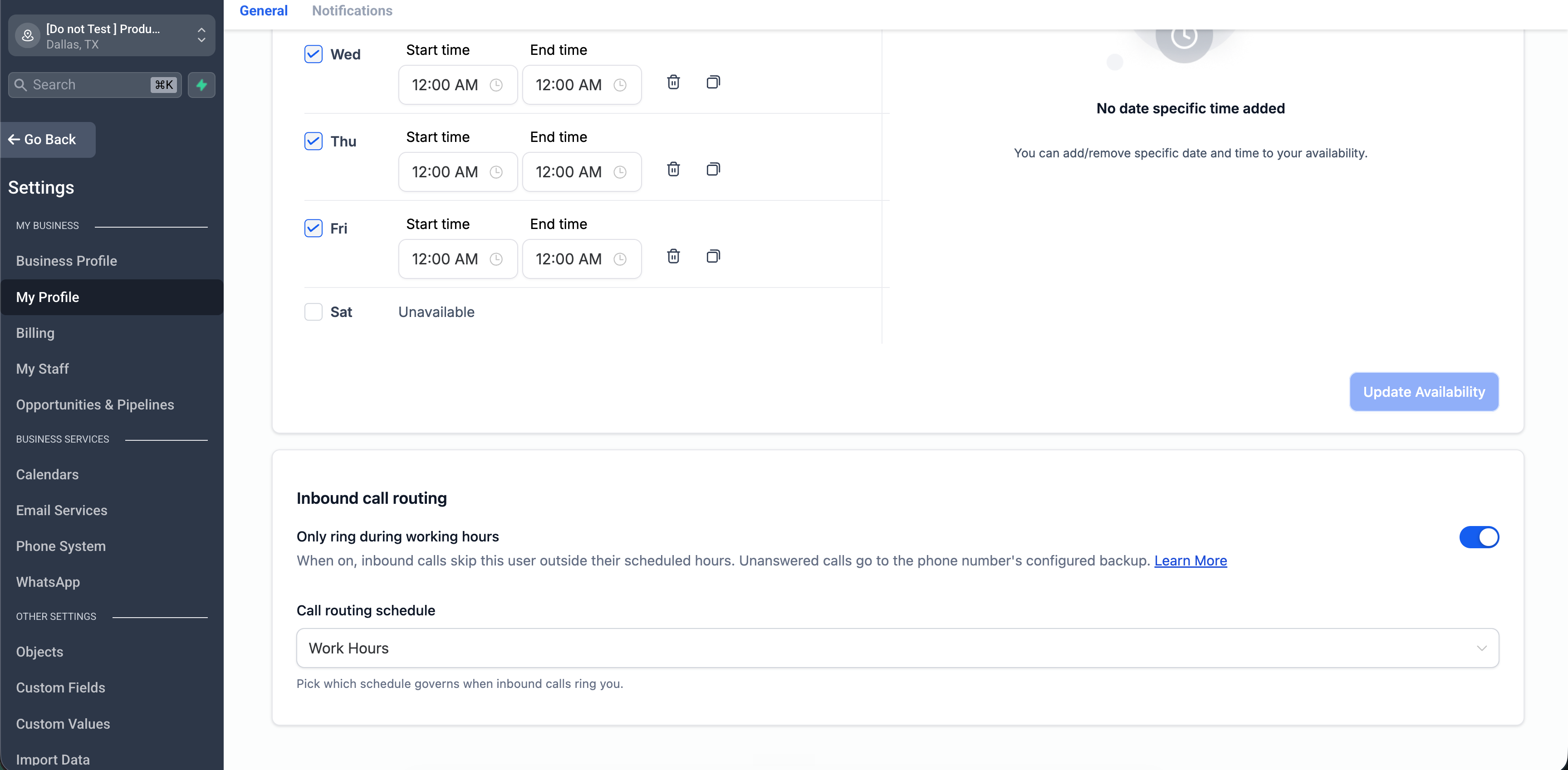
This setting is off by default, so nothing changes until you switch it on. During your working hours, calls will ring you exactly as they do now.
Where to find it
- Go to Settings > My Profile and look for the "Inbound call routing" card.
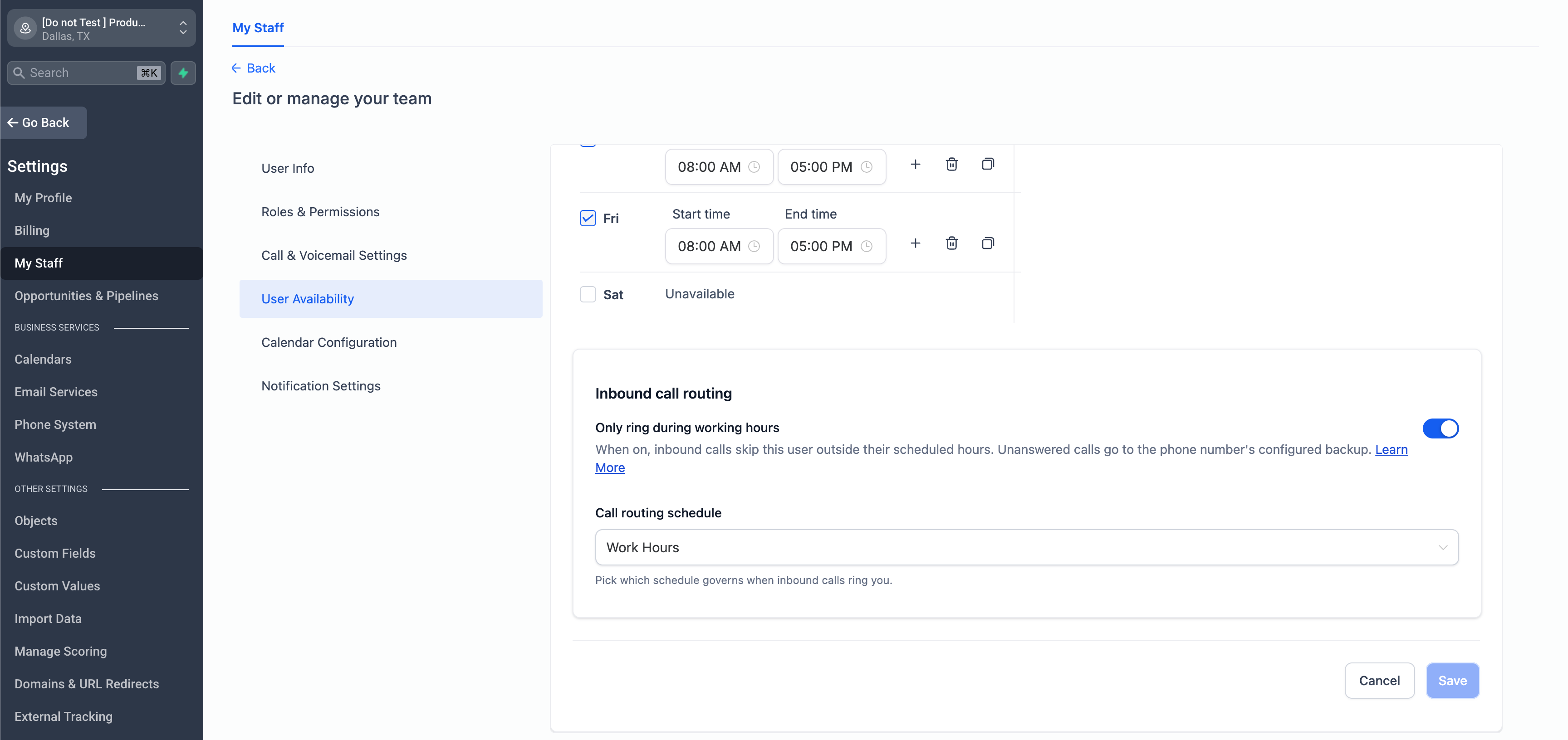
- Admins can also manage this for team members under Settings > My Staff > Edit > User Availability.
How it works
- Direct calls: if a number is assigned to you and you are outside your working hours, the call skips you and goes straight to that number's backup routing.
- Ring all: in ring-all setups, teammates outside their working hours are skipped. Anyone who is within their hours will still ring as usual. If everyone is outside their hours, the call goes to the number's backup.
- Call menu (IVR): if a connect step is configured to ring you and you are outside your hours, EveryCatch skips you while still ringing the other people and numbers on that step. If you were the only target on that step, it connects to no one and the workflow continues along the usual "not connected" path.
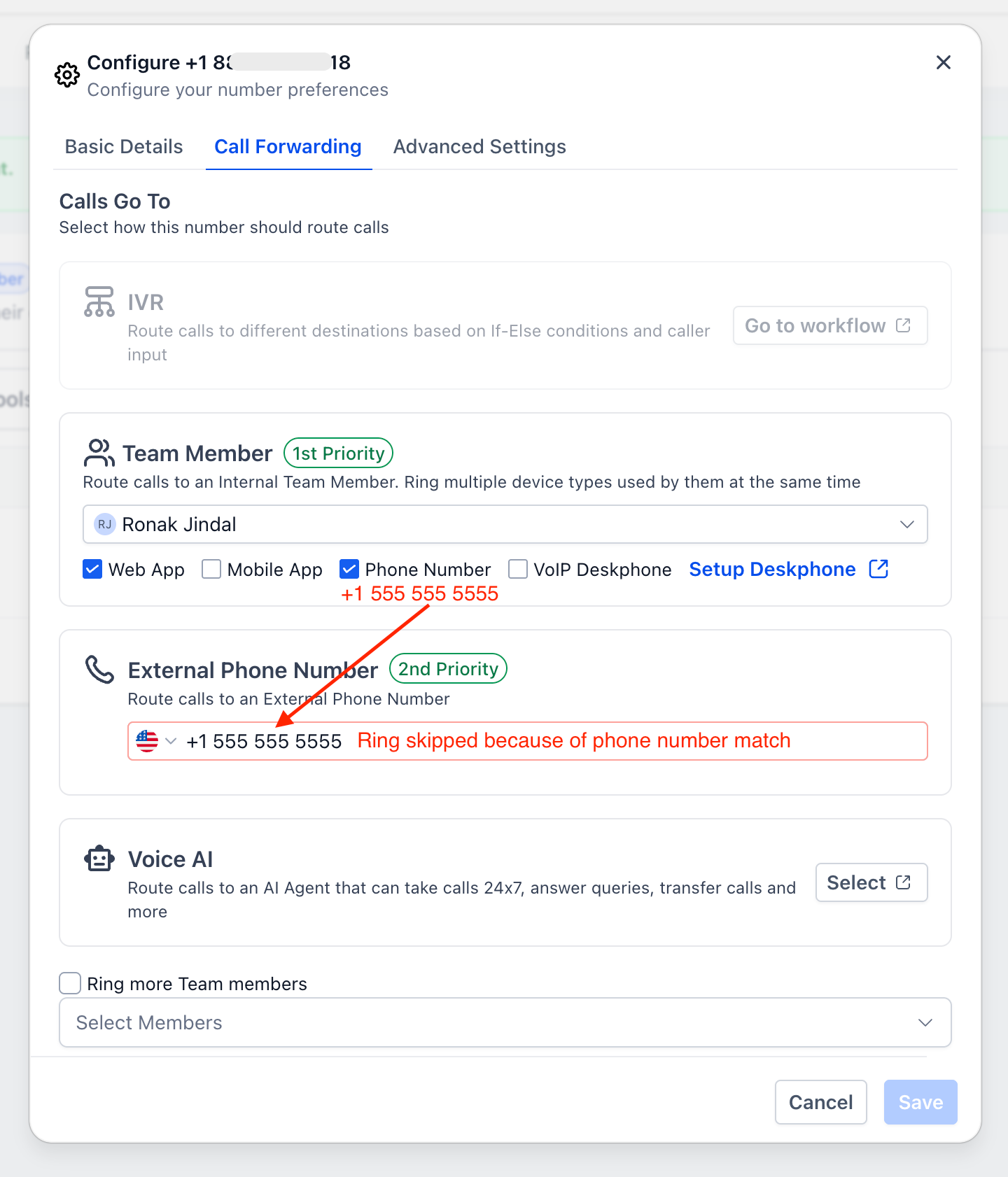
- Forwarding numbers are respected: if your personal phone is also set as the phone number's forwarding number or business number, it is automatically skipped when you are outside your hours, so the call still goes to the backup instead of reaching you directly.
You can also mark yourself off for holidays. The schedule that powers this feature supports date-specific hours, which override your normal weekly hours for one day. Add a date-specific day with no hours to take yourself out of inbound call routing for a holiday or day off, without changing your regular weekly schedule.
For admins, you can control who is allowed to change this setting. It is linked to the "Manage calendars" permission. If you do not want a staff member adjusting their own call availability, remove the "Manage calendars" permission from their role under Settings > My Staff > Roles and Permissions. When that permission is off, the "Inbound call routing" card cannot be used for that user and any attempt to change the setting is blocked. This helps you keep control of after-hours call routing for your team.
Known limitations in this release
- Transfers are not covered yet. This update applies to inbound calls to assigned users, ring all, and call menu (IVR) steps. Transferred calls will be included in a future update.
- There are no per-user backup options yet. Calls outside your hours still follow the phone number's existing backup routing.
Need help with this?
If you'd like help setting this up or want to know what it means for your account, book a quick call and we'll walk you through it.
